 EN
 FR
 DE
 IT
 PT
 ES





















































































Buying guide
Which Microsoft Office licence do I need in 2026?
At Licendi, we help you choose a Microsoft Office licence for home, professional use or business. Office 2024 is the current one-off purchase option; Microsoft 365 offers subscriptions and collaboration; Office 2021 suits an existing installation that specifically needs that version. We sell genuine Microsoft keys and provide support by email and chat.
Your Office key and official download link arrive by email, instantly during office hours and within a maximum of 24 hours outside them. We also send a PDF invoice showing VAT.
- Key and download by email
- Invoice with VAT shown
- One-time payment, no subscription
- Support by email and chat
Office applications cover documents, budgets, presentations, email and databases. Before you buy Microsoft Office, decide which applications you need, which operating system you use and whether you prefer a one-off payment or a subscription. This table brings together the main choices available from Licendi.
| Edition | For whom | What it adds | Price from | Buy |
|---|---|---|---|---|
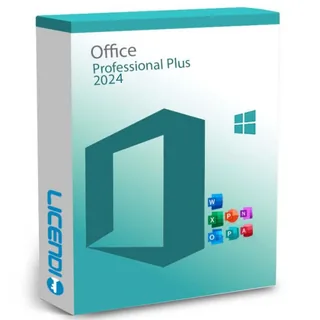 | Windows users working with databases | Word, Excel, PowerPoint, Outlook and Access; one-off payment | from60,32 € | Buy |
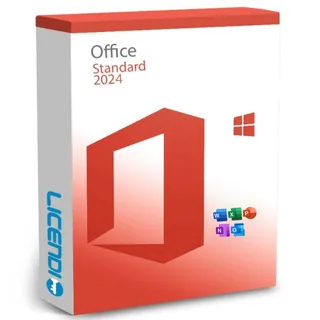 | Windows users needing office applications and email | Word, Excel, PowerPoint and Outlook; one-off payment | from70,24 € | Buy |
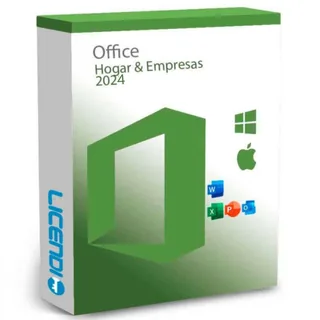 | Professionals using Windows or Mac | Word, Excel, PowerPoint and Outlook; one-off payment | from200,00 € | Buy |
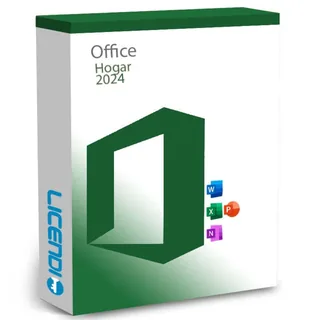 | Home users who do not need Outlook | Word, Excel and PowerPoint; one-off payment | from120,00 € | Buy |
 | Existing Windows installations requiring Office 2021 | Word, Excel, PowerPoint, Outlook and Access; one-off payment | from62,99 € | Buy |
 | Office 2021 compatibility without Access | Word, Excel, PowerPoint and Outlook; one-off payment | from45,83 € | Buy |
 | Personal use | Individual subscription | from72,43 € | Buy |
 | Family use | Subscription designed for family sharing | from100,00 € | Buy |
 | Business teamwork | Business subscription | from9,57 € per user per month | Buy |
These are starting prices. When comparing Microsoft 365 with a one-off purchase, check the term, number of users and number of devices included in the selected option. If you need to equip several computers, we can help you select the right Office licences.
Office 2024 Professional Plus LTSC: choose it for Access
This Windows edition brings together Word, Excel, PowerPoint, Outlook and Access. Choose it when your work includes Access databases as well as documents, spreadsheets, presentations and email. You pay once for this version and may continue using it indefinitely, subject to its licence terms.
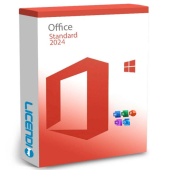
Office 2024 Standard LTSC: office applications and email
This Windows edition includes Word, Excel, PowerPoint and Outlook, but not Access. It is a one-off purchase for writing documents, preparing budgets, analysing figures, presenting work and managing email. The practical distinction from Professional Plus is whether your work requires Access.
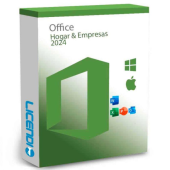
Office 2024 Home and Business: for Windows or Mac
This one-off purchase is aimed at professionals who need Word, Excel, PowerPoint and Outlook on Windows or Mac. Select the option for your operating system and the number of installations you require. Ask us before ordering if you are unsure which option matches your computer.
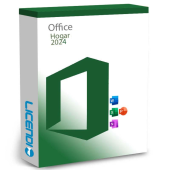
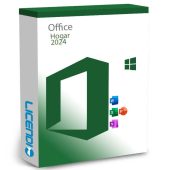
Office Home 2024: Word, Excel and PowerPoint for home
Choose this edition for personal documents, household spreadsheets, presentations or study. It is a one-off purchase for home use without Outlook. For professional work and email, compare it with Microsoft Office 2024 Home and Business.
Office 2021 and older versions: for compatibility
Microsoft Office 2021 Professional Plus and Office LTSC Standard 2021 can preserve compatibility with an existing Office 2021 installation, template or add-in.
Microsoft 365: subscription and shared work
Microsoft 365 is the subscription route. Depending on the plan, it can provide cloud storage, updates, real-time co-authoring and Copilot. Perpetual Office products do not include Copilot or real-time co-authoring. If Copilot is essential for business use, compare Microsoft 365 Business Standard + Copilot with the other Microsoft 365 plans.
Perpetual Office licence or Microsoft 365 subscription?
Perpetual licence:
Subscription:
Support:
Collaboration:
If you need only one application, compare the full suite with Microsoft Word 2024, Microsoft Excel 2024, Microsoft PowerPoint 2024 or Microsoft Outlook 2024. A suite is the clearer choice when you need several of these applications together.
Compare Office editions, applications and Mac compatibility
Use this comparison to shortlist a one-off purchase. A Yes in the Mac column means that a Mac-compatible version is available, so select the correct option for your computer. Access is for Windows.
| Edition | Word | Excel | PowerPoint | Outlook | Access | Publisher | Mac |
|---|---|---|---|---|---|---|---|
| Microsoft Office 2024 Professional Plus LTSC | ✓ | ✓ | ✓ | ✓ | ✓ | — | — |
| Microsoft Office 2024 Standard LTSC | ✓ | ✓ | ✓ | ✓ | — | — | — |
| Microsoft Office 2024 Home and Business | ✓ | ✓ | ✓ | ✓ | — | — | ✓ |
| Office Home 2024 | ✓ | ✓ | ✓ | — | — | — | ✓ |
| Microsoft Office 2021 Professional Plus | ✓ | ✓ | ✓ | ✓ | ✓ | ✓ | — |
| Office LTSC Standard 2021 | ✓ | ✓ | ✓ | ✓ | — | ✓ | — |
Office 2024 and LTSC 2024 do not include Publisher. If Publisher is part of your current workflow, decide how you will handle those publications before moving to the newer version.
What to check before buying an Office licence
Check the licence type, the applications included, the devices covered and whether a resale meets the legal conditions explained below. At Licendi, you receive a genuine Microsoft key, an official download link and a PDF invoice. You can contact us by email or chat if you need help.
Is it legal to buy a resold Microsoft Office licence?
Legal basis
Yes, when the resale satisfies the conditions established by the Court of Justice of the European Union. In UsedSoft v Oracle, case C-128/11, 3 July 2012, the Court established that permanent software licences may be resold in the EU under these conditions:
- The first sale in the EU was made by the rights holder or with the rights holder's consent.
- The right to use the copy was granted for an unlimited period in return for a price, including when the copy was downloaded.
- The original buyer makes their own copy unusable when reselling it.
- A multi-user licence is resold as a whole and is not split.
This rule concerns permanent licences; Microsoft 365 is a subscription. Licendi gives you a PDF invoice showing VAT and a one-month activation guarantee. If the key does not activate on the first installation, write to us and we will fix it.
Office requirements to check before buying
- Operating system: the 2024 Professional Plus LTSC and Standard LTSC products are for Windows; the 2024 Home and Business product supports Windows or Mac.
- Enough processor capacity, memory and free storage for the requirements of your chosen version.
- An internet connection to download the installer and complete activation.
- A Microsoft account when required by the edition or subscription.
- Compatibility with the templates, add-ins and Access databases that your work depends on.
Tip: tell us your current operating system and Office edition if compatibility is unclear. We will help you choose. Back up your documents before changing an existing installation.
How to buy, download and activate your Office licence
- Choose the edition: select the applications, operating system and number of computers you need, then complete the order with your billing details.
- Receive the order: we email your key, official download link and PDF invoice instantly during office hours and within a maximum of 24 hours outside them.
- Download, install and activate: follow the instructions for your edition to enter the key or associate the subscription with your account. Contact our email or chat support if you need help.
Office support dates and your upgrade route
Support for Office 2016 and Office 2019 ended on 14 October 2025. Support for Office 2021 ended on 13 October 2026. A permanent right to use these versions remains, but they no longer receive ordinary support security updates.
For an upgrade, choose Office 2024 or Microsoft 365. Security updates for Office 2024 LTSC end on 9 October 2029. Check your usual documents, templates and add-ins before changing version. Our email and chat support can help with product selection and activation.
Microsoft Office licences for business
For several workstations, compare Office 2024 Standard LTSC, Office 2024 Professional Plus LTSC and Microsoft 365 business subscriptions by applications, operating system, users and devices. Tell us how many computers and users you have and whether you need Outlook, Access, cloud collaboration or Copilot. We can help you choose between a one-off purchase and a subscription, and every order includes a PDF invoice showing VAT.
Frequently asked questions about Microsoft Office licences
Which Microsoft Office licence is best to buy in 2026?
Office 2024 is best for a current one-off purchase; Microsoft 365 is best for subscription features and collaboration. Match the edition to your applications and operating system.
Is it legal to buy resold Office licences?
Yes, when the resale meets the UsedSoft conditions. Licendi provides an invoice and a one-month activation guarantee for the first installation.
Are Microsoft Office licences permanent?
It depends on the edition: one-off Office licences are permanent, while Microsoft 365 works by subscription. A perpetual licence covers the version purchased, not future major versions.
Can I transfer my Office licence to another PC?
It depends on the variant: OEM keys remain linked to the first PC. Ask our support team which variant suits you before ordering if you expect to change computers.
How can I check which Office licence is installed?
Open an Office application and check its product and account information. Compare that information with your purchase email to identify the edition.
Which Office works on Mac?
Microsoft Office 2024 Home and Business and Office Home 2024 have Mac-compatible versions. Select the option compatible with your computer on the product page.
Do I receive an invoice and can I buy several licences?
Yes. We email a PDF invoice showing VAT, and we can help you choose licences for several workstations when you provide the computers, users and applications required.
Does Office 2024 include Copilot?
No. For Copilot or real-time co-authoring, choose a Microsoft 365 plan that includes the functions you need.
Can I choose Office 2024 if I use Publisher?
No, not if Publisher must be part of the suite. Office 2024 and LTSC 2024 do not include it, so plan how you will handle your publications before upgrading.