 EN
 FR
 DE
 IT
 PT
 ES



Office 2024







Buying guide
Which Office 2024 edition do I need?
Choose your Microsoft Office 2024 licence for home, study or business. Office 2024 is the current one-time-purchase release, so you pay once for the edition you buy rather than taking out a subscription. At Licendi, we sell genuine Microsoft keys and help you compare the applications in each edition before you order.
We send your key, official download link and PDF invoice with VAT shown by email. Delivery is instant during office hours and takes no more than 24 hours outside them. Support is available by email and chat.
- Key and download by email
- Invoice with VAT shown
- One-time payment, no subscription
- Support by email and chat
Start with the applications and operating system you use. Word, Excel and PowerPoint cover documents, spreadsheets and presentations. Choose Home and Business or an LTSC edition if you also need Outlook. Professional Plus adds Access for Windows database work.
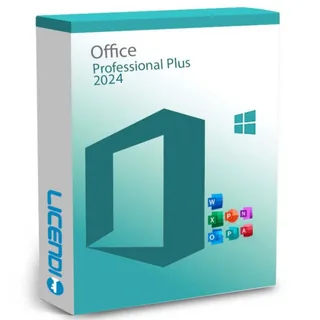
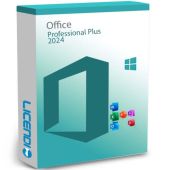
Microsoft Office 2024 Professional Plus LTSC
Windows users who work with databases
Word, Excel, PowerPoint, Outlook and Access
from 60,32 €
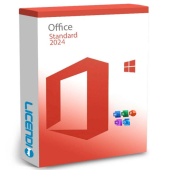
BuyMicrosoft Office 2024 Standard LTSC
Organisations using Office and email on Windows
Word, Excel, PowerPoint and Outlook
from 70,24 €
Buy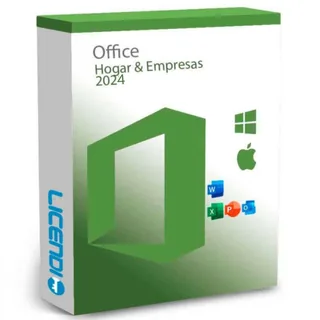
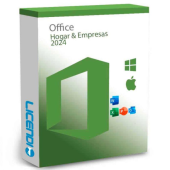
Microsoft Office 2024 Home and Business
Self-employed people and small businesses on Windows or Mac
Word, Excel, PowerPoint and Outlook
from 200,00 €
Buy
7 of 10 Office orders at Licendi are for Microsoft Office 2024 Professional Plus LTSC (last 12 months).
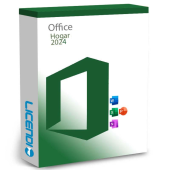
Office Home 2024 for home and study
Office Home 2024 is the straightforward choice when you need Word, Excel, PowerPoint and OneNote but do not need Outlook. It covers writing assignments, managing household figures and preparing presentations. It is a one-time purchase for the version acquired. For work email or commercial use, compare Home and Business instead.
Office 2024 Home and Business for professionals
Microsoft Office 2024 Home and Business adds Outlook to Word, Excel and PowerPoint. It suits freelancers and small businesses that want email and core Office applications in one package. It is the practical option here for a Windows or Mac user who needs Office for commercial work without an ongoing Microsoft 365 subscription.
Office LTSC 2024 Standard and Professional Plus
Microsoft Office 2024 Standard LTSC combines Word, Excel, PowerPoint and Outlook for organisations using Windows. Professional Plus LTSC includes those applications and adds Access. Choose Professional Plus if you create, maintain or open Access databases; otherwise, Standard covers documents, spreadsheets, presentations and email. Neither Office 2024 nor LTSC 2024 includes Publisher.
Office 2024 edition comparison
This table shows the practical differences between the four main editions. A Yes in the Mac column means a compatible Mac version is available; select the correct variant for your computer. Access is for Windows.
| Edition | Word | Excel | PowerPoint | Outlook | Access | Publisher | Mac |
|---|---|---|---|---|---|---|---|
| Microsoft Office 2024 Professional Plus LTSC | ✓ | ✓ | ✓ | ✓ | ✓ | — | — |
| Microsoft Office 2024 Standard LTSC | ✓ | ✓ | ✓ | ✓ | — | — | — |
| Microsoft Office 2024 Home and Business | ✓ | ✓ | ✓ | ✓ | — | — | ✓ |
| Office Home 2024 | ✓ | ✓ | ✓ | — | — | — | ✓ |
Office 2024 or Microsoft 365?
Office 2024 is a one-time purchase. You can use the acquired version indefinitely under its terms, but a future major version is a separate purchase. Microsoft 365 is a subscription: the right to use it continues while the subscription is active. Its features and renewal terms depend on the plan.
| Feature | Office 2024 | Microsoft 365 |
|---|---|---|
| Payment model | One-time purchase | Subscription |
| Use of the purchased version | Indefinite | While subscribed |
| Future major versions | — | Yes, according to the plan |
| Copilot | — | According to the plan |
| Real-time co-authoring | — | According to the plan |
Choose Office 2024 if you want a stable set of desktop applications and one upfront payment. Choose Microsoft 365 if subscription features such as Copilot or real-time co-authoring matter to you, subject to the selected plan.
What changed from Office 2021?
Office 2024 is the supported one-time-purchase route for buyers moving on from Office 2021. Office 2021 support ended on 13 October 2026, while Office 2024 LTSC security updates end on 9 October 2029. The permanent right to use an older version does not end with support, but its ordinary security updates do.
Office 2016 and Office 2019 support ended on 14 October 2025. If you are upgrading from either version, check your templates, add-ins and Access databases before changing the installation. Office 2024 and LTSC 2024 do not include Publisher, so plan an alternative workflow if you still depend on it.
Office 2024 prices: why are these licences cheaper?
Our listed prices are starting prices and depend on the selected product variant. We sell permanent licences that can be resold in the EU when the legal conditions established by the UsedSoft judgment are met. This resale model makes it possible to offer the version and applications you need.
You still receive a genuine Microsoft key, an official download link and a PDF invoice with VAT shown. Compare the edition carefully: a low price only saves money when the product includes the applications and operating-system support you need.
Is it legal to buy a resold Office 2024 licence?
Legal basis
Yes, when the resale meets the conditions set out by the Court of Justice of the European Union in UsedSoft v Oracle, case C-128/11, dated 3 July 2012. Permanent software licences may be resold in the EU when:
- The first sale in the EU was made by the rights holder or with the rights holder's consent.
- The right to use the copy was granted for an indefinite period in return for a price.
- The seller makes its own copy unusable when reselling the licence.
- A multi-user licence is transferred as a whole and is not split.
These conditions apply to permanent licences, not Microsoft 365 subscriptions. Licendi provides a PDF invoice with VAT shown and a one-month activation guarantee. If the key does not activate on the first installation, write to us and we will fix it.
Office 2024 requirements to check before buying
- Operating system: the Professional Plus LTSC and Standard LTSC editions listed here are for Windows; Home and Business has Windows and Mac options.
- Enough processor performance, memory and free storage for the selected edition.
- An internet connection to download the installer and complete activation.
- A Microsoft account when the selected edition or installation method requires one.
- Compatibility with the templates, add-ins and databases you use.
Tip: tell us your operating system, current Office edition and essential applications if you are unsure. We will help you choose before you buy. Back up your documents before replacing an existing installation.
How to buy, download and activate Office 2024
- Choose your edition. Match the applications and operating system to your needs, then select the required product variant.
- Receive your order. We email the genuine key, official download link and PDF invoice with VAT shown. Delivery is instant during office hours and takes no more than 24 hours outside them.
- Install and activate. Follow the installation instructions in your order email. If you need help, contact Licendi by email or chat. The one-month activation guarantee covers a key that does not activate on the first installation.
Individual Office 2024 apps, Visio and Project
You do not always need a complete suite. If you only need one application, compare Microsoft Word 2024, Microsoft Excel 2024, Microsoft PowerPoint 2024, Microsoft Outlook 2024 and Microsoft Access 2024. We also offer Microsoft Visio Professional 2024, Microsoft Visio Standard 2024 and Microsoft Project Professional 2024.
Office 2024 for businesses
For several workstations, tell us how many computers and users you need to equip, which operating systems they run and whether Access or Outlook is essential. We will help you compare Standard, Professional Plus, Home and Business, and subscription options. Every order includes a PDF invoice with VAT shown, and our email and chat support remains available if you need help with the first installation.
Frequently asked questions about Office 2024
Is Office 2024 a one-time purchase or a subscription?
Yes. All Office 2024 editions here are one-time purchases. You can use the acquired version indefinitely under its terms, but future major versions are separate purchases.
What is the difference between Office Home 2024 and Home and Business?
Office Home 2024 has Word, Excel and PowerPoint, while Home and Business also has Outlook and is intended for commercial use. Choose the edition that matches how you will use it.
What is the difference between Office 2024 Standard and Professional Plus?
Professional Plus adds Access to Word, Excel, PowerPoint and Outlook. Standard is the better fit when you do not work with Access databases.
Can I install Office 2024 on a Mac?
Home and Business and Office Home have Mac options, while the LTSC editions listed here are for Windows. Select the correct operating-system variant before ordering.
Does Office 2024 include Copilot?
No. Copilot belongs to Microsoft 365 according to the selected plan, not to the Office 2024 products listed here.
Does Office 2024 include Publisher?
No. Office 2024 and LTSC 2024 do not include Publisher, so plan another workflow before upgrading if you rely on it.
How long will Office 2024 receive security updates?
Office 2024 LTSC security updates end on 9 October 2029. The permanent right to use the acquired version continues after support ends.
Is a cheap Office 2024 licence legal?
Yes, when a permanent licence is resold in compliance with the UsedSoft conditions. Licendi supplies a PDF invoice with VAT shown and a one-month activation guarantee.
How quickly will I receive my Office 2024 key?
Instantly during office hours and within 24 hours outside them, by email. Your email also contains the official download link and PDF invoice.
What happens if my key does not activate?
Write to us: with our one-month activation guarantee, if the key does not activate on first installation we fix it. Support is available by email and chat.