 EN
 FR
 DE
 IT
 PT
 ES












Buying for a team?
Multi-unit licences come with a volume discount and an invoice with your company tax details.

Buying guide
Which Microsoft 365 licence do I need?
Buy a Microsoft 365 licence from Licendi for personal, family or business use. This page brings together our Microsoft 365 subscriptions and selected Teams add-ons, so you can compare the options before ordering. We sell genuine Microsoft keys and provide an official download link, a PDF invoice showing VAT, and support by email and chat.
We deliver your order by email. Delivery is instant during office hours and takes no more than 24 hours outside them. Your purchase also has our one-month activation guarantee: if the key does not activate on the first installation, write to us and we will fix it.
- Key and download by email
- Invoice with VAT shown
- Licence term shown on each product
- Support by email and chat
Start with who will use the licence and what they need to do. Personal and Family are the home options in our range. Business Basic, Business Standard, Business Premium and Apps for Business cover different business needs. Copilot, Teams Premium and Teams Phone Standard are separate choices for specific functions.
| Edition | For whom | What it adds | Price from | Buy |
|---|---|---|---|---|
 | Businesses needing browser-based work tools | Web and mobile versions of Word, Excel, PowerPoint and Outlook, plus business email and Teams | from5,41 € | Buy |
 | One person at home | Desktop Word, Excel, PowerPoint and Outlook, with cloud storage | from72,43 € | Buy |
 | A household sharing a subscription | Word, Excel, PowerPoint and Outlook for family use, with cloud storage | from100,00 € | Buy |
| Microsoft 365 Business Standard | Businesses needing desktop apps and online services | Desktop Word, Excel, PowerPoint and Outlook, plus business email and Teams | from9,57 € | Buy |
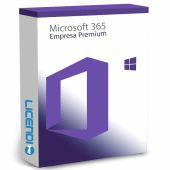
 | Businesses requiring added security and device controls | Business Standard applications plus advanced security and device management | from20,00 € | Buy |
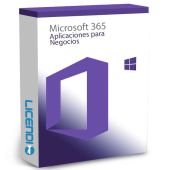
 | Businesses focused on desktop applications | Desktop Word, Excel, PowerPoint and Outlook, with cloud storage | from9,99 € | Buy |
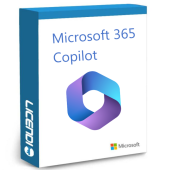
 | Businesses wanting Business Standard with Copilot | Business Standard applications and services with Copilot | from495,04 € | Buy |
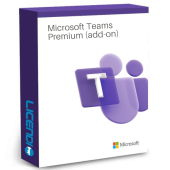
 | Teams users needing advanced meeting features | Additional Teams meeting, webinar and appointment features | from114,88 € | Buy |
 | Businesses adding cloud calling to Teams | Teams cloud phone-system functions | from114,88 € | Buy |
All prices are starting prices. Check the selected product page for the exact term, billing basis, users and devices before paying. A low monthly-looking price and a full-term price are not directly comparable until those details match.
Microsoft Office 365 Personal or Family
Choose Personal when the subscription is for one person. Choose Family when the licence needs to serve a household under the plan conditions. Both are aimed at home use and give you the familiar Word, Excel, PowerPoint and Outlook applications. Compare the user allowance, devices, cloud storage and subscription term on the chosen product page.
Business Basic, Standard or Premium
Business Basic is the starting point when your team works mainly in a browser and needs business email and Teams. Business Standard adds the installed desktop versions of Word, Excel, PowerPoint and Outlook. Business Premium is for organisations that also require stronger security and device-management tools. Select the plan around the applications and controls you will actually use.
Apps for Business
Apps for Business suits a company that wants the installed Microsoft 365 applications without choosing the broader service bundle described for Business Standard. It centres on Word, Excel, PowerPoint and Outlook, together with cloud storage. If business email or Teams services are essential, compare it directly with Business Standard before ordering.
Copilot and Teams add-ons
Copilot is not included merely because a product is a Microsoft 365 plan. In this catalogue, only Microsoft 365 Business Standard + Copilot states Copilot in its product name. Microsoft Teams Premium is an add-on for advanced Teams scenarios, while Microsoft Teams Phone Standard adds phone-system functions. Check the qualifying base licence and exact service conditions for either Teams product.
Compare Microsoft 365 plans and add-ons
This comparison shows the practical distinctions to confirm. Yes means the named capability is part of the plan as described; No means you should choose another plan or add-on for that need.
| Edition | Desktop Office apps | Business email | Teams services | Advanced security | Copilot named |
|---|---|---|---|---|---|
| Microsoft Office 365 Business Basic | — | ✓ | ✓ | — | — |
| Microsoft Office 365 Personal | ✓ | — | — | — | — |
| Microsoft Office 365 Family | ✓ | — | — | — | — |
| Microsoft 365 Business Standard | ✓ | ✓ | ✓ | — | — |
| Microsoft 365 Business Premium | ✓ | ✓ | ✓ | ✓ | — |
| Microsoft 365 Apps for Business | ✓ | — | — | — | — |
| Microsoft 365 Business Standard + Copilot | ✓ | ✓ | ✓ | — | ✓ |
| Microsoft Teams Premium (add-on) | — | — | ✓ | — | — |
| Microsoft Teams Phone Standard | — | — | ✓ | — | — |
Microsoft 365 is a subscription rather than a permanent Office licence. Co-authoring and Copilot belong to Microsoft 365 according to the plan. The Teams products on this page serve specific Teams needs and may require a suitable underlying licence.
Why can a Microsoft 365 licence cost less?
The prices on this page are starting prices for the variants currently listed by Licendi. The final cost can depend on the chosen plan, subscription term, billing unit and number of users. Compare like with like: confirm whether a displayed amount covers a month, a year, one user or another unit before deciding which offer is cheaper.
Delivery is digital, so there is no box or disc. We send the key and official download link by email, along with your PDF invoice showing VAT.
Is it legal to buy a Microsoft 365 licence?
Legal basis
Yes. With Licendi, you buy a Microsoft 365 licence for the term shown on the selected product and activate it with Microsoft. You receive a PDF invoice showing VAT and Licendi's one-month activation guarantee.
If your key does not activate on the first installation, write to us and we will fix it.
Microsoft 365 requirements to check before buying
- Confirm that your Windows or Mac version is supported by the selected plan.
- Check that the computer meets the current processor, memory and storage requirements.
- Make sure you can use the Microsoft account or business account required for activation.
- Keep an internet connection available for delivery, download, activation and online services.
- For business plans, confirm your domain, email and administrator requirements before migration.
- For Teams add-ons, verify the required underlying Microsoft or Teams licence.
Tip: tell us your operating system, number of users, required applications and whether you need business email, Teams or Copilot. We will help you narrow down the suitable product before you buy.
How to buy and activate Microsoft 365
- Choose your product: select the home or business plan, term and number of users you need. For Copilot or a Teams add-on, check the product name and base-licence requirement.
- Receive the order: we email the genuine Microsoft key, official download link and PDF invoice showing VAT. Delivery is instant during office hours and takes no more than 24 hours outside them.
- Download and activate: follow the supplied instructions to sign in, install the applications where included and activate the service. Contact us by email or chat if you need help.
Support, renewals and upgrades
Microsoft 365 remains available for the subscription period you purchase. Review the term and renewal conditions on the selected option, because these are not the same as a one-off permanent licence. Features, co-authoring and Copilot depend on the plan. If your needs change, compare the applications and services in the next plan before upgrading.
Licendi supports you by email and chat. Our one-month activation guarantee covers the first installation: if the key does not activate, write to us and we will fix it. Keep your order email and PDF invoice so that our team can identify the purchase quickly.
Microsoft 365 for business
For a business purchase, list the number of users and the applications each role needs. Then decide whether you require installed Word, Excel, PowerPoint and Outlook, business email, Teams, advanced security, device management or Copilot. We provide a PDF invoice showing VAT, and our email and chat support can help you compare the listed business plans before ordering.
Frequently asked questions about Microsoft 365 licences
Is Microsoft 365 a permanent licence?
No. Microsoft 365 is a subscription for the term stated in the selected product; check the renewal conditions before ordering.
Can I buy a Microsoft 365 licence online?
Yes. Licendi delivers your key and official download link by email, instantly during office hours and within 24 hours outside them.
Do I receive an invoice?
Yes. We send a PDF invoice showing VAT with your order.
Does every Microsoft 365 licence include Copilot?
No. Only choose a product that names Copilot and confirm the included functions and conditions on that product page.
Which plan includes the desktop Office applications?
It depends on the edition: Personal, Family, Business Standard, Business Premium and Apps for Business are the desktop-app choices shown here. Confirm the exact applications and device allowance for your selected variant.
Is Business Basic the same as Business Standard?
No. Business Basic focuses on browser and online services, while Business Standard adds installed Word, Excel, PowerPoint and Outlook.
Can I add Teams Premium or Teams Phone Standard on its own?
No, not in every case. These specialised Teams products may require a qualifying base licence, so check that dependency before buying.
What happens if my key does not activate?
Write to us. Our one-month activation guarantee means that if the key does not activate on the first installation, we will fix it.
Can Licendi help me choose a business plan?
Yes. Contact us by email or chat with your user count, operating systems, required applications and need for email, Teams, security or Copilot.
Is Microsoft 365 suitable for co-authoring?
Yes, according to the plan. Choose a Microsoft 365 option that includes the collaboration services your team needs.