 EN
 FR
 DE
 IT
 PT
 ES



Windows 11





Buying guide
Which Windows 11 licence do I need?
At Licendi, you can buy a Windows 11 licence for home, professional or business use. Choose Home, Pro, Enterprise or an LTSC edition and pay once for the version selected. We supply genuine Microsoft keys, an official download link and help with activation by email and chat.
Your Windows 11 key arrives by email, instantly during office hours and within 24 hours outside them. You also receive a PDF invoice showing VAT. Every order includes our 1-month activation guarantee for the first installation.
- Key and download by email
- Invoice with VAT shown
- One-time payment, no subscription
- Support by email and chat
Start with how the PC will be used. Home covers a personal computer. Pro adds practical security, virtualisation and management features for professionals. Enterprise is intended for managed workplace devices, while LTSC editions suit fixed-purpose systems that should not receive regular feature updates.
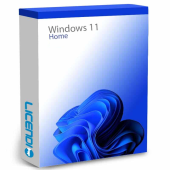
Home users, students and personal PCs
Windows 11 for everyday browsing, study, entertainment and personal files
from 17,35 €
Buy
Professionals, freelancers and small businesses
BitLocker, Hyper-V, Remote Desktop host, Windows Sandbox, Group Policy and domain or Entra ID join
from 20,65 €
Buy
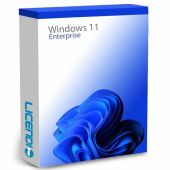
Organisations with centrally managed workplace PCs
Enterprise-level controls for managed devices and organisational security policies
from 26,44 €
Buy
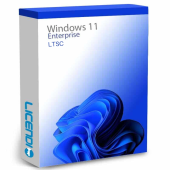
Windows 11 Enterprise LTSC 2024
Fixed-purpose business, kiosk and industrial PCs
A stable LTSC release without regular feature updates
from 62,80 €
Buy
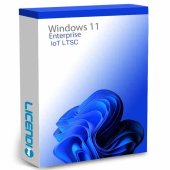
Windows 11 IoT Enterprise LTSC 2024
Dedicated IoT, kiosk and industrial systems
An IoT-focused LTSC release without regular feature updates
from 75,00 €
Buy8 of 10 Windows 11 orders at Licendi are for Microsoft Windows 11 Pro (last 12 months).
If you are unsure, Pro is the practical starting point for most professionals and freelancers because it combines everyday Windows use with business security and administration tools.
Windows 11 Home: for personal use
Home is the straightforward choice for a family computer, study, browsing, streaming and personal documents. Choose it when you do not need to host a Remote Desktop session, join a company domain, run Hyper-V virtual machines or administer the PC through Group Policy.
Windows 11 Pro: for professionals and businesses
Pro adds tools that matter on a work PC: BitLocker drive encryption, Hyper-V, Windows Sandbox, Remote Desktop host, Group Policy, and domain or Entra ID join. It suits freelancers, offices and technical users who need more control over security, remote access and device management.
Windows 11 Enterprise and LTSC 2024: when they make sense
Enterprise is designed for organisations managing workplace devices centrally. LTSC 2024 editions are for fixed-purpose environments such as kiosks and industrial PCs, where a stable platform without regular feature updates is important. LTSC is not the usual choice for a home PC; Home or Pro normally fits that role better.
OEM, Retail or Upgrade: what is the difference?
OEM
Retail
Upgrade
Check the variant on the product page before ordering. If you expect to replace your computer, Retail may be the better fit. If you only need to move an activated Windows 11 Home installation to Pro, choose an eligible Upgrade variant rather than paying for the wrong licence type.
Windows 11 Pro vs Home
The core choice is simple: Home is for personal computing, while Pro adds features used to protect, connect and administer a work PC.
| Feature | Windows 11 Home | Windows 11 Pro |
|---|---|---|
| BitLocker drive encryption | — | ✓ |
| Hyper-V virtualisation | — | ✓ |
| Remote Desktop host | — | ✓ |
| Windows Sandbox | — | ✓ |
| Group Policy | — | ✓ |
| Domain join | — | ✓ |
| Entra ID join | — | ✓ |
| Windows Update for Business | — | ✓ |
Home is enough when the computer is for personal use and none of the Pro-only features above is required. For a company-owned device, encrypted work data, virtual machines or remote administration, Pro is usually the clearer choice.
Understanding the Windows 11 licence price
The Windows 11 price depends on the edition and licence variant. At Licendi, you pay once for the selected version; it is not a subscription. We sell genuine Microsoft keys that activate through Microsoft, provide the official download link and issue a PDF invoice with VAT shown.
Compare Home, Pro, Enterprise and LTSC by use case, then check whether the listed variant is OEM, Retail or Upgrade. This avoids paying for features you do not need or selecting a key that does not match the intended installation.
Is it legal to buy a resold Windows 11 licence?
Legal basis
Yes, when the resale meets the conditions established in the UsedSoft v Oracle judgment of the Court of Justice of the European Union, case C-128/11, 3 July 2012. Permanent software licences may be resold in the EU when:
- The first sale in the EU was made by the rights holder or with the rights holder's consent.
- The right of use was granted indefinitely in return for a price.
- The previous owner makes their own copy unusable when reselling it.
- A multi-user licence is transferred as a whole and is not split.
At Licendi, you receive a PDF invoice showing VAT and a 1-month activation guarantee. If the key does not activate on the first installation, write to us and we will fix it.
Windows 11 requirements: check your PC first
- A compatible 64-bit processor running at 1 GHz or faster with at least two cores.
- At least 4 GB of RAM.
- At least 64 GB of storage.
- UEFI firmware with Secure Boot capability.
- TPM 2.0.
- A graphics system compatible with DirectX 12.
Tip: run Microsoft's PC Health Check before buying. If TPM 2.0 is present but not detected, check whether it is disabled in the computer's UEFI or BIOS settings. Consult the device manufacturer's instructions before changing firmware settings.
How to buy, download and activate Windows 11
- Choose your edition: compare Home, Pro, Enterprise and LTSC, then select the licence variant that matches your PC and intended use.
- Receive the key: we email your genuine Microsoft key, official download link and PDF invoice instantly during office hours, or within 24 hours outside them.
- Install and activate: follow the supplied instructions, then enter the key under Settings, System and Activation. If activation fails on the first installation, contact our email or chat support.
Upgrading from Windows 10 and getting support
Windows 10 support ended on 14 October 2025. If your PC is eligible and its Windows 10 installation is activated, the move to Windows 11 can run through Windows Update. Check compatibility first. To change an existing Windows 11 Home installation to Pro, use an eligible Home-to-Pro Upgrade key and enter it under Activation.
We support you by email and chat when choosing, downloading or activating your purchase. The 1-month activation guarantee applies to the first installation: if the key does not activate, write to us and we will fix it.
Windows 11 licences for businesses
We supply Windows 11 licences to businesses as well as consumers. For several workstations, prepare the number of PCs, the edition needed on each one and whether any devices require Pro, Enterprise or LTSC. We provide a PDF invoice with VAT shown and can help you choose a practical mix for office, remote-work, kiosk and industrial systems.
Frequently asked questions about Windows 11 licences
Is it legal to buy a resold Windows 11 licence?
Yes, when a permanent licence is resold in line with the UsedSoft conditions. Licendi supplies an invoice and a 1-month activation guarantee for the first installation.
Does a Windows 11 licence expire or require a subscription?
No, the licences described here are a one-time purchase for the selected version. Future versions are separate products, and the right to use the purchased version is subject to its licence terms.
What is the difference between OEM and Retail Windows 11?
OEM is normally tied to the first PC, while Retail can normally move to another PC under its transfer terms. Check the exact variant before ordering if you expect to replace the computer.
Can I use the same key after formatting or changing my PC?
It depends on the variant: reactivation after formatting the same PC and transfer to a different PC are not the same. The licence variant and its terms determine whether a move is allowed.
How will I receive my key and how long does delivery take?
By email, instantly during office hours and within 24 hours outside them. The message includes your key and official download link, and we also send a PDF invoice.
Can I upgrade from Windows 11 Home to Pro without reinstalling?
Yes, with an eligible Home-to-Pro Upgrade key. Enter it under Settings, System and Activation, then follow the prompts to enable the Pro features.
Is my PC compatible with Windows 11?
It depends on the hardware: run Microsoft's PC Health Check and confirm the processor, RAM, storage, Secure Boot and TPM 2.0 requirements. TPM may simply need enabling in UEFI or BIOS.
Does Windows 11 Pro include Microsoft Office?
No. Windows 11 Pro is the operating system; Word, Excel, PowerPoint and Outlook require a separate Office or Microsoft 365 licence.
Do I receive an invoice, and can I buy for a business?
Yes. We send a PDF invoice with VAT shown and supply licences to consumers and businesses. For several PCs, list the editions and number of devices you need.
What happens if my Windows 11 key does not activate?
We fix it when the key does not activate on the first installation within the 1-month activation guarantee. Contact us by email or chat with your order details.