EN
 FR
 DE
 IT
 PT
 ES


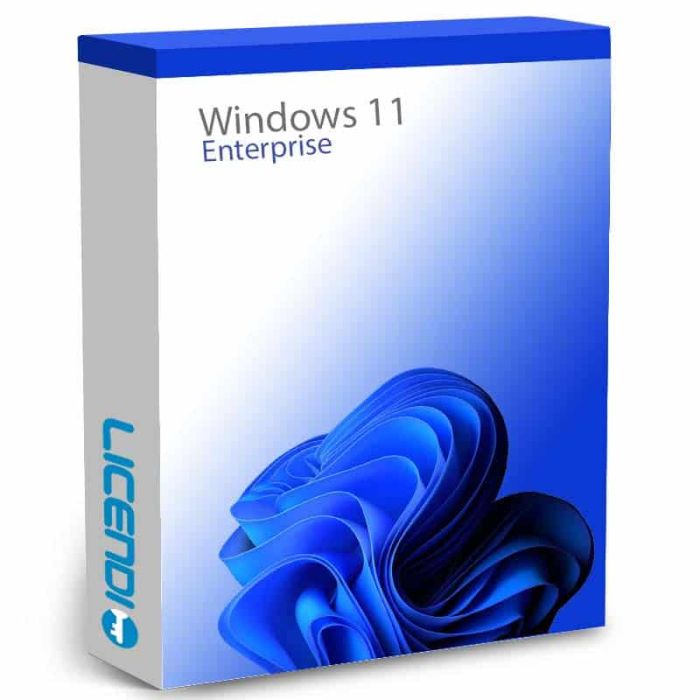
Windows 11 Enterprise
- Windows 11 Enterprise — Microsoft’s business OS edition with AppLocker, Credential Guard and DirectAccess.
- Includes BitLocker, Hyper-V, Azure AD Join and Group Policy for IT departments.
- Perpetual licence — one-time purchase, no subscription, 1 PC.
- Requires TPM 2.0, UEFI Secure Boot and 4 GB RAM.
Quantity discount
| Quantity | % discount |
|---|---|
| 2+ | 1% |
| 3+ | 3% |
| 5+ | 5% |
Windows 11 Enterprise
Windows 11 Enterprise is Microsoft's business edition of Windows 11, built for organisations that need centralised IT management, advanced endpoint security, and professional virtualisation tools. Unlike Home or Pro, Enterprise includes AppLocker, Credential Guard, DirectAccess, and granular Windows Update for Business controls — features designed for IT administrators managing networks of company devices.
Enterprise-exclusive features
- BitLocker — full-drive encryption (AES 128-bit or 256-bit) protecting data if a device is lost or stolen.
- AppLocker — restrict which applications, installers, scripts, and DLLs users can execute, by policy.
- Hyper-V — run virtual machines on Windows without third-party hypervisor software.
- Azure AD Join / Microsoft Entra Join — cloud-based identity management and Single Sign-On across Microsoft 365 services.
- Group Policy management — centralised, policy-driven configuration for all endpoints on the network.
- Credential Guard — virtualisation-based security that isolates login credentials to prevent theft.
- DirectAccess — automatic, always-on remote access without requiring a VPN client on the end user's device.
- Windows Update for Business — IT admin control over update deployment schedules and deferral policies across the entire fleet.
Windows 11 Enterprise vs Pro
| Feature | Pro | Enterprise |
|---|---|---|
| BitLocker full-drive encryption | ✓ | ✓ |
| Hyper-V virtualisation | ✓ | ✓ |
| Group Policy | ✓ | ✓ |
| Azure AD / Entra Join | ✓ | ✓ |
| Remote Desktop hosting | ✓ | ✓ |
| AppLocker | — | ✓ |
| Credential Guard | — | ✓ |
| DirectAccess | — | ✓ |
| Windows Update for Business (granular) | Limited | ✓ |
Which edition do you need?
| Home user or light work | → Windows 11 Home |
| SMB needing BitLocker, Hyper-V, Group Policy | → Windows 11 Pro |
| IT department managing multiple PCs, needing AppLocker, Credential Guard, DirectAccess | → Windows 11 Enterprise |
Frequently asked questions
Is this a subscription or a one-time purchase?
This is a perpetual licence — you pay once and the licence does not expire. It covers one PC.
What do I receive after purchase?
You receive a Windows 11 Enterprise product key by email. Use it with Microsoft's Media Creation Tool to install Windows 11 and activate online.
What is the difference between Enterprise and Pro?
Enterprise adds AppLocker, Credential Guard, DirectAccess, and granular Windows Update for Business controls on top of everything Pro includes. If you only need BitLocker, Hyper-V, and Group Policy, Windows 11 Pro is sufficient.
Does my PC meet the Windows 11 requirements?
Windows 11 requires TPM 2.0, UEFI Secure Boot, 4 GB RAM, 64 GB storage, and a DirectX 12-compatible graphics card. Use Microsoft's PC Health Check tool to verify before purchasing.
What is TPM 2.0 and why does Windows 11 require it?
Trusted Platform Module 2.0 is a hardware security chip Windows 11 uses for BitLocker and Secure Boot. Most PCs built after 2018 include it — check your BIOS settings or use PC Health Check to confirm.
Can I do a clean install from scratch?
Yes. Use Microsoft's Media Creation Tool or ISO for a clean installation. No prior Windows installation is required.
Can I change the display language after installation?
Yes. Windows 11 Enterprise supports over 100 display languages, configurable at any time in system settings.
Is this licence transferable to another PC?
Transferability depends on the licence type: a Retail key can be moved to another device; an OEM key is permanently bound to the original motherboard. Contact Licendi support to clarify before purchasing.
System Requirements
| Component | Requirement |
|---|---|
| Processor | 1 GHz or faster with 2+ cores on a compatible 64-bit processor or System on Chip (SoC) |
| RAM | 4 GB minimum |
| Storage | 64 GB or larger storage device |
| System firmware | UEFI, Secure Boot capable |
| TPM | Trusted Platform Module (TPM) version 2.0 |
| Graphics | DirectX 12 compatible graphics / WDDM 2.0 driver |
| Display | 720p (HD), >9" diagonal, 8 bits per colour channel |
| Internet and Account | Internet connection required; Microsoft account required for initial setup |
Source: Microsoft Windows 11 Specifications. Use Microsoft's PC Health Check tool to verify your device before purchase.
| Delivery | Digital |
|---|