 EN
 FR
 DE
 IT
 PT
 ES



Visual Studio




Buying guide
Which one do I need: Visual Studio Professional or Enterprise?
Buy a Visual Studio licence from Licendi for professional software development, testing and debugging. Choose Professional for a complete development environment or Enterprise for advanced testing, diagnostics and architecture tools. We sell genuine Microsoft keys for Visual Studio 2017, 2019, 2022 and 2026.
Your key and official download link arrive by email, instantly during office hours and within a maximum of 24 hours outside them. We also send a PDF invoice with VAT shown. If you need help choosing, our team is available by email and chat.
- Key and download by email
- Invoice with VAT shown
- One-time payment, no subscription
- Support by email and chat
Start with the software your projects require, then choose between Professional and Enterprise. A newer edition suits new development work, while an earlier version can help when an established project, extension or build process depends on it. The prices below are starting prices.
| Edition | For whom | What it adds | Price from | Buy |
|---|---|---|---|---|
 | Professional developers starting or modernising projects | Current Professional IDE for writing, building, testing and debugging code | from€185.00 | Buy |
| Microsoft Visual Studio Enterprise 2026 | Development teams with demanding quality workflows | Professional tools plus advanced testing, diagnostics and architecture capabilities | from€200.00 | Buy |
 | Developers maintaining or creating projects on the 2022 toolchain | Professional editor, build, test and debugging environment | from€150.00 | Buy |
 | Teams that need the 2022 toolchain and deeper quality controls | Professional environment plus advanced testing and diagnostics | from€190.00 | Buy |
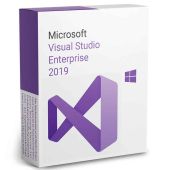
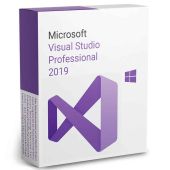
 | Developers working with projects fixed to the 2019 toolchain | Professional development and debugging for compatible legacy projects | from€35.00 | Buy |
 | Teams maintaining 2019-based solutions | Enterprise testing and diagnostic capabilities for that generation | from€60.00 | Buy |
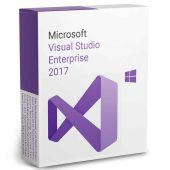
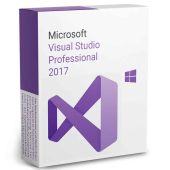
 | Developers with a specific 2017 compatibility requirement | Professional IDE for established 2017-based solutions | from€80.00 | Buy |
 | Teams supporting older solutions with Enterprise requirements | Enterprise development and testing environment from the 2017 generation | from€30.00 | Buy |
Visual Studio Professional 2026 and 2022
Choose Professional when you need an integrated environment to edit code, manage solutions, compile projects, run tests and debug applications. The 2026 edition is the natural starting point for new work. Select 2022 when your team, extensions or build pipeline specifically use that generation. Check the project workload and extensions before changing versions.
Visual Studio Enterprise 2026 and 2022
Enterprise is aimed at teams that need more than the core development workflow. It adds deeper testing, diagnostics and architectural analysis to help investigate complex behaviour and control code quality. Choose the generation that matches your development environment, then confirm that the particular Enterprise tool you need is included.
Visual Studio 2019 and 2017
Older editions are practical when compatibility is the deciding factor. They can keep an established solution aligned with its expected compiler, extensions and build process. They should not be the automatic choice for a new project. Confirm the required version with the project owner or technical documentation before ordering.
Visual Studio Professional vs Enterprise
Both editions provide the core IDE needed to write, build, test and debug code. Enterprise is the stronger fit when advanced testing, diagnostics or architecture analysis form part of the team’s normal process. This comparison shows the practical distinction used to choose between the product families.
| Capability | Professional | Enterprise |
|---|---|---|
| Code editor and solution management | ✓ | ✓ |
| Build and compiler integration | ✓ | ✓ |
| Interactive debugging | ✓ | ✓ |
| Unit test execution | ✓ | ✓ |
| Advanced test automation and isolation tools | — | ✓ |
| Advanced historical diagnostics | — | ✓ |
| Architecture validation tools | — | ✓ |
Professional covers the needs of many individual developers and smaller teams. Enterprise earns its place when its additional quality tools replace manual investigation or support a defined team process. Do not choose by edition name alone: identify the capability your workflow requires.
What affects the price of Visual Studio?
Our offers include permanent licences that are resold under the EU framework explained below. You pay for the edition and version you need instead of automatically moving to a different purchasing model. That can make an earlier Professional or Enterprise edition particularly economical when a compatible project already specifies it.
At Licendi, you receive a genuine Microsoft key, an official download link, a PDF invoice with VAT shown and our one-month activation guarantee. Our support team is available by email and chat if you need help with delivery or first activation.
Is it legal to buy a resold Visual Studio licence?
Legal basis
Yes, if the licence is permanent and the UsedSoft conditions are met: in UsedSoft v Oracle, Court of Justice of the European Union case C-128/11, 3 July 2012, the Court established that permanent software licences may be resold in the EU when specific conditions are met:
- The first sale in the EU was made by the rightsholder or with the rightsholder’s consent.
- The right of use was granted for an indefinite period in return for a price that reflects the economic value of the copy.
- The seller makes their own copy unusable when reselling the licence.
- A multi-user licence is transferred as a whole and is not split into smaller parts.
This rule concerns permanent licences. Licendi provides a PDF invoice with VAT shown and a one-month activation guarantee. If the key does not activate on the first installation, write to us and we will fix it.
Visual Studio requirements to check before buying
- The Windows version supported by the exact Visual Studio generation.
- The processor, memory, free storage and display capacity required by your chosen workloads.
- The project language, framework, SDK, compiler and target platform.
- Compatibility with the extensions, source-control tools and build services your team uses.
- Administrator access and an internet connection for download, installation and activation where required.
Tip: Open your current Visual Studio installation and note its full edition, year, workloads and extensions before replacing or adding an installation. Send those details to us if you are unsure which licence to buy.
How to buy, download and activate Visual Studio
- Choose your edition. Match the year to your project and decide whether you need Professional or the additional Enterprise capabilities.
- Receive your order. We email your genuine Microsoft key, official download link and PDF invoice with VAT shown, instantly during office hours and within a maximum of 24 hours outside them.
- Install and activate. Download the installer, select the workloads your projects need and enter the key as instructed. Contact us by email or chat if you need activation support.
Support, updates and moving to a newer edition
A permanent licence gives you the right to use the purchased version indefinitely under its terms. It does not automatically include a later Visual Studio version. Moving from 2017 or 2019 to 2022 or 2026 therefore requires a suitable licence and a compatibility check for your solutions, workloads and extensions.
Our one-month activation guarantee covers the first installation: if the key does not activate, write to us and we will fix it. We also provide support by email and chat. Product lifecycle support and software updates are determined by Microsoft for each version, so confirm the lifecycle status required by your organisation before choosing an older edition.
Visual Studio licences for businesses
Licendi supplies businesses with a PDF invoice showing VAT and can help you compare Professional and Enterprise for several developers. Tell us how many installations you need, which project generation you must support and which Enterprise capabilities are required. We will help you choose consistent licences without assuming that every developer needs the same edition.
Frequently asked questions about Visual Studio licences
Which Visual Studio edition should I buy?
It depends on the edition: Professional suits core coding, building, testing and debugging, while Enterprise adds advanced quality tools. Match the year to your project, extensions and build process.
Is Visual Studio Enterprise better than Professional?
Yes, when your team will use its advanced testing, diagnostic and architecture capabilities. Professional remains the more direct choice when you only need the core IDE workflow.
Can I use a Visual Studio licence permanently?
Yes, a permanent licence covers indefinite use of the version purchased under its terms. A later major version requires its own suitable licence.
Is a resold Visual Studio licence legal in the EU?
Yes, when the transfer meets all the conditions established in the UsedSoft judgment. Licendi provides an invoice and a one-month activation guarantee.
Do I receive a genuine Microsoft key?
Yes. Licendi sends a genuine Microsoft key with an official download link by email.
Will my key arrive immediately?
Yes, during office hours delivery is instant by email. Outside office hours, delivery takes no more than 24 hours.
Does the licence include an upgrade to the next Visual Studio version?
No. A permanent licence covers the purchased version, and a newer major version needs a suitable licence of its own.
Can I install Visual Studio 2017 or 2019 for an older project?
Yes, if that version meets the project’s technical and organisational requirements. Check the operating system, workloads, extensions and lifecycle needs before ordering.
Can Licendi help a business choose several licences?
Yes. Tell us the number of installations, required Visual Studio year and features, and we will help compare Professional with Enterprise.
What happens if the key does not activate?
We fix it: if the key does not activate on first installation, contact us within one month.