 EN
 FR
 DE
 IT
 PT
 ES



Visio







Buying guide
Which Microsoft Visio licence do I need?
Buy a Microsoft Visio licence from Licendi when you need to turn processes, systems or spaces into clear diagrams on a Windows PC. Choose the current 2024 release or an earlier Professional edition that fits an existing setup. We sell genuine Microsoft keys and provide an official download link, a PDF invoice with VAT shown, and support by email and chat.
Your key and download details arrive by email: instantly during office hours and within 24 hours outside them. Every order includes our 1-month activation guarantee. If the key does not activate on the first installation, write to us and we will fix it.
- Key and download by email
- Invoice with VAT shown
- One-time payment, no subscription
- Support by email and chat
Start with two decisions: Standard or Professional, then the release year. Visio Standard 2024 is the straightforward choice for creating diagrams. Visio Professional adds tools for more structured and data-connected work. An older Professional edition can suit a PC or workflow that must stay on the same release.
Microsoft Visio Professional 2024
Businesses and technical users creating structured diagrams
Professional diagramming, data-linked diagrams, BPMN and UML templates
from €65.28
Buy
Individuals and teams creating general business diagrams
Flowcharts, organisation charts, network diagrams and floor plans
from €41.31
Buy
Microsoft Visio Professional 2021
Users maintaining a Visio 2021 environment
Professional diagramming and data-linked diagrams in the 2021 release
from €37.49
Buy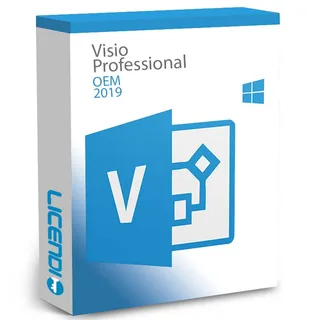
Microsoft Visio Professional 2019
Users who specifically need the 2019 release
Professional diagramming and data-linked diagrams in the 2019 release
from €24.99
Buy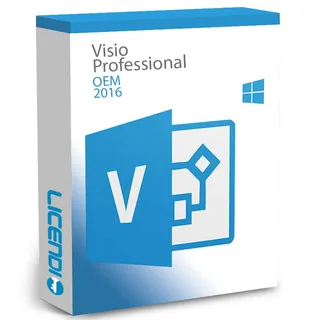
Microsoft Visio Professional 2016
Users who specifically need the 2016 release
Professional diagramming and data-linked diagrams in the 2016 release
from €31.24
BuyAll prices shown are starting prices. Open the product page to select the available option for your PC. If you exchange Visio files with clients or colleagues, ask which release and file format their workflow uses before choosing.
Microsoft Visio Professional 2024: the current Professional edition
Choose Professional 2024 for advanced process, technical and data-connected diagrams. It is the strongest fit in this range when diagrams form part of documented business processes, system design or reporting. You get the current 2024 Professional release as a one-time purchase rather than a recurring subscription.
Microsoft Visio Standard 2024: core diagramming
Choose Standard 2024 when you need to build clear flowcharts, organisation charts, network diagrams or floor plans without the advanced Professional tools. It is the lower-priced 2024 option and keeps the decision simple for everyday diagram creation.
Visio Professional 2021, 2019 or 2016: version-specific work
Choose an earlier Professional edition when a required add-in, template or managed workplace still uses that release. Microsoft support for Visio 2016, 2019 and 2021 has ended. These editions are not an upgrade path to Visio 2024: each licence covers the version named in the product. If you are starting without a version dependency, compare them with the 2024 editions first.
Visio Standard vs Professional: feature comparison
Standard covers general diagram creation. Professional is intended for more advanced, structured and data-connected diagrams. The table shows the practical differences to check when you buy Visio.
| Edition | Flowcharts and organisation charts | Data-linked diagrams | BPMN and UML templates | Professional edition | 2024 release |
|---|---|---|---|---|---|
| Microsoft Visio Professional 2024 | ✓ | ✓ | ✓ | ✓ | ✓ |
| Microsoft Visio Standard 2024 | ✓ | — | — | — | ✓ |
| Microsoft Visio Professional 2021 | ✓ | ✓ | ✓ | ✓ | — |
| Microsoft Visio Professional 2019 | ✓ | ✓ | ✓ | ✓ | — |
| Microsoft Visio Professional 2016 | ✓ | ✓ | ✓ | ✓ | — |
Choose Professional if you need to connect diagrams to external data or use formal process and software modelling templates. Choose Standard if general business diagrams cover your work. Both 2024 products are separate Visio editions, so select the product that contains the tools you need before ordering.
Why are these Visio licences cheaper?
Licendi offers competitively priced permanent licences, including resold licences for the version shown. You pay for the selected Visio release, not for a subscription or automatic access to future releases. That makes an earlier edition particularly economical when you need that exact version rather than the newest one.
The lower price does not remove the practical purchase essentials. We provide a genuine Microsoft key, an official download link, a PDF invoice with VAT shown, and a 1-month activation guarantee for the first installation. Our team is available by email and chat if you need help.
Is it legal to buy a resold Visio licence?
Legal basis
Yes, provided the UsedSoft conditions are met: the UsedSoft v Oracle judgment of the Court of Justice of the European Union, case C-128/11, dated 3 July 2012, established that permanent software licences may be resold legally in the EU under these conditions:
- The first sale in the EU was made by the rights holder or with the rights holder's consent.
- The right to use the software was granted for an indefinite period in return for a price that reflects the economic value of the copy.
- The previous buyer makes their own copy unusable when reselling the licence.
- A multi-user licence is resold as a whole and is not split into smaller parts.
This rule concerns permanent licences. With your Licendi order, you receive a PDF invoice with VAT shown and our 1-month activation guarantee. If your key does not activate on the first installation, contact us and we will fix it.
Visio system requirements: what to check before buying
- A Windows PC running a version supported by the Visio edition you select.
- Enough processor capacity, memory, storage space and display resolution for that edition.
- An internet connection to download the official installer and complete activation.
- Administrator permission to install software on the PC.
- Compatibility with any Visio templates, add-ins, data sources and file formats required by your organisation.
Tip: check your Windows version and whether it is 32-bit or 64-bit before ordering. If Visio will sit alongside Microsoft Office, tell us which Office edition and architecture you already use so we can help you avoid an installation mismatch.
How to buy, download and activate Microsoft Visio
- Choose your edition: decide between Standard and Professional, then select the release that matches your Windows PC and working files.
- Receive the order: we email your genuine key, official download link and PDF invoice. Delivery is instant during office hours and takes no more than 24 hours outside them.
- Download, install and activate: follow the supplied instructions and enter the key during activation. If it does not activate on the first installation, contact us by email or chat within the 1-month activation guarantee.
Support, updates and moving to a newer Visio edition
A permanent Visio licence lets you keep using the version purchased under its terms. It does not include a free upgrade to a later release. Moving from Visio 2016, 2019 or 2021 to Visio 2024 therefore means purchasing the appropriate 2024 edition.
Before upgrading, check your templates, add-ins, linked data and file exchange requirements. Keep a backup of important drawings, then install the edition that matches your workflow. Licendi supports your purchase by email and chat, and the first installation is covered by our 1-month activation guarantee.
Microsoft Visio licences for business
For several employees or PCs, list the number of installations, the Windows version on each device, and whether each user needs Standard or Professional features. We can help you choose a consistent set of licences. Every order includes a PDF invoice with VAT shown, making the purchase straightforward to record for your business.
Frequently asked questions about Microsoft Visio licences
Is Microsoft Visio included with Microsoft Office?
No. The Visio products on this page are separate licences, so choose the Visio edition and release you need.
Do I need Visio Standard or Visio Professional?
It depends on the edition: Standard covers general diagrams, while Professional adds advanced structured and data-connected diagramming tools.
Can I buy Visio with a one-time payment?
Yes. The permanent Visio licences shown here cover the purchased version without a recurring subscription.
Can I install these Visio licences on a Mac?
No. All Visio editions here are for Windows, so Mac users should not buy before confirming a compatible solution.
Will a Visio 2021 licence upgrade to Visio 2024?
No. A licence covers the named release, and moving to Visio 2024 requires a separate 2024 licence.
Is a resold Microsoft Visio licence legal in the EU?
Yes, provided the resale meets the conditions established in the UsedSoft judgment. Licendi supplies a PDF invoice and a 1-month activation guarantee.
Will I receive an official Microsoft download link?
Yes. We email an official download link with the genuine key and your order details.
How quickly will my Visio key arrive?
It depends on the time of order: delivery is instant during office hours and takes no more than 24 hours outside them.
What happens if my Visio key does not activate?
Write to us within 1 month and we will fix it. The guarantee covers activation on the first installation.