 EN
 FR
 DE
 IT
 PT
 ES



Standard









Buying guide
Which Office LTSC Standard do I need?
Buy Office LTSC Standard at Licendi for Word, Excel, PowerPoint, Outlook and OneNote with a one-time payment. Standard suits businesses that need documents, spreadsheets, presentations, email and notes without Access. Choose the 2024 edition for security updates until 9 October 2029, or an older version when your existing installation specifically needs it.
We supply genuine Microsoft keys and an official download link. Your order arrives by email, instantly during office hours and within a maximum of 24 hours outside them. You receive a PDF invoice with VAT shown, support by email and chat, and a 1-month activation guarantee.
- Key and download by email
- Invoice with VAT shown
- One-time payment, no subscription
- Support by email and chat
Start with the applications your team uses, then check the version required by your computers and existing work. The prices below are starting prices. Open the product to choose the option for your purchase; for several PCs, tell us how many installations you need.
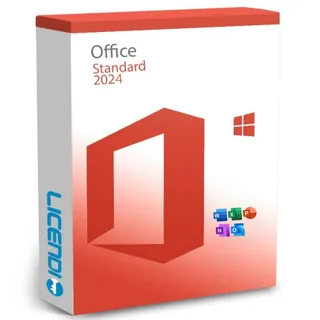
Microsoft Office 2024 Standard LTSC
Businesses choosing a supported version
Word, Excel, PowerPoint, Outlook and OneNote; security updates until October 2029
from 70,24 €
Buy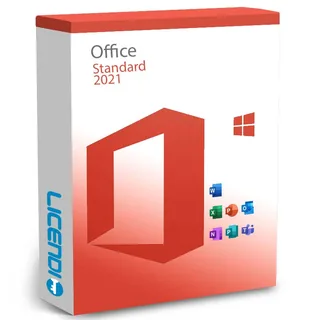
Teams specifically requiring the 2021 version
Word, Excel, PowerPoint, Outlook, OneNote and Publisher; support has ended
from 45,83 €
Buy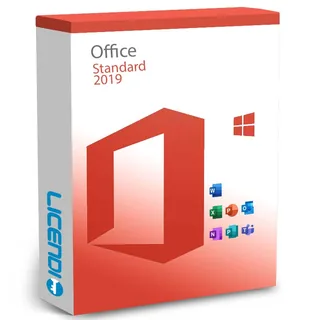
Existing installations requiring 2019
Word, Excel, PowerPoint, Outlook, OneNote and Publisher; support has ended
from 37,49 €
Buy
Existing installations requiring 2016
Word, Excel, PowerPoint, Outlook, OneNote and Publisher; support has ended
from 26,66 €
Buy
Microsoft Office Standard 2013
Legacy installations requiring this exact edition
The 2013 Standard version for a specific legacy requirement; long out of support
from 22,91 €
BuyMicrosoft Office 2024 Standard LTSC: the supported choice
Choose this edition if you want Word for documents, Excel for spreadsheets, PowerPoint for presentations, Outlook for email and OneNote for notes. It includes neither Access nor Publisher. For a new purchase without a requirement for an older version, this is our first choice among the Standard editions listed here.
Office 2024 Standard is a one-time purchase of this version. Its security updates run until 9 October 2029. You can also browse the Office 2024 category to compare editions before deciding.
Office LTSC Standard 2021: for an existing 2021 requirement
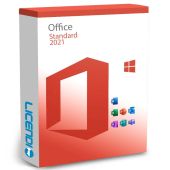
Office Standard 2021 includes Word, Excel, PowerPoint, Outlook, OneNote and Publisher, without Access. Choose it when you have checked that your workflow needs the 2021 release. Support ended on 13 October 2026, so it is an option for a known version requirement rather than a new security update period.
Office 2019 Standard: keep a required version
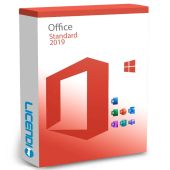
Office Standard 2019 includes Word, Excel, PowerPoint, Outlook, OneNote and Publisher. It can suit a business replacing an installation that specifically requires 2019. Support ended on 14 October 2025. Check the templates and add-ins that determine your choice before ordering the same version again.
Office 2016 Standard: for established installations
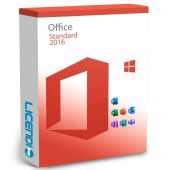
This edition includes Word, Excel, PowerPoint, Outlook, OneNote and Publisher, without Access. Its support also ended on 14 October 2025. Select it for a specific 2016 requirement; if your documents and add-ins allow a move, compare the supported 2024 edition when planning your next installation.
Microsoft Office Standard 2013: legacy use
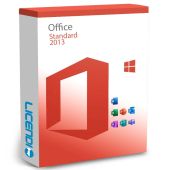
This is a legacy option, long out of support. Choose it only when your existing setup requires the 2013 edition. Tell us which application and workflow you need to retain so we can help you identify the appropriate product before you buy.
Office Standard comparison: applications and support
The table compares the four newer Standard versions and their security update status.
| Edition | Access | Publisher | Security updates | Windows 11 support |
|---|---|---|---|---|
| Microsoft Office 2024 Standard LTSC | — | — | ✓ | — |
| Office LTSC Standard 2021 | — | ✓ | — | — |
| Office 2019 Standard | — | ✓ | — | — |
| Office 2016 Standard | — | ✓ | — | — |
Publisher is the main application difference here: the 2024 edition removes it. If your team prepares publications in Publisher, plan how those files will be handled before changing versions.
Standard, Professional Plus or Home & Business?
Standard is a volume-licence edition aimed at organisations. It fits teams using Word, Excel, PowerPoint, Outlook and OneNote without Access. Choose by the applications you need, then confirm the number of PCs covered by your order.
If your work depends on Access databases, compare Office Professional Plus. For Word, Excel, PowerPoint and Outlook on Windows or Mac, compare Office Home & Business and select the appropriate version for your computer.
Standard does not include Copilot or real-time co-authoring. Those features belong to Microsoft 365, depending on the plan. Our Microsoft Office category helps you compare the wider range if shared editing is part of your team's requirements.
Why are these Office Standard licences cheaper?
Resold perpetual licences offer a lower-cost route to the version you need. You pay once for that version, so compare the starting price alongside its applications and remaining support period. An older edition can cost less but serves a different need from a supported 2024 installation.
At Licendi, your purchase includes a genuine Microsoft key, the official download link and help by email and chat. We show the edition and starting price so you can make a concrete comparison before ordering.
Is buying a resold Office licence legal?
Legal basis
Yes, permanent licences may be resold in the EU under the conditions established by UsedSoft, CJEU case C-128/11, dated 3 July 2012:
- The first sale in the EU must be made by the rightholder or with its consent.
- The right to use the software must be indefinite and granted for a price reflecting the economic value of the copy.
- The seller must make their own copy unusable when reselling it.
- A multi-user licence must not be split for resale.
At Licendi, we give you a PDF invoice with VAT shown and a 1-month activation guarantee. If the key does not activate on first installation, write to us and we fix it.
Requirements to check before buying
- Your Windows version and its compatibility with the chosen Office edition.
- The processor, memory and free storage required for that edition.
- Internet access for the official download and the activation instructions supplied.
- Compatibility with the templates, add-ins and documents your team uses.
- The number of computers to license and any existing Office installation to replace.
Tip: send us your Windows version, current Office edition and required applications before ordering if you need help choosing. Keep a backup of your documents before changing the installation. Windows 10 support ended on 14 October 2025, so consider your operating system alongside your Office upgrade.
Buy, download and activate in three steps
- Choose your edition and the licences needed for your PCs. Complete the order with your billing details.
- Receive your key, official download link and PDF invoice by email, instantly during office hours or within 24 hours outside them.
- Download and install your chosen version, then follow the supplied activation instructions. Contact us by email or chat if you need help.
Support dates and upgrading Office Standard
A permanent licence covers indefinite use of the purchased version under its terms. That right continues after support ends; the security update period is separate. A future Office version is a separate purchase, so choose the release you intend to use.
Office 2016 and 2019 support ended on 14 October 2025; Office 2021 support ended on 13 October 2026. Office 2024 LTSC receives security updates until 9 October 2029. When upgrading, check your add-ins and any Publisher files before selecting the replacement edition.
Office Standard for several business PCs
Request a quote by email or chat with the number of computers and users, their operating systems and the applications you need. We help you compare Standard with an edition containing Access where necessary. You receive a PDF invoice with VAT shown for your purchase, making it straightforward to record the order for your business.
Frequently asked questions about Office Standard
Is the 2024 edition the best choice for a new installation?
Yes, if you need the Standard applications without an older-version requirement. It receives security updates until 9 October 2029.
Does Office Standard include Access?
No. Compare Professional Plus if your work requires Access databases.
Does Office Standard include Publisher?
It depends on the edition: 2016, 2019 and 2021 include Publisher; 2024 does not. Plan how to handle existing publications before moving to 2024.
Is Office Standard a one-time payment?
Yes. Your permanent licence covers the purchased version, with future versions bought separately.
Does Office Standard 2021 still receive support?
No, support ended on 13 October 2026. Choose the 2024 edition if you need an ongoing security update period.
Does Standard include Copilot or real-time co-authoring?
No. Choose a Microsoft 365 plan containing the features you need for Copilot or shared editing.
Will I receive my key by email?
Yes, instantly during office hours and within a maximum of 24 hours outside them. We also provide the official download link and a PDF invoice with VAT shown.
Do you help if the key does not activate?
Yes, we provide a 1-month activation guarantee. If the key does not activate on first installation, write to us and we fix it.
Can I request a quote for several PCs?
Yes. Contact us by email or chat with the number of computers, their systems and your required applications.
Can permanent Office licences legally be resold in the EU?
Yes, when the UsedSoft conditions are met. These include an authorised first EU sale, indefinite paid use, the seller making their copy unusable and no splitting of a multi-user licence.