 EN
 FR
 DE
 IT
 PT
 ES



Exchange Server
Buying guide
Which Microsoft Exchange Server licence should you buy?
This page covers Exchange Server 2016 and 2019 in Standard and Enterprise editions, plus User CALs. It is written for businesses and administrators who already run their own mail server and need to license or extend it.
- Key and download by email: instantly during office hours, within 24 hours at most outside them
- PDF invoice with VAT shown
- 1-month activation guarantee: if the key does not activate on first installation, write to us and we fix it
- Support by email and chat
Which one to choose
The edition sets how many mailbox databases the server can hold: up to 5 on Standard and up to 100 on Enterprise. Every user also needs a User CAL of their own.
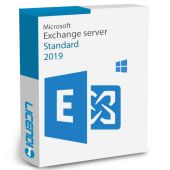
- Exchange Server 2019 Standard: for setups with a few mailbox databases — from €2,033.33
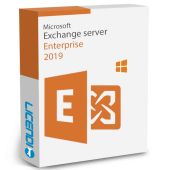
- Exchange Server 2019 Enterprise: for setups that need up to 100 databases — from €10,166.66
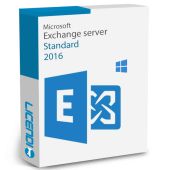
- Exchange Server 2016 Standard: to match an existing 2016 installation — from €708.33
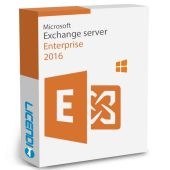
- Exchange Server 2016 Enterprise: the same version with up to 100 databases — from €2,200.00
- Exchange Server 2016 - 1 User CAL: one User CAL for a 2016 server — from €60.32
- Exchange Server 2019 - 1 User CAL: one User CAL for a 2019 server — from €81.82
Exchange 2016 and 2019 support has ended: read this first
Support for Exchange Server 2016 and 2019 ended on 14 October 2025. Since then there have been no security updates. We therefore recommend these versions only to match an installation you already run. For a new mail setup, hosted email with Microsoft 365 is the usual alternative.
Permanent licences are a one-time payment with no subscription. The legal resale of permanent licences in the EU rests on the CJEU's UsedSoft judgment (C-128/11, 3 July 2012).
Exchange Server questions
What is the difference between Standard and Enterprise?
The number of mailbox databases: up to 5 on Standard and up to 100 on Enterprise.
Do I need a CAL for every user?
Yes. Each user needs a CAL, and this category includes User CALs for Exchange Server 2016 and 2019.
When do I get the key, and what if it does not activate?
We send it by email: instantly during office hours, within 24 hours at most outside them. If it does not activate on first installation, write to us within the 1-month guarantee and we fix it.