 EN
 FR
 DE
 IT
 PT
 ES





Buying guide
Which Microsoft Project licence do I need?
Buy a Microsoft Project licence at Licendi and start building clear plans for your work. This category brings together Microsoft Project Professional 2024, 2021, 2019 and 2016 for Windows. Each edition gives you a dedicated desktop application for organising projects, schedules, tasks and resources. Choose the year that suits your computer and working environment.
We supply genuine Microsoft keys, an official download link and a PDF invoice showing VAT. Your order arrives by email, instantly during office hours and within a maximum of 24 hours outside them. If you want help before or after buying, our team is available by email and chat.
- Key and download by email
- Invoice with VAT shown
- One-time payment, no subscription
- Support by email and chat
Start with compatibility. If you are setting up a new installation, Project Professional 2024 is the current option in this category. Choose an earlier edition when a client, colleague, template or established company setup requires that specific version. All four products are Professional editions of Microsoft Project, so the practical decision is usually the version your environment needs.
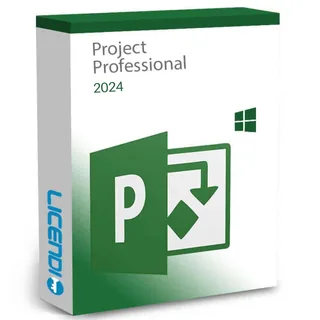
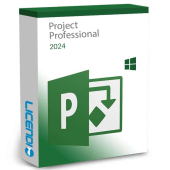
Microsoft Project Professional 2024
Buyers making a new Project installation
The newest Professional edition in this category for project plans, schedules, tasks and resources
from €39.66
Buy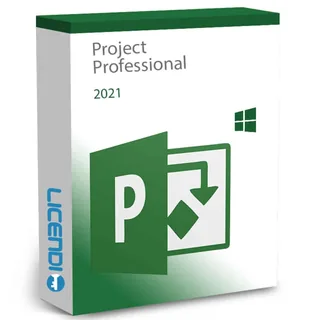
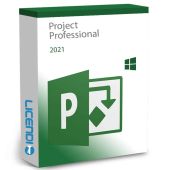
Microsoft Project Professional 2021
Teams standardised on the 2021 release
Project planning in the 2021 Professional desktop edition
from €39.99
Buy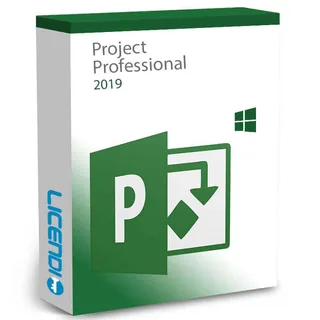
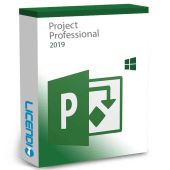
Microsoft Project Professional 2019
Existing environments that require Project 2019
Project planning in the 2019 Professional desktop edition
from €28.56
Buy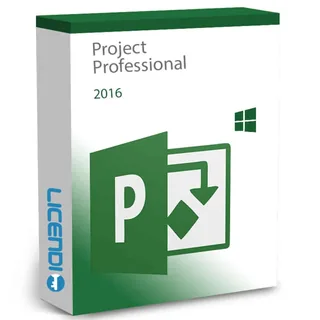
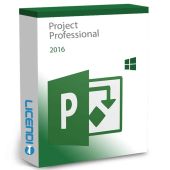
Microsoft Project Professional 2016
Legacy setups that specifically require Project 2016
Project planning in the 2016 Professional desktop edition
from €14.49
BuyPrices shown are starting prices. Open the product page to select the available licence variant and check the final order details. If several people will use Project, count the computers and licences you need before ordering.
Microsoft Project Professional 2024: the current choice
Choose Microsoft Project Professional 2024 when you want the newest release sold on this page. It is designed for creating project plans, setting tasks and dependencies, allocating resources, following milestones and reviewing progress in a timeline or Gantt chart. It is the straightforward starting point for a new Windows installation where an older release is not required.
Microsoft Project Professional 2021: for a 2021 environment
Choose Microsoft Project Professional 2021 when your organisation already works with the 2021 release or when a customer requires it. It keeps project plans, task sequences, resource assignments and reports in the same generation as the rest of that environment. That can make internal roll-outs simpler when several computers must follow one approved software version.
Microsoft Project Professional 2019: for an established setup
Microsoft Project Professional 2019 is for installations that specifically need the 2019 edition. It covers the central work of creating schedules, linking tasks, assigning resources and monitoring delivery. Select it for compatibility with an established setup.
Microsoft Project Professional 2016: for legacy compatibility
Microsoft Project Professional 2016 is the oldest option in this category. It is intended for a legacy computer or workflow that has a clear requirement for this version. Before buying, check that your Windows setup and any templates, add-ins or file-sharing processes still match Project 2016.
Compare Microsoft Project Professional editions
Every product on this page is a Professional edition. The table focuses on the core planning work buyers expect from Project; the main difference is the release year. Yes means that the edition is intended to perform that type of project-planning task.
| Edition | Project plans | Gantt charts | Task dependencies | Resource allocation | Progress reports | Current category release |
|---|---|---|---|---|---|---|
| Project Professional 2024 | ✓ | ✓ | ✓ | ✓ | ✓ | ✓ |
| Project Professional 2021 | ✓ | ✓ | ✓ | ✓ | ✓ | — |
| Project Professional 2019 | ✓ | ✓ | ✓ | ✓ | ✓ | — |
| Project Professional 2016 | ✓ | ✓ | ✓ | ✓ | ✓ | — |
Version choice matters most when Project must fit an existing company standard. Ask the person responsible for your computers which release is approved. If you are buying for yourself, compare the product variant with your version of Windows before completing the order.
Microsoft Project licence pricing
Licendi sells genuine Microsoft keys, including resold permanent licences. With a resold licence, the right to use an existing licence is transferred to a new buyer. The software edition is named on the product page.
We keep the purchase practical: you receive an official download link, your key and a PDF invoice showing VAT. You also receive our one-month activation guarantee and access to support by email and chat.
Is it legal to buy a resold Microsoft Project licence?
Legal basis
Yes, provided the resale meets the conditions set by EU law. In UsedSoft v Oracle, Court of Justice of the European Union case C-128/11 of 3 July 2012, the Court established that permanent software licences may be resold in the EU under specific conditions:
- The first sale in the EU must have been made by the rightholder or with the rightholder's consent.
- The right of use must be granted for an unlimited period in return for a price that reflects the economic value of the copy.
- The seller must make its own copy unusable when the licence is resold.
- A multi-user licence must not be split and resold in parts.
At Licendi, your purchase comes with a PDF invoice showing VAT and a one-month activation guarantee. If the key does not activate on the first installation, write to us and we will fix it.
Microsoft Project requirements: check before you buy
- A Windows computer with a version supported by the Project edition you select.
- Sufficient processor performance, memory, storage space and display resolution for that edition.
- An internet connection to download the installer and complete activation.
- Administrator permission to install software on the computer.
- Compatibility with the Project files, templates and add-ins used by your team.
Tip: check your Windows version and whether it is 32-bit or 64-bit before ordering. If Project is already installed, record its exact edition first and keep a backup of your project files before changing the installation.
How to buy, download and activate Microsoft Project
- Choose your edition: select Project Professional 2024, 2021, 2019 or 2016 according to your Windows setup and the version your work requires. Enter the correct billing details at checkout.
- Receive the order by email: we send your genuine Microsoft key, official download link and PDF invoice showing VAT. Delivery is instant during office hours and takes no more than 24 hours outside them.
- Download, install and activate: follow the supplied instructions and enter the key when requested. If the key does not activate on the first installation, contact us by email or chat within the one-month activation-guarantee period and we will fix it.
Support, upgrades and Microsoft Project for business
Our support team helps by email and chat with the purchase, delivery and first activation. Your one-month activation guarantee applies when the key does not activate on the first installation. Keep the order email and invoice so that we can identify the product quickly if you contact us.
Microsoft support for Project 2016 and Project 2019 ended on 14 October 2025; support for Project 2021 ended on 13 October 2026. These editions can still be used with a permanent licence, but they no longer receive updates under Microsoft support.
A permanent licence covers the version purchased; a future major release is a separate product. Moving from Project 2016, 2019 or 2021 to Project 2024 therefore means buying the 2024 edition and checking its system requirements first. Back up active project files and confirm the compatibility of essential templates and add-ins before replacing an established installation.
For a business purchase, count the computers that need Microsoft Project and confirm one approved version across the team. Send us the number of licences required, the Windows version on each computer and the release your organisation uses. We can help you identify the matching product, and your PDF invoice will show VAT for your records.
Frequently asked questions about Microsoft Project licences
Which Microsoft Project licence should I buy?
It depends on the edition: choose Project Professional 2024 for a new installation, or the earlier release specifically required by your computer or organisation. Check Windows, templates and add-ins before ordering.
Is a Microsoft Project licence a one-off purchase?
Yes, the permanent licences described on this page are bought for the version selected. A future major version is a separate purchase.
Is it legal to buy a resold Microsoft Project licence?
Yes, when a permanent licence is resold in accordance with the UsedSoft conditions. Licendi provides a PDF invoice showing VAT and a one-month activation guarantee.
Does Microsoft Project work on Mac?
No, the Project Professional desktop products in this category are for Windows. Check the operating system requirement on the selected product before buying.
Can I use one Project key on several computers?
It depends on the edition: check the number of permitted installations on the product page before ordering. For a company roll-out, count every computer that needs Project and contact us for help.
How quickly will my Microsoft Project key arrive?
Your Microsoft Project key arrives instantly by email during office hours and within a maximum of 24 hours outside them. The message also includes the official download link, with the PDF invoice supplied for the order.
What happens if my Microsoft Project key does not activate?
We fix it when the key does not activate on the first installation within the one-month activation guarantee. Write to us by email or chat with your order details.
Do I receive a VAT invoice?
Yes. Licendi sends a PDF invoice showing VAT for your purchase.
Can I buy Microsoft Project licences for a business?
Yes. Tell us how many computers need Project, which Windows version they run and which Project release your organisation requires, and we will help you choose.