 EN
 FR
 DE
 IT
 PT
 ES



Parallels Desktop











Buying guide
Which Parallels Desktop do I need?
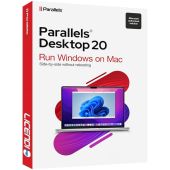
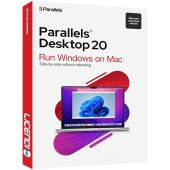
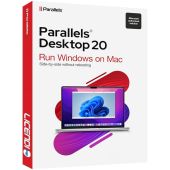
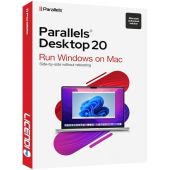
Run Windows applications on your Mac without changing computers. Parallels Desktop creates a virtual machine in macOS, so Windows and Mac applications can work side by side. At Licendi, you can choose a one-time licence for a specific Standard version, a one-device, one-year subscription, or an edition for development and business use.
We send your key, official download link and PDF invoice with VAT shown by email. Delivery is instant during office hours and takes no more than 24 hours outside them. If you need help choosing or activating your Parallels Desktop licence, our team is available by email and chat.
- Key and download by email
- Invoice with VAT shown
- One-time payment, no subscription
- Support by email and chat
Start with your Mac, the Windows software you want to run and how long you need the licence. For a new Mac, choose the latest version. Older versions are intended for an older macOS release or an existing setup that must stay on the same software generation.
| Edition | For whom | What it adds | Price from | Buy |
|---|---|---|---|---|
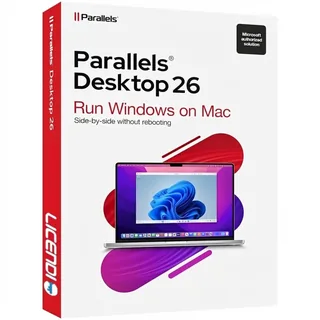 | Home users and students with a new Mac | The latest version in our range; Windows and Linux virtual machines alongside macOS | from120,00 € | Buy |
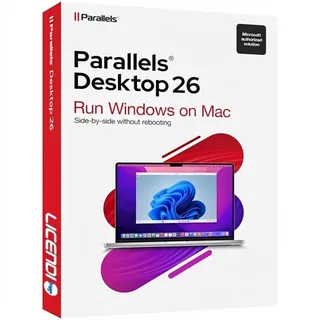 | One Mac needed for one year | One-device, one-year subscription to version 26 | from60,00 € | Buy |
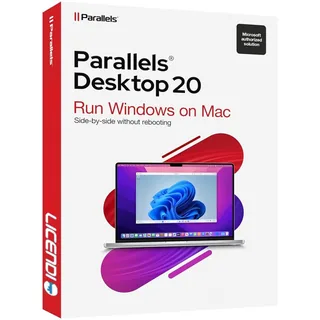 | Home users and students who prefer a one-time purchase | One-time licence for Standard version 20 | from75,00 € | Buy |
| Parallels Desktop 20 1D/1Y | One Mac needed for one year | One-device, one-year subscription to version 20 | from60,00 € | Buy |
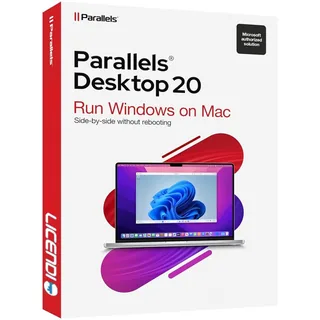 | Developers and technical users | More virtual CPUs and RAM, plus advanced networking | from85,00 € | Buy |
| Parallels Desktop 20 Business | Companies managing several Macs | Central management and volume deployment | from110,00 € | Buy |
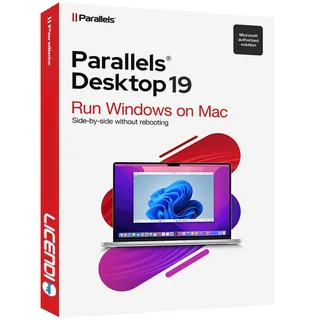 | Existing setups that need version 19 | One-time Standard licence for that version | from70,00 € | Buy |
| Parallels Desktop 18 | Older macOS installations | One-time licence for that version | from55,00 € | Buy |
Standard and 1D/1Y: for home, study and everyday Windows apps
Standard is the straightforward choice for running Windows applications on one Mac at home or while studying. Parallels Desktop 20 Standard and Parallels Desktop 19 Standard are one-time licences for their respective versions. The products marked 1D/1Y are different: each is a one-device, one-year subscription. Choose 1D/1Y when you want a defined one-year term rather than permanent use of one version.
Pro: more resources and networking for development
Choose Pro when your virtual machines need more virtual CPUs or RAM, or when advanced networking is part of your development and testing work. We offer Parallels Desktop 19 Pro from 80,00 € and Parallels Desktop 20 Pro from 85,00 €. The version number matters if your workflow depends on a particular macOS environment. The licence term is shown on each product page.
Business: deployment and central management
Business is designed for organisations that deploy Parallels across several Macs and need central management. The range includes Parallels Desktop 19 Business from 100,00 € and Parallels Desktop 20 Business from 110,00 €. The licence term is shown on each product page. Tell us how many Macs you need to equip and which macOS versions they run so we can help you select the right product.
Versions 14 to 19: for an older Mac or an existing setup
Earlier releases can suit a Mac that must remain on an older macOS version or a setup already built around a specific Parallels release. Our range includes Parallels Desktop 14 from 40,00 €, Parallels Desktop 15 from 45,00 € and Parallels Desktop 17 from 50,00 €. These are one-time licences for the purchased version. For a new Mac, choose the latest version instead.
Compare Parallels Desktop editions and licence types
This comparison separates the buying options that matter most. Apple silicon means an M1 or later Mac. Support depends on the specific Parallels version and macOS release, so check both before ordering.
| Option | Apple silicon support | One-time licence | One-year term | Pro features | Business management |
|---|---|---|---|---|---|
| Standard one-time products | Version-dependent | ✓ | — | — | — |
| 1D/1Y products | Version-dependent | — | ✓ | — | — |
| Pro | Version-dependent | — | — | ✓ | — |
| Business | Version-dependent | — | — | — | ✓ |
Do I need a Windows licence for Parallels Desktop?
Yes. A Windows licence is not included with Parallels Desktop. Parallels supplies the virtualisation software; Windows requires its own valid licence. You can choose a suitable option in our Windows 11 category.
On a Mac with Apple silicon, Parallels runs the Arm version of Windows 11. On an Intel Mac, it runs x86 Windows. Check that the Windows application you need supports the relevant Windows architecture before you buy, especially if it uses specialist drivers or hardware.
Why can a Parallels Desktop licence cost less?
We offer several versions and licence types, so you pay for the option that fits your setup. An older one-time version can cost less than the latest release, while a one-device, one-year subscription limits the term. Lower cost does not mean vague delivery: we provide the key, an official download link, a PDF invoice with VAT shown and help by email and chat.
For permanent licences, our offers may include legally resold software licences. The UsedSoft judgment explains when permanent software licences can be resold in the EU. The 1D/1Y products are new subscription keys and are not presented as resold permanent licences.
Is it legal to buy a resold Parallels Desktop licence?
Legal basis
Yes, for permanent licences when the legal conditions are met. The Court of Justice of the European Union judgment in UsedSoft v Oracle, case C-128/11, 3 July 2012, permits resale in the EU under these conditions:
- The first sale in the EU was made by the rights holder or with the rights holder's consent.
- The right of use was granted indefinitely for a price.
- The seller makes its own copy unusable when the licence is resold.
- A multi-user licence is transferred as a whole and is not split.
This ruling applies to permanent licences, not subscriptions. Licendi provides a PDF invoice with VAT shown and a one-month activation guarantee. If the key does not activate on the first installation, write to us and we will fix it.
Parallels Desktop requirements: what to check first
- Mac processor: identify whether your Mac uses Apple silicon, meaning M1 or later, or an Intel processor.
- macOS version: match it to the specific Parallels Desktop release you intend to buy.
- Memory: allow enough RAM for macOS and the Windows virtual machine to run at the same time.
- Storage: keep enough free disk space for Parallels, Windows and the applications and files inside the virtual machine.
- Windows software: confirm that your essential applications support Windows Arm on Apple silicon or x86 Windows on Intel.
- Windows licence: buy this separately, because it is not included with Parallels Desktop.
Tip: open About This Mac and note the processor and macOS version before ordering. Send those details to us by email or chat if you want help narrowing down the right release.
How to buy and install Parallels Desktop
- Choose your edition and term: select Standard, Pro or Business. Standard products without 1D/1Y are one-time licences, while 1D/1Y products are one-device, one-year subscriptions. For Pro and Business, the licence term is shown on each product page.
- Receive the order by email: we send the key, official download link and PDF invoice instantly during office hours or within 24 hours outside them.
- Install and activate: download Parallels Desktop, create your Windows virtual machine and enter the required licences. Contact us by email or chat if the key does not activate on the first installation.
Support, versions and future upgrades
A one-time licence covers the Parallels version you purchased; it does not include a future major version. The 1D/1Y products provide use on one device for one year. Choose the latest version for a new Mac, but keep an older release when your current macOS setup specifically requires it.
Our activation guarantee lasts one month for the first installation. If activation fails, write to us and we will fix it. You can also contact us by email or chat for help with the product selection and activation process.
Parallels Desktop for business
For a company, begin with the number of Macs, their processors and macOS versions, and the Windows applications each team needs. Pro gives developers more virtual CPUs and RAM plus advanced networking. Business adds central management and volume deployment. Licendi supplies a PDF invoice with VAT shown and can help you compare versions before you equip several users.
Frequently asked questions about Parallels Desktop
Can I install Windows on a Mac with Parallels Desktop?
Yes. Parallels Desktop runs Windows in a virtual machine alongside your Mac applications, but you need to buy Windows separately.
Does Parallels Desktop work on an M1 or later Mac?
Yes, with a compatible Parallels version. Apple silicon Macs run the Arm version of Windows 11, so check that your Windows applications support it.
Does Parallels Desktop work on an Intel Mac?
Yes, with a compatible Parallels and macOS version. Intel Macs run x86 Windows inside the virtual machine.
Is Parallels Desktop free for Mac?
No. The products on this page require a paid licence, and Windows also needs a separate licence.
Is a Parallels Desktop 1D/1Y licence permanent?
No. It is a one-device, one-year subscription; choose a one-time Standard version if you want to use that purchased version without a one-year term.
Which Parallels edition is best for developers?
Parallels Desktop Pro. It adds more virtual CPUs and RAM plus advanced networking for development and testing work.
Which Parallels edition is best for a company?
It depends on the requirement: Business adds central management and volume deployment, while Pro suits individual developers who need more virtual resources.
Can I play Windows games on a Mac with Parallels?
It depends on the game. Check its Windows architecture, graphics and anti-cheat requirements against your Mac and Parallels version before buying.
Do I receive an invoice and activation support?
Yes. We send a PDF invoice with VAT shown and provide a one-month guarantee for activation on the first installation.
How quickly will my Parallels Desktop licence arrive?
Instantly during office hours, with a maximum wait of 24 hours outside them. Your email contains the key and official download link.