 EN
 FR
 DE
 IT
 PT
 ES



Windows Server










Buying guide
Which Windows Server edition do I need?
Buy a Windows Server licence for a new deployment, virtualisation host or established business system. At Licendi, you can choose Windows Server 2025, 2022 or 2019 in Standard, Datacenter and Essentials editions, with CAL products for authorised access. We supply genuine Microsoft keys, an official download link and a PDF invoice with VAT shown.
Your order is delivered by email, instantly during office hours and within a maximum of 24 hours outside them. If you are buying for a business, tell us how many physical servers, processor cores, users, devices and virtual machines you need to cover. We will help you choose before you order.
- Key and download by email
- Invoice with VAT shown
- One-time payment, no subscription
- Support by email and chat
Looking for a specific version? See the buying guides for Windows Server 2025, Windows Server 2022 and Windows Server 2019 and 2016.
Start with the workload and your virtualisation plan. Standard is the practical choice for physical servers or lightly virtualised environments. Datacenter suits hosts that will run many virtual machines and need its advanced infrastructure features. Essentials is designed for a small organisation with a limited number of users and devices.
| Edition | For whom | What it adds | Price from | Buy |
|---|---|---|---|---|
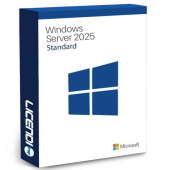
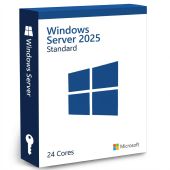
 | Physical servers and environments with up to two virtual machines per fully licensed server | Current Standard edition for core server roles and limited virtualisation | from306,60 € | Buy |
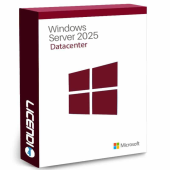
 | Highly virtualised hosts and data centres | Unlimited virtual machines when the host is fully licensed, plus Storage Spaces Direct and software-defined networking | from406,60 € | Buy |
 | Small businesses with up to 25 users and 50 devices | Simplified small-business licensing without separate Windows Server CALs | from484,99 € | Buy |
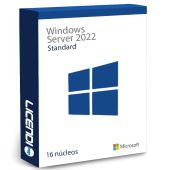
 | Businesses keeping compatibility with a 2022-based environment | Standard server roles and limited virtualisation for the 2022 release | from239,66 € | Buy |
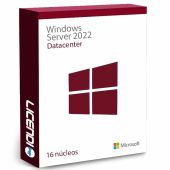
 | Virtualised infrastructure built around Windows Server 2022 | Datacenter virtualisation rights and advanced infrastructure features | from316,66 € | Buy |
| Windows Server 2022 Essentials | Small organisations that need the 2022 Essentials release | Essentials licensing for a limited business environment | from412,40 € | Buy |
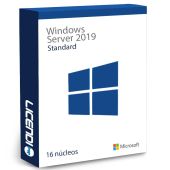
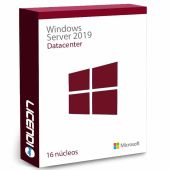
 | Established systems that require Windows Server 2019 | Standard server roles and limited virtualisation for the 2019 release | from177,68 € | Buy |
 | Virtualised infrastructure that must remain on the 2019 release | Datacenter virtualisation rights and advanced infrastructure features | from239,66 € | Buy |
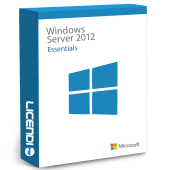
 | Small organisations with a Windows Server 2019 requirement | Essentials licensing for a limited business environment | from241,66 € | Buy |
Windows Server Standard: physical or lightly virtualised servers
Choose Standard for file services, print services, identity management or line-of-business applications when you run the operating system directly on the server or need no more than two virtual machines per fully licensed host. The server still needs the correct core coverage, and its users or devices normally need CALs.
Windows Server Datacenter: many virtual machines
Choose Datacenter when a fully licensed host will run a large or changing number of Windows Server virtual machines. It provides unlimited virtual machine rights on that licensed server and adds Storage Spaces Direct and software-defined networking. Compare the full host cost rather than the licence price alone: the number of cores and access licences matters.
Windows Server Essentials: a small fixed environment
Essentials is intended for small businesses with up to 25 users and 50 devices. Separate Windows Server CALs are not required within those limits. It can be the clearest route for a small, stable team, but Standard is the better comparison if you expect to grow beyond the Essentials limits.
Windows Server 2025 vs 2022 vs 2019
Windows Server 2025 is the current choice for a new deployment. Windows Server 2025 supports hotpatching through Azure Arc. Its changes also include SMB over QUIC across editions, Active Directory improvements, NVMe improvements and GPU partitioning. Windows Server 2022 or 2019 can still make sense when an application, appliance or established deployment requires that release.
| Release | Standard | Datacenter | Essentials | CAL product | Best fit |
|---|---|---|---|---|---|
| Windows Server 2025 | ✓ | ✓ | ✓ | ✓ | New deployments and current platform features |
| Windows Server 2022 | ✓ | ✓ | ✓ | ✓ | Compatibility with systems built for the 2022 release |
| Windows Server 2019 | ✓ | ✓ | ✓ | ✓ | Applications that specifically require the 2019 release |
Mainstream support for Windows Server 2025 runs until November 2029. Windows Server 2022 mainstream support ended on 13 October 2026, with extended support continuing until October 2031. Windows Server 2019 extended support continues until January 2029. Extended support can preserve security servicing, but it does not make an older release the default for a new system.
How Windows Server core licensing and CALs work
Standard and Datacenter are licensed by physical processor core. The licensing calculation has a minimum of 16 cores per server and eight cores per processor. You must cover every physical core in the server, subject to those minimums. A licence described by a core count covers that number of cores; add enough packs to reach the required total.
CAL means Client Access Licence. In addition to the server licence, every user or device accessing the server normally needs an appropriate Windows Server CAL. A user CAL follows one person across devices. A device CAL covers one device used by one or more people. Remote Desktop Services access requires an RDS CAL as well as the underlying Windows Server CAL.
For example, one server with 16 physical cores and 20 named users needs core licences covering 16 cores plus 20 user CALs. If those users connect through Remote Desktop Services, they also need the corresponding RDS CALs. The catalogue entries show products and starting prices; confirm the CAL type, quantity, version and core coverage on the selected product before paying.
Windows Server CAL: user or device?
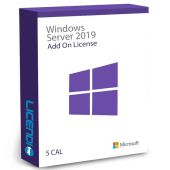
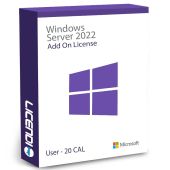
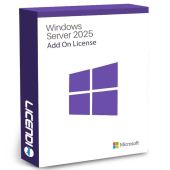
Choose user CALs when each person works across several devices, such as a desktop, laptop and mobile device. Choose device CALs when several people share the same workstation, for example on a shift. Match the CAL version and access model to your server environment. Licendi lists Windows Server 2025 CAL from 148,75 €, Windows Server 2022 Add on License from 140,49 € and License CAL Windows Server 2019 from 104,16 €.
Why are these Windows Server licences cheaper?
Our offers can include permanent licences sold through the lawful EU resale market. You pay for the required version and edition rather than a service bundle you do not need. The important comparison is like for like: edition, release, core coverage, CAL type and quantity. A low server-key price does not replace the access licences or additional core coverage your deployment requires.
Licendi supplies genuine Microsoft keys, an official download link, a PDF invoice with VAT shown and support by email and chat. You also receive our one-month activation guarantee for the first installation.
Is it legal to buy a resold Windows Server licence?
Legal basis
Yes, when the resale meets the conditions set by the Court of Justice of the European Union in UsedSoft v Oracle, case C-128/11, on 3 July 2012. Permanent software licences may be resold in the EU when:
- The first sale in the EU was made by the rights holder or with its consent.
- The right of use was granted indefinitely for a price.
- The seller makes its own copy unusable when reselling the licence.
- A multi-user licence is transferred as a whole and is not split.
Licendi gives you a PDF invoice with VAT shown and a one-month activation guarantee. If the key does not activate on the first installation, write to us and we will fix it. Keep your invoice and order records with your organisation's software asset register.
Windows Server requirements to check before buying
- The release and edition supported by your business applications, backup software and management tools.
- The number of physical processors and physical cores in each server.
- The number of physical hosts and Windows Server virtual machines you plan to run.
- The number of users or devices requiring access, and whether they need Remote Desktop Services.
- Hardware, firmware, storage, network and driver compatibility for the chosen release.
- A reliable internet connection for the official download and activation.
Tip: write down the server model, processor count, total physical cores, virtual machine count and access method before contacting us. This gives our team the information needed to help you compare editions and CALs.
How to buy and activate Windows Server
- Choose the release and edition: calculate the physical core coverage, virtualisation rights and CALs required. Add the correct products to your order.
- Receive the order by email: we send the genuine key, official download link and PDF invoice instantly during office hours and within a maximum of 24 hours outside them.
- Install and activate: download the correct installation media, select the purchased edition and enter the key. Contact us by email or chat if you need activation help.
Support, activation guarantee and upgrades
Our team supports you by email and chat. The one-month activation guarantee covers the first installation: if the key does not activate, write to us and we will fix it. When moving from Windows Server 2019 or 2022 to 2025, first confirm application support, drivers, backup recovery and the intended migration path. A newer licence does not by itself migrate server roles, data or virtual machines.
Windows Server licences for businesses
For several hosts, branches or client environments, ask Licendi for a quote before ordering. Send us the edition, processor and core count of each physical host, the expected number of virtual machines, and the number of users or devices. We will help you assemble the relevant server licences and CAL products. Every completed purchase includes a PDF invoice with VAT shown for your business records.
Frequently asked questions about Windows Server licences
How much does a Windows Server licence cost?
Windows Server 2019 Standard starts at 177,68 €, while Microsoft Windows Server 2025 Standard starts at 306,60 €. Core coverage and CALs can change the total deployment cost.
What is the difference between Standard and Datacenter?
Standard is for physical or lightly virtualised servers; Datacenter is for highly virtualised hosts. Datacenter also adds Storage Spaces Direct and software-defined networking.
Should I buy Windows Server 2025, 2022 or 2019?
Windows Server 2025 is the current choice for a new deployment. Choose 2022 or 2019 when your applications or existing environment specifically require that release.
Do I need CALs as well as the server licence?
Yes, in most Standard and Datacenter deployments. Each accessing user or device normally needs an appropriate Windows Server CAL, while Essentials has its own user and device limits.
What are RDS CALs and when do I need them?
RDS CALs authorise access through Remote Desktop Services. They are additional to the underlying Windows Server CALs required for those users or devices.
How many cores does each licence cover?
It depends on the product variant. Count every physical core and apply the minimum of 16 cores per server and eight per processor when calculating the required coverage.
Can I install Windows Server 2025 in a virtual machine?
Yes, subject to the virtualisation rights of the edition and full licensing of the physical host. Standard and Datacenter provide different virtual machine rights.
Is a resold Windows Server licence legal and valid for business records?
Yes, when all UsedSoft conditions are met for permanent licences resold in the EU. Licendi supplies a PDF invoice with VAT shown and a one-month activation guarantee.
Do you issue an invoice and help with business orders?
Yes. We issue a PDF invoice with VAT shown and can help you prepare a quote based on your hosts, cores, virtual machines, users and devices.