 EN
 FR
 DE
 IT
 PT
 ES







Buying guide
Which one do I need: Access 2024, 2021, 2019 or 2016?
Buy a Microsoft Access licence from Licendi and build, manage and report on relational databases on a Windows PC. Choose Access 2024 for the current standalone edition, or select Access 2021, 2019 or 2016 when an existing database, add-in or workplace setup requires that version. Every order includes a genuine Microsoft key and an official download link.
We deliver your key by email, instantly during office hours and within 24 hours outside them. You also receive a PDF invoice showing VAT. If you need help choosing, our team is available by email and chat.
- Key and download by email
- Invoice with VAT shown
- One-time payment, no subscription
- Support by email and chat
Start with the version used by the people, databases and add-ins you work with. Access 2024 is the natural choice for a new standalone installation. An earlier edition makes sense when matching an established setup matters more than moving to the newest version. All four products below are Access licences rather than complete Office suites.
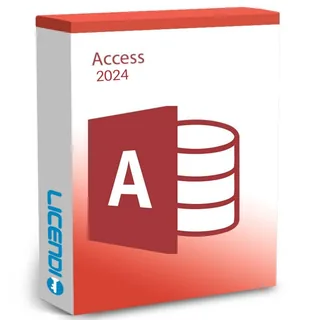
Buyers setting up a new Access installation
The current standalone Access edition for tables, queries, forms and reports
from 38,01 €
Buy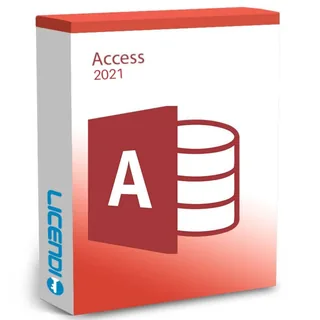
Users who must match an Access 2021 environment
Access database tools in the 2021 edition
from 21,48 €
Buy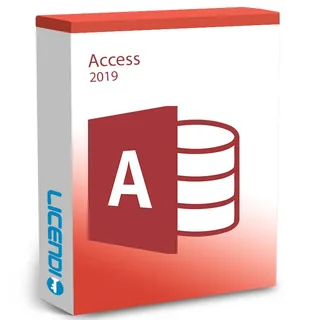
These are prices from. Before ordering, check the product page and select the version required by your files and computer. If several people exchange Access databases, standardising on the same edition can make day-to-day support simpler. Support for Office 2016 and 2019 ended on 14 October 2025, and support for Office 2021 ended on 13 October 2026.
Microsoft Access 2024: for a new installation
Choose Microsoft Access 2024 when you want the latest Access edition offered in this category. It provides the core tools for creating relational databases: tables for structured records, queries for finding and combining data, forms for data entry and reports for presenting results. It is a focused purchase for buyers who need Access rather than Word, Excel, PowerPoint or Outlook.
Microsoft Access 2021: for an established 2021 setup
Microsoft Access 2021 is intended for a PC or workflow that needs this specific generation. It can be the practical choice when colleagues, templates or internal instructions are already based on Access 2021. Consider Access 2024 when compatibility does not require 2021.
Microsoft Access 2019: for version matching
Buy Microsoft Access 2019 when you have a clear need to match an existing 2019 installation. The permanent right to use a licence does not itself end with support. For a fresh database project, compare it with Access 2024 before ordering.
Microsoft Access 2016: for legacy workflows
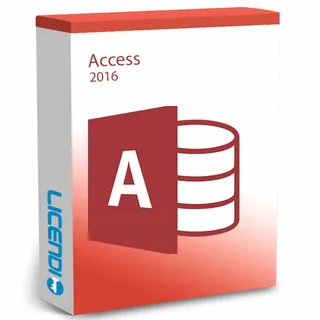
Microsoft Access 2016 is for legacy environments that specifically depend on that edition. Confirm that your Windows version, database files, add-ins and any automation used by the organisation work together before buying. If you do not have a version constraint, Access 2024 is the stronger starting point.
Compare Access 2024, 2021, 2019 and 2016
Every edition in this category is a standalone Microsoft Access product for Windows and provides the main building blocks of an Access database. The important difference is the release generation and its place in your existing environment. Compare the editions below to see which one fits your setup.
| Edition | Standalone Access | Tables and queries | Forms and reports | Windows product | Current edition sold here |
|---|---|---|---|---|---|
| Microsoft Access 2024 | ✓ | ✓ | ✓ | ✓ | ✓ |
| Microsoft Access 2021 | ✓ | ✓ | ✓ | ✓ | — |
| Microsoft Access 2019 | ✓ | ✓ | ✓ | ✓ | — |
| Microsoft Access 2016 | ✓ | ✓ | ✓ | ✓ | — |
Access is not a substitute for a full Office suite. It does not add Word for documents, Excel for spreadsheets, PowerPoint for presentations or Outlook for email. If you need those applications as well, compare the cost and contents of an Office edition that includes Access with buying Access on its own.
About these resold Access licences
Licendi sells permanent licences that may be resold under the conditions established by the UsedSoft judgment. Your order includes a genuine Microsoft key and the official download link.
We also provide a PDF invoice showing VAT, our one-month activation guarantee for the first installation and access to support by email and chat. Compare the edition itself, not just the price, because an inexpensive older version is poor value if it does not fit your system or workflow.
Is it legal to buy a resold Microsoft Access licence?
Legal basis
Yes, when the resale meets the conditions in the UsedSoft v Oracle judgment of the Court of Justice of the European Union, case C-128/11, 3 July 2012. The decision allows permanent software licences to be resold in the EU under defined conditions:
- The first sale in the EU was made by the rights holder or with the rights holder's consent.
- The right to use the software was granted indefinitely for a price that reflects the economic value of the copy.
- The seller makes its own copy unusable when the licence is resold.
- A multi-user licence is transferred as a whole and is not split into smaller parts.
At Licendi, your purchase includes a PDF invoice showing VAT and a one-month activation guarantee. If the key does not activate on the first installation, write to us and we will fix it. These practical safeguards give you a clear purchase record and a direct route to help.
Microsoft Access requirements to check before buying
Compatibility matters most when Access connects to an existing database or automated process. Check the following points before placing your order:
- A compatible Windows PC for the Access edition you select.
- Enough processor capacity, memory and free storage for that version and your databases.
- An internet connection to download the official installer and complete activation.
- The bit version required by your existing add-ins, database drivers and Office installation.
- Compatibility with your ACCDB or MDB files, linked data sources, macros, VBA code and external connectors.
- A backup of every important database before changing or upgrading the installation.
Tip: note your Windows version, current Access edition and 32-bit or 64-bit setup before contacting us. That information helps our support team guide you towards the appropriate product. Do not remove a working installation until your databases and dependencies are safely backed up.
How to buy, download and activate Microsoft Access
- Choose your edition: select Access 2024 for a new setup or the exact earlier edition required by your existing environment. Complete the order with the correct billing details.
- Receive the email: we send your key, official download link and PDF invoice by email. Delivery is instant during office hours and takes no more than 24 hours outside them.
- Download, install and activate: use the official link, follow the instructions and enter your key. If the key does not activate on the first installation, contact us within the one-month activation guarantee period.
Support, upgrades and older Access editions
Our support team is available by email and chat if you need help with delivery or activation. The one-month activation guarantee covers the first installation: write to us if the key does not activate and we will fix it. It does not turn an older edition into a newer one; a permanent licence covers the version purchased, and a future version is a separate purchase.
A permanent licence can still be used after support ends. If you are starting from scratch, prefer Access 2024. If you are upgrading a business database, test essential files, add-ins, VBA code and data connections before changing the production setup.
Microsoft Access licences for business
Businesses receive a PDF invoice with VAT shown. If you need licences for several PCs, tell us how many installations you require, which Windows and Access versions are currently in use, and whether the databases rely on add-ins or external data sources. We can help you choose a consistent edition before you order. Support is available by email and chat, and delivery follows the same email timetable stated above.
Frequently asked questions about Microsoft Access licences
Which Microsoft Access licence should I buy?
It depends on the edition: choose Access 2024 for a new installation, or match 2021, 2019 or 2016 when your existing setup requires it. Check Windows, add-ins and database dependencies before ordering.
Is Microsoft Access included with Windows?
No. Access is a separate database application, and the products on this page provide a standalone Access licence rather than a Windows licence.
Does an Access licence include Word, Excel or Outlook?
No. The standalone products listed here provide Microsoft Access, not Word, Excel, PowerPoint or Outlook. Compare a full Office edition if you need several applications.
Is Microsoft Access available for Mac?
No. The Access products in this category are for Windows. Check that your PC and Windows version meet the requirements of the chosen edition.
Is a Microsoft Access licence permanent?
Yes. These editions are permanent licences for the version purchased, subject to their terms. A later Access release is a separate product.
Can I still use Access 2016, 2019 or 2021?
Yes. A permanent right to use the purchased version can continue after support ends. Consider Access 2024 for a new installation.
How quickly will my Access key arrive?
It arrives instantly by email during office hours and within 24 hours outside them. The email also includes the official download link, and we provide your PDF invoice.
What happens if my key does not activate?
Write to us and we will fix it if the key does not activate on the first installation. Our activation guarantee lasts one month, and support is available by email and chat.
Is it legal to buy a resold Access licence?
Yes, when the resale satisfies the conditions established in the UsedSoft judgment. Licendi provides a PDF invoice showing VAT and a one-month activation guarantee.
Can I buy Microsoft Access licences for several business PCs?
Yes. Tell us the number of installations, Windows versions and Access edition your business needs. We can help you choose a consistent product before purchase.