 EN
 FR
 DE
 IT
 PT
 ES



PDF Expert





Buying guide
Which PDF Expert licence do I need?
Buy PDF Expert from Licendi when you want a clear choice of PDF software and help if activation does not go to plan. Our range includes PDF Expert 15 Home, Professional and Ultimate, alongside Nitro Pro and Corel PDF Fusion. Compare the products below, choose the licence that matches your work and order online.
We send your product key and official download link by email. Delivery is instant during office hours and takes no more than 24 hours outside them. You also receive a PDF invoice with VAT shown. If the key does not activate on the first installation, write to us within our one-month activation guarantee and we will fix it.
- Key and download by email
- Invoice with VAT shown
- Licence term shown on each product
- Support by email and chat
Start with the documents you handle and the tools you actually need. Home is the entry point in the PDF Expert 15 range, Professional is positioned between Home and Ultimate, and Ultimate is the top edition listed here. Each PDF Expert 15 offer covers one device for one year. Compare the functions on the relevant product page before ordering.
| Edition | For whom | What it adds | Price from | Buy |
|---|---|---|---|---|
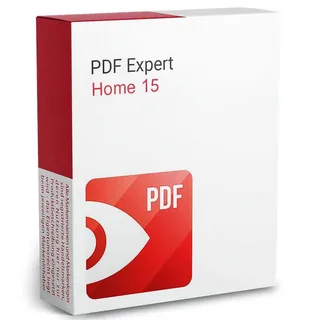 | Home users who want the entry edition | One-device access for one year | from€45.00 | Buy |
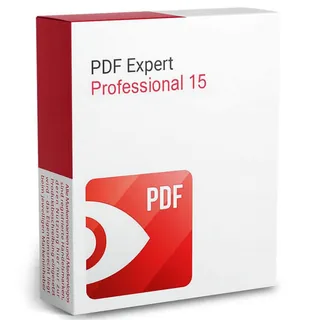 | Professionals choosing the middle edition | One-device access for one year | from€70.00 | Buy |
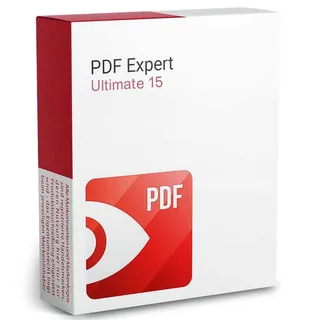 | Buyers choosing the top listed edition | One-device access for one year | from€90.00 | Buy |
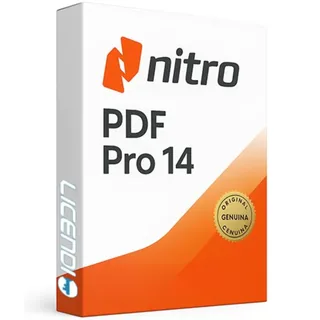 | Buyers comparing a current Nitro option | Version 14 rather than an older release | from€53.00 | Buy |
 | Buyers who specifically need version 13 | Version 13 for a version-specific requirement | from€35.00 | Buy |
 | Buyers who specifically need version 12 | Version 12 for a version-specific requirement | from€30.00 | Buy |
| Corel PDF Fusion | Buyers comparing Corel PDF software | A Corel alternative for PDF work | from€22.00 | Buy |
 | Buyers looking for a Corel image product | Image software rather than PDF software | from€30.00 | Buy |
8 of 10 pdf expert orders at Licendi are for Nitro Pro 14 (last 12 months).
All amounts are starting prices. Open the product page to check the exact option attached to that price before you pay. If you are unsure, tell us the file tasks you need to complete, your computer's operating system and how many devices you want to use.
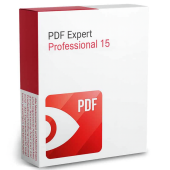
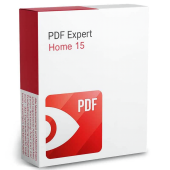
PDF Expert 15 Home 1D/1Y
Choose Home if you want the entry edition in the PDF Expert 15 range and do not need to pay for a higher tier. The 1D/1Y licence covers one device for one year. Check the supported system and included PDF tools on the product page before purchase.
PDF Expert 15 Professional 1D/1Y
Professional is the middle PDF Expert 15 option at Licendi and covers one device for one year. It is the natural comparison point for a buyer searching for Expert PDF 15 Professional. Compare its editing, conversion, security and document-processing tools with your workflow before ordering.
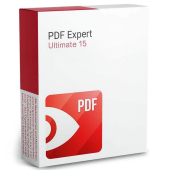
PDF Expert 15 Ultimate 1D/1Y
Ultimate is the highest PDF Expert 15 edition in this category by price and covers one device for one year. Consider it when the Home or Professional feature list does not cover your requirements. Compare its additional tools with the tasks you need to complete.
Nitro Pro and Corel alternatives
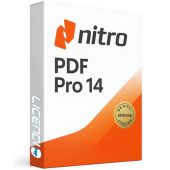
Licendi also offers Nitro Pro 12, 13 and 14, plus Corel PDF Fusion. These are separate products, not editions of PDF Expert 15. Select an older Nitro version only when you have a clear compatibility reason. Corel AfterShot 3 is an image product rather than a PDF Expert edition.
Compare the PDF software listed in this category
Use the product name, edition and stated licence term to narrow your choice. Then compare the functions and system compatibility on the product page. The products do not all have the same software functions.
| Product | PDF Expert 15 edition | Version 15 | 1 device | 1 year | PDF software |
|---|---|---|---|---|---|
| PDF Expert 15 Home 1D/1Y | ✓ | ✓ | ✓ | ✓ | ✓ |
| PDF Expert 15 Professional 1D/1Y | ✓ | ✓ | ✓ | ✓ | ✓ |
| PDF Expert 15 Ultimate 1D/1Y | ✓ | ✓ | ✓ | ✓ | ✓ |
| Nitro Pro 14 | — | — | — | — | ✓ |
| Nitro Pro 13 | — | — | — | — | ✓ |
| Nitro Pro 12 | — | — | — | — | ✓ |
| Corel PDF Fusion | — | — | — | — | ✓ |
| Corel AfterShot 3 | — | — | — | — | — |
Why can a PDF Expert deal cost less?
Our prices are based on the specific licence offers listed in the shop. Digital delivery also means there is no physical box or disc to ship. You receive the key and official download link by email, so you can buy the product you need without paying for packaging.
A lower price does not change the support attached to your Licendi order. We provide a PDF invoice with VAT shown, support by email and chat, and a one-month activation guarantee for the first installation. Compare the exact edition and licence conditions, not price alone.
Is it legal and safe to buy PDF software here?
Legal basis
You buy a licence for the term shown on the selected product page. For the PDF Expert 15 offers listed here, 1D/1Y means one device for one year. The licence is activated with the manufacturer.
- Check the licence term and device count before ordering.
- Use the official download link sent with your product key.
- Activate the licence with the manufacturer by following the product instructions.
- Keep the purchase email and PDF invoice with your records.
Licendi supplies a PDF invoice with VAT shown and a one-month activation guarantee. If the key does not activate on the first installation, write to us and we will fix it.
PDF Expert requirements to check before buying
Check the relevant product page and your computer before ordering:
- The supported operating system and version.
- The required processor, memory and free storage space.
- The number of devices covered by the selected licence.
- The licence duration; 1D/1Y means one device for one year.
- Whether the edition includes the exact PDF editing, conversion, security or document-processing function you need.
- An internet connection for the download and activation process.
Tip: check one representative PDF from your normal workflow, including its size and any forms or security settings. Tell our support team what you need to do and which system you use if you want help choosing before you buy.
How to buy and activate PDF Expert
- Choose your product. Compare Home, Professional and Ultimate, or review the Nitro and Corel alternatives. Check compatibility, devices, duration and required functions.
- Place the order. Enter the correct email and billing details. We send the key, official download link and PDF invoice by email, instantly during office hours and within 24 hours outside them.
- Download, install and activate. Use the official link and follow the product instructions. If the key does not activate on the first installation, contact us by email or chat within the one-month activation guarantee.
Support, licence terms and future upgrades
Licendi supports your order by email and chat. Our one-month activation guarantee covers the key on its first installation. Keep the purchase email and PDF invoice with your records, as they identify your order if you need assistance.
Do not assume that buying version 15 includes a future major version, or that buying Nitro Pro 12 or 13 includes Nitro Pro 14. Upgrade, update and renewal rights depend on the selected licence terms. Check those terms on the product page or ask us before ordering.
PDF software for business purchases
For a business order, list the number of users and devices, the operating systems in use and the PDF tasks each team needs. This makes it easier to choose between PDF Expert 15 Home, Professional or Ultimate and the alternatives shown here. Licendi provides a PDF invoice with VAT shown. For several licences, contact us by email or chat so we can help you match the order to your requirements.
Frequently asked questions about PDF Expert
Which PDF Expert 15 edition should I buy?
It depends on the edition: choose Home as the entry option, Professional as the middle option or Ultimate as the top listed option. Compare the feature list with the PDF tasks you need to complete.
Is PDF Expert 15 Professional the same as Ultimate?
No. They are separate editions with different product listings and prices. Check the functions included in each before choosing.
What does 1D/1Y mean?
It means one device and a one-year licence. Choose the edition whose functions match the PDF tasks you need to complete.
How quickly will I receive my PDF Expert licence?
Instantly during office hours, or within a maximum of 24 hours outside them. We send the key and official download link by email.
Do I receive an invoice?
Yes. Licendi sends a PDF invoice with VAT shown for your order.
What happens if my key does not activate?
Write to us and we will fix it if the key does not activate on the first installation. The Licendi activation guarantee lasts one month.
Can I get help before choosing an edition?
Yes. Contact us by email or chat with your operating system, device count and required PDF tasks.
Is Nitro Pro a PDF Expert edition?
No. Nitro Pro is a separate product available here as versions 12, 13 and 14. Choose it only after comparing its confirmed functions and compatibility with your needs.
Is Corel AfterShot 3 PDF software?
No. It is an image product, not a PDF Expert edition. Corel PDF Fusion is the Corel option for PDF work in this category.
Does my purchase include future major upgrades?
It depends on the edition and licence terms. Check the selected product page before ordering if future major upgrades are important to you.