 EN
 FR
 DE
 IT
 PT
 ES



Windows Server 2022



Buying guide
Which Windows Server 2022 edition do I need?
Buy a Windows Server 2022 licence from Licendi for a new server, an upgrade or an expanding business. This category brings together Standard, Datacenter and Essentials editions, so you can compare the practical differences before you order. We sell genuine Microsoft keys and provide an official download link, a PDF invoice with VAT shown and support by email and chat.
Your key and download link arrive by email, instantly during office hours and within 24 hours outside them. Every order also includes our one-month activation guarantee. If the key does not activate on the first installation, write to us and we will fix it.
- Key and download by email
- Invoice with VAT shown
- One-time payment, no subscription
- Support by email and chat
Looking for a specific version? See the buying guides for Windows Server 2025 and Windows Server 2019 and 2016.
Start with the way you intend to run the server. Essentials is aimed at a small, straightforward environment. Standard suits physical servers or installations with limited virtualisation. Datacenter is designed for environments that run many virtual machines and need its additional datacentre features. The prices below are starting prices for the products in this category.
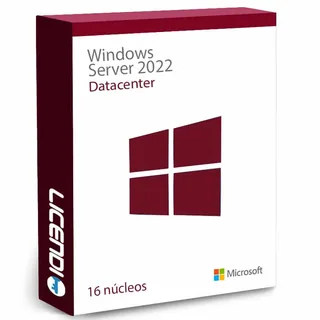
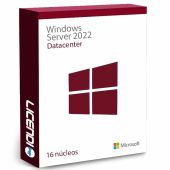
Windows Server 2022 Datacenter
Highly virtualised server environments
Unlimited virtual machines when all physical cores are licensed, plus Datacenter-only storage, networking and security features
from €316.66
Buy
Physical or lightly virtualised servers
Core server roles and rights for up to two virtual machines when all physical cores are licensed
from €239.66
Buy
Windows Server 2022 Essentials
Small businesses with a simple server setup
An edition intended for smaller organisations, with its own user, device and hardware limits
from €412.40
BuyThe lowest price is not automatically the right choice. Check the server hardware, number of users and devices, virtual machines and required roles first. Windows Server access licences may also be required for users or devices. Confirm what the selected product includes before completing your order.
Windows Server 2022 Standard: for limited virtualisation
Choose Windows Server 2022 Standard when you need familiar Windows Server roles on a physical server or in an environment with only a small number of virtual machines. It can support services such as identity, file storage, printing and business applications, subject to the application and hardware requirements. If virtualisation grows, further licensing may be needed.
Windows Server 2022 Datacenter: for dense virtualisation
Windows Server 2022 Datacenter is the stronger fit when one correctly licensed host will run many Windows Server virtual machines. It also carries Datacenter-only capabilities for software-defined storage, networking and protected virtualised workloads. Compare the complete licensing requirement for every physical core rather than choosing only by the number of servers.
Windows Server 2022 Essentials: for a small organisation
Windows Server 2022 Essentials is intended for a smaller business that wants a manageable server platform without Datacenter-scale virtualisation. Its limits and licensing model differ from Standard and Datacenter. Before buying, check the permitted users, devices, processors and cores against your hardware and expected growth.
Windows Server 2022 Standard vs Datacenter vs Essentials
This comparison shows the main buying distinctions. A Yes means that the edition is intended to cover that use when it is licensed and configured correctly. It does not replace the product terms or the requirements of your server hardware.
Standard and Datacenter licensing is tied to the physical cores in the server, while access requirements concern the users or devices connecting to it. Essentials follows different restrictions. If you are replacing an older server, map the current roles and connections before deciding which Windows Server 2022 licence to buy.
Why is a Windows Server 2022 licence cheaper at Licendi?
Because they are resold licences, they cost less. We sell resold permanent licences, legal in the EU under the UsedSoft ruling (CJEU C-128/11).
With Licendi, you receive a genuine Microsoft key, an official download link and a PDF invoice with VAT shown. You can compare each edition using the current starting price, then choose according to the server you actually plan to operate.
Is it legal to buy a resold Windows Server 2022 licence?
Legal basis
Yes. The UsedSoft judgment of the Court of Justice of the European Union, case C-128/11, dated 3 July 2012, established that permanent software licences may be resold in the EU when the relevant conditions are met:
- The first sale in the EU was made by the rights holder or with the rights holder's consent.
- The right of use was granted indefinitely in return for a price that reflects the economic value of the copy.
- The seller makes its own copy unusable when it resells the licence.
- A multi-user licence is transferred as a whole and is not split.
These conditions apply to the licence transaction, including software originally supplied by download. Licendi gives you a PDF invoice with VAT shown and a one-month activation guarantee. If your key does not activate on the first installation, contact us by email or chat and we will fix it.
Windows Server 2022 requirements to check before buying
- A compatible 64-bit server processor and server hardware that meets the chosen edition's requirements.
- Enough memory and storage for Windows Server, updates, logs, backups and every planned workload.
- Network hardware, internet access for the download and a secure route for activation and updates.
- A current inventory of physical cores, processors, virtual machines, users and devices for licensing.
- Compatible drivers, business applications, backup software and management tools.
- The necessary access licences for users or devices if they are not included with the selected product.
Tip: record the server model, processor count, physical core count and planned virtual machines before you order. Send those details to our support team if you want help identifying the appropriate edition. Back up the existing server and test critical applications before an upgrade.
How to buy, download and activate Windows Server 2022
- Choose the edition. Compare Standard, Datacenter and Essentials against your hardware, virtualisation plan and access requirements. Select the quantity and complete the order with the correct billing details.
- Receive the order. We send the genuine Microsoft key, official download link and PDF invoice by email, instantly during office hours and within 24 hours outside them.
- Install and activate. Download the installer, prepare your backup and follow the installation instructions. Enter the key during setup or activation. If it does not activate on the first installation, contact us within the one-month activation guarantee.
Support, updates and upgrading to Windows Server 2022
Our support is available by email and chat for order, delivery and activation questions. The one-month activation guarantee covers the first installation: write to us if the supplied key does not activate and we will fix it. It is not a substitute for ongoing administration of your server or support for third-party applications.
Before upgrading, document roles, applications, identities, shares, permissions, network settings and backup recovery. Check that the target edition supports the intended migration path and that every application vendor supports Windows Server 2022. Plan a maintenance window and keep a tested recovery route. Windows Server 2022 mainstream support ended on 13 October 2026, and extended support for security updates runs until 14 October 2031.
Windows Server 2022 licences for businesses
We supply businesses with a PDF invoice showing VAT and can help you compare editions for several servers. Prepare a short inventory covering each host, its physical processors and cores, the expected virtual machines, and the users or devices that will connect. This makes it easier to distinguish server licensing from access licensing and to order the right products. You can also browse our Servers and Windows Server categories to plan a wider refresh, then contact us by email or chat for help with your order.
Frequently asked questions about Windows Server 2022
Which Windows Server 2022 edition should I buy?
Standard covers 2 VMs per server with all cores licensed; Datacenter covers unlimited VMs. Choose Essentials for an eligible small-business setup, and check your hardware, users and devices before ordering.
Is Windows Server 2022 a permanent licence?
Yes. These are permanent licences: you pay once and can use the purchased version indefinitely. The right to use the purchased version is separate from Microsoft's update and support lifecycle.
Is it legal to buy a resold Windows Server licence?
Yes, when the transfer meets the conditions established by the UsedSoft judgment. Licendi supplies a PDF invoice with VAT shown and a one-month activation guarantee.
Do I need access licences as well as the server licence?
Standard and Datacenter require user or device CALs; Essentials needs none for up to 25 users and 50 devices. Count every person and device that will connect before you buy.
Does Windows Server 2022 Standard include virtual machines?
Yes, when the server is fully licensed by physical core, Standard provides rights for up to two virtual machines. Further licensing may be required when you add more Windows Server virtual machines.
Does Windows Server 2022 Datacenter allow unlimited virtual machines?
Yes, when all physical cores in the host are licensed correctly. This makes Datacenter the edition to compare for a highly virtualised host.
How quickly will I receive my Windows Server 2022 key?
Instantly during office hours and within 24 hours outside them. We send the key and official download link by email.
Do I receive a VAT invoice?
Yes. We send a PDF invoice with VAT shown for your records.
What happens if the key does not activate?
Write to us and we will fix it if the key does not activate on the first installation. Your order includes a one-month activation guarantee and support by email and chat.
Can Licendi help me choose an edition for several servers?
Yes. Send us the processors, physical cores, virtual machines, users and devices for each host, and we will help you compare the editions in this category.