 EN
 FR
 DE
 IT
 PT
 ES



Windows Server 2019 and 2016


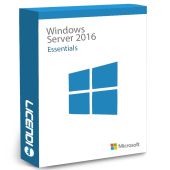

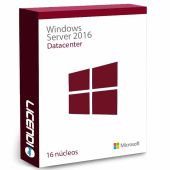
Buying guide
Which one do I need: Windows Server 2019 or 2016?
Buy a Windows Server 2019 or Windows Server 2016 licence from Licendi for a new deployment, an existing server or a compatible business system. Choose Standard, Datacenter or Essentials according to the edition your environment requires. We sell genuine Microsoft keys and provide an official download link, a PDF invoice with VAT shown, and support by email and chat.
We deliver your key and download information by email: instantly during office hours and within a maximum of 24 hours outside them. Every purchase has our 1-month activation guarantee. If the key does not activate on the first installation, write to us and we will fix it.
- Key and download by email
- Invoice with VAT shown
- One-time payment, no subscription
- Support by email and chat
Looking for a specific version? See the buying guides for Windows Server 2025 and Windows Server 2022.
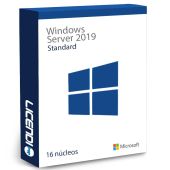
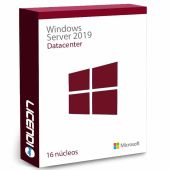
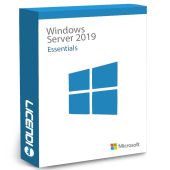
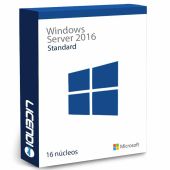
Start with the version required by your hardware, applications and existing server environment. Then choose the edition. Standard is the starting point for a conventional server deployment, Datacenter is the edition to consider for a heavily virtualised environment, and Essentials is designed for a smaller organisation. The six licences below are the exact products available in this category.
| Edition | For whom | What it adds | Price from | Buy |
|---|---|---|---|---|
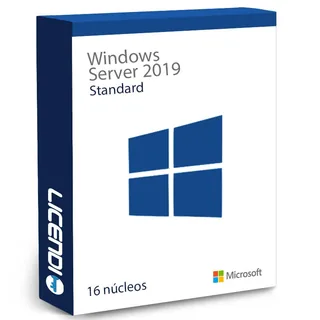 | Organisations running a conventional 2019 server deployment | Rights for up to two virtual machines | from177,68 € | Buy |
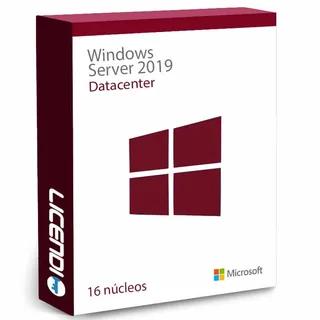 | Organisations planning a heavily virtualised 2019 environment | Rights for unlimited virtual machines | from239,66 € | Buy |
 | Smaller organisations whose requirements fit Essentials | Up to 25 users and 50 devices without separate CALs | from241,66 € | Buy |
 | Existing systems that require the 2016 Standard edition | Rights for up to two virtual machines | from237,49 € | Buy |
 | Smaller existing environments that require 2016 Essentials | Up to 25 users and 50 devices without separate CALs | from230,41 € | Buy |
 | Virtualised environments that must remain on the 2016 release | Rights for unlimited virtual machines | from274,74 € | Buy |
These are prices from. Open the relevant product page to select the available licence option and confirm the final price before ordering. If a line-of-business application specifies Windows Server 2016 or 2019, follow that requirement rather than changing version without a compatibility check.
Windows Server 2019 Standard: the general-purpose choice
Windows Server 2019 Standard is the first edition to assess when you need Windows Server 2019 and do not require the Datacenter edition. Check the required core licensing and any Client Access Licences separately before purchase. Tell us how your server will be used if you need help identifying the right product.
Windows Server 2019 Datacenter: for extensive virtualisation
Windows Server 2019 Datacenter is the edition to compare for a host expected to run many virtual Windows Server workloads. Before buying, document the physical cores, planned virtual machines and access requirements. This prevents an edition choice based only on today’s workload when the server is intended to grow.
Windows Server 2019 Essentials: for a smaller organisation
Windows Server 2019 Essentials is aimed at smaller organisations whose deployment stays within the edition’s limits. Verify the permitted users, devices, hardware and server roles before ordering. If the organisation is likely to outgrow those limits, compare Standard instead.
Windows Server 2016: Standard, Datacenter or Essentials
Choose a Windows Server 2016 licence when a supported application, established configuration or migration plan specifically requires that release. Windows Server 2016 Standard is the general edition to assess, Microsoft Windows Server 2016 Datacenter is the option to compare for extensive virtualisation, and Server 2016 Essentials serves qualifying smaller environments. Confirm compatibility and licensing scope before installation.
Compare Windows Server 2019 and 2016 editions
This table shows the edition and release represented by each product. “Yes” identifies what the product name explicitly includes; it does not imply extra licensing rights. For core counts, virtual machines, users, devices and CALs, check the selected product terms before buying.
| Product | 2019 release | 2016 release | Standard | Datacenter | Essentials |
|---|---|---|---|---|---|
| Windows Server 2019 Standard | ✓ | — | ✓ | — | — |
| Windows Server 2019 Datacenter | ✓ | — | — | ✓ | — |
| Windows Server 2019 Essentials | ✓ | — | — | — | ✓ |
| Windows Server 2016 Standard | — | ✓ | ✓ | — | — |
| Server 2016 Essentials | — | ✓ | — | — | ✓ |
| Microsoft Windows Server 2016 Datacenter | — | ✓ | — | ✓ | — |
Why are these Windows Server licences cheaper?
Licendi offers resold permanent software licences. Because these are resold licences, they cost less. You still receive the Windows Server version and edition your installation requires. The price shown is a starting price for the available product options, so compare the final selection rather than assuming that every variant has the same scope.
We stand behind what we sell. You receive a genuine Microsoft key, an official download link and a PDF invoice with VAT shown. Our team is available by email and chat, and the 1-month activation guarantee covers the first installation.
Is it legal to buy a resold Windows Server licence?
Legal basis
Yes. In UsedSoft v Oracle, Court of Justice of the European Union case C-128/11, 3 July 2012, the Court established that permanent software licences may be resold in the EU under specific conditions:
- The first sale in the EU must have been made by the rights holder or with the rights holder’s consent.
- The right to use the copy must be granted for an unlimited period in return for a price designed to remunerate its economic value.
- The seller must make its own copy unusable when the licence is resold.
- A multi-user licence must not be split and resold in parts.
At Licendi, your purchase includes a PDF invoice with VAT shown. You also have our 1-month activation guarantee: if the key does not activate on the first installation, write to us and we will fix it.
Windows Server requirements to check before buying
- The exact release required: Windows Server 2019 or Windows Server 2016.
- The correct edition: Standard, Datacenter or Essentials.
- The server’s processor architecture, physical core count, memory, storage, firmware and network hardware.
- The number of physical servers and virtual machines in the planned deployment.
- The users or devices that will access the server and whether separate CALs are required.
- Compatibility with server roles, applications, databases, backup tools and management software.
- An internet connection for downloading the installer and completing any required online activation.
Tip: write down the server model, processor count, physical cores, planned virtual machines, users and devices before choosing. Send those details to us if you need help finding the relevant product.
How to buy, download and activate Windows Server
- Choose the release and edition: match Windows Server 2019 or 2016 and Standard, Datacenter or Essentials to your documented requirements. Confirm the licence scope and access licences needed.
- Receive the order: we email your genuine key, official download link and PDF invoice with VAT shown. Delivery is instant during office hours and takes no more than 24 hours outside them.
- Install and activate: download the correct installer, prepare the server, install the selected edition and enter the key. Contact us by email or chat if you need assistance.
Support, compatibility and planning an upgrade
Choosing an older server release should be a compatibility decision. Windows Server 2016 extended support ends on 12 January 2027, less than three months away. Windows Server 2019 mainstream support ended on 9 January 2024, and extended support ends on 9 January 2029. Check the vendor requirements for every essential application before putting the server into production. Also plan backups, test restoration, and record the server roles and settings before replacing an existing installation.
Your Licendi order includes support by email and chat. Our 1-month activation guarantee applies when the key does not activate on the first installation: write to us and we will fix it. This activation support does not replace deployment planning, application-vendor support or ongoing server administration.
Windows Server licences for businesses
Businesses receive a PDF invoice with VAT shown. If you are licensing several servers, prepare one inventory covering the physical machines, processors, cores, virtual workloads, users and devices. We can help you identify the products in this category and compare the available editions before you order. For wider purchasing needs, visit our Servers and Windows Server categories through the shop navigation.
Frequently asked questions about Windows Server 2019 and 2016 licences
Can I buy a Windows Server 2019 licence online?
Yes. Choose the required edition and Licendi will send the key, official download link and invoice by email.
Is Windows Server 2019 Standard the right edition for me?
It depends on the edition: choose Essentials for up to 25 users and 50 devices without separate CALs, Standard for up to two virtual machines, or Datacenter for unlimited virtual machines. Confirm core licensing and access requirements before buying.
Does Windows Server 2019 Datacenter suit virtual machines?
Yes. It is the edition to compare for an extensively virtualised environment, but you must verify the licensing rights and physical core requirements of the product sold.
Can a small organisation choose Windows Server Essentials?
Yes. Essentials may fit a smaller organisation, provided its users, devices, hardware and required roles remain within the edition’s confirmed limits.
Should I buy Windows Server 2016 instead of 2019?
No, unless your software or established environment requires Windows Server 2016. Choose Windows Server 2019 for a new compatible deployment because Windows Server 2016 extended support ends on 12 January 2027.
Are separate CALs included with these server licences?
It depends on the edition: Windows Server Standard and Datacenter need separate CALs for each user or device that accesses the server, while Essentials supports up to 25 users and 50 devices without separate CALs. Check your number of users and devices before ordering.
Is a resold Windows Server licence legal in the EU?
Yes. A permanent software licence may be resold when all conditions established by the UsedSoft judgment are met, including an eligible first sale and the seller making its copy unusable.
Will I receive an invoice and download link?
Yes. We send a PDF invoice with VAT shown and an official download link with your order by email.
Do I have protection if my key does not activate?
Yes. If the key does not activate on the first installation, write to us within the 1-month activation guarantee and we will fix it; support is available by email and chat.