 EN
 FR
 DE
 IT
 PT
 ES



Office 2021








Buying guide
Which Microsoft Office 2021 edition do I need?
Buy a Microsoft Office 2021 licence from Licendi when you need this specific version for an existing computer, familiar workflow or established set of files. Every order includes a genuine Microsoft key, an official download link and a PDF invoice with VAT shown. We deliver by email: instantly during office hours and within a maximum of 24 hours outside them.
Office 2021 is a one-off purchase, not a Microsoft 365 subscription. Choose the edition by the applications you actually use. Professional Plus adds Access, Standard covers office work and email, Home and Business suits professional users who need Outlook, and Home & Student keeps the focus on Word, Excel and PowerPoint.
- Key and download by email
- Invoice with VAT shown
- One-time payment, no subscription
- Support by email and chat
Start with the applications, then check the operating system and licence option on the product page. The prices below are starting prices. Select the required variant before ordering.
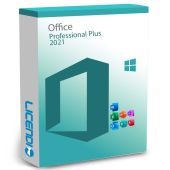
Microsoft Office 2021 Professional Plus
Windows users working with databases
Word, Excel, PowerPoint, Outlook, Access and Publisher
from 62,99 €
Buy
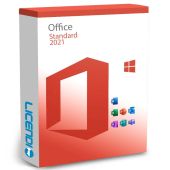
Windows users who need documents, spreadsheets, presentations and email
Word, Excel, PowerPoint, Outlook and Publisher
from 45,83 €
Buy
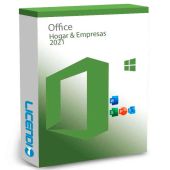
Microsoft Office Home and Business 2021
Self-employed and small-business users
Word, Excel, PowerPoint and Outlook
from 65,00 €
Buy
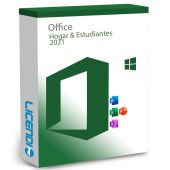
Microsoft Office 2021 Home & Student
Home users and students who do not need business email tools
Word, Excel and PowerPoint
from 119,83 €
Buy6 of 10 Office orders at Licendi are for Microsoft Office 2021 Professional Plus (last 12 months).
Microsoft Office 2021 Professional Plus: Outlook, Access and Publisher
Choose Professional Plus if you need Word for documents, Excel for calculations, PowerPoint for presentations, Outlook for email and Access for desktop databases. Publisher is also included. It is the most complete Office 2021 edition in this category and is intended for Windows. It is the practical choice when Access is essential to an established process.
Office LTSC Standard 2021: office applications and email
Choose Standard when you need Word, Excel, PowerPoint, Outlook and Publisher but not Access. It covers document creation, spreadsheets, presentations, business email and desktop publications on Windows. Compared with Professional Plus, the decisive difference is Access: if nobody uses an Access database, Standard may be the more focused option.
Microsoft Office Home and Business 2021: work with Outlook
Home and Business combines Word, Excel, PowerPoint and Outlook. It suits a freelancer, consultant or small-business user who wants the familiar core applications plus email and calendar management. It does not include Access or Publisher. Check the selected operating-system variant on the product page before buying.
Microsoft Office 2021 Home & Student: the core three applications
Home & Student is for personal work and study with Word, Excel and PowerPoint. It does not include Outlook, Access or Publisher. Choose it for essays, household budgets and presentations. If the computer is used for paid work or you need Outlook, compare Home and Business instead.
Compare Office 2021 applications
Use this table to rule out editions that lack an essential application. “Yes” means the application is included in the edition; it does not indicate a separate subscription or cloud service.
| Edition | Word | Excel | PowerPoint | Outlook | Access | Publisher |
|---|---|---|---|---|---|---|
| Microsoft Office 2021 Professional Plus | ✓ | ✓ | ✓ | ✓ | ✓ | ✓ |
| Office LTSC Standard 2021 | ✓ | ✓ | ✓ | ✓ | — | ✓ |
| Microsoft Office Home and Business 2021 | ✓ | ✓ | ✓ | ✓ | — | — |
| Microsoft Office 2021 Home & Student | ✓ | ✓ | ✓ | — | — | — |
None of these editions includes Copilot or real-time co-authoring. Those functions belong to Microsoft 365, depending on the plan. If live collaboration or subscription features matter more than maintaining Office 2021, compare the Microsoft 365 options in our wider Microsoft Office licence range.
Why are our Office 2021 licences cheaper?
These are permanent licences offered for resale rather than subscriptions with recurring payments. You buy the right to use the acquired version under its licence conditions, without paying for future Office versions. That model can make an Office 2021 key more economical for a buyer who needs this release and its included applications.
You receive a genuine key and the official Microsoft download link. We also provide a PDF invoice with VAT shown, support by email and chat and a one-month activation guarantee for the first installation.
Is it legal to buy a resold Office 2021 licence?
Legal basis
Yes, when the conditions established by EU law are met. In the UsedSoft judgment of 3 July 2012, case C-128/11, the Court of Justice of the European Union held that permanent software licences may be resold in the EU under defined conditions:
- The first sale in the EU was made by the rightsholder or with the rightsholder’s consent.
- The right of use was granted for an indefinite period in return for a price.
- The seller makes its own copy unusable when the licence is resold.
- A multi-user licence is transferred as a whole and is not split.
This legal framework concerns permanent licences, not Microsoft 365 subscriptions. Licendi supplies a PDF invoice with VAT shown and a one-month activation guarantee. If the key does not activate on the first installation, write to us and we will fix it.
Office 2021 requirements to check before buying
- Confirm that the selected edition and variant match your operating system.
- Check that your computer meets the processor, memory and free-storage requirements shown for the selected product.
- Make sure you have internet access to download the installer and complete activation.
- Check that the edition contains every application you need, especially Outlook, Access or Publisher.
- Review compatibility for any essential templates, macros, add-ins and Access databases.
- Remove conflicting Office installations if the installation instructions require it.
Tip: if you are unsure, tell our support team your operating system, current Office edition and required applications before ordering. Back up important documents and Outlook data before changing an existing installation.
How to buy, download and activate Office 2021
- Choose your edition. Compare the application table, open the matching product page and select the correct available variant. Enter accurate billing details for your invoice.
- Receive the order by email. We send your key, official download link and PDF invoice instantly during office hours or within a maximum of 24 hours outside them.
- Download, install and activate. Follow the supplied instructions and enter the key when requested. If the key does not activate on the first installation, contact us by email or chat within the one-month activation guarantee.
Office 2021 support and upgrading
Microsoft support for Office 2021 ended on 13 October 2026. A permanent Office 2021 licence does not stop working simply because support has ended, but the suite no longer receives the security updates provided during its support lifecycle. Office 2016 and Office 2019 support ended earlier, on 14 October 2025.
If ongoing security updates are a priority, consider moving to Office 2024 or a suitable Microsoft 365 plan. Office 2024 LTSC security updates end on 9 October 2029. Office 2024 and LTSC 2024 do not include Publisher, so check that point before upgrading from a 2021 edition that includes it. Windows 10 support also ended on 14 October 2025; review the operating system as well as Office when planning an update.
Licendi supports your purchase by email and chat. We can help with edition choice, delivery and first-installation activation. New Office versions are separate purchases; an Office 2021 one-off licence does not include an automatic upgrade to Office 2024.
Office 2021 licences for business
For a business purchase, list the number of computers, their operating systems and the applications each role requires. Staff who use Access may need Professional Plus, while teams that need Outlook but not Access can compare Standard or Home and Business. We provide a PDF invoice with VAT shown. For several licences, contact Licendi before ordering so we can help you select a consistent edition and avoid paying for applications that the team will not use.
Frequently asked questions about Office 2021 licences
Is Office 2021 a one-off purchase?
Yes. These Office 2021 editions are permanent licences for the acquired version, while Microsoft 365 is a subscription.
Does Office 2021 still receive security updates?
No. Microsoft support for Office 2021 ended on 13 October 2026, although the permanent right to use the acquired version continues under its conditions.
Which Office 2021 edition includes Outlook?
Professional Plus, Standard and Home and Business include Outlook. Home & Student does not, so choose it only if Word, Excel and PowerPoint are enough.
Which Office 2021 edition includes Access?
Microsoft Office 2021 Professional Plus includes Access. Standard, Home and Business, and Home & Student do not.
Does Office 2021 include Publisher?
It depends on the edition: Professional Plus and Standard include Publisher, while Home and Business and Home & Student do not. Office 2024 and LTSC 2024 do not include Publisher.
Does an Office 2021 licence include Copilot?
No. Copilot belongs to Microsoft 365 according to the plan and is not included with these Office 2021 products.
How quickly will my Office 2021 key arrive?
Instantly during office hours, or within a maximum of 24 hours outside them. We send the key, official download link and PDF invoice by email.
What happens if my key does not activate?
Write to us and we will fix it if the key does not activate on the first installation. Your purchase has a one-month activation guarantee and support by email and chat.
Can a business buy several Office 2021 licences?
Yes. Contact Licendi with the number of computers, operating systems and required applications so we can help you choose the right editions and provide an invoice with VAT shown.