EN
 FR
 DE
 IT
 PT
 ES


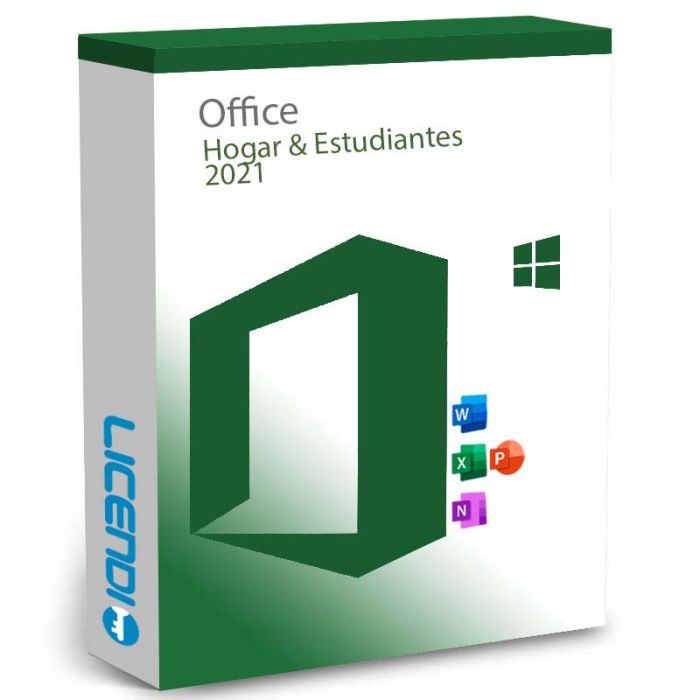
Microsoft Office 2021 Home & Student
Microsoft Office Home and Student 2021 is a one-time purchase for 1 PC or Mac — includes Word, Excel and PowerPoint, with no subscription required.
-
Microsoft Office 2021 Home & StudentRRP: €149.00 €119.83
-
Quantity discount
| Quantity | % discount |
|---|---|
| 2+ | 1% |
| 3+ | 3% |
| 5+ | 5% |
Microsoft Office Home and Student 2021 — Perpetual License for 1 PC or Mac
Office Home and Student 2021 is a one-time purchase that gives you Word, Excel and PowerPoint on one Windows PC or Mac — no subscription, no recurring fees.
| License type | Perpetual (one-time purchase) |
|---|---|
| Platform | Windows 10 / 11 and current macOS |
| Devices | 1 PC or Mac |
| Delivery | Digital — product key by email |
| Included apps | Word, Excel, PowerPoint |
| Use | Personal and student use (non-commercial) |
What's included
- Word — Create, edit and share professional documents. Open and edit PDF files directly without extra software.
- Excel — Manage data with new funnel and map chart types, improved Power Query, and smarter data import tools.
- PowerPoint — Build presentations with Morph transitions, Presenter Coach AI delivery feedback, and enhanced recording tools.
OneNote is not pre-installed but can be downloaded free from the Microsoft Store.
Compatible with Windows and Mac
Office Home and Student 2021 supports both Windows 10/11 and current macOS — one of the few perpetual Office editions available on either platform. See the requirements tab for minimum macOS version.
How the license works
This is a perpetual, account-linked license. Once activated, it is tied to your Microsoft account — not to a specific device. You can install Office on one device at a time. If you replace your computer, sign in to your Microsoft account on the new device and download Office again.
Non-commercial use only. This license is for personal and student use. For home business use or if you need Outlook, see Office Home and Business 2021.
How to activate
- After purchase, you receive a 25-character product key by email.
- Go to setup.office.com and sign in to your Microsoft account.
- Enter the product key to link the license to your account.
- Download and install Office, then open any app to complete activation.
Frequently asked questions
Is this a subscription or a one-time purchase?
One-time purchase. You pay once and the license does not expire.
Which apps are included?
Word, Excel and PowerPoint. OneNote is available as a free download. Outlook, Access and Publisher are not included in this edition.
Is it compatible with Mac?
Yes — Office Home and Student 2021 runs on both Windows 10/11 and current macOS. See the requirements tab for the specific macOS version required.
Can I use it on more than one device?
No. The license covers one device at a time. You can move it to a new device by signing into your Microsoft account and reinstalling.
Can I reinstall if I get a new computer?
Yes. Sign in to your Microsoft account on the new device and download Office again — the license follows your account.
Does this include Outlook?
No. Outlook is in Office Home and Business 2021 and in Microsoft 365 plans, but not in Home and Student 2021.
Is internet required?
Internet is needed for download and activation. Word, Excel and PowerPoint work offline after installation.
| Delivery | Digital |
|---|