EN
 FR
 DE
 IT
 PT
 ES


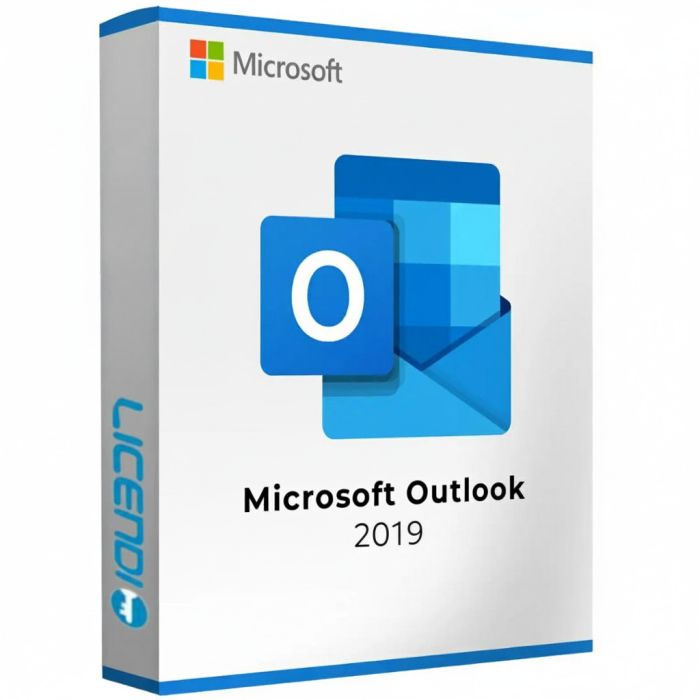
Microsoft Outlook 2019
- Permanent licence for Windows
- Single installation per PC
- Non-transferable
- All languages available during installation
- Digital delivery
Quantity discount
| Quantity | % discount |
|---|---|
| 2+ | 1% |
| 3+ | 3% |
| 5+ | 5% |
Microsoft Outlook 2019 – Professional Email Client for Windows
Microsoft Outlook 2019 is a robust and reliable email client from Microsoft, built for Windows users who need a powerful tool to manage their email, calendar, contacts, and tasks. As a one-time purchase license, Outlook 2019 provides all the core features you need without subscription fees.
Key Features of Outlook 2019
- Focused Inbox – Automatically sorts your most important emails to the top, separating them from less relevant messages so you can focus on what matters.
- Integrated calendar – Schedule meetings, set reminders, and manage appointments with the built-in calendar that synchronizes with your email.
- Contact management – Organize your contacts with detailed profiles, groups, and quick search to find anyone instantly.
- Multiple account support – Connect and manage several email accounts (Outlook.com, Gmail, Yahoo, IMAP/POP) from one application.
- Rules and automation – Set up custom rules to automatically sort, flag, forward, or categorize incoming messages.
- Offline access – Read, compose, and organize emails without an internet connection. Everything syncs when you reconnect.
- Advanced search – Find emails, attachments, and calendar entries quickly using the powerful built-in search engine.
- Security – Built-in encryption support, anti-phishing protection, and junk mail filtering to keep your inbox secure.
- Task and to-do management – Track tasks, set priorities, and manage deadlines directly within the application.
- Updated interface – Improved ribbon and visual refresh for a cleaner, more efficient workflow.
Multi-Language Support
Outlook 2019 supports a wide range of languages. Select your preferred language during the installation process for a fully localized experience.
License Details
This is a permanent, one-time purchase license for Windows only. The license allows a single installation on one PC and is non-transferable. Once activated, the software is yours to use indefinitely with no recurring costs. The license key and download instructions are delivered digitally.
Support Lifecycle Note
Microsoft Outlook 2019 reached end of extended support on 14 October 2025. The licence remains fully functional — activation and all email, calendar, and task features continue to work — but Microsoft no longer issues security updates or patches for this version. For users and organisations with active patch-compliance requirements, we recommend Microsoft Outlook 2021 (supported until October 2026) or Microsoft Outlook 2024.
See also: Microsoft Outlook 2021 · Microsoft Outlook 2024 · Microsoft Outlook 2016
Licence model
Microsoft Outlook 2019 is a perpetual, one-time purchase licence. Once activated on a Windows PC, the software is yours to use indefinitely — there are no subscription fees or renewal payments. The licence is tied to a single PC and is non-transferable. Microsoft account sign-in is required during activation to register the product key.
Delivery and activation
After purchase you receive a product key and download instructions by email. To activate:
- Sign in to your Microsoft account at setup.office.com
- Enter your product key
- Download and run the Outlook installer
The licence key and a PDF invoice are delivered digitally. No physical media is shipped.
System compatibility
Microsoft Outlook 2019 runs on Windows 10 and Windows 11 (and Windows Server 2019 or later). Both 32-bit and 64-bit Office installations are supported. There is no Mac edition of Outlook 2019 as a standalone product — Outlook for Mac is included with Microsoft 365 subscriptions and sold separately in different packaging. See the Requirements tab for full hardware specifications.
Language and region
The installer supports all major languages. Select your preferred language during installation — the interface, spell-checker, and help files all switch to the chosen language. No additional language packs are required.
About Microsoft Outlook 2019
Outlook 2019 is the perpetual desktop email client released with the Office 2019 generation. It introduced Focused Inbox, improved calendar sharing, and a refreshed ribbon interface compared to Outlook 2016. Extended support ended 14 October 2025 — the software remains functional but no longer receives security patches from Microsoft. Outlook 2019 can connect to Microsoft 365 mailboxes via IMAP and Exchange protocols; it is not a Microsoft 365 subscription and does not include cloud storage, Teams, or other Microsoft 365 services.
System Requirements — Microsoft Outlook 2019
| Component | Requirement |
|---|---|
| Operating system | Windows 10 · Windows 11 · Windows Server 2019 or later |
| Processor | 1.6 GHz or faster, dual-core |
| Memory | 4 GB RAM (64-bit) · 2 GB RAM (32-bit) |
| Disk space | 4 GB available |
| Display | 1280 × 768 screen resolution |
| Graphics | DirectX 9 or later with WDDM 2.0 |
| Internet | Required for initial activation |
| .NET Framework | 3.5 or 4.6 and later |
Note: Microsoft Outlook 2019 is not available for macOS as a standalone product.
| Delivery | Digital |
|---|