EN
 FR
 DE
 IT
 PT
 ES


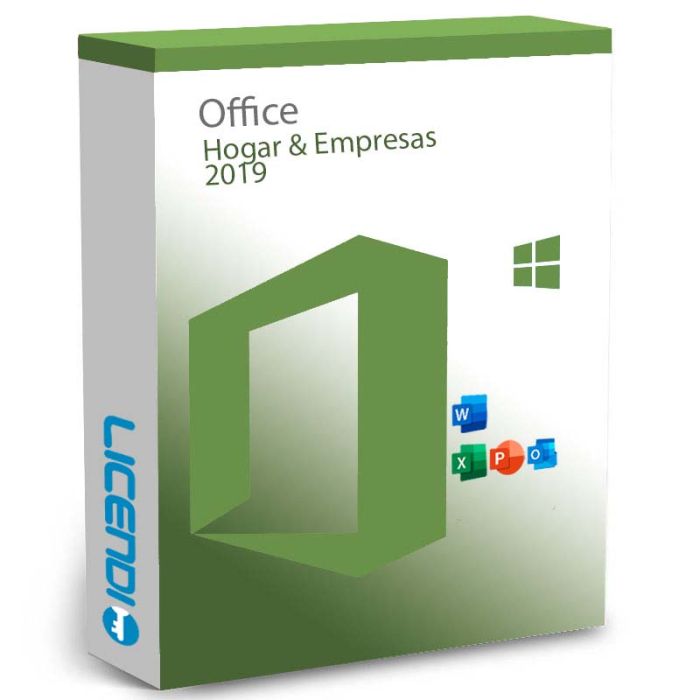
Microsoft Office Home and Business 2019 for Windows
-
Microsoft Office Home and Business 2019 for WindowsRRP: €299.00 €57.84
-
Quantity discount
| Quantity | % discount |
|---|---|
| 2+ | 1% |
| 3+ | 3% |
| 5+ | 5% |
Microsoft Office Home and Business 2019 for Windows
Office Home and Business 2019 is a one-time-purchase suite for home offices and small businesses. It includes Word, Excel, PowerPoint, Outlook, and OneNote for Windows — no subscription, no recurring fees.
Key Purchase Facts
| Detail | |
|---|---|
| License | Perpetual — buy once, keep it |
| Platform | Windows 10 or Windows 11 |
| Devices | 1 PC |
| Delivery | Digital — license key by email |
| Apps included | Word, Excel, PowerPoint, Outlook, OneNote |
| Language | Multilingual |
What's Included
- Word 2019 — Improved Learning Tools, audio descriptions, and document collaboration
- Excel 2019 — New chart types including funnel charts and 2D maps; enhanced PowerPivot and PowerQuery
- PowerPoint 2019 — Zoom features, icon management, and digital ink input
- Outlook 2019 — Updated contact cards, Focused Inbox, and Office 365 group support
- OneNote for Windows 10 — Digital notebook for notes, clippings, and sketches
End of Support Notice
Microsoft ended extended support for Office 2019 on 14 October 2025. The software continues to work normally on Windows 10 and 11, but will not receive further security updates or bug fixes. For environments requiring ongoing security patches, Office Home and Business 2021 (supported through October 2026) or Office Home and Business 2024 are the recommended upgrades.
How Delivery Works
- Place your order on Licendi
- Receive your digital license key by email
- Download Office from office.com/setup and enter your key to activate
Frequently Asked Questions
Is this a one-time purchase or a subscription?
One-time purchase. You pay once and keep the software for as long as it runs on a supported Windows version. No monthly or annual fees.
What do I receive after purchase?
A digital license key delivered by email. Use it at office.com/setup to download and activate Office.
Is this compatible with Mac?
No — this license is for Windows only (Windows 10 or Windows 11). For Mac, see Office Home and Business 2019 for Mac.
Can I reinstall it?
Yes. Download the installer from office.com/setup again and re-enter the same key. Reinstalls are permitted on the same PC.
Can I use it on more than one PC?
No. This license covers one Windows PC.
Does Office 2019 still receive updates?
No. Extended support ended in October 2025. The software works but no longer receives security updates. Consider upgrading if security patches are required.
Other Office Editions
- Office Home and Business 2021 — supported through October 2026
- Office Home and Business 2024 — current generation, in support
License type
Perpetual — a one-time purchase for 1 Windows PC. The license does not expire and requires no subscription.
What you receive
A digital product key delivered by email. Use it at office.com/setup to download, install, and activate Office 2019.
How to activate
Visit office.com/setup, sign in with a Microsoft account, enter your product key, and follow the on-screen steps to complete installation.
Support
Contact us via live chat on licendi.com for any questions before or after purchase.
| Requirement | Specification |
|---|---|
| Operating system | Windows 10 or Windows 11 |
| Processor | 1.6 GHz or faster, dual-core |
| RAM | 4 GB (64-bit) / 2 GB (32-bit) |
| Storage | 4 GB available disk space |
| Display | 1280 × 768 |
| Internet | Required for installation and activation |
| Delivery | Digital |
|---|