 EN
 FR
 DE
 IT
 PT
 ES



Office for Mac





Buying guide
Which one do I need: Office for Mac editions
Buy Office for Mac from Licendi when you want Word, Excel and PowerPoint without choosing a recurring subscription. Our range covers Office 2024 for home use, Office 2024 with Outlook for home or business, and Office 2016 Home and Business for an older Mac setup. These are permanent licences for the purchased version. You can also browse our broader Microsoft Office licences if you need a different platform or edition.
We supply a genuine Microsoft key, an official download link and a PDF invoice with VAT shown. Your order arrives by email, instantly during office hours and within 24 hours outside them. If the key does not activate on the first installation, write to us within our one-month activation guarantee and we will fix it.
- Key and download by email
- Invoice with VAT shown
- One-time payment, no subscription
- Support by email and chat
Start with the applications you use. Office Home 2024 gives you Word for documents, Excel for spreadsheets and PowerPoint for presentations. Microsoft Office 2024 Home and Business adds Outlook for email and calendars. Office 2016 Home and Business for Mac also includes the core apps and Outlook, but its support has ended, so it is best reserved for a Mac that specifically needs that generation.
Home users and students who do not need Outlook
Word, Excel and PowerPoint; one-off payment
from €120.00
Buy
Microsoft Office 2024 Home and Business
Professionals and home users who manage email in Outlook
Word, Excel, PowerPoint and Outlook; one-off payment
from €200.00
Buy
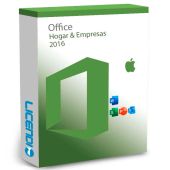
Office 2016 Home and Business for Mac
People maintaining a Mac workflow that requires Office 2016
Word, Excel, PowerPoint and Outlook from the 2016 generation
from €28.09
BuyAll amounts above are starting prices. Open the product page to confirm the selected variant and its terms before ordering. If your priority is current security maintenance, choose an Office 2024 edition rather than Office 2016.
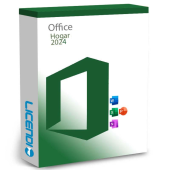
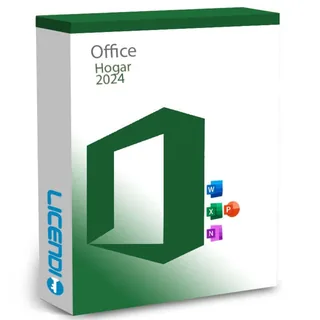
Office Home 2024: Word, Excel and PowerPoint
Choose Office Home 2024 for writing letters and essays in Word, managing household figures or coursework in Excel, and building presentations in PowerPoint. It is the straightforward choice when you do not need Outlook. You pay once for the purchased version instead of maintaining a subscription.
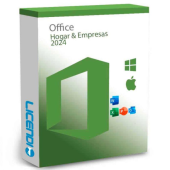
Microsoft Office 2024 Home and Business: add Outlook
Choose Microsoft Office 2024 Home and Business when email and calendar management are part of your day. It combines Word, Excel and PowerPoint with Outlook, making it the stronger fit for freelancers, professionals and small businesses. It remains a one-off purchase for this version.
Office 2016 Home and Business for Mac: for an older setup
Choose Office 2016 Home and Business for Mac only when an established workflow, document process or add-in requires that generation. It provides Word, Excel, PowerPoint and Outlook, but Office 2016 for Mac support ended on 13 October 2020. The permanent right to use the purchased version continues, although it no longer receives security updates under ordinary support.
Compare Office for Mac applications and features
This comparison makes the practical difference clear. Neither Office 2024 edition includes Publisher, and Access is a Windows application rather than part of these Mac packages. Copilot and real-time co-authoring belong to Microsoft 365, depending on the plan.
| Edition | Word | Excel | PowerPoint | Outlook | Access | Publisher | Copilot |
|---|---|---|---|---|---|---|---|
| Office Home 2024 | ✓ | ✓ | ✓ | — | — | — | — |
| Microsoft Office 2024 Home and Business | ✓ | ✓ | ✓ | ✓ | — | — | — |
| Office 2016 Home and Business for Mac | ✓ | ✓ | ✓ | ✓ | — | — | — |
If you need cloud storage, live co-authoring or Copilot, compare Microsoft 365 plans instead. If you want the familiar desktop applications and a one-off payment, select the permanent Office for Mac edition with the apps you actually use.
Why are these Office for Mac licences cheaper?
Some permanent software licences can be resold legally in the EU under the conditions established by the UsedSoft judgment. Your Licendi order includes a genuine Microsoft key and an official download link.
You also receive a PDF invoice with VAT shown, and we provide support by email and chat. Compare the edition, applications and support status rather than choosing on price alone: the least expensive product here is Office 2016, whose support has already ended.
Is it legal to buy a resold Office for Mac licence?
Legal basis
Yes, permanent licences may be resold legally in the EU when the relevant conditions are met. In UsedSoft v Oracle, Court of Justice of the European Union case C-128/11, 3 July 2012, the Court established that the distribution right can be exhausted for a downloaded copy as well as one supplied on physical media. The conditions include:
- The first sale in the EU was made by the rights holder or with the rights holder's consent.
- The right to use the copy was granted for an indefinite period in return for a price that remunerated the economic value of the copy.
- The previous buyer makes their own copy unusable when the licence is resold.
- A multi-user licence is not split and resold in parts.
These rules concern permanent licences, not time-limited subscriptions. Licendi gives you a PDF invoice with VAT shown and a one-month activation guarantee. If your key does not activate on the first installation, contact us and we will fix it.
Mac requirements to check before buying
- Check that your macOS version is supported by the exact Office edition you select.
- Check the processor, available memory and free storage against that edition's requirements.
- Make sure you have an internet connection to download Office and complete activation.
- Check whether your existing templates, macros and add-ins work with the edition you plan to install.
- Confirm that you have saved your documents and any Outlook data before replacing an existing installation.
Tip: If you are unsure, send us your Mac model, macOS version and the Office apps you need before ordering. We can help you identify the most suitable edition. Do not remove a working Office installation until you have checked compatibility and backed up important files.
How to buy, download and activate Office for Mac
- Choose the edition. Select Office Home 2024 if you need Word, Excel and PowerPoint, or Home and Business if you also need Outlook. Use Office 2016 only for a compatible older workflow.
- Receive the order. We email your genuine key, official download link and PDF invoice with VAT shown. Delivery is instant during office hours and takes no more than 24 hours outside them.
- Download, install and activate. Follow the supplied instructions and enter the key when requested. If it does not activate on the first installation, contact us by email or chat within the one-month activation guarantee.
Support, security updates and future upgrades
Office 2024 is the sensible choice when you want a newer permanent Mac edition. For context, Office 2024 LTSC security updates end on 9 October 2029. Office 2016 for Mac support ended on 13 October 2020, so that edition no longer receives ordinary security updates even though its permanent usage right continues.
A permanent licence covers the version purchased; it does not automatically include a later major release. Moving from Office 2016 to Office 2024, or from Office 2024 to a future version, requires a separate eligible licence. For help with your order or activation, contact Licendi by email or chat.
Office for Mac licences for business
Microsoft Office 2024 Home and Business is the relevant option here for a business that needs Word, Excel, PowerPoint and Outlook on Mac. We provide a PDF invoice with VAT shown, which helps keep purchasing records clear. If you need licences for several Macs, tell us the number of computers, their macOS versions and the applications each user needs. We can help you choose the correct edition and quantity before you place the order.
Frequently asked questions about Office for Mac
Which Office for Mac licence should I buy?
It depends on the edition: choose Office Home 2024 for Word, Excel and PowerPoint, or Microsoft Office 2024 Home and Business if you also need Outlook. Choose Office 2016 only when your compatible setup specifically requires it.
Is Office for Mac a one-off purchase?
Yes. The three Office for Mac products on this page are permanent licences for the purchased version, while future major versions are separate purchases.
Does Office Home 2024 include Outlook?
No. Choose Microsoft Office 2024 Home and Business when you need Outlook as well as Word, Excel and PowerPoint.
Does Office 2024 for Mac include Copilot?
No. Copilot belongs to Microsoft 365 according to the plan, and none of the product names on this page includes Copilot.
Can I use Access or Publisher on Mac?
No, not as part of these packages. Access is not included in these Mac editions, and Office 2024 does not include Publisher.
Is Office 2016 for Mac still supported?
No. Office 2016 for Mac support ended on 13 October 2020, although the permanent right to use the purchased version continues.
Is a resold Office for Mac licence legal?
Yes, when the resale meets the conditions established in the UsedSoft judgment. Licendi supplies a PDF invoice with VAT shown and a one-month activation guarantee.
How quickly will my Office for Mac key arrive?
Instantly during office hours, with delivery taking no more than 24 hours outside them. We send the key, official download link and PDF invoice by email.
What happens if my key does not activate?
We fix it when the key does not activate on the first installation and you contact us within the one-month activation guarantee. You can reach our support team by email or chat.
Can I upgrade from Office 2016 to Office 2024 for free?
No. A permanent licence covers the purchased version, so a later major release requires its own eligible licence.