EN
 FR
 DE
 IT
 PT
 ES


Windows 365 vs Azure Virtual Desktop
Choosing the wrong virtual desktop solution often causes problems later, not right away. For example, a simple test project might become too expensive to run after six months. Or, saving user profiles might slow down every Monday morning. A Cloud PC setup that seemed easy could also lack a plan for managing applications over time. So, the real question isn't which Microsoft service is "better." Instead, it's about which service best shares responsibilities to fit your users, applications, security needs, and IT team.
Windows 365 Cloud PC offers a personal Windows desktop as a cloud service (SaaS). It has a clear monthly cost per user and is fairly simple to manage. Azure Virtual Desktop (AVD) is a platform for virtual desktops and applications in Azure. It supports personal or shared desktops, multi-session Windows, and RemoteApp. However, with AVD, you need to design and manage more of the underlying system yourself. This guide will help you understand these differences to make a practical choice.

A Clear Comparison of Both Services
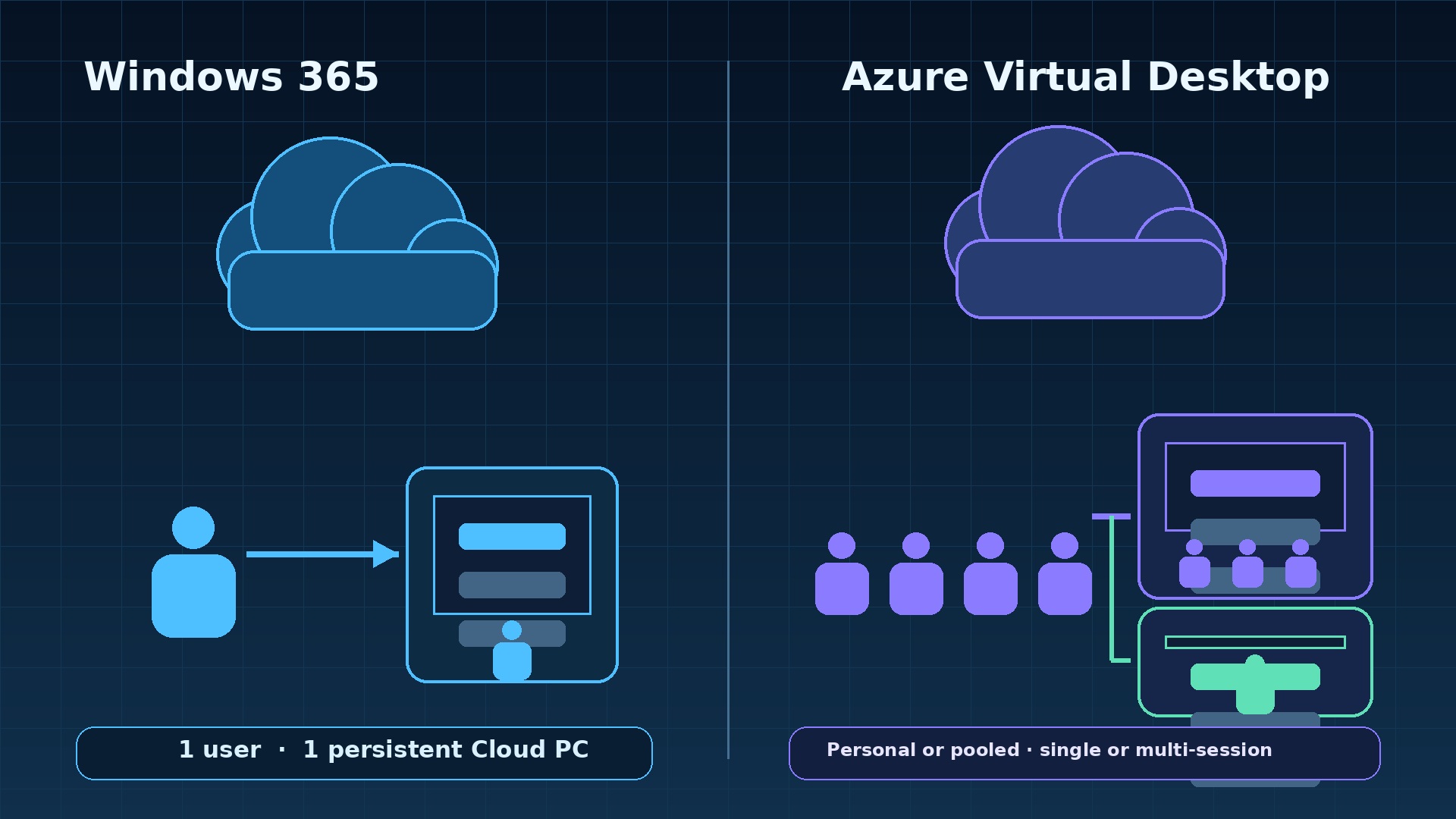
Windows 365 sets up a Cloud PC for one main user. This desktop is "persistent," meaning your applications, settings, and user data stay the same each time you log in. Microsoft runs the service and includes the Cloud PC resources in your license fee. IT administrators still manage:
- User identity
- Access rules
- Device settings
- Applications
- Data security
- User support
However, they don't need to build a traditional VDI system or figure out how many host servers are needed.
Azure Virtual Desktop (AVD) is an Azure service where Microsoft manages the core control system. You provide your Azure subscription and design many parts of the setup, such as:
- Host pools (groups of virtual machines)
- Session hosts (the virtual machines users connect to)
- Images (templates for virtual machines)
- User identity
- Networking
- Profile storage (where user settings are saved)
- Scaling (how to add or remove capacity)
- Monitoring
- Resilience (how to keep it running if something fails)
A personal host pool can give one user their own session host. A pooled host pool shares capacity among many users. You can offer a full desktop or just individual applications using RemoteApp.
| Decision area | Windows 365 | Azure Virtual Desktop |
|---|---|---|
| Service model | Cloud PC as a service (SaaS) | Azure VDI/PaaS plus customer-operated resources |
| Default experience | Personal, persistent 1:1 desktop | Personal or pooled; single-session or multi-session |
| Commercial model | Fixed licence per user/month | Access eligibility plus consumed Azure infrastructure |
| Control | Curated and standardized | Fine-grained architecture and delivery control |
| Operations | Lower platform burden | More capacity, image, storage and resilience engineering |
| Application delivery | Full personal desktop | Full desktop or RemoteApp |
Windows 365: Your Personal Cloud PC
The idea of one user per Cloud PC is key to Windows 365. Each user gets their own Cloud PC instead of sharing a server with others. This makes the experience easier to understand and keeps personal settings safe. It also simplifies planning, as you don't need to calculate how many users can share one server. However, if a license is assigned to a user who isn't active, it can still cost money until your organization removes or adjusts it. Simplicity changes the work, but it doesn't remove the need for good management.
Windows 365 Enterprise is a good fit for organizations already using Microsoft Intune and enterprise identity tools. It allows for automated setup based on policies and better integration with other admin tasks. Windows 365 Business is a simpler option for smaller organizations, limited to 300 users. Don't choose Business just because your first test group is small. Think about your long-term plan, network setup, security needs, and expected growth before picking an edition.
In the week of May 4, 2026, Microsoft changed the name of Windows 365 Frontline to Windows 365 Flex. The product, its licenses, and features stayed the same. Flex has two main modes:
- Dedicated mode: One license can set up up to three personal Cloud PCs for specific users. Only one user can be logged in at a time per license.
- Shared mode: One license sets up one temporary Cloud PC that a group can use. Only one user can be logged in at a time from that group.
Always check the latest availability and license terms before planning your setup around either mode.
AVD: A Platform for Controlled Desktop Delivery
AVD is a strong choice when sharing resources or delivering specific applications is important. Windows Enterprise multi-session lets several users share one session host. A host pool can also grow or shrink based on demand. RemoteApp can show a specific business application without giving users a full desktop. Personal host pools are still available for tasks that need dedicated resources. So, AVD isn't just for temporary, shared desktops.
This flexibility means you have many decisions to make. You choose:
- Azure regions
- Virtual machine types and sizes
- Availability zones or sets (for reliability)
- Storage
- Image sources (for virtual machine templates)
- How devices join your network
- Network routing
- Scaling plans (how to adjust capacity)
- Maintenance schedules
You also decide how to recover if something fails, like a profile storage share, an image update process, an identity service, or an application path in a region. Microsoft runs the core AVD service parts, but it doesn't manage your entire desktop service.
The official Azure Virtual Desktop overview is helpful because it clearly separates what Microsoft manages from the Azure resources in your subscription. Keep this difference in mind when drawing diagrams and assigning responsibilities. Otherwise, teams might underestimate the work needed for patching, capacity, and support.
Choose Based on User Needs, Not Just Features
Start by thinking about your user groups. A developer who needs local admin rights, two large screens, and specific tools is different from a task worker who uses three applications for a six-hour shift. A finance user might need fast access to an application close to an Azure database. A contractor might need strict data separation and a quick way to remove their access. An executive might care more about easily reconnecting across devices than how many users share a server.
For each user type, record the following:
- How many users are active at the same time
- Working hours
- Regions
- Applications used
- Data location
- Peak CPU and memory use
- Storage input/output (I/O)
- Peripherals (like printers or scanners)
- Multimedia needs
- Expectations for working offline
- Privileged access needs
- How much downtime they can handle
Also, add any contract or legal rules. Then, ask if the experience must be personal, if a full desktop is needed, and if resources can be safely shared. These answers will help clear up much of the marketing confusion.
- Choose Windows 365 when each user needs a stable, personal desktop, predictable monthly costs are important, and your team wants to minimize VDI design work.
- Choose AVD when you need to share resources (pooling), use RemoteApp, customize Azure networking, use special images, handle sudden changes in demand (burst scaling), or need detailed control over your infrastructure.
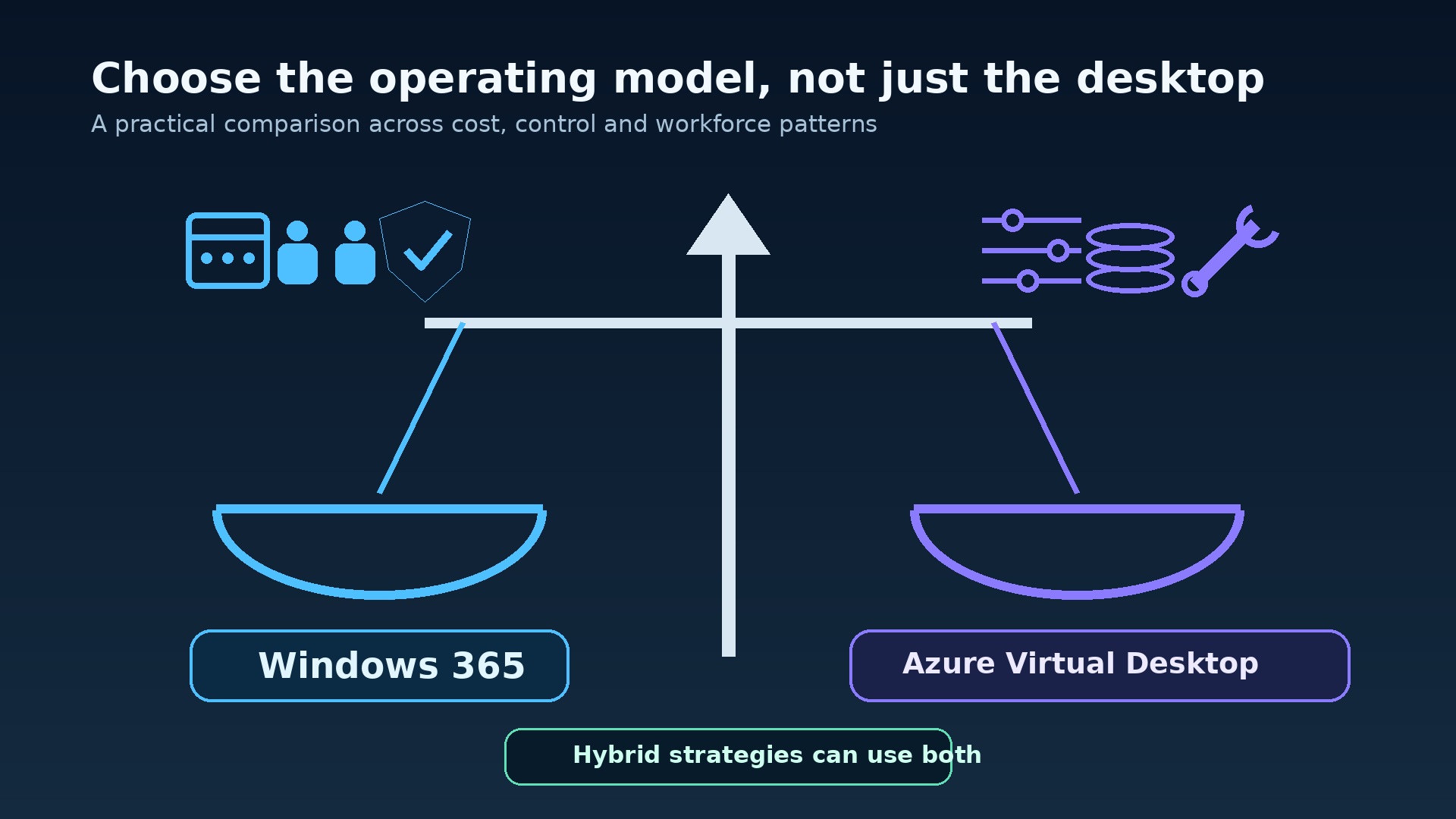
- Use both when stable office workers are a good fit for Cloud PCs, but seasonal workers, application-only users, or those needing high control are better suited for AVD.
Build a Cost Model That Shows Real Use
Windows 365 costs are easier to predict because your chosen Cloud PC setup has a fixed monthly subscription cost for each assigned license. However, predicting costs is not the same as optimizing them. You should track:
- License assignments
- Actual usage
- Resource strain (e.g., high memory use)
- Employee changes (new hires, departures)
- How well the setup fits the user
For example, a user always running out of memory needs a larger setup. A user who has left needs their license removed quickly. An occasional worker might fit a Windows 365 Flex model if its terms and experience meet their needs.
AVD costs start with the required user access licenses, then add Azure usage. You need to model costs for:
- Session host computing power
- Operating system and application disks
- FSLogix profile storage
- Backup
- Network traffic
- Monitoring
- Security services
- Resources for building images
- Disaster recovery
- Support staff time
For external users, Microsoft offers per-user access pricing in some cases, but this doesn't remove the Azure infrastructure charges. Always check current Microsoft licensing documents for eligibility.
Don't just compare one Windows 365 price with one virtual machine estimate. AVD costs depend on:
- Peak number of users at once
- Average number of users at once
- Hours of use
- How many users share a server
- How scaling works
Model costs for a quiet month, a normal peak, a special business event, and a situation where things go wrong. Include capacity kept aside for maintenance and failures. A design that only looks cheap when every server is full doesn't leave room to safely take a server offline.
Total Cost of Ownership (TCO) also includes engineering work. Estimate costs for:
- Image maintenance
- Application testing
- Profile issues
- Scaling reviews
- Security checks
- Monitoring
- On-call support
Windows 365 might cost more or less for a specific user type, but its value often comes from reducing cost variations and design work. AVD can be very efficient when workloads can be shared well and automation is advanced. However, poorly managed AVD can simply turn hidden work into a large Azure bill.
Licensing: Access Rights vs. Infrastructure
Windows 365 is its own separate subscription. Microsoft 365 or Office 365 does not automatically give you a Cloud PC. Depending on the edition, there might be specific requirements and user rights. So, use the current Windows 365 product and requirements pages when buying. Don't call Windows 365 a "perpetual license"; it's an ongoing service right tied to the chosen Cloud PC or Flex model.
AVD has two parts:
- Access Rights: Internal users need eligible Microsoft 365 or Windows access rights, based on Microsoft's current rules.
- Infrastructure Costs: Separately, your Azure subscription pays for the infrastructure used by session hosts, disks, profiles, networking, and other supporting services.
Microsoft's AVD licensing guidance should be checked for your exact user group, operating system, and commercial program. Never assume that an Office application subscription covers all your desktop virtualization rights.
Licendi’s Office 365 category can help purchasing teams look at other productivity subscription options. Keep this separate from Windows 365 and AVD rights. Licendi also provides legal secondary-market perpetual Microsoft software for certain needs. These licenses might be useful for standardizing applications, but they don't replace a Windows 365 subscription or AVD access and Azure usage.
Identity and Security: Shared Responsibilities
Start with Microsoft Entra ID, multi-factor authentication, and Conditional Access. Decide:
- If access needs a compliant, managed device
- If browser access is allowed
- Which locations or risk signals trigger stronger security checks
- How emergency administrators are protected
Keep roles separate for desktop administrators, image engineers, application publishers, support staff, and security reviewers. A broad "subscription owner" role is not suitable for daily help desk tasks.
Windows 365 can apply Intune security settings, configuration profiles, update schedules, endpoint security rules, and application assignments to Cloud PCs. AVD session hosts can also be managed with Intune in supported Microsoft Entra joined or hybrid joined setups, including multi-session configurations. Test how policies work: some settings made for one person per device act differently on a shared multi-session host.
Protect data paths as well as sign-in. Set policies for clipboard, drives, printers, USB, and screen-capture based on user risk, not a general default. Use Defender and security monitoring that fit your license and system design. Keep local admin rights rare and temporary. Document "break-glass" procedures, because an identity system outage can lock administrators out of both user desktops and their management tools.
Networking Affects Performance
How fast your virtual desktop feels depends on the entire path from your device to the service, and from the desktop to the application. Measure:
- Round-trip delay (latency)
- Jitter (variation in delay)
- Packet loss
Do this from the user locations that matter. A fast connection to a desktop in one region can still feel slow if the application's database is across an ocean, or if all traffic goes through a single inspection point. Place computing resources close to the data and plan your network inspection carefully.
Windows 365 offers Microsoft-hosted networking and options to integrate with your company's network, depending on the model you choose. AVD gives you more control over:
- Virtual networks
- DNS (Domain Name System)
- Private endpoints
- Firewalls
- Route tables
- Hybrid connectivity (connecting to your on-premises network)
This control is only useful if network ownership and troubleshooting are clear. Document name resolution, proxy behavior, certificate inspection, required network points, and backup paths.
For AVD, RDP Shortpath can provide a more direct, UDP-based connection in supported network setups. It's not a magic fix: firewalls, NAT (Network Address Translation), quality of service, and client support still affect the result. Test with real users, including those on home internet, in branch offices, and using managed mobile connections. Monitor connection stages so your team can tell the difference between delays in authentication, brokering, profile loading, and in-session use.
Applications and Images Need a Release Plan
A persistent Cloud PC might tempt teams to let users install applications on their own. Avoid this. Instead, define:
- A standard image or setup configuration
- Who owns which applications
- Packaging standards
- Update schedules
- Rollback plans (how to go back to a previous version)
Use Intune or another controlled delivery method instead of manual installation requests. Decide which applications follow the user, which are part of the base image, and which need a special desktop setup.
AVD adds image management work. You need to:
- Maintain a source image
- Automate image builds
- Scan images for security
- Test business applications
- Publish new versions
- Roll them out to small test groups (canary) and then to larger host pools
Drain user sessions before replacing hosts and keep a rollback image. Avoid updating random session hosts individually, as this can lead to many different, undocumented versions in a pool. RemoteApp packages need the same testing for dependencies and regressions as a full desktop.
Application licensing needs its own review. Some products limit shared computer use, service provider use, virtualization, or how many users can access them at once. Confirm vendor rules, not just that the installation works. Include plug-ins, fonts, drivers, browser extensions, certificates, and scheduled tasks in your application list. These often-overlooked items cause more problems during migration than the Windows desktop itself.
Profiles: Keeping Settings vs. Moving Them
Windows 365's personal persistence means the user usually returns to the same Cloud PC. This reduces the need to move a full Windows profile between different hosts. OneDrive and enterprise state management are still important for data protection and when a Cloud PC needs to be replaced. A persistent desktop is not a backup: corrupted settings, ransomware, or accidental deletion can persist perfectly.
In pooled AVD, FSLogix profile containers often store the user profile in a VHD or VHDX file on network storage (SMB) and attach it when the user signs in. This keeps a familiar profile even when hosts are replaced. The following become important for user experience:
- Storage delay (latency)
- Data transfer speed (throughput)
- Storage capacity
- File locks
- Antivirus exclusions
- Permissions
- Where the storage is located (regional placement)
A small delay in loading profiles can become a big problem when hundreds of users sign in at the same time in the morning.
Plan for profile recovery. Define backups or snapshots that fit your storage service, how long data is kept, who can restore it, and what counts as profile data versus redirected user data. Test for:
- Old file locks
- Profile container growth
- A full storage share
- A failed region
- A corrupted profile
Keep exclusions narrow and documented. The Microsoft FSLogix profile container guidance explains how it works; your testing will help you design the right storage.
Scaling, Capacity, and Daily Operations
Managing Windows 365 capacity mostly involves managing licenses and configurations. Use service reports and device data to find Cloud PCs that are struggling or are too powerful. Set up automated processes for new users, moving users, and leaving users. Include grace periods for data recovery and a controlled way to resize Cloud PCs. Review licenses regularly; fixed pricing rewards accurate assignment, not just keeping licenses active.
AVD needs a capacity plan. Define:
- Minimum available hosts
- Time needed to add more hosts (ramp-up times)
- Peak number of sessions per host
- Maximum sessions
- How hosts are gracefully removed (drain behavior)
- Protection against accidental shutdowns
Azure Virtual Desktop autoscale can start and stop session hosts based on a scaling plan, and "start VM on connect" can support specific usage patterns. Test your plan during heavy login times and maintenance, not just with a slow lab load.
Operational guides (runbooks) should cover:
- Failed registration
- Unavailable hosts
- Profile attachment errors
- Image rollback
- Expired certificates
- Scaling failures
- Network slowdowns
- Application outages
Give support teams enough information to find the problem layer. If every issue goes to the cloud architect, your design isn't yet a fully operational service.
Resilience Is More Than a Microsoft SLA
Microsoft designs the Windows 365 and AVD service layers to be resilient (able to recover), but your service also depends on other things. Identity, DNS, applications, file services, profile storage, virtual networks, security devices, and device connections can still fail. Define how quickly you need to recover (Recovery Time Objective) and how much data you can afford to lose (Recovery Point Objective), even if the desktop itself holds little business data.
For AVD, spread session capacity across different failure zones. Consider a second region if the business impact justifies the extra complexity. Replicate or rebuild images, plan for profile and application data recovery, and clearly define how host pools will fail over. Simply having idle duplicate virtual machines is not a complete disaster recovery plan. Test name resolution, user feed changes, authentication, and application dependencies from the recovery location.
For Windows 365, document what the service handles and what your team must recover:
- User data
- Application settings
- Identity access
- Policies
- Support communications
Test access from different devices and networks. Avoid promising zero downtime. A good plan describes how to detect issues, communicate, provide a limited service, prioritize recovery, and show that the restored desktop can do the business task.
Monitor the User Journey
Monitor:
- Sign-in success
- Connection time
- Round-trip delay (latency)
- Session disconnects
- Device resource strain
- Application health
For AVD, also add:
- Host availability
- Registration status
- Session density (users per host)
- Scaling actions
- Profile attachment time
- Storage performance
- Image version
Azure Virtual Desktop Insights can gather useful data, but dashboards need owners, clear limits, and data retention rules.
Connect changes to problems. A slow login after a profile policy update needs a different response than a slow database call or a congested home network. Keep timestamps in sync and tag image versions, policy groups, and application releases. Where possible, build automated checks for critical published applications. User feedback is also important: a session that is technically connected but can't print a needed document is a failed service.
User Experience Must Be Tested, Not Assumed
Test:
- Teams and multimedia performance
- Webcams
- Microphones
- Printers
- Scanners
- Smart cards
- Multiple monitors
- High-resolution displays
- Language input
- Accessibility tools
Include the weakest expected device and network, not just a well-connected company laptop. Measure:
- First login time
- Normal login time
- Application launch time
- Reconnection time
- Interaction during peak hours
Set clear expectations for working offline. A cloud desktop needs an internet connection, even if user files sync elsewhere. Decide what happens during an internet outage, which applications are available locally, and how data is brought back together. For shift environments, test handovers and limits on how many users can be active at once. For personal Cloud PCs, test device replacement and quick re-access without weakening Conditional Access.
A Decision Framework You Can Justify
Score each user type from one to five based on:
- Persistence (do settings stay?)
- Pooling potential (can resources be shared?)
- RemoteApp need
- Cost predictability
- Azure control
- Application specialization
- Scale variability (how much demand changes)
- Security isolation
- Operational maturity (how easy it is to manage)
Give importance (weight) to these criteria before choosing a product. Record your findings and any uncertainties. A weighted matrix won't make the decision for you, but it will show where your conclusion relies on an untested idea.
| Scenario | Likely starting point | Reason |
|---|---|---|
| Stable hybrid knowledge workers | Windows 365 | Personal persistence and predictable operations |
| Seasonal contact center | AVD pooled | Concurrency and scaling can improve utilization |
| One regulated application | AVD RemoteApp | Publish the application without a full desktop |
| Developers with fixed powerful environments | Pilot both | Persistence favors Cloud PC; specialized Azure control may favor AVD |
| Shift workers with personal state | Windows 365 Flex Dedicated mode | Personal Cloud PCs for named users with one concurrent session per licence, subject to current terms |
| Mixed enterprise | Hybrid service catalog | Different personas justify different delivery models |
Run a Migration Pilot with Clear Goals
List all users, devices, applications, dependencies, profiles, data, peripherals, network paths, and current support issues. Choose a representative group of users, not just IT volunteers. Twenty to fifty users might be useful in a medium environment, but how well they represent your total users is more important than the number. Include users from difficult locations, those with accessibility needs, peak-hour users, and at least one critical business task.
Define what success looks like, with measurable goals such as:
- Login time
- Application launch time
- Latency
- Crash rate
- Number of support contacts
- Task completion
- Security controls
- Monthly cost limit
Establish a baseline before migration. Run the pilot long enough to include patching, a busy period, and a user's typical work cycle. Keep a clear way to roll back if needed, and decide when old environments can be removed.
- Find out about user types, applications, licenses, and dependencies.
- Design identity, network, image, profile, and recovery controls.
- Build a small, production-like setup or Cloud PC policy.
- Test with representative users, tracking success.
- Fix any gaps in applications, capacity, and support.
- Roll out in stages, with a staffed support team.
- Review costs and user experience after 30, 60, and 90 days.
Common Mistakes to Avoid
- Comparing a Windows 365 license only with an AVD virtual machine price.
- Assuming an eligible Microsoft 365 license includes Azure usage costs.
- Designing shared AVD for average load without planning for failures or maintenance.
- Treating persistent Cloud PCs as unmanaged personal computers.
- Ignoring FSLogix storage performance and recovery needs.
- Using one old image and patching hosts inconsistently.
- Applying single-user Intune policy rules to multi-session hosts without testing.
- Promising universal peripheral support or zero downtime.
- Choosing an edition for a small pilot without thinking about the final scale.
- Forgetting to reclaim licenses, remove access, and save needed data when users leave.
Use a Final "Ready for Production" Check
Before a wide rollout, hold a documented "go/no-go" review. This review should include specific owners for:
- Identity
- Networking
- Applications
- Device policies
- Profiles
- Capacity
- Recovery
- Monitoring
- Support
- Licensing
Each owner should present proof, not just a verbal promise. This proof includes:
- Conditional Access tests from approved and blocked devices
- Measured network delay from typical locations
- Application acceptance results
- Profile attachment and restore times
- Host or Cloud PC resource data during peak load
- A cost report matching the pilot group
For AVD, confirm that scaling can add capacity before demand, remove a host without stopping important work, and recover from a failed session host or unavailable profile path. For Windows 365, confirm that setting up, resizing, re-provisioning, device replacement, and license removal processes work. In both models, confirm that automated processes for new users, moving users, and leaving users remove access on time while keeping data only for the approved period.
Make the release decision based on clear goals. Set acceptable login and application-launch times, maximum support contacts per user, capacity buffer, monthly cost variation, recovery goals, and security exceptions before reviewing the results. Any exception needs a responsible owner, a backup plan, a due date, and an agreed consequence if it's not fixed. "The pilot users managed" is not a solution for risk.
Attach a rollback plan to each rollout stage. This plan should include who can stop deployment, how users return to the old service, and how data created during the rollout will be handled.
Finally, run a support test: give the service desk a case about a slow login, a blocked sign-in, an application failure, and a disconnected session. Then, check if staff can find the problem layer using available data and escalate with useful information. Approve production only when the service can be run by the people on duty, not just by the architects who built the pilot.
Conclusion
Windows 365 is best when a personal, persistent desktop and a predictable way of operating are more important than detailed control over the infrastructure. AVD is best when sharing resources (pooling), RemoteApp, multi-session efficiency, custom Azure setups, or changing demand create enough value to justify the engineering work. Many companies shouldn't force one solution for all their different user types.
Make your choice using real usage data, a full total cost of ownership (TCO) model, and a pilot program that mimics your production environment. Keep licensing layers separate, design identity and recovery from start to finish, and give your operations team the tools to understand the user experience. The decision you make will be more lasting than a simple feature checklist—and easier to explain when costs, security, or business needs change.
Frequently asked questions
Is Windows 365 the same as Azure Virtual Desktop?
No. Windows 365 is a cloud PC service (SaaS) focused on personal, persistent desktops with fixed subscription setups. AVD is an Azure platform for virtual desktops and RemoteApp, where you manage your own Azure infrastructure.
Which option is cheaper?
Neither is always cheaper. You need to compare Windows 365 licenses with AVD access rights, plus Azure computing, storage, networking, monitoring, recovery, and the work needed to run it, based on your actual user numbers and usage patterns.
Can AVD provide a personal desktop?
Yes. A personal host pool can assign a virtual machine to one user. AVD also supports shared host pools and multi-session desktops, which are key differences from the standard Windows 365 model.
Does Microsoft 365 include Windows 365?
No. Windows 365 is a separate subscription service. Some Microsoft 365 or Windows licenses can give you access rights for AVD, but you still pay separately for the Azure infrastructure.
What happened to Windows 365 Frontline?
Microsoft renamed it Windows 365 Flex in the week of May 4, 2026. This name change did not alter the product, its licenses, or its features. Flex offers a Dedicated mode for named users with personal, persistent Cloud PCs and a Shared mode for a group using one temporary Cloud PC, with one user at a time.
Does AVD require FSLogix?
Not in all setups, but FSLogix profile containers are commonly used when user profiles need to move between shared or replaceable session hosts. Storage performance and recovery must be carefully planned.
Can Intune manage both services?
Yes, in supported setups. Windows 365 Enterprise uses Intune, and supported AVD single-session and multi-session hosts can also be enrolled and managed. You should test policies to see how they behave on shared hosts.
Can one organization use both?
Yes. Often, a mix of services works best: Windows 365 for stable personal desktops and AVD for shared, seasonal, RemoteApp, or highly customized workloads.