EN
 FR
 DE
 IT
 PT
 ES


Stata 18.0 vs Stata 19.0: differences and which licence to choose
Choosing between Stata 18.0 and Stata 19.0 starts before you look at the version number. It starts with the analysis you need to finish: a thesis, an economic report, a public policy evaluation or a healthcare study. If the software handles your work well, buying a newer version is not automatically the best decision. If you are missing a specific method, however, an upgrade could save you from having to work around that gap and simplify the project.
In this guide, we compare the new features documented by StataCorp with two actual Licendi offers: the Stata 18.0 perpetual licence and the Stata 19.0 perpetual licence. Both let you choose Windows or Mac and the BE, SE or MP edition. We have not carried out speed tests or activated these licences: the comparison draws on official documentation and product listings consulted on 27 October 2026.
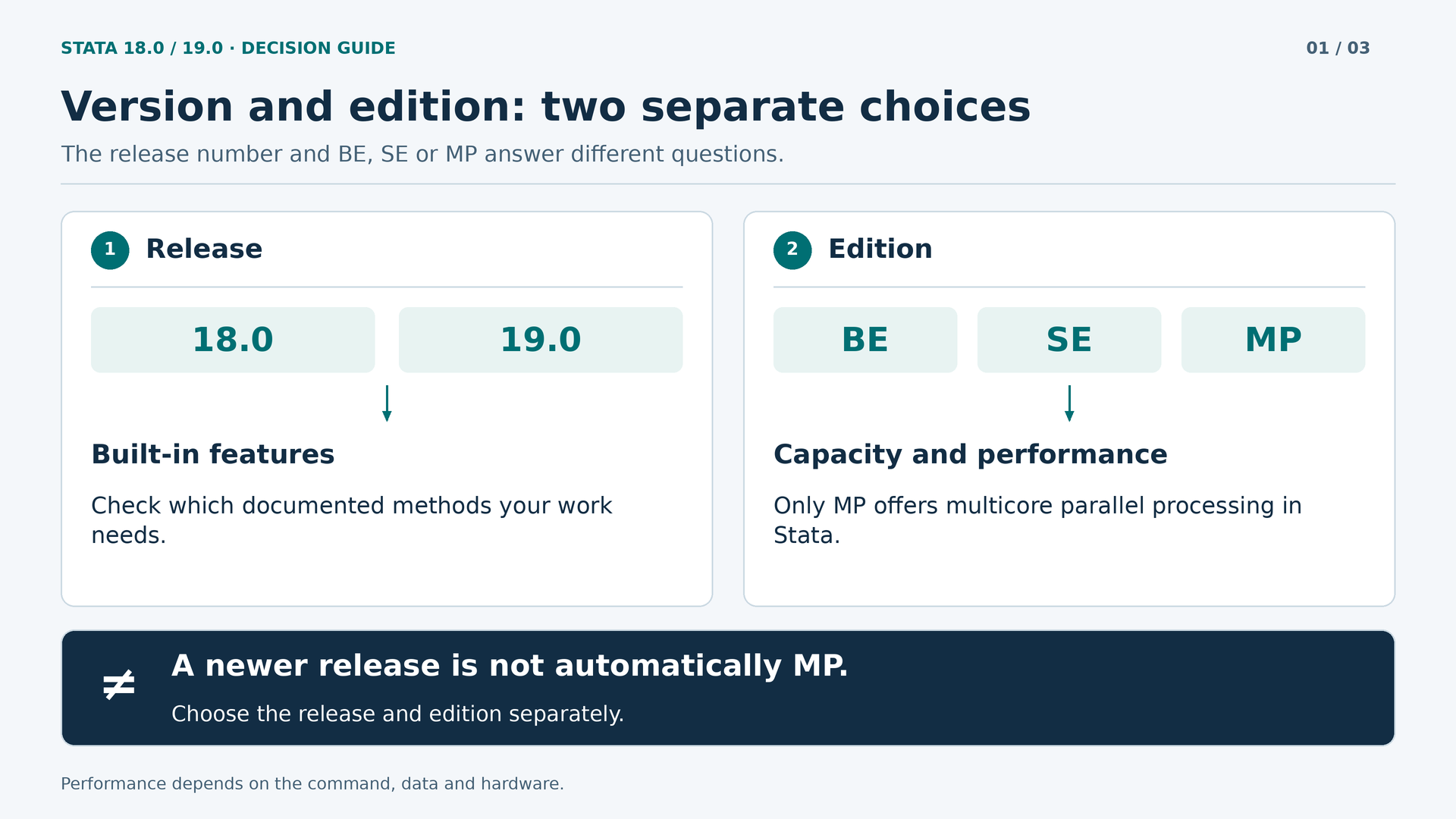
Version, edition and licence: three different questions
Stata 18.0 and Stata 19.0 are generations of the software. Their differences include statistical methods, working tools and improvements introduced with each release. BE, SE and MP are editions within a generation. They mainly determine capacity and processing limits, rather than representing a hierarchy in which BE lacks professional statistical capabilities and MP is the only serious option.
The licence adds another layer: duration, authorised user, the operating system purchased, installation conditions and upgrade rights. You may find a perpetual licence for a specific version without it automatically including every future release. Equally, you may need an edition with greater capacity without needing a newer generation.
Keeping these questions separate avoids costly mistakes. If your problem is that the dataset contains too many variables for BE, buying BE in a later version may leave you facing the same limit. If you need a procedure introduced in Stata 19, moving from BE to MP within Stata 18 will not make that procedure appear either. First identify what is holding you back; then choose the product.
What Stata 18 already lets you do
It is worth starting with the existing capabilities, because a comparison focused exclusively on new features can make a very comprehensive program look limited. The official Stata 18 announcement lists additions including Bayesian model averaging, causal mediation, heterogeneous difference-in-differences, multilevel meta-analysis and meta-analysis of prevalence. These are not minor features or mere interface tweaks.
For rigorous, well-documented applied research, that combination opens up very different possibilities. Mediation helps investigate intermediate mechanisms; heterogeneous difference-in-differences addresses designs in which effects vary; multilevel meta-analysis allows dependencies between results to be represented. Choosing a method still requires you to justify assumptions, examine the data and understand the study design. The software makes the calculations easier, but it does not replace that work.
Stata 18 also introduced dtable for descriptive tables, reporting improvements, framesets and survival analysis tools such as lasso for Cox models. Someone who regularly prepares tables describing a sample's characteristics can gain considerable value from these features without using any of Stata 19's additions.
Keeping Stata 18 can therefore make sense when the team has validated procedures, collaborators work with that generation and there is no outstanding methodological need. This is not a recommendation to stay behind as a matter of principle: it is an invitation to distinguish a useful improvement from a purchase driven solely by the calendar.
What actually changes when you move to Stata 19.0
The Stata 19 release expands several areas: high-dimensional fixed effects, conditional average treatment effects, machine learning through H2O, meta-analysis of correlations and Cox models for multiple interval-censored events. It also adds Bayesian procedures, panel-data models and productivity improvements.
These additions will not matter equally to every user. For someone working with business panel data, fixed effects may be decisive. For a systematic review, meta-analysis of correlations may carry more weight. For someone producing established descriptive reports, the move may be worthwhile without necessarily being essential.
| Area | Stata 18.0 | Notable addition in Stata 19.0 |
|---|---|---|
| Causal inference | Mediation and heterogeneous DID | Conditional average treatment effects |
| Fixed effects | Fixed-effects analysis already available | Built-in absorption of multiple categorical dimensions |
| Machine learning | Tools such as lasso for Cox models | GBM and random forest through H2O |
| Meta-analysis | Multilevel and prevalence | Correlations |
| Survival analysis | Improvements to interval-censored Cox models | Multiple interval-censored events |
| Everyday work | Descriptive tables and reporting improvements | More graphing and editor tools |
The table summarises differences between releases, not the entire range of features. Nor does it imply that a technique was previously impossible using other procedures or community-contributed packages. The advantage of a built-in addition may lie in its integration, documentation and a workflow that is easier to maintain.
Fixed effects: a particularly relevant improvement for panel data
Imagine a study relating an economic variable to characteristics of companies observed over several years. You want to control for persistent differences between companies and circumstances shared within each period. As the number of categories grows, explicitly representing all those effects can complicate the work. This is a conceptual example, not a test carried out for this article.
Stata 19 introduces absorption of multiple high-dimensional categorical variables in linear, fixed-effects linear and instrumental-variables linear models. This provides a more direct, officially supported route for certain designs. It does not mean that Stata 18 could not estimate fixed effects, or that every panel-data user must immediately rework their projects.
The useful question is whether this addition simplifies your actual models. Review which effects you absorb, which estimator you use and how you calculate uncertainty. Then check the syntax and results against a representative example. Do not infer a percentage time saving from a commercial description: panel size, data structure and hardware all have an influence.
There is also a documentation caveat: current manuals may include later options labelled StataNow. An option appearing today alongside a familiar command does not prove that it was included in Stata 19.0 at launch. Check the software revision and the notes for the specific feature.
CATE: moving from the average effect to heterogeneity
A training policy may work differently depending on participants' previous experience, sector or characteristics. Knowing only the average effect can conceal important differences. Conditional average treatment effects, known as CATE, allow this heterogeneity to be investigated more specifically.
Stata 19 introduces dedicated tools for this purpose. They are of interest when the research question is not simply whether an intervention has an effect, but for which groups, and according to which characteristics, that effect changes. This does not automatically turn any observational dataset into a valid experiment.
Before choosing the version for this addition, define the treatment, outcome, available variables and necessary assumptions. Also consider how you will communicate uncertainty. An appealing segmentation can be misleading if it emerges from searching for differences without an appropriate design. CATE broadens the toolkit; it does not remove the requirements for causal identification.
H2O: machine learning with a specific purpose
Another important addition is integration with H2O for working with tree ensembles, particularly gradient boosting machine and random forest, for regression or classification. This can be useful for investigating complex relationships and building predictive models within a workflow connected to Stata.
The official example of classifiers using H2O shows why simply choosing the algorithm with a slightly higher accuracy figure is not enough. Comparison requires validation and careful interpretation. Its results belong to the manufacturer's example; they are not a test of our licences or a measurement of Stata 18 against Stata 19.
In a real project, set aside data to evaluate the model, avoid leaking future information into training and choose metrics suited to the problem. If events are rare, high accuracy may tell you little. The cost of mistakes, the model's stability and the ability to explain its decisions also matter.
Do not confuse prediction with causality. A model that accurately predicts who will stop using a service does not establish which intervention would prevent that departure. Nor should you interpret H2O integration as automatic access to every algorithm on that platform, language models or any external service. Check the specific feature and its dependencies before buying.
If you work with sensitive data, include information protection in your evaluation. Review where each component runs, which temporary files it generates and which permissions the environment requires. Do not assume that an integration necessarily sends data to an external service, or that every configuration is authorised by your institution. That check depends on the specific deployment and those responsible for it; simply reading a feature's name in a product listing cannot settle the question.
Meta-analysis and survival analysis: additions that depend on your specialism
For those combining study results, Stata 19 adds meta-analysis of correlations. This is relevant when the effect of interest is expressed through relationships between variables, and allows familiar tools for synthesis, visualisation and subgroup analysis to be used. It should not be described as the arrival of meta-analysis in Stata: the previous version already offered a broad range of capabilities.
In survival analysis, the notable change is the marginal Cox model for multiple interval-censored events. Think of situations involving several types of event where the exact time of occurrence is unknown, but the interval between observations is known. That combination is more specific than simply saying “new Cox models”.
If your work does not use these designs, you need not turn them into an artificial reason to buy. If it does, however, it is worth reviewing the official examples, the required data structure and the postestimation options. A specialist feature can justify an upgrade more convincingly than a long list of general improvements.
Tables, graphs and everyday work
Major methodological additions tend to grab the headlines, but everyday work involves many less conspicuous tasks: correcting labels, producing tables, reviewing scripts and preparing figures that someone else can interpret. Stata 18 already provides descriptive tables and reproducible reports; there is no need to attribute those capabilities to Stata 19 to explain its advantages.
Stata 19 introduces further editor improvements, autocompletion and templates, alongside graphing tools such as heatmaps and bars with confidence intervals. These can help make presentations clearer, although a new graph alone does not improve data quality or the justification for an analysis.
A good evaluation involves reproducing a typical deliverable: importing data, cleaning it, estimating a model, generating a table and exporting a figure. Note where difficulties arise. If the new version removes steps you repeat every week, that improvement may matter even if you never use a newly introduced estimator.
BE, SE and MP: capacity is not the same as new features
The installation guides for Stata 18 and Stata 19 let you compare edition limits. Both document up to 2,048 variables for BE, 32,767 for SE and 120,000 for MP. These are maximum numbers of variables in a dataset, not a promise that any model of that size can be estimated using the memory available on any computer.
Within the same version and release channel, the editions share statistical features; the main differences concern capacity and processing. MP adds multicore parallel processing. SE can run on a computer with several cores without thereby taking advantage of MP's parallel processing. A core label in a product listing does not change this distinction.
In these specific Licendi offers, the Stata 18 MP option is advertised with 2 cores and the Stata 19 option with 4 cores. This deserves attention, but it does not justify claiming that Stata 19 is twice as fast. Licensed cores, the processor, memory, the commands used and the proportion of work that can run in parallel all play a part.
For small analyses, the noticeable difference may be limited. For demanding, repetitive processes, evaluating MP may make more sense. Compare a representative workload, not just the duration of one isolated operation. If you have to decide where to invest, distinguish insufficient memory, edition limits and the absence of a new method.
Windows, Mac and the computer you will actually use
Both product listings used here let you select Windows or Mac. We do not assume that a licence for both systems simultaneously, or a Linux variant, is included simply because Stata exists for other platforms. The purchase must match the selected option and its terms.
On Mac, it matters whether you use Intel or Apple Silicon; on Windows, the architecture and specific operating system version matter. The official guides for each generation help you check requirements, but a historical compatibility reference does not guarantee current support or compatibility with every future update. Also confirm which revision you will receive.
Memory requirements depend on the dataset, transformations and analysis. A published minimum does not amount to a comfortable working configuration. Consider the actual size of your files, concurrent processes and external dependencies. If your organisation controls installations or network access, review those conditions before starting to use an integration such as H2O.
Migrating without losing reproducibility
Upgrading statistical software should not become a leap into the unknown. Stata documents version control and reproducibility: a version statement at the start of the do-file helps preserve earlier behaviour when running an analysis with a later version. This is an important tool, but it is not a way to add new commands to an old program.
A script written for Stata 19 may depend on a feature that does not exist in Stata 18. Sharing data does not automatically resolve that dependency. Before changing the version used by a team, ask what collaborators use and what the person reviewing the results needs to run.
Keep the original data, do-files, logs and a record of the version and revision used. Record community-contributed packages and their dependencies; where appropriate, document random seeds. External tools may use different generators, so a single seed does not necessarily control the entire process.
To validate the transition, choose a representative analysis and compare results, warnings and exported files. Investigate differences before replacing the working environment. There is no need to dramatise every upgrade, but it is important to distinguish an installation that launches successfully from a migration that has been checked. In a project already well under way, that caution is worth more than rushing to use the latest version number.
Which option suits each type of user?
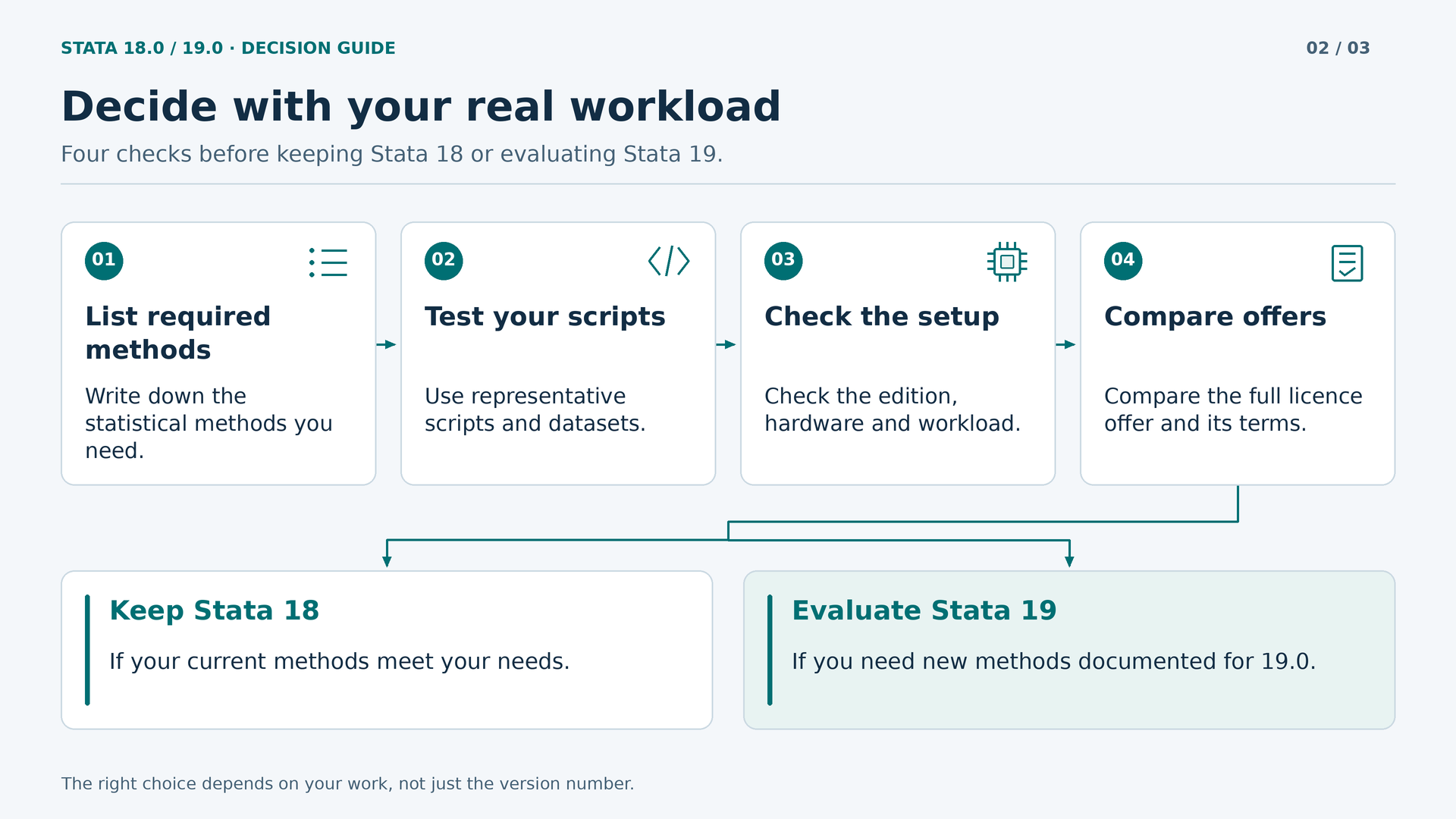
For a thesis already using methods available in Stata 18 and sharing scripts with a supervisor using that generation, keeping the same environment can simplify collaboration. Check the edition needed for the data and the project's requirements. There is no need to buy new features that play no part in the research.
For an evaluation team needing to investigate effect heterogeneity with CATE or work with multiple fixed-effect dimensions using official tools, Stata 19 deserves priority consideration. The decision rests on an identifiable need, not a generic promise of higher scientific quality.
For predictive analysis with a specific interest in GBM or random forest through H2O, Stata 19's integration can be a clear reason to choose it. Allow time to learn the workflow, validate models and review dependencies. Adding an algorithm does not remove the preparation work.
For recurring reports, start by measuring where time goes: manual preparation, execution, review or presentation. The most useful improvement might be reorganising scripts, having more memory or choosing MP. A new version helps when it solves a real problem; it does not replace a well-designed workflow.
Comparing the two Licendi offers carefully
When checked on 27 October 2026, Stata 18.0 was listed at 100 euros and Stata 19.0 at 120 euros. The available Windows/Mac and BE/SE/MP combinations showed those amounts within each product. The observed difference was 20 euros; always check the price and selected configuration before completing your order.
With that difference, Stata 19 may be particularly attractive for a new purchase if you need its methods or value the MP option advertised with more cores. Stata 18 remains a reasonable alternative when it covers the work and you want to keep costs down. Do not turn the price difference into an obligation to upgrade an environment that already works.
These figures are observed public prices in euros, not a permanent quotation or verification of each buyer's tax treatment. Nor have we tested payment, delivery or activation. The listings specify digital delivery; confirm the applicable timescale if an academic or professional deadline is approaching.
The offers may suit equipping a specific workstation. Do not interpret one unit as authorisation for an entire department, a network or several simultaneous users. If buying for an organisation, ask for documentation that clearly identifies the scope of the right to use the software and matches the selected configuration.
Perpetual licences, StataNow and future releases
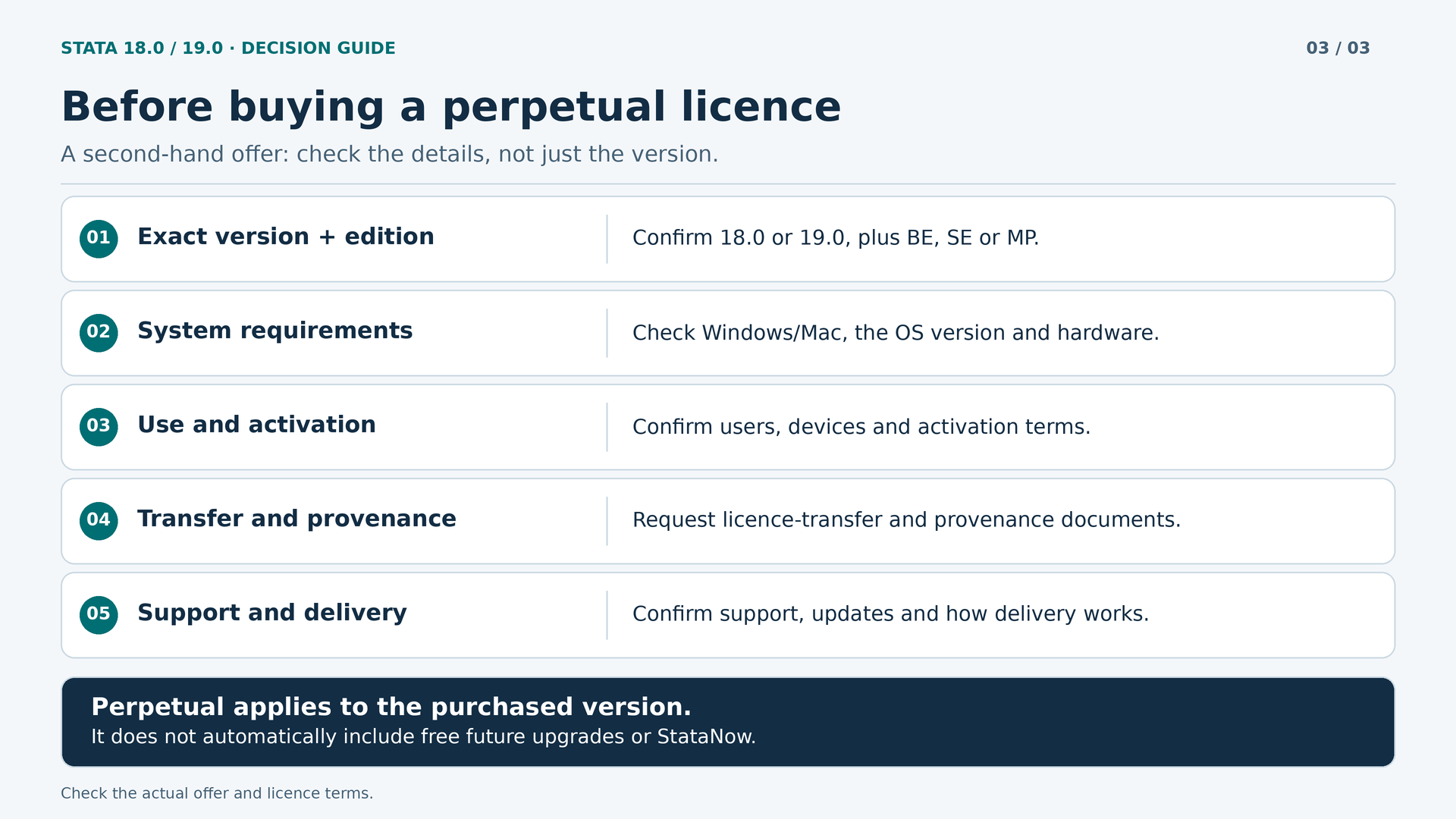
A perpetual licence refers to the duration of the right acquired, under the applicable terms. It does not mean that the purchased version will incorporate every subsequent release free of charge. Always distinguish duration, edition, cores, updates and maintenance.
StataCorp presents StataNow as a channel for the continuous introduction of features. It is not a fourth edition equivalent to BE, SE or MP. Some additions arrive in that channel first and later in a major release. Stata 18.0 should therefore not be confused with StataNow 18.5, nor Stata 19.0 with StataNow 19.5.
It would also be an oversimplification to say that every improvement after launch belongs exclusively to StataNow: some updates also reach Stata 19. The right approach is to check the specific feature and the licence rights. For these offers, we do not assume that StataNow, future major releases or manufacturer maintenance are included without specific confirmation.
Making an informed purchase on the second-hand market
Licendi presents itself as a platform for used licences. Exploring that market can be a way to obtain the software you need without assuming that a subscription or the latest release is the only suitable option. Comparing prices, however, is only one part of an informed purchase.
Request documentation identifying the licence and its provenance, version, edition and the rights being transferred. A key that activates a program does not, on its own, establish the full scope of the right to use it. This article does not audit the documentary history of an individual licence or guarantee that any product can be transferred in any jurisdiction.
Also review Licendi's general terms and conditions. Their general wording provides for activation on one device and warns that the key is not guaranteed to work after formatting, reinstallation or hardware changes. This is not equivalent to stating that every reinstallation is prohibited, nor does it allow an exact number of activations for Stata to be invented.
Before buying, clarify those conditions for your selected option, especially if you expect to change computers. Ask what support the seller provides, which manufacturer services are included and how any upgrade is documented. If your institution requires a specific type of licence, check before paying, not after installation.
How to prepare a test that helps you decide
If you can evaluate the options through authorised access, prepare a short protocol before starting. Choose representative data and keep an unaltered copy. Run the same analysis under comparable conditions, record the full version and distinguish preparation time from calculation time. Changing the computer, edition and version simultaneously prevents you from attributing every difference to a single cause.
Include at least one routine task and another that is demanding for your work. If investigating execution times, repeat measurements and avoid comparing a busy machine with an idle one. If investigating results, check that samples, weights, options and treatment of missing values match. An apparent discrepancy may arise from a different specification, not a software error.
The test should also cover the final deliverable. Open exported tables and figures, review special characters and check that someone else can follow the do-file. If you collaborate with someone using an earlier version, validate the exchange in that environment where possible. The aim is not to produce a spectacular demonstration, but to discover obstacles before putting a project at risk.
Document what you have not checked. A test with a small file does not certify behaviour across all your data, and running an official example does not confirm a commercial licence's terms. Keeping those conclusions separate makes the decision more robust and helps explain why a configuration was chosen.
Common questions before buying
Does Stata 19 automatically produce better results?
No. A later version may provide estimators and tools suited to questions that were previously harder to address. That does not make all existing analyses inferior. Quality depends on design, data, methodological decisions and interpretation. Changing version does not correct a biased sample or a poorly defined variable.
Is BE enough for learning and serious work?
It can be, if its limits fit the project. Do not confuse a lower-capacity edition with one intended solely for exercises. Check how many variables you need, the model's complexity and the scale of the work. If a course or institution requires a specific configuration, that requirement must form part of the decision.
Should I choose the same configuration as my whole team?
Sharing a configuration can simplify support and reproducibility, but not every workstation needs identical capacity. What matters is that shared scripts can run where required and that differences are documented. Before standardising a purchase, identify who develops methods, who runs large processes and who only reviews or prepares results.
Does buying Stata 18 make sense when the difference is 20 euros?
Yes, if there is a specific reason involving compatibility, training or continuity. For a new purchase without those constraints, it is worth seriously considering what Stata 19 adds for the observed difference. Remember that those 20 euros represent the difference between the two published prices: it is not an upgrade fee offered by StataCorp or an entitlement to convert one licence into another.
Can I decide solely on the advertised cores?
No. First check that you are choosing MP and that your computer can take advantage of the configuration purchased. Then review the commands that take time. Four licensed cores do not guarantee that every operation will use four cores or that an analysis will take exactly half as long as with two. The useful improvement is the one seen across your whole workflow, not a theoretical multiplication.
Before deciding, make these checks
- Write down the methods you need today and those you will use in your next project.
- Check whether the limitation lies in the version, edition, memory or workflow design.
- Select the correct operating system and review installation, use and upgrade conditions.
- Confirm the price, documentation and delivery for the specific offer before completing the order.
- Plan to validate your scripts if you are replacing an existing research environment.
The best choice is not always the newest or cheapest version. It is the one that combines suitable methods, sufficient capacity and purchasing terms you understand. Stata 18 retains considerable value for established work; Stata 19 adds tools that can make a real difference when they meet a specific need.
Consult the two linked product listings and explore the Licendi catalogue to compare options. Decide with your project in mind, not just the version number: that is the most practical way to invest in a statistical tool you will genuinely use.