EN
 FR
 DE
 IT
 PT
 ES


Microsoft Visio Professional 2024 vs Standard 2024: choosing the right edition at Licendi
A diagram can settle a discussion in five minutes or become another document nobody maintains. The difference is not necessarily having the most comprehensive edition, but having the right tools to explain what happens and revise the drawing when things change. Choosing between Microsoft Visio Professional 2024 and Standard 2024 therefore takes more than comparing their names.
Imagine two assignments. First, you need to show how a purchase is approved and hand the result to your team. Second, you want to connect each stage to external information, display its indicators and check certain rules in the model. Both produce a diagram, but their maintenance needs differ.
This guide compares the 2024 desktop editions using practical examples. Our purchasing references are the Microsoft Visio Standard 2024 licence from Licendi and the Microsoft Visio Professional 2024 licence from Licendi. Software features are checked against Microsoft documentation; the terms of these offers are considered separately in the purchasing section.
1. The important question: what will your diagram need to do?
Before choosing, write down your intended outcome. Do not simply put “make diagrams”. A useful description might be “document incident handling so any colleague can follow it” or “review which activities are falling behind each week”. That distinction explains the purchase better than an endless feature list.
Microsoft presents Standard as a desktop diagramming solution and Professional as an edition adding advanced capabilities, including data connectivity and specialised content. Both are offered as one-time purchases; they are not the Visio Plan 1 and Plan 2 subscriptions. [1]
Be realistic about future needs, too. If you will create three largely unchanging documents a year, there is little point choosing around automation nobody will maintain. If the drawing supports a weekly operations meeting, however, the time spent updating it can become a deciding factor.
Finally, identify the owner. A file without one soon raises questions: who changed this arrow, when was this figure reviewed, and which version is approved? Neither edition replaces that working agreement. Make the arrangement practical: name the person who accepts changes, identify who checks their effect on neighbouring activities, and agree where reviewers should record unresolved questions before a new version is approved.
2. Comparing the features that actually distinguish the editions
The table summarises the differences relevant to your decision. “Not included” refers to the built-in feature described, not an inability to draw something similar manually or develop a custom solution.
| Requirement | Standard 2024 | Professional 2024 |
|---|---|---|
| Flowcharts and organisation charts | Yes | Yes |
| Cross-functional flowcharts and basic networks | Yes | Yes |
| Expanded technical content | General-purpose library | Adds engineering, software and advanced networking |
| BPMN and built-in validation | Not included | Yes, with validation limits |
| Linking shapes to external data | Not included | Yes |
| Data graphics and linked refresh | No equivalent tools included | Yes |
| Desktop Data Visualizer templates | No | No: require Plan 2 |
| PDF and image export | Yes | Yes |
| Simultaneous collaboration | Sharing files does not establish coauthoring capabilities | Check the setup, services and applicable documentation |
This comparison combines the official one-time-purchase offering with specific documentation on data, BPMN, export and collaboration. Those subjects deserve further explanation: a single table entry can hide important requirements. [1] [3] [5] [7] [8] [10]
3. When Standard 2024 is enough
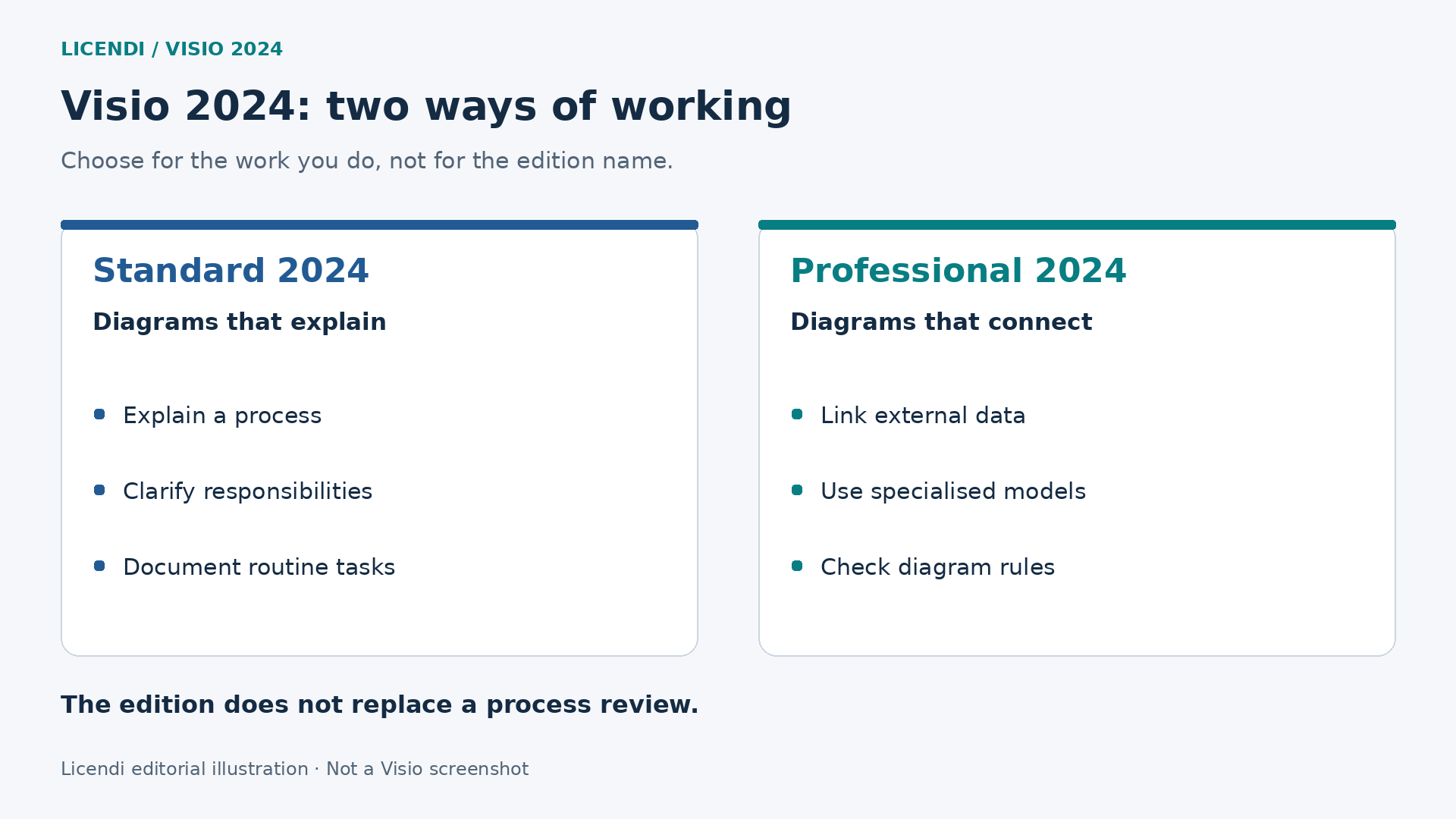
Standard includes templates for flowcharts, organisation charts, planning, maps and basic networks. It also supports cross-functional flowcharts for showing responsibilities. It is neither a trial edition nor a tool reserved for undemanding work: its scope is general-purpose diagramming. [1] [9]
Consider a small business explaining how it handles a return. The document must show who receives the request, who checks the order, when a refund is authorised and how the customer is informed. If the steps rarely change, organised manual reviews can be perfectly reasonable.
Another example is a consultancy delivering a responsibility map at the end of a project. The client needs clarity: understandable names, unambiguous decisions and a document they can review in a meeting. Its usefulness does not necessarily increase because the author has templates this assignment will never use.
There is one condition: do not confuse a simple requirement with a poorly defined one. Buying Professional will not improve a drawing with forty crossing arrows. Before changing editions, try dividing it into stages, reducing the text and separating exceptions from the normal route. Ask a colleague to follow one ordinary case without your explanation. Note where they hesitate, then decide whether the problem is a missing step, an unclear responsibility or wording that means different things to different readers.
Standard fits when the value lies in explaining and preserving the procedure. The reason to look further comes when updating information or following a specialised notation becomes more than an occasional task.
4. When Professional 2024 starts to make sense
Professional expands the technical content with engineering, software, database and more detailed network diagrams. Microsoft documentation includes UML, Azure and AWS architecture, and instrumentation diagrams among its examples. [9]
For a technical team, the appropriate visual vocabulary prevents every author from inventing their own symbols. If two departments depict the same component differently, readers must first interpret the legend, then the system. Agreeing conventions remains the team's responsibility, but suitable content provides a useful starting point.
The other reason to choose Professional is to connect the drawing to external information rather than maintaining each indicator as a separate piece of text. This capability is specifically documented for Professional 2024. [3]
Imagine an order-review map showing which stage has the most issues. The goal is not to decorate boxes with colours, but to maintain a clear relationship between the process and its measurements. Before purchasing, establish where the figures come from, what they mean and who reviews them.
Professional makes sense when it addresses an identifiable requirement. “We want to maintain indicators for each stage” is a defensible argument. “Perhaps one day we will use every tool” is usually a much weaker basis.
5. What changes in Visio 2024, and what not to attribute to it
The official 2024 changes include a refreshed appearance, theme changes and search in the title bar. Standard gains more icons, sticky notes and infographic content. Professional includes Standard's content plus additional technical resources, such as new Azure stencils, Kubernetes shapes and Yourdon-Coad notations. [2]
Do not confuse these improvements with long-standing differences between editions. Data linking, for example, should not simply be presented as a 2024 invention. Nor should every new feature demonstrated in the subscription version be attributed to a one-time-purchase licence.
If you are upgrading from an earlier version, start with your own files and working habits. Were particular symbols missing? Was searching slowing you down? Did you repeatedly recreate the same information? Evaluate an upgrade against those problems, not simply a newer product number.
Keep two decisions separate: moving to the 2024 generation and moving from Standard to Professional. You may need one without automatically needing the other.
6. Importing, linking, refreshing and visualising data are different tasks
When someone asks whether Visio “works with Excel”, they need to explain the intended result. Copying a table for reference, associating records with shapes and generating an entire process flow are different tasks.
Importing brings in external information. Linking associates a row with a shape. Refreshing queries the source again to retrieve changes. Data graphics show values visually through bars, labels or colours. Microsoft documents these capabilities for Professional and lists sources including Excel, Access, SQL Server, SharePoint lists and ODBC or OLEDB connections. [3]
The association needs a stable reference. An activity called “Initial review” today might become “Verification” tomorrow without changing its identity. Assigning each activity a separate code is therefore useful, rather than relying solely on wording the team frequently changes.
Ordinary linking does not make Visio a two-way editor of the source: changing a shape's data does not automatically send that change to the spreadsheet or database. The documentation distinguishes refreshing from the source from other synchronisation mechanisms. [4]
Consider how the result will be read, too. Without a legend, a red indicator could mean a delay, a priority or simply a design choice. Define its meaning before applying colours rather than leaving readers to guess. Technical connectivity only adds value when interpretation is consistent.
Include a visible reference date. A team discussing Monday's workload in a Friday meeting could be making decisions from an outdated snapshot. Agree when the source will be reviewed and how missing data will be flagged. Showing “no information” can be more honest and useful than retaining an old figure that looks current. For each indicator, write down its meaning, the period it covers and the person responsible for resolving discrepancies. During review, ask whether everyone would interpret an empty value, a zero and an old measurement differently.
7. Data Visualizer: an important distinction in 2026
Automatically creating shapes and connections from a table differs from refreshing data associated with a drawing. Microsoft reserves the desktop application's Data Visualizer templates for Visio Plan 2. They should not be advertised as included in Professional 2024 simply because that edition supports data linking. [5]
Another similarly named product causes confusion: the Visio Data Visualizer add-in for Excel. Its service was retired on March 2, 2026. As of this guide's review date, November 10, 2026, it is no longer a current option to recommend for starting a project. That retirement does not remove Professional's data connections. [6]
When you find an older tutorial, identify its product before following it. Check whether it works inside Excel, opens a special Visio template or merely links rows to existing shapes. Those clues help avoid buying an edition expecting to follow a procedure that belongs to another.
Do not assume all assisted diagram creation from data is the same feature, either. Organisation chart wizards are a separate case. The useful question is not “does it automate?”, but “does it generate this exact diagram type using this procedure and this licence?” [9]
8. BPMN and validation: technical help, not a process guarantee
BPMN provides a notation for representing business processes. Microsoft documents a BPMN 2.0-based template and rule-checking tools in Professional 2024. You run the check from the Process tab using the Check Diagram option. [7]
This matters when the diagram must be interpreted by people who share that notation. An arrow simply “looking right” is not enough: the relationship it represents matters. Similarly, a decision must clearly describe what determines each outcome.
The limitation matters: Microsoft says validation checks graphical elements, not the accuracy of their attribute values. Passing the check therefore does not certify that a procedure is correct, safe, efficient or legally compliant. [7]
Consider an authorisation assigned to the wrong department. The problem can be organisational even if the diagram is formally well structured. Someone familiar with the process must review who decides, what information they use and what happens when something goes wrong.
If you only need to explain a sequence to staff, a simple flowchart may be easier to read. If the recipient requires BPMN, choose the edition and method around that requirement instead of improvising a visual imitation.
Also prepare review questions the program cannot answer for you: what happens when the person responsible is absent, is there a route for an incomplete request, and has anyone consulted the final recipient of the work? Documenting these exceptions prevents the model from describing only an ideal day and omitting the problems that prompted the project. Record unanswered questions separately from agreed steps. Give each question an owner and a review point, so an unresolved assumption does not quietly become an approved instruction simply because it appears in a tidy diagram.
9. Sharing a file is not the same as working simultaneously
Sending a document, receiving comments and editing it with several people at once are different scenarios. It would therefore be inaccurate to claim every perpetual licence is completely isolated, or that buying Professional guarantees every form of collaboration.
The official collaboration documentation lists Professional 2024 among its applicable products, but its newer-versions section requires Plan 2 for desktop coauthors. Sections for earlier versions also describe Professional workflows. Confirm the exact arrangement before basing a purchase on this feature. [8]
Microsoft explicitly states another limitation: participants cannot simultaneously coauthor the same file using a mixture of the web and desktop applications. Permissions and the document's location are also part of the setup. [8]
In product terms, Plan 1 provides the web application, while Plan 2 combines web and desktop. These are not alternative names for Standard and Professional 2024. [9]
The Licendi offers compared here specify no Microsoft account registration and no Microsoft 365 compatibility. Do not count on cloud coauthoring when buying them. Before deciding, describe who will edit, from where and with which accounts. A team reviewing successive versions has a different problem from one needing to draw simultaneously in a meeting. Neither pay for nor dismiss an option based on an overly broad interpretation of “collaboration”.
10. Practical example: documenting and reviewing purchase approvals
Consider an illustrative example, not an actual software test. A company wants to organise internal purchasing. The process starts with a request, continues with a budget review and ends in approval or a return for corrections. Purchasing, the department manager and administration participate at different stages.
First, define the process independently of the edition
Gather the people doing the work and agree the scope. Does the map end when the purchase is authorised or when the goods arrive? What happens if a document is missing? Who can reject a request? Write the answers before drawing; otherwise, you will debate colours while basic decisions remain unresolved.
Give activities short names and separate the usual route from exceptions. Use a specific question for each decision. “Information complete?” is more useful than a box labelled “Review”, because readers can understand what determines each outcome.
How to approach it with Standard
Choose a cross-functional flowchart with a lane for each responsible party. Arrange activities in sequence, connect decisions and avoid duplicating the same task across different areas. Then walk through a normal case and a rejected one. This walkthrough is a human review, not automatic validation.
Prepare an approved version with a date and named owner. If the approval threshold changes, update the procedure and review it again with those affected. For an organisation with few changes, this manual system can be sufficient and straightforward to maintain.
What Professional would add to the same project
If you also need indicators, prepare a table containing activity code, owner, pending requests and measurement date. Import the source and link each row to its corresponding shape. Microsoft documents importing, associating rows and refreshing afterwards. [4]
Next, decide what is worth visualising. Showing pending requests beside each stage may be enough; adding five more indicators will not necessarily improve the map. Define who will review the associations and what should happen if an activity disappears from the table.
If the assignment requires BPMN, build the model with that template and use the available checks alongside the team's review. Linked data and validation are complementary tools: one helps maintain information; the other checks diagram rules. Neither authorises purchases by itself.
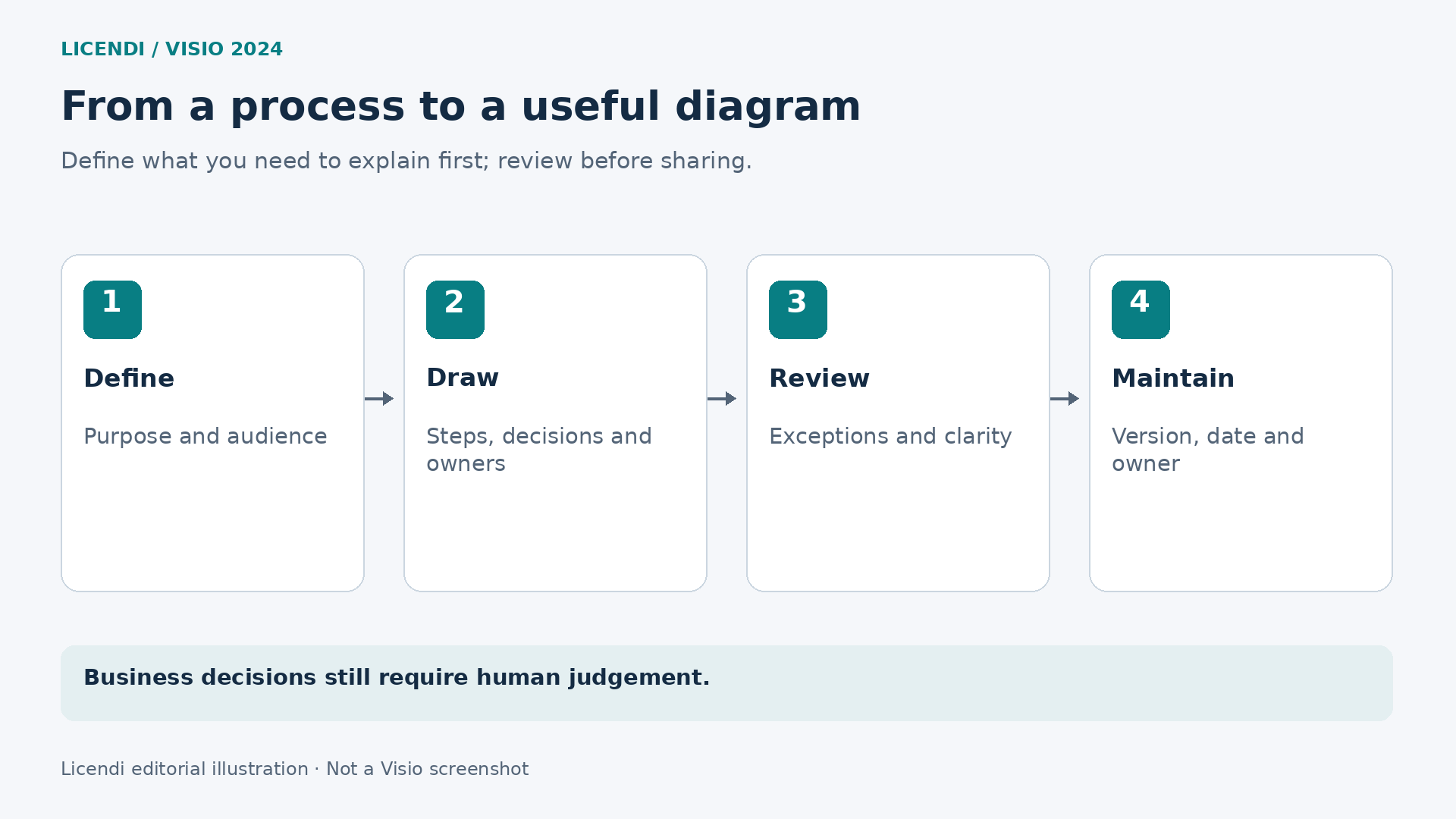
Before considering the work complete, ask someone uninvolved in its design to explain the route. If they cannot understand where it starts, who decides or what an indicator means, revise the document. That conversation often reveals problems a feature comparison never uncovers.
One concrete check is to prepare three fictional requests: one complete, one without a budget and one needing correction. Record each route and compare two colleagues' answers. If they disagree, locate the ambiguity. For the data-linked version, use values clearly labelled as examples, verify that each indicator corresponds to the intended activity and agree who will replace them with authorised real data. Do not settle different interpretations by choosing the most confident answer. Ask each reviewer which label or connection led to their conclusion, amend that point and repeat the walkthrough. Keep the example requests available for the next revision, so the team can check the changed route again.
11. Compatibility, deliverables and export
Both editions export diagrams to PDF and image formats including PNG, JPEG and SVG. Microsoft documents these outputs for Standard 2024 and Professional 2024. Providing a viewable representation therefore does not require every recipient to have the edition used to create it. [10]
Separate the working file from the deliverable. Keep the editable original for maintaining the project and prepare a suitable review copy. A PDF may suit whoever approves the procedure; the person responsible for future changes will need something different.
Before sharing, check page size, readability and page breaks. A map that makes sense enlarged on your screen may be illegible in a report. Test the export at its actual viewing size and check that legends have not ended up on another page. Ask a reviewer to locate the start, a decision and an exception in the delivered copy, not just the editable original. Check that the document's date and approval status remain clear without your verbal explanation.
If you exchange files with older versions or other tools, agree the format and verify a representative sample. Do not assume opening a document preserves all its features, links or editing capabilities. Avoid overwriting the original during this check.
The information you deliver deserves attention, too. An operational diagram may contain people's names, locations or internal references the recipient does not need. Prepare the copy for its intended purpose, rather than merely checking that export worked.
12. Requirements and installation: review the whole environment
Avoid buying a licence only to discover that the computer's configuration needs changing. Check Windows, Office architecture, available storage, memory, add-ins and installation permissions. Current requirements documentation distinguishes products and channels; an LTSC table should not automatically be applied to every commercial Visio offer. [11]
For a new deployment, take Windows 11 as the starting point and validate the specific edition with your technical lead. Do not interpret a historical Windows 10 reference as confirmation of current support for every variant. Nor should you assume a Windows desktop application installs natively on macOS.
Microsoft warns against mixing 32-bit and 64-bit Office products in one installation. Compatibility also depends on existing technologies and versions. Do not uninstall a working suite simply to try your luck: first identify what is installed. [1]
In a business, start with a representative computer. Check everyday files, required data sources and the add-ins the department actually uses. That trial must reflect your environment; this guide neither replaces deployment validation nor claims to have performed it.
Keep the computer inventory and the documentation you receive. If an issue arises, knowing the exact edition and applicable instructions helps distinguish a technical problem from a licence condition.
13. What to check when buying a licence from Licendi
Choosing features is only part of purchasing. The two Licendi offers compared here are described as standalone Windows licences, with a one-time payment and indefinite use. Their listings state that they cannot be registered to a Microsoft account, cannot be transferred to another device and are not compatible with Microsoft 365. These are the terms of these offers, not universal rules for all Visio 2024 licences.
The Standard offer additionally specifies a single activation. We do not extend that restriction to Professional: its listing does not state the same general condition. If you anticipate reinstalling the system or changing components, clarify your situation beforehand; we do not promise another activation.
Both listings advertise a one-month activation guarantee. This does not mean the licence lasts one month, nor does it mean unlimited support. The commercial information was reviewed in Licendi's catalogue; no purchase or activation test was performed. Also check the following before deciding:
- Product and year: confirm it is Visio 2024 in your chosen edition, not an earlier version or a subscription.
- Scope: verify users, devices and licence type against the offer; do not infer them from the product name alone.
- Installation: check language, architecture and the applicable procedure before changing the computer.
- Ongoing terms: request clarification on reinstallation, changing devices and assistance if these matter to you.
- Documentation: retain the invoice and terms provided, together with the exact product identification.
Support is another important distinction. Microsoft's published lifecycle for Visio 2024 places retirement in October 2029. Buying an edition for perpetual use does not mean indefinite support or automatic entitlement to future major versions. [12]
Do not settle uncertainties with favourable assumptions. If you need a particular condition, have it clarified before paying. A precise answer about your computer and offer is more useful than a generic promise about what licences “normally” allow.
14. Three user profiles for making a sensible decision
Administration or a small business with stable procedures
You need to explain customer onboarding, purchases, returns or internal responsibilities. Data is not an active part of the diagram, and reviews are infrequent. Standard is the logical starting point: evaluate whether it covers your actual documents before choosing a more comprehensive edition.
A process analyst working with indicators and formal notation
The map must support regular reviews, incorporate external information or meet a BPMN requirement. Professional deserves a focused evaluation. Prepare a small example, identify the data source and define the checks you need; this justifies the choice without promising savings that cannot be measured.
A distributed team prioritising web editing and specific automation
If the main requirement is browser-based work or desktop Data Visualizer templates, extend the comparison to the relevant subscription plans. Do not force a choice between Standard and Professional when the decisive feature belongs to another offering.
For all three profiles, assess the cost of the working method, not just the software. Include preparing information, training authors, reviewing documents and maintaining sources. An advanced feature nobody knows how to use can create work rather than reduce it.
For a straightforward comparison, choose a representative deliverable and define successful completion: clear reading, an approved review and assigned maintenance responsibility. Then identify which tasks would be manual and which require specific tools. This small exercise helps justify the choice to purchasing or management through work-related reasons rather than a preference for the edition with the more ambitious name. Write down which requirement is essential, which is optional and which remains unconfirmed. Revisit that list after the walkthrough rather than allowing an attractive demonstration to redefine the problem the team originally set out to solve.
15. Conclusion: buy the edition that meets your working needs
Visio Standard 2024 fits when you need clear documentation and a simple process for maintaining diagrams. Professional 2024 is justified by specific requirements for specialised content, linked data or model checks. The choice is not about whether your work is “more professional”, but about the operations you need to perform.
If the first scenario fits, review the Visio Standard 2024 offer at Licendi. If you have identified needs specific to the expanded edition, consult the Visio Professional 2024 offer at Licendi and confirm its terms for your environment.
The best purchase answers three questions clearly: what will you create, how will you maintain it, and who will use it? Once those answers are defined, choosing becomes easier without falling short or paying for capabilities that add no value.
Official sources and review date
Documentation consulted on November 10, 2026. Examples are illustrative and do not constitute installation, performance or activation tests.
- Microsoft: one-time-purchase Visio comparison.
- Microsoft: what's new in Visio 2024.
- Microsoft: an overview of importing data.
- Microsoft: importing data and linking shapes.
- Microsoft: desktop Data Visualizer and Plan 2.
- Microsoft: retirement of the Excel add-in.
- Microsoft: BPMN processes and validation limits.
- Microsoft: working together and collaboration requirements.
- Microsoft: differences between editions and plans.
- Microsoft: exporting to PDF and images.
- Microsoft: business requirements by product and channel.
- Microsoft: Visio 2024 lifecycle.