EN
 FR
 DE
 IT
 PT
 ES


Perplexity Pro, Copilot and AI subscriptions: 2026 price comparison
Choosing an artificial intelligence subscription seems straightforward until you try to compare the bills. One tool advertises prices in dollars, another in euros, and a third highlights a monthly figure that requires you to pay for the whole year. Moreover, searching for information with sources, writing a report and working within an office suite are not exactly the same need. Paying for the best-known option could end up solving a problem you did not have.
This comparison brings together prices and conditions checked on 8 October 2026, with an important distinction between Spanish offers and international references. We have not carried out performance tests or simulated a completed purchase. The aim is to help you make an informed choice: understand what each fee includes, identify additional costs and decide when a free option or the software you already use is enough.
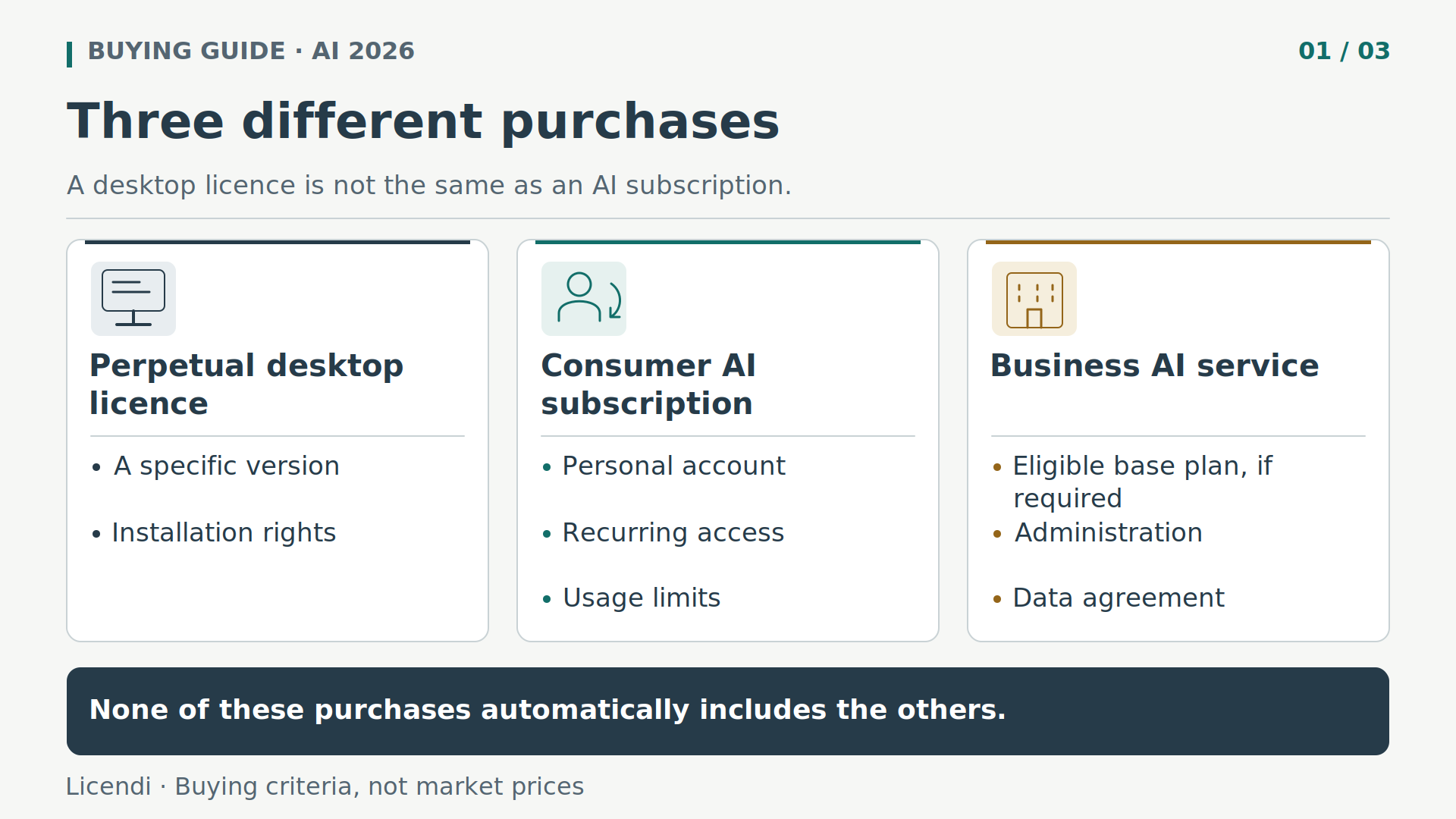
Before the price: three purchases you should not confuse
A personal AI subscription provides recurring access to features linked to an account. The provider may impose usage limits, change the models available or reserve certain capabilities for other tiers. You are not buying a fixed amount of computing capacity or a guarantee of correct answers.
A business service raises a different set of questions: who administers the accounts, what data the assistant can access, which contract applies and which licences each user needs. Sharing work documents through a personal account does not turn that account into an approved corporate environment.
A perpetual desktop licence, by contrast, lets you use a specific version of a program subject to its installation terms. It does not automatically include cloud storage, AI credits or access to Copilot. Keeping these purchases separate helps you avoid both paying twice and buying a licence in the expectation of features that belong to another subscription.
Price table: country, currency and commitment matter
The table uses standard prices, not introductory offers. The annual column distinguishes a plan contracted for one year from the simple total of twelve monthly payments. Dollar amounts remain in dollars: converting them using an indicative exchange rate would create a false Spanish price.
| Plan | Country and currency | Monthly payment | Annual option | Essential condition |
|---|---|---|---|---|
| Perplexity Pro | International USD reference; confirm at checkout | USD 20 | USD 200 paid upfront | Reference in official code, not a verified Spanish price |
| ChatGPT Plus | International, USD | USD 20 | No annual option; twelve monthly payments: USD 240 | API charged separately and variable limits |
| Google AI Pro | Spain, EUR | EUR 21.99 | Not verified; twelve monthly payments: EUR 263.88 | Personal account and regional availability |
| Claude Pro | International, USD | USD 20 | USD 200 paid upfront | Applicable taxes excluded |
| Microsoft 365 Personal | Spain, EUR | EUR 10.00 | EUR 99.00 | One person; AI limits |
| Microsoft 365 Family | Spain, EUR | EUR 13.00 | EUR 129.00 | Up to six people; AI for the subscription owner only |
| Microsoft 365 Premium | Spain, EUR | EUR 22.00 | EUR 219.00 | Up to six people; AI for the subscription owner only |
| Microsoft 365 Copilot for business | Spain, EUR per user | EUR 21.84 | EUR 218.40; equivalent to EUR 18.20 per month | Annual commitment; eligible base plan separate; VAT excluded |
The Perplexity reference requires particular caution. The monthly price of USD 20 and annual price of USD 200 come from price constants in the official production JavaScript. They were not verified on the final checkout screen and do not constitute a confirmed Spanish offer. They serve as an international reference found in the code, not as a guarantee of availability, commercial terms or the actual amount billed.
Perplexity explains that its web checkout allows you to choose local currency or USD, but no specific euro price was checked for Spain. That choice does not apply in the same way to purchases through mobile app stores. On the Microsoft consumer and Google pages, the sources consulted do not explicitly explain how VAT is treated; nor is this clarified by the accessible sources for Perplexity and ChatGPT Plus. We do not assume that it is included.
Perplexity Pro: research better without delegating verification
Perplexity may be a good fit when your work involves finding information, cross-checking publications and building an answer supported by sources. Its free Standard tier lets you get started; Pro expands search capabilities, access to models and work with files. The paid upgrade concerns access and features, not certification that its answers are true.
Imagine that you need to compare the terms of three suppliers before making a purchase. Instead of asking “tell me which is best”, define the country, period, essential requirements and what you mean by total cost. Ask it to distinguish published facts, calculations and unresolved points. That scope reduces polished-looking answers which compare incompatible products.
- Narrow down the question. State what decision you are going to make, for whom and subject to which restrictions. If you need a Spanish price, explicitly request official Spanish sources and ask that foreign prices not be converted.
- Request specific evidence. Ask for a table containing the claim, source document, date and supporting passage. A list of general links at the end does not show which evidence supports each conclusion.
- Open the sources. Check that the page concerns the correct product and territory. Read the notes on taxes, annual commitments, users and promotions, not merely the paragraph highlighted by the assistant.
- Look for contradictions. If a sales page and a help article disagree, keep both references and flag the uncertainty. Do not force the system to choose a figure just to fill every box.
- Write after checking. Build the report from confirmed data, retain the references and separate personal recommendations from what each provider actually states.
A citation may point to a genuine page yet still fail to support the whole sentence. It may also lead to outdated content, a version for another country or a secondary source that repeats the same mistake. A synthesis with many references is not the same as an independent review of every source.
When a source is restricted by registration or a subscription, do not assume the assistant has read the entire document. Distinguish between a visible extract and a complete reading. If the information determines a purchase, access the original yourself or ask the provider for confirmation. It is also wise to retain the date you consulted it: a condition that is correct today may no longer apply at renewal.
Avoid asking only for sources that confirm your initial impression. Run a second search for the drawbacks, exceptions and available alternatives. In a purchasing decision, one important incompatibility carries more weight than several generic advantages. The useful result is not an emphatic recommendation but a set of cross-checked evidence that you can explain to the person approving the expenditure.
For long assignments, keep a small evidence record outside the chat: query, link, date, extract and decision. This lets you reconstruct your reasoning without depending on a conversation that may change or prove difficult to share. Before uploading documents, remove personal data and trade secrets that are not needed.
Do not subscribe to Pro expecting unlimited advanced research. Searches and other features are subject to limits, and access to advanced models may be restricted at times of high demand. If you only make occasional queries, try Standard before taking on a recurring fee. API access is independent of this personal subscription.
Microsoft for consumers: Personal, Family and Premium
Microsoft's practical advantage depends on how extensively you already work with its applications. Wanting a web assistant is not the same as needing AI features within an office-software workflow. Check the specific application, the account being used and the access conditions before paying for an integration that you have taken for granted.
Pay particular attention to the transitions between tools. If you draft in a chat and end up manually copying tables, references and comments to another program, that transfer forms part of the cost. An integration may be useful because it reduces those steps, although that does not mean its answers are more accurate.
Personal costs EUR 10.00 per month or EUR 99.00 per year. Family rises to EUR 13.00 or EUR 129.00; Premium to EUR 22.00 or EUR 219.00. All three have AI limits, although Premium offers higher limits than Personal and Family. None should be described as fixed, unlimited access.
The decisive condition for a household is that AI in Family and Premium is available only to the subscription owner. Sharing other benefits with up to six people does not automatically distribute these features among six accounts. Dividing the price among everyone as though each person received the same assistant would be a misleading comparison.
What about Copilot Pro? That name does not appear as a purchasable plan in the current catalogue consulted. It would be unwise to attribute a current price to it or infer a specific withdrawal date. Microsoft 365 Pro does appear as another plan, but there is no basis for presenting it as a simple rename. A limited free Copilot is also available, allowing you to get started without buying these options.
Copilot for business: the add-on is not the whole bill
For a business, the calculation begins with its existing licences. Microsoft 365 Copilot for business is an add-on that requires a valid Microsoft 365 business plan. Its standard price with an annual commitment is EUR 18.20 per user per month: EUR 218.40 per user per year, plus the eligible base plan and VAT.
The add-on's monthly option rises to EUR 21.84 per user, equivalent to EUR 262.08 over twelve months. We have not used the temporary promotion as the regular price. The difference between paying monthly and accepting an annual commitment must be considered alongside the invoicing, renewal and seat-reduction terms.
A hypothetical example helps indicate the scale: five users with the business add-on and an annual commitment would represent EUR 1,092.00 per year, before VAT and excluding the five required base licences. That subtotal is not a firm quote. Check which users genuinely need the additional features instead of automatically assigning them to the entire workforce.
Microsoft 365 Copilot Chat may be included at no extra cost in eligible subscriptions. That does not mean it is free for every organisation or that it includes all the add-on's capabilities. In addition, certain agents may generate metered charges. Ask for the quote to separate the base licence, add-on and additional consumption.
Before expanding the rollout, review document permissions and administrative responsibilities. An assistant connected to poorly organised information will not fix access granted by mistake. And do not confuse these plans with GitHub Copilot: it is a product aimed at software development, with its own plans and terms, not the same office assistant.
ChatGPT Plus: a monthly fee, not an included API
ChatGPT Plus publishes an international reference price of USD 20 per month. The official help article specifies monthly billing and no annual option: USD 240 is the sum of twelve payments, not an annual offer. A Spanish price in euros and the final tax treatment were not verified.
It may be a candidate for drafting, analysing materials and developing ideas through conversation. That does not demonstrate that it is better for your tasks: it is worth testing the delivery format, the corrections required and the time you spend reviewing. The Free option lets you start before paying for expanded access.
Plus retains usage limits that may vary with service conditions. If you reach a cap, you should not interpret the subscription as a broken promise of unlimited use when no such promise was made. And if you want to integrate models into a shop, application or automation, the API is billed separately; the personal fee does not cover those calls.
Google AI Pro: check how it fits your account
Google AI Pro displays a monthly price of EUR 21.99 on the Spanish page. Twelve months total EUR 263.88; an annual option was not verified in that source. The same page offers a no-cost option, which is useful for finding out whether the free features meet your needs.
Its integrations with Google services may be relevant if you already work in that environment. Even so, check specific availability by country, language and application. The plan requires a user-managed personal account and an adult user; it should not be confused with a managed business offering.
Usage is subject to limits linked to resources and renewal periods, as well as weekly restrictions. Do not base the purchase on a universal number of messages or on the expectation of permanent, uncapped access. If you intend to use it with work documents, first review which service your organisation permits and which data-processing terms apply to that account.
Claude Pro: understand annual payment and shared usage
Claude Pro lists USD 20 per month or USD 200 for a year paid upfront, excluding applicable taxes. The sales presentation rounds the annual equivalent to USD 17 per month, but that does not mean that twelve payments of USD 17 are charged. The stated annual amount is USD 200.
The Free option lets you check whether its way of working suits your documents and reviews. Pro expands access but retains per-session and weekly limits. Usage is shared across the service's different applications, including web, desktop, mobile and Claude Code; switching applications does not necessarily create another independent allowance.
As a practical criterion, observe whether you can complete your usual tasks without significant interruptions and with an acceptable amount of review. We do not claim to have established a quality advantage over the other assistants. The API is not included in Pro either: an automated integration requires separate review of its purchase and billing.
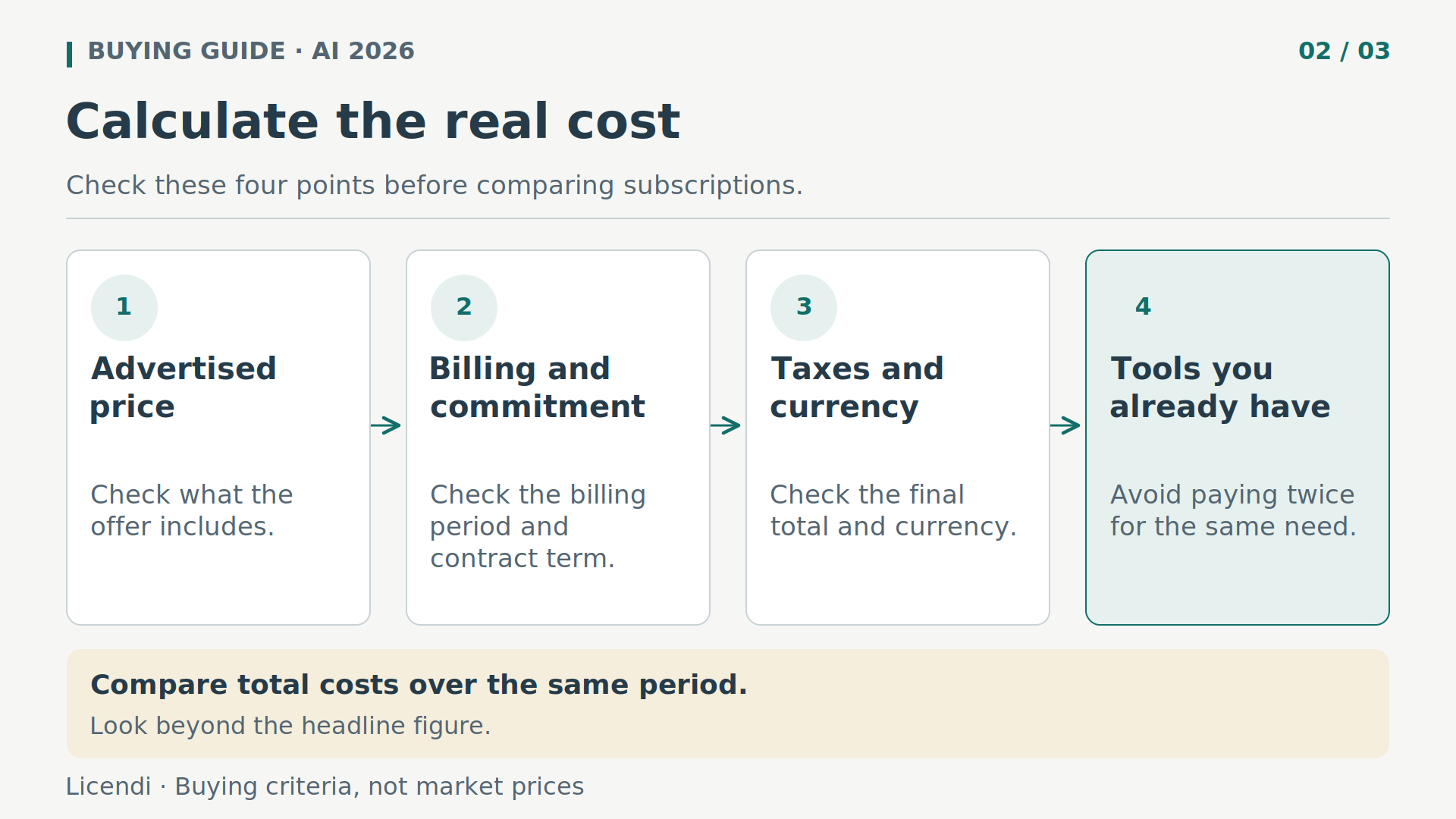
The real cost: calculate the full period and avoid duplication
At the reference prices given, twelve monthly Perplexity payments would total USD 240 versus USD 200 annually: a difference of USD 40, always subject to confirmation at the actual checkout. For Claude, the same calculation produces USD 240 versus USD 200, also a USD 40 difference before applicable taxes. An annual discount does not compensate for months in which you will not use the service.
For Microsoft, Personal totals EUR 120.00 when paid monthly, compared with EUR 99.00 annually: a difference of EUR 21.00. Family totals EUR 156.00 versus EUR 129.00, a difference of EUR 27.00. Premium totals EUR 264.00 versus EUR 219.00, with a difference of EUR 45.00. These are arithmetic comparisons within the same currency, not estimated savings for every buyer.
For a short project, calculate only the expected months. For example, four months of Microsoft 365 Personal at the published price would total EUR 40.00, less than purchasing a year for EUR 99.00. Annual payment reduces the cost of twelve months, but does not always reduce the expenditure for your particular need.
Do not compare the EUR 218.40 business add-on with a personal subscription as though they included the same things. The base plan and VAT must be added to the former; other services you decide to purchase may be added to either. Also check whether you already pay for tools whose features are sufficient for your work.
To assess the return, use a hypothetical example, not a promise: if you assign a final cost of EUR 24 per month to a tool and value your time at EUR 24 per hour, you would need to save one net hour per month to break even. “Net” means after preparing instructions, checking sources and correcting errors. We have not measured that saving: you will have to record it across your own tasks.
Test with real work before committing for a year
Choose three tasks that you repeat: researching a decision, turning notes into a document and reviewing structured information. Use non-confidential materials and the same instructions for each alternative. Changing the assignment until it favours one tool prevents a useful comparison.
Record how long it takes to obtain a usable result, not merely how quickly the answer appears. Count the data you have to correct, the references that do not support the conclusion and the work required to move the content into its final format. A pleasant answer can prove expensive if you have to redo it.
Also include one difficult task that you know well. You can identify omissions more effectively when you understand the subject than when you are impressed by an explanation of something unfamiliar. Keep a simple list of errors and classify which are tolerable, which require verification and which invalidate the result for your activity.
Check what happens when information is missing as well. An assistant that identifies uncertainty is preferable to one that completes the report with an invented figure. For important calculations, reproduce the operation in a spreadsheet; for sensitive decisions, retain competent human review.
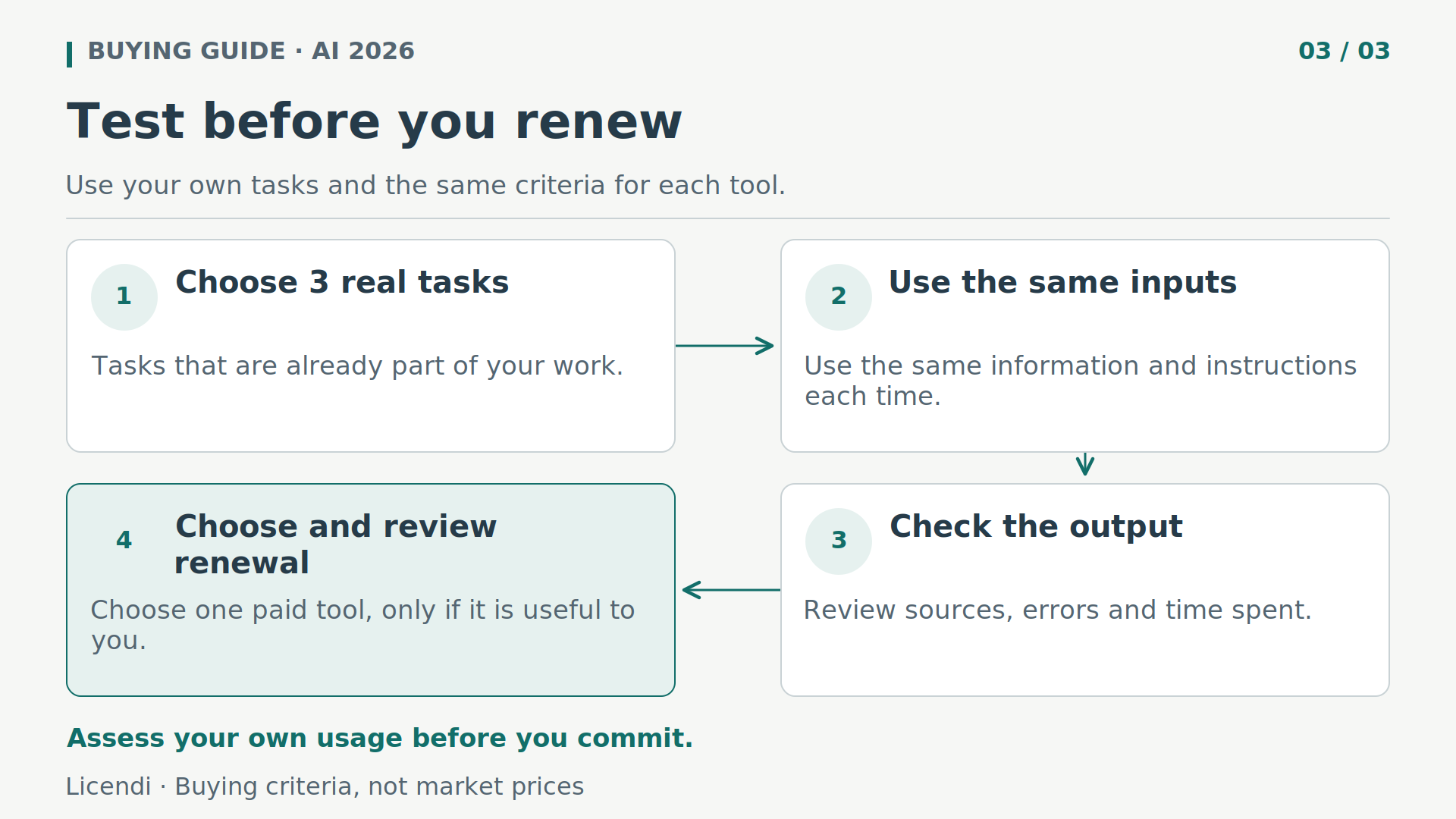
Start with free options when they allow a representative test. If you need paid features, one month may provide more information than buying several annual plans in advance. Keeping a single tool is reasonable when it covers the essentials; having several is justified only if they meet different needs that you actually have.
Do not measure only days of intensive use. Also note the periods in which you do not use the tool and the occasions when a free feature would have been enough. That perspective prevents an exceptionally busy week from becoming the justification for an annual plan that you then barely use.
Privacy: paying does not authorise you to upload company data
A paid personal account is not automatically equivalent to a managed business environment. Before uploading contracts, payroll records, histories or customer databases, review your organisation's policy and the purpose of the processing. If you do not have authorisation, use anonymised examples or fictitious data rather than the real document.
Controls vary. Perplexity lets you disable AI Data Usage to exclude search data from the improvement of its AI. In ChatGPT, disabling Improve the model for everyone prevents new conversations from being used for training. Those settings do not turn personal plans into corporate solutions with every safeguard your company may require.
The personal Gemini notice provides for human review and recommends that you do not enter confidential information that should not be seen by a reviewer. For personal Claude accounts, use for improvement depends on the user's permission and on other circumstances described, including safety reviews. Do not reduce different policies to a generic “private” label.
In addition to training, check retention, deletion, processing location, connector permissions and account recovery. Enable stronger authentication when available and restrict access to documents. A response generated from external sources must also be reviewed before you execute instructions, download files or disclose information.
Connecting an email account or repository requires another review: what permissions you grant, what information becomes accessible and how you revoke the connection. Use the minimum access needed. Do not automatically carry out instructions found within documents or external pages merely because the assistant has incorporated them into an answer.
Renewal, cancellation and invoices: check before paying
Record the plan's exact name, currency, contracted period, final amount and purchase channel. A subscription purchased through a mobile app store may be managed differently from one bought directly on the web. Check where billing is changed and who issues the receipt.
Cancelling renewal and obtaining a refund are not the same thing. Read the applicable terms without assuming that leaving the service automatically refunds an annual payment. Note the date of the next charge and check in advance whether you still need the plan, especially after an initial promotion has ended.
If you compare promotional offers yourself, record the introductory price and renewal price separately. Check eligibility requirements, the exact duration and included services. A bundle may look attractive, but it ceases to be comparable when it includes applications you do not need or requires you to maintain another subscription.
Before cancelling, retain the materials and receipts you need using the options permitted by the service. Check which features will remain available and until which date. Do not assume that deleting an application cancels the charge, or that closing a conversation deletes all information associated with your account.
In a business, identify the person responsible for payment and offboarding. When someone leaves the team, simply ceasing to use their account is not enough: licences, shared documents and permissions must be reviewed. For payments in another currency, also check the exchange rate and any fees charged by your payment method, without confusing them with the provider's price.
Desktop licences: alternatives when you do not need another fee
Not every type of work improves when AI is added. Preparing documents, maintaining a workstation or managing PDF files may call for conventional software, not another subscription. If you already have suitable, properly licensed tools, keep what works. These three options are independent purchases, not discounted access to the assistants compared above.
Windows 11 Pro: choose the right variant
If you need to license a computer, you can review Windows 11 Pro at Licendi, explicitly selecting the Retail Digital variant. The verified offer permits activation on one PC and describes Retail as capable of being reactivated and transferred to another computer, not as permission to use it on several computers simultaneously. Do not confuse those terms with OEM or Upgrade.
You do not need to buy Windows 11 Pro to use AI through a compatible browser. Nor does it in itself include a paid Copilot subscription or turn the computer into a Copilot+ PC. The purchase should meet a genuine operating-system need.
Office LTSC 2024: work on documents without confusing rights
Office LTSC Professional Plus 2024 may interest you if you want desktop applications and do not need an office-suite subscription. For the one-PC option reviewed, activation is tied to the first machine. We do not promise transfer or unlimited reinstallations.
This licence does not include Microsoft 365 Copilot. Buying the suite does not automatically unlock AI features or amount to subscribing to Microsoft 365. Check compatibility and the terms of the version purchased before deciding whether it suits your work.
Kofax Power PDF Advanced 5.0: respect the specific offer
For PDF document requirements, review Kofax Power PDF Advanced 5.0. The verified offer is a perpetual licence for that version on one PC, non-transferable and for a single activation. The product page does not guarantee that you can reinstall it.
We do not attribute current AI features from other versions, cloud services or future updates to it. If you require a specific feature, confirm it for this edition before buying instead of extrapolating advertising for later products.
When considering offers from Licendi in the secondary market, request documentation concerning provenance, usage rights and the applicable transfer conditions. The fact that a key activates does not by itself demonstrate its complete legal history. A second-hand software licence is not the same thing as reselling an AI account: avoid unauthorised shared access and always verify the specific terms.
Ask for the documentation to identify the edition, number of devices and activation restrictions. Also review what happens if you replace the computer and what support the seller provides. A perpetual licence concerns the right to the version purchased: it does not mean perpetual support or receipt of every future version.
What to choose according to your needs, not fashion
If you research frequently, begin by evaluating Perplexity's source workflow. If working within Microsoft applications is decisive, compare the current plans and who will actually receive the AI features. For conversation, writing or analysis, compare ChatGPT, Google and Claude using equivalent tasks, without assuming a universal winner.
A business should decide which environment is authorised before calculating how much it costs. A consumer who makes occasional queries may be able to remain on a free option. And someone who only needs desktop software may not need an AI subscription at all. The right purchase is the one that meets a proven need at a cost and on terms that you understand.
Official sources and scope of verification
Consult these sources before subscribing: prices, limits and terms can change. The Perplexity reference comes from official code, not a verified purchase.
- Perplexity: official price constants in JavaScript.
- Perplexity: plan and limit comparison.
- Perplexity: purchasing in local currency.
- Microsoft: current consumer plans in Spain.
- Microsoft: business add-on, requirements and taxation.
- OpenAI: ChatGPT Plus price, billing and limits.
- Google: AI subscriptions in Spain.
- Anthropic: Claude plans and prices.
- Perplexity: data collected and personal controls.
- OpenAI: data controls in ChatGPT.
- Google: Gemini privacy notice.
- Anthropic: use of data for training.