EN
 FR
 DE
 IT
 PT
 ES


Luminar Neo: AI photo editing, a comprehensive 2026 review
A photograph may need less noise, a straight horizon or well-lit skin, rather than a new sky. Luminar Neo is appealing when its automated tools help solve those problems without turning editing into a collection of effects. Its attraction lies in making complex operations accessible to people who would rather work with images than learn dozens of procedures.
However, reviewing it in 2026 means distinguishing the current application from older licences that still carry the Luminar name. Neo has gained features, services and interface changes that do not belong to every version. This desk-based review, drawing on sources consulted on 8 September 2026, explains what it offers today, how to use it thoughtfully and when an earlier edition might be a sensible purchase. We do not present laboratory tests or findings from hands-on use.
What Luminar Neo offers and what “current” means
Luminar Neo combines RAW processing, colour adjustments, portrait tools, layers, masks and AI-powered automation. It can work as a standalone editor and, in compatible setups, as a plug-in for Lightroom Classic or Photoshop. The idea is to reduce repetitive work while leaving the photographer to decide the strength of each effect and correct selections when the automatic interpretation does not match the scene.
Skylum's website also uses the name Luminar for desktop. That marketing presentation does not turn every historical licence into the same product. It helps to distinguish three things: the tools included in a particular build, any add-ons or packages purchased, and services linked to an account. Seeing a feature named on a current page does not prove that it will appear in an older installation.
The official release history dates version 1.28.0 to 5 August 2026. It brings the catalogue and editing tools together in one workspace, changes navigation and adds camera support. In June, version 1.27.1 introduced a beta migration feature for Lightroom Classic; in April, version 1.27.0 brought changes to portrait editing and mask smoothing. These developments all post-date Neo 1.4.2.
Skylum is also announcing an autumn 2026 upgrade with revamped tools. As of the research date, a promised release should not be treated as a feature already delivered. Nor do we present advertised percentage speed improvements as independent findings: actual performance depends on the file, the computer, the operation and the installed version.
A sensible workflow: process before you transform
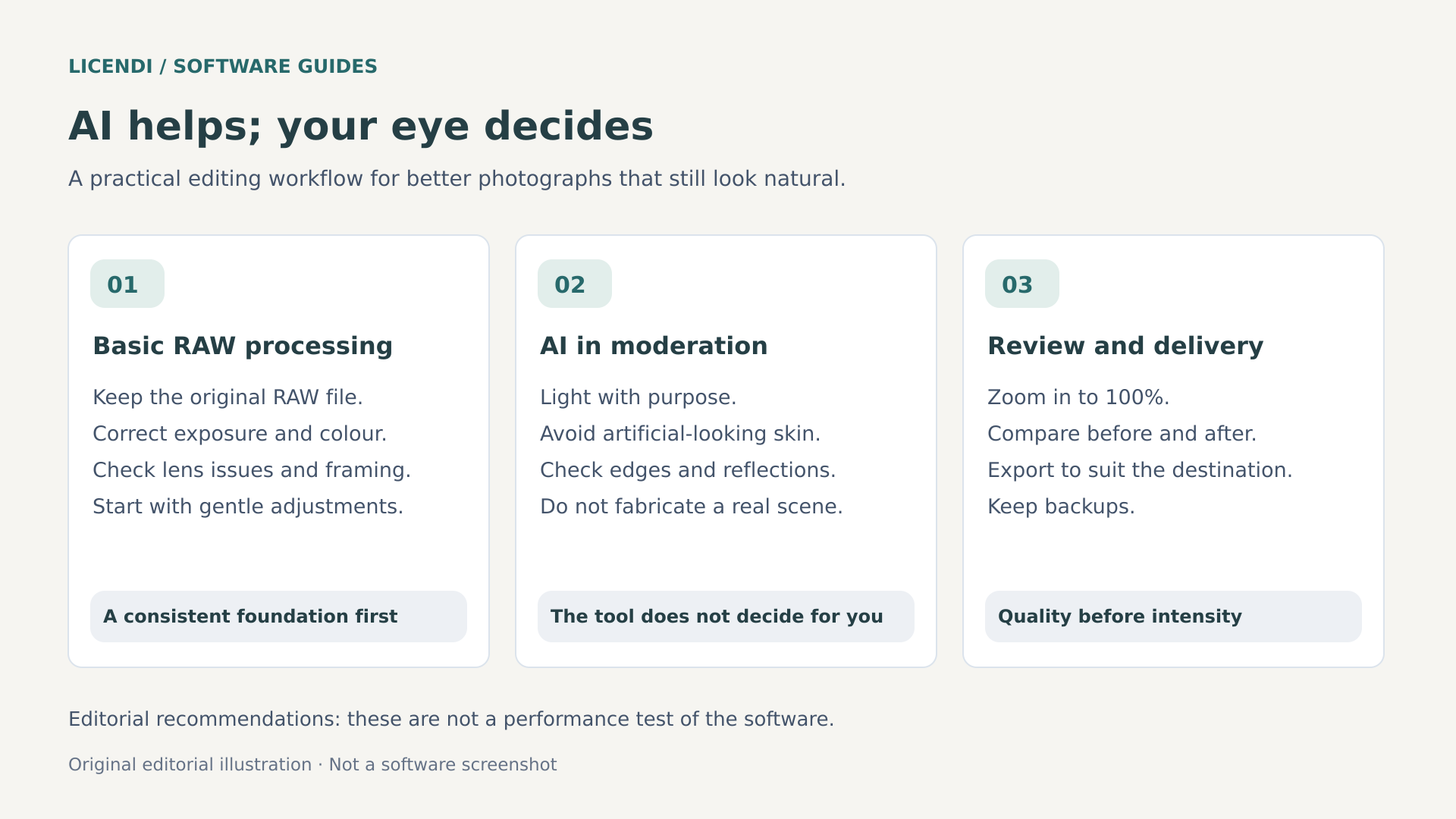
The first step is to select your photographs. Discarding duplicates, irretrievably blurred shots and unsuccessful expressions usually saves more time than automating the retouching of everything. Next, correct perspective and composition, set the white balance and adjust exposure, highlights and shadows. These decisions establish a consistent foundation before you add local contrast, dramatic effects or changes to the background.
When processing RAW files, use the histogram alongside the image. Highlight recovery cannot guarantee information where the sensor has already recorded featureless white; lifting shadows does not remove the noise they contain, either. Adjust white balance with the light at the location in mind, rather than simply neutralising every colour cast. A sunset scene can lose its character if you force all its colours towards studio neutrality.
Enhance AI and other global controls can provide a quick starting point. Problems arise when you compensate for one excessive adjustment with another that is just as strong: overly lifted shadows, high structure and extra saturation produce a striking but unconvincing image. Try moderate settings, compare with the original and then revisit sensitive areas using masks.
For a series shot under similar lighting, apply a common starting point and review each photograph. A face falling into shadow or a different exposure may need individual corrections. Synchronising adjustments does not mean every image needs identical values. Consistency is judged by how the series looks, not by whether its sliders match.
A useful way to finish processing is to check noise, detail and colour at the intended output size. Sharpening that suits a small screen can look harsh in a large print. Alternate between a close-up view and the whole image, and take a few minutes' break before finishing: visual adaptation makes it easier to accept excessive saturation. Save a restrained version alongside the creative one so you can decide later without rebuilding all your work.
Layers, masks and reversible decisions
Layers let you combine elements and control how much they contribute; masks define where a correction takes effect. An automatic selection of a sky or person speeds up the initial work, but does not replace inspection. Check hair, glasses, branches, transparent areas and partially obscured objects. Use soft transitions where the light changes gradually, reserving hard edges for boundaries that really are distinct.
Relight AI interprets depth to adjust lighting at different distances within the scene. It is useful for helping to balance a subject and its surroundings, not for producing a physically exact reconstruction of the location. If you brighten the foreground considerably, check whether shadows and reflections still make sense. A convincing improvement is often one where the method does not draw attention to itself.
Non-destructive editing lets you revisit adjustments without necessarily overwriting the original. It is not a backup: if you lose the RAW file, catalogue or assets used, you may no longer be able to reconstruct the work. Keep originals, projects and important exports in backed-up locations, and check that you can recover a complete image before reorganising your folders.
To preserve your work, use clear names and keep originals separate from deliverables. Avoid moving files outside the catalogue without checking how to relink them. Include any backgrounds and textures of your own that your compositions need in the backup. A copy kept offline or protected against accidental changes can complement your regular storage. The point is not to accumulate duplicates, but to be able to restore an identifiable, complete version when something goes wrong.
Portraits and landscapes: where AI needs supervision
For portraits, automatic tools can simplify skin corrections, facial lighting and separating the subject from the background. A sensible aim is to reduce distractions without erasing identity. Preserve pores, small variations in skin tone and a sense of volume; uniformly plastic-looking skin is usually less flattering than natural texture. Also check that eyes and teeth do not become disproportionately white.
Changing features or proportions is an aesthetic decision that should be agreed with the person being photographed. In a family session, preserving a recognisable expression may matter more than achieving artificial symmetry. The portrait controls improved in 2026 should be assessed as features of recent versions, not as a description of what is included in every historical Neo licence.
Portrait background removal needs particular attention around curly hair, translucent clothing and objects held in the hands. A seemingly clean cut-out may reveal halos when placed against a dark background. Check it against different tones and match the new background to the direction, temperature and hardness of the original light, rather than relying solely on the selection.
In landscape photography, replacing the sky can work for a creative composition, but it needs coherence. The height of the sun, shadows on buildings, the colour of the water and reflections should tell the same story. A stormy sky above ground lit from the front by warm light can look contradictory even if the mask is technically well executed.
Check the horizon at 100% magnification, then look at the whole image. Fine branches, cables and misty mountains are difficult areas. Do not turn every landscape into a spectacular scene: restoring a subtle atmosphere can be more expressive. In documentary photography, competitions or commissions with authenticity rules, replacing elements may be prohibited or require disclosure.
It is also worth distinguishing a sensor dust spot from a real element in the scene. Automatic clean-up can help with even skies, but check stars, small birds and repeating details to avoid removing legitimate content. In product photography, keep colours, materials and relevant defects faithful to the original: improving presentation should not change what the buyer will receive. A persuasive commercial image also needs to be verifiable and honestly represent the advertised object.
GenErase, GenSwap and GenExpand: generation is not RAW processing
Generative AI introduces a fundamental difference: it can create content that the camera did not capture. GenErase removes elements and reconstructs the space; GenSwap replaces or adds objects through prompts; GenExpand extends the boundaries of a photograph. These are compositing and retouching tools, not ways of recovering original information that was never recorded.
To remove a distraction, start with one object and a selection that extends slightly beyond its edges. Include its shadow where appropriate. Check repeating patterns, architectural lines and surfaces containing text: a fill that looks plausible at a small size can contain impossible geometry. If the result fails, change the selection or make a manual correction rather than repeating the operation without a clear purpose.
GenSwap needs a specific intention. A brief description of the object and an appropriately sized mask are usually more useful than contradictory instructions. GenExpand can create extra room for a cover or a vertical format, but you need to inspect any added hands, structures and perspectives. None of these operations guarantees documentary accuracy, even if the result looks photographic.
The official history dates the arrival of GenErase to October 2023, with Neo 1.15.0 and access conditions specific to that offer. It therefore does not belong to Neo 1.4.2, released in October 2022. GenSwap, GenExpand, recent generative improvements and other later features should not be advertised as capabilities included with that older licence, either.
In the official offer consulted, certain perpetual plans include one year of access to AI tools, with renewal available afterwards. The scope depends on the plan and account. Check the duration, renewal arrangements, possible usage limits and included services before paying. A permanent editor licence does not mean perpetual access to generative servers, unlimited credits or free future add-ons.
Allow for the time spent reviewing variations, too. If you need a clean wall behind a portrait, decide in advance what to preserve: the outline of the hair, the cast shadow and the texture. You can then reject incorrect results even when they look attractive. Keep the original and a copy labelled as a composite whenever you add content. That distinction prevents a creative interpretation from being mistaken for a record of the location when you reuse the file months later.
Extensions and additional tools
Noiseless AI, Supersharp AI, HDR Merge, focus stacking and resolution upscaling have appeared during the ecosystem's development as additional tools, extensions or parts of later offers. An extension being mentioned in release notes does not prove that it was included in the basic purchase. Indeed, the Neo 1.4.2 release note talks about speeding up Noiseless AI, not giving away its licence.
Assess these tools against a specific problem. Noise reduction can soften detail; sharpening can introduce artificial outlines; upscaling can invent apparent texture. HDR needs suitable exposures and control of movement. Focus stacking requires compatible shots and careful checking of edges. No product name replaces a well-executed capture or guarantees that your licence lets you use the feature.
Privacy: local editing and external processing
Not every AI feature handles data in the same way. Conventional work on local files should not be confused with sending a photograph to a generative service. Skylum's policy explains that certain advanced features transmit the selected image and prompts to external providers to produce a result, along with limited technical metadata where necessary.
The policy places restrictions on the use of that data and describes temporary processing, but this is not a promise that no image ever leaves the computer. It also covers account, usage and support data. The AI assistant is addressed separately in the document; its conditions should not be extrapolated to every tool, nor should the application as a whole be described as working offline.
For portraits of children, visible documents, private interiors or client material, review permissions and obligations before enabling external services. Remove unnecessary information and consider exclusively local editing where confidentiality matters. If a commission requires specific contractual terms on retention or processing, verify them in writing; this review does not certify the regulatory compliance of any particular workflow.
Working locally does not remove every obligation, either: a folder synchronised with another provider may upload originals even if you do not use generation. Review synchronisation, sharing permissions and automatic backups. Distinguish the editor's privacy arrangements from those of your storage and delivery channel. For sensitive material, document the entire journey from memory card to delivered export; focusing only on the AI button leaves everyday risks out of the picture.
RAW, hardware and performance: check before buying
Support for RAW does not mean the application understands every camera. The model, compression mode, firmware and version of the RAW processor all matter. Current documentation lists families such as CR3, NEF, RAF and ARW and links to a list of supported cameras. That current list does not establish equivalent compatibility in Luminar 2018, Luminar 4 or Neo 1.4.2.
Before deciding, test an original file from your camera, including the mode you normally use. Check colour, fine detail, lens correction and export. Conversion to DNG may be an alternative in some cases, but it is not a universal guarantee and may change the workflow. Always keep the native RAW file and verify that conversion preserves the data you need.
The published current Windows requirements include an eighth-generation Intel Core i5 or better, or a Ryzen 5 or better, Windows 10 version 1909 or later, 64-bit only, eight gigabytes of RAM and OpenGL 3.3-compatible graphics. Sixteen gigabytes or more and SSD storage are recommended. For macOS, the current documentation requires macOS 12 or later and includes support for Apple Silicon chips.
These requirements describe the current application, not the three older licences in this article. Nor do they turn a technical minimum into an operating-system security recommendation. Verify operating-system support, drivers and the specific build. A historical mention of Windows 7, Windows 8.1 or macOS 10.11 does not justify installing an obsolete environment connected to the internet today.
The ten gigabytes of free space stated for installation do not represent the space needed for a photo library, either. RAW files, caches, catalogues, TIFFs and backups can consume much more. For large files and multiple layers, leave headroom in memory and disk space rather than assuming smooth performance simply because the computer meets the published minimum.
A practical test you can reproduce
Before committing a project, prepare a small, representative set: a portrait, a landscape with branches, a night shot and several photographs from your usual camera. Time opening, adjusting, switching images and exporting with identical parameters. Record the hardware, version, dimensions, format and services used. This is a proposed testing protocol, not a test conducted for this article.
Also assess stability, quality and the time needed for manual corrections. A fast automatic result becomes less appealing if it takes several minutes to repair halos. For online features, separate network waiting time from local processing. Repeat the operations and check exports outside the editor; the preview alone does not prove that the final deliverable is correct.
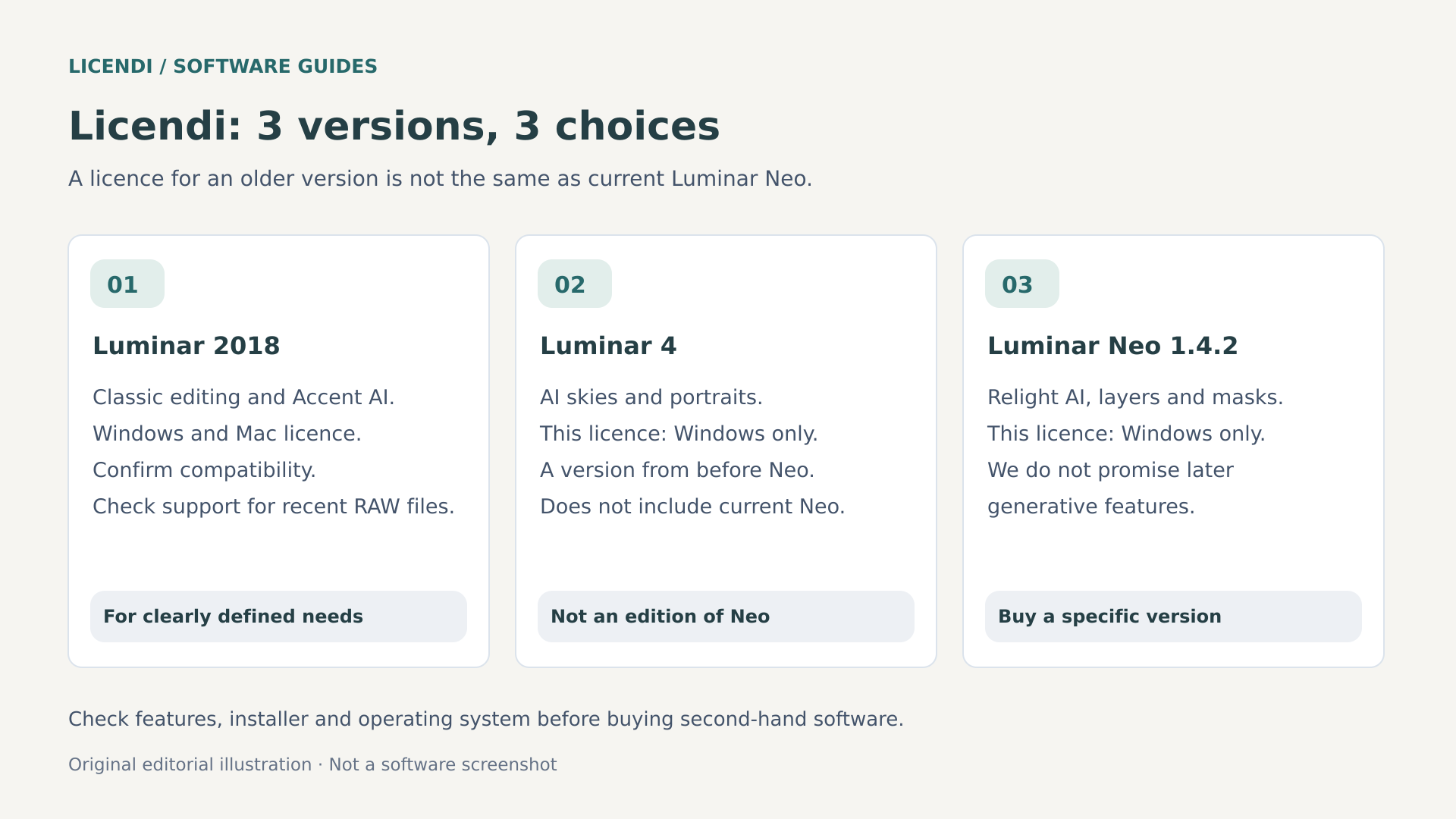
Luminar 2018, Luminar 4 and Neo 1.4.2: three different purchases
Second-hand software can make sense when it meets an established need at a manageable cost. The saving disappears if you buy an incompatible edition or expect services it does not include. These three Licendi listings are specific historical products: none should be presented as a licence for the current 2026 version of Luminar.
Luminar 2018: processing and creativity from an earlier generation
Luminar 2018 may appeal for working with compatible files using RAW processing, layers and adjustments from that generation, including Accent AI. It is not an offering built around modern generative AI. It makes more sense for a familiar library and a verified computer setup than for someone who has just bought a recent camera.
The listing consulted offers a permanent licence for Windows and Mac, with installation on one computer and non-transferable terms. Do not infer that it permits simultaneous activation on both systems or native Apple Silicon compatibility. The historical requirements on the page are older references: confirm the installer, exact operating system and activation procedure before treating it as a present-day solution.
Luminar 4: skies and portraits with clear limits
Luminar 4 belongs to the period that popularised automatic sky replacement and portrait tools within this family. It can meet a specific creative need if its tools and compatibility are sufficient. It does not inherit the generative services, design or camera support of current Neo simply through its association with the brand.
The commercial listing consulted is for Windows, with a permanent, non-transferable licence for one PC. Although the historical product existed on other platforms, this offer should not be sold as a Mac licence. Its page cites older requirements, such as eight gigabytes of RAM and OpenGL 3.3; check actual compatibility and support conditions, not just whether the installer will run.
Neo 1.4.2: early Neo tools, not Neo 2026
Luminar Neo 1.4.2 is the option where precision about the name matters most. It offers a potential purchase focused on Neo's early toolset: Relight AI, layers, masks and clean-up or portrait tools, depending on the version and what is included. The release history confirms that Mask AI and portrait background removal arrived before 1.4.2.
The listing offers a permanent, non-transferable Windows licence for one PC. It specifies 64-bit Windows 10 or later, an i5 or Ryzen 5 processor, eight gigabytes of RAM and its own graphics requirements. This does not imply entitlement to 2026 updates, new camera support, extensions, credits or generative services. If you need a particular feature, ask for explicit confirmation that it is included.
Compare the full cost over the period you expect to use the application: purchase, optional services, storage and time spent adapting. You do not need every add-on to edit well. A short list of essential features helps identify both oversized packages and inadequate older offers. If a feature determines your purchase, confirm its exact name, availability and duration rather than relying on a promotional screenshot. Check these conditions before paying.
Second-hand licences: the right purchase starts with the terms
“Permanent” describes the duration of the right purchased, not a guarantee of working forever on any future computer or operating system. “Non-transferable” also matters when you replace a computer or motherboard. Before buying, ask how activation works, what happens when you reinstall and what remedy is available if the server or installer becomes unavailable.
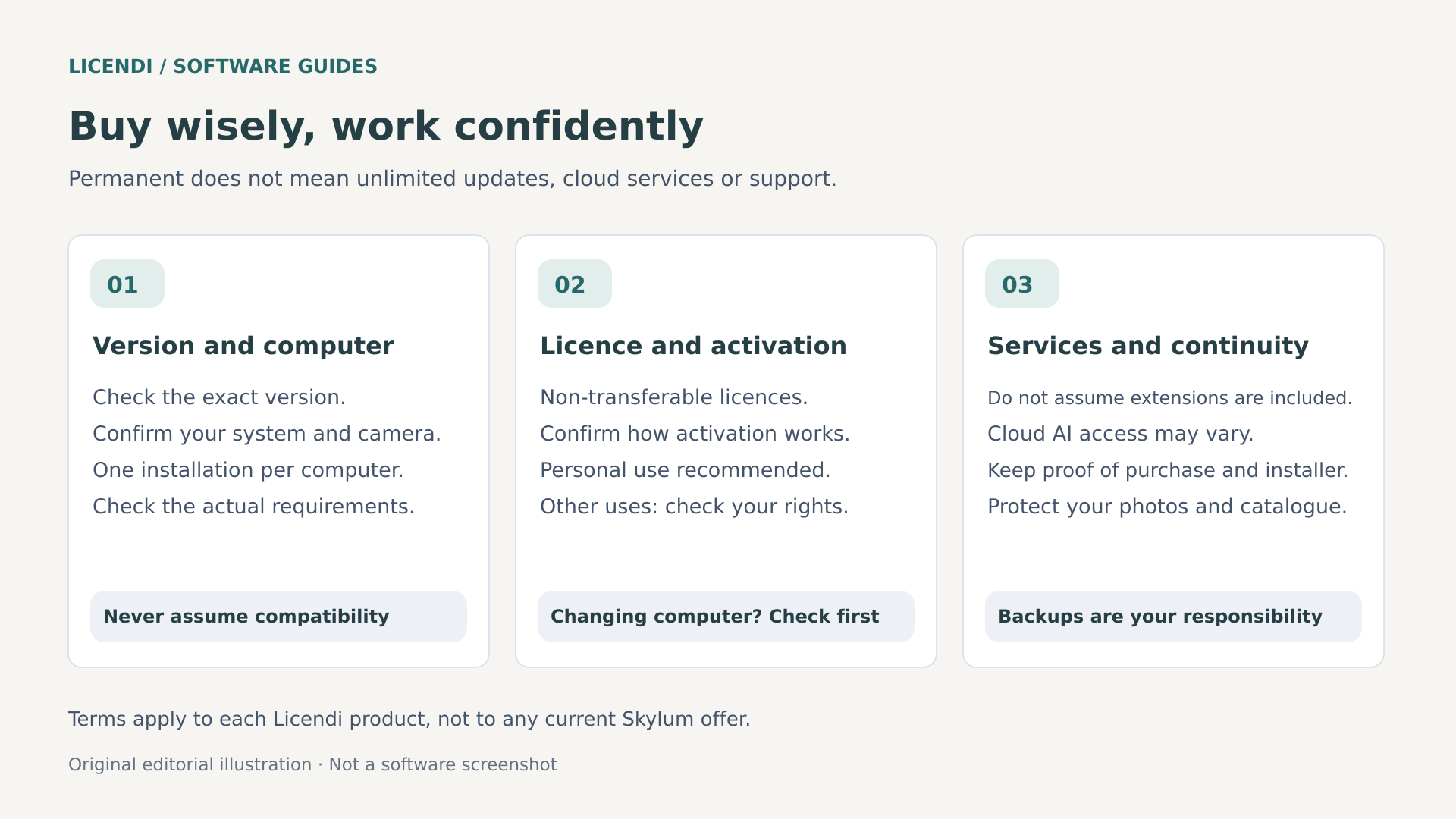
The reviewed listings describe these digital products as recommended for personal or home use. That recommendation does not automatically imply a ban on commercial use, but neither does it establish rights for businesses, shared computers or redistribution. If you need professional use, check the applicable contract. Keep the invoice, version description and answers about activation and the scope of the licence.
For a family archive that is already compatible, checking Luminar 2018 at Licendi may help keep spending in line with your needs without paying for unnecessary features. If you mainly work on skies and portraits in a verified Windows environment, reviewing the Luminar 4 licence lets you compare a specific historical alternative. The deciding factor should be whether it is sufficient, not its age alone.
If you want Neo's early tools and accept their limits, checking the Neo 1.4.2 terms helps you assess that version without confusing it with the current one. When buying second-hand software, review the documentation and confirm that the rights granted match your actual needs. The documentation for each transaction and the rights actually granted are what matter.
Export, cataloguing and comparison with other options
For sharing online, an sRGB JPEG is usually a practical deliverable. Set dimensions to suit the destination, check file size and apply final sharpening sparingly. Saving at maximum size does not always improve viewing and can slow down a web page. Review metadata if it contains a location or other information you do not want to publish.
If the image will be edited further in another application, a sixteen-bit TIFF, where the workflow supports it, preserves more tonal latitude than a compressed JPEG. That file does not necessarily preserve masks and operations as editable controls from the original application. For printing, agree the size, resolution and profile with the lab; entering a ppi value does not create additional detail.
Your monitor also affects your judgement. An overly bright screen encourages exports that look dark on paper; a vivid colour mode may prompt unnecessary corrections. Work with a stable setup and, if accuracy matters, consider calibration and controlled lighting conditions. AI does not know how you are viewing the photograph or what medium you will use. Before printing many copies, order a proof in the size and finish you need.
The catalogue helps with organisation and selection, but should not be assumed to match all of Lightroom Classic's asset-management capabilities. The beta migration announced in 2026 mentions photographs, folders, albums, ratings and basic adjustments; it does not guarantee reproduction of every edit, plug-in or complex structure. Test with a copy and keep the original catalogue before migrating an important archive.
Lightroom Classic may be a better fit when cataloguing and consistency across large series are priorities. Photoshop caters for complex compositions and pixel-level retouching. Capture One is worth considering when RAW processing, colour and tethered capture are central. There is no universal winner: compare specific needs, compatibility, learning time and total cost without assuming they all implement the same features.
As a plug-in, Neo can provide creative treatment within another workflow, but check the host application and plug-in versions. Round trips can generate intermediate files and may not preserve everything as reversible adjustments. If you already have an editor that handles exposure, colour and archiving, Neo should add an identifiable benefit rather than duplicate tools you will barely use.
Three situations to help guide your choice
Imagine someone who edits travel photographs from an older camera and produces JPEGs for family albums. If the RAW files open correctly and the computer has been checked, a historical edition may cover exposure, colour and moderate retouching. Their decision does not need to revolve around new generative features. What matters is confirming the licence and activation, and not replacing a secure environment with an obsolete one just to take advantage of the price.
Now imagine an enthusiast who buys a newly released camera and wants to extend compositions using generation. Their priorities are different: current RAW compatibility, available tools and continuity of service. Neo 1.4.2 should not be chosen in the expectation of meeting those needs simply because it shares the brand. They would need to assess a current offer with its full terms or keep another compatible RAW processor; the cost of a mistaken purchase includes time, conversions and possible creative limitations.
Finally, consider a photographer who delivers hundreds of images per commission. Before changing their main editor, they should test organisation, colour consistency, exports and project recovery. Neo might fit as a complement for selected photographs without taking over the entire archive. These situations are hypothetical examples, not customer testimonials or measured case studies. They are reminders that the best tool depends on the problem, not on a universal ranking.
Verdict: worthwhile when you choose the version to suit your work
Luminar Neo stands out for making tasks that combine selection, lighting and retouching accessible. Its current offering is attractive to anyone who wants to experiment without building every operation from scratch. The trade-offs are clear: results need supervision, capabilities depend on the version and licence, external services may be involved, and archive management must be assessed against each workflow.
Older editions can be sensible purchases for clearly defined needs and compatible computers, not automatic substitutes for the recent product. First identify the photographs you need to edit, then the essential features, and finally the licence that entitles you to use them. If your priorities are new cameras, 2026 features or online generation, a cheap historical offer does not meet those needs simply by being inexpensive.
Sources and documentation consulted
- Skylum: current overview of Luminar for desktop.
- Skylum: official Luminar Neo release history.
- Skylum: current plans, licences and commercial terms.
- Skylum Support: current system requirements.
- Skylum Support: supported file formats and compatible cameras.
- Skylum Support: how the generative tools work.
- Skylum: privacy policy and image processing.