EN
 FR
 DE
 IT
 PT
 ES


Windows Server 2025 Hotpatching

Windows Server 2025 Hotpatching is changing how businesses handle server upkeep. It's not just about installing updates; it's about reducing the time servers are offline while keeping them secure.
This feature is important for companies buying Windows Server licenses. It links security, how often systems are available, running costs, and your licensing plan. Hotpatching doesn't replace careful planning, but it can cut down on monthly restarts and simplify your maintenance schedule.
Contents
- What Hotpatching means in 2026
- How the baseline and hotpatch cycle works
- Requirements: Windows Server 2025, Azure Arc and edition
- What changes for Standard and Datacenter
- When it reduces restarts and when it does not
- Cost, Azure Arc and the purchase decision
- Implementation plan for small and mid-sized companies
- Risks, limits and common mistakes
- Checklist before enabling Hotpatching
- How to document the project for internal audit
- Where Licendi licences fit
What Hotpatching means in 2026
Hotpatching in 2026 is a major business decision, not just a minor tech upgrade. It helps reduce the need for server restarts, which is key when monthly security updates occur and applications can't easily stop. Companies benefit most when IT, security, and operations teams agree on:
- Which systems can use Hotpatching.
- Which restart times are still required.
- How to measure if the change improves service.
It's important to understand that Hotpatching doesn't make server maintenance fully automatic or remove all responsibilities. Your company still needs:
- An inventory of all servers.
- Regular backups.
- Testing for updates.
- Assigned owners for applications.
- A plan to undo changes if an update causes issues.
Azure Arc helps manage your servers, but it won't fix problems like undocumented servers, outdated roles, or old update policies. A small, controlled test (pilot program) is always safer than turning Hotpatching on for all servers at once.
From a buying and budgeting standpoint, choosing the correct license affects your total cost. Consider these points:
- Windows Server 2025 Standard: Often enough for simpler, controlled setups.
- Windows Server 2025 Datacenter: A better choice for heavy virtualization, many workloads, or large data centers.
Your decision should look beyond just the initial purchase price. Also think about maintenance time, the risk of downtime, after-hours work, and how well you can meet compliance rules.
It's best to write down how you'll use Hotpatching as a company policy, rather than just enabling it and forgetting it. Your policy should clearly define:
- Who owns the process.
- How often it will be reviewed.
- Which servers are included.
- Any exceptions.
- What evidence will be kept after each update cycle.
If management, auditors, or suppliers ask why Hotpatching was used, you should have a clear record. This record should cover licensing, server setup, and how you manage operations.
How the baseline and hotpatch cycle works
Understanding the baseline and hotpatch cycle is key to using this feature effectively. Hotpatching works by applying updates without needing a full server restart most of the time. However, full "baseline" updates will still require restarts a few times a year.
This cycle helps reduce downtime for monthly security updates. But remember, it's not a set-it-and-forget-it solution. You still need to plan for the baseline updates and manage your servers carefully.
Consider how this cycle fits into your overall business continuity plan. It can improve server availability, but proper management and licensing choices are still vital for controlling costs and ensuring compliance.
Requirements: Windows Server 2025, Azure Arc and edition
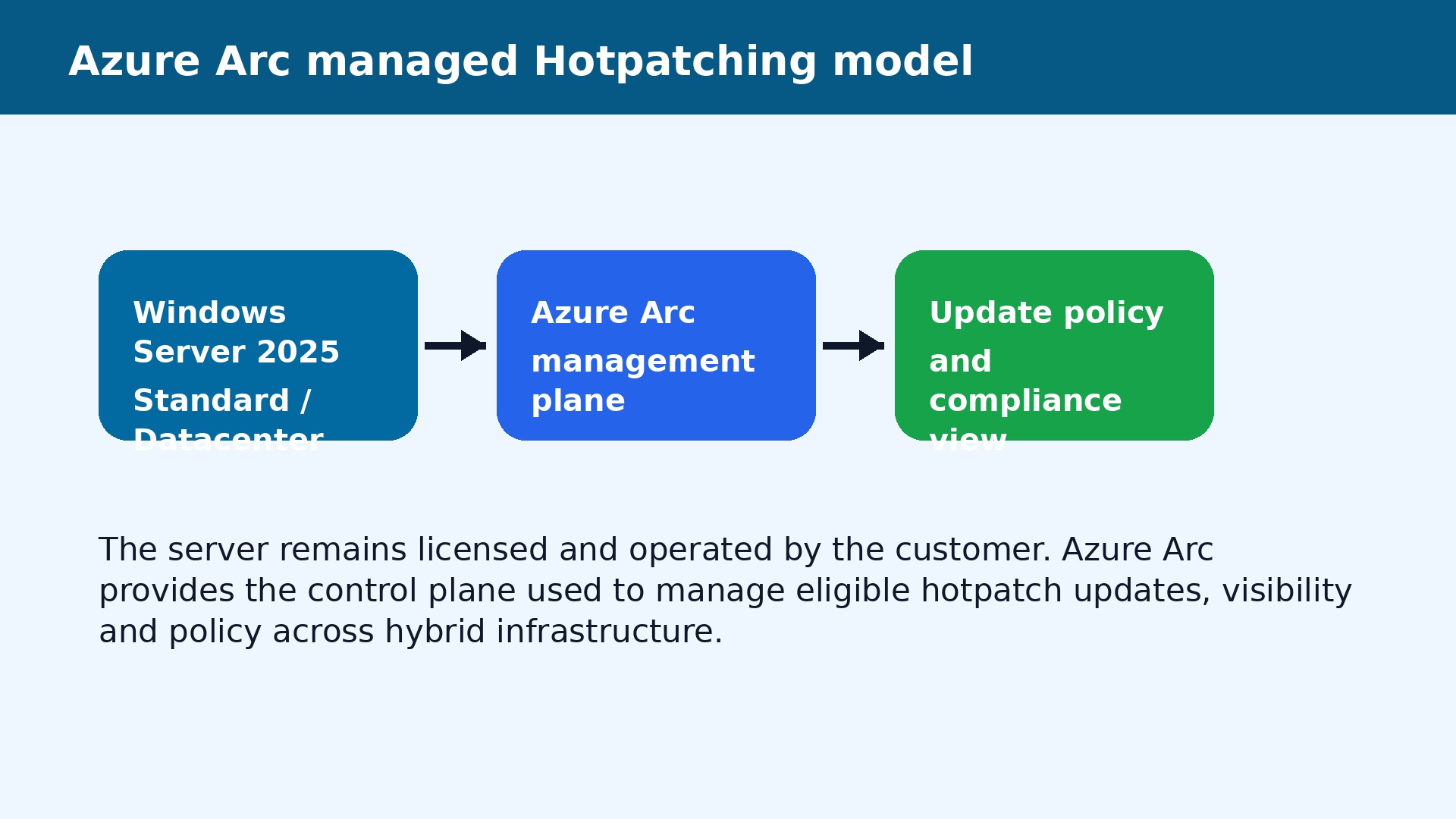
To use Hotpatching, you need to meet specific requirements:
- Windows Server 2025: Hotpatching is a feature of this specific server version.
- Azure Arc: For servers outside of Azure, Microsoft requires management through Azure Arc. This tool helps connect your on-premises servers to Azure for easier management.
- Server Edition: Hotpatching is available for both Windows Server 2025 Standard and Datacenter editions, provided other requirements are met.
Meeting these requirements is a business decision that impacts your server management and overall costs. Ensure your infrastructure and licensing strategy align with these needs.
What changes for Standard and Datacenter
Hotpatching brings new benefits to both Windows Server 2025 Standard and Datacenter editions. The core idea of reducing restarts for monthly security updates applies to both.
However, your choice between Standard and Datacenter still depends on your specific needs:
- Windows Server 2025 Standard: Suitable for environments with limited virtualization. Hotpatching helps maintain uptime for these servers.
- Windows Server 2025 Datacenter: Best for highly virtualized environments or large data centers. Hotpatching here can significantly reduce downtime across many virtual machines.
The decision should factor in your virtualization strategy, workload density, and overall data center plans, alongside the benefits of Hotpatching.
| Windows Server 2025 Standard | Windows Server 2025 Datacenter |
|---|---|
| Windows Server 2025 Standard | Windows Server 2025 Datacenter |
When it reduces restarts and when it does not
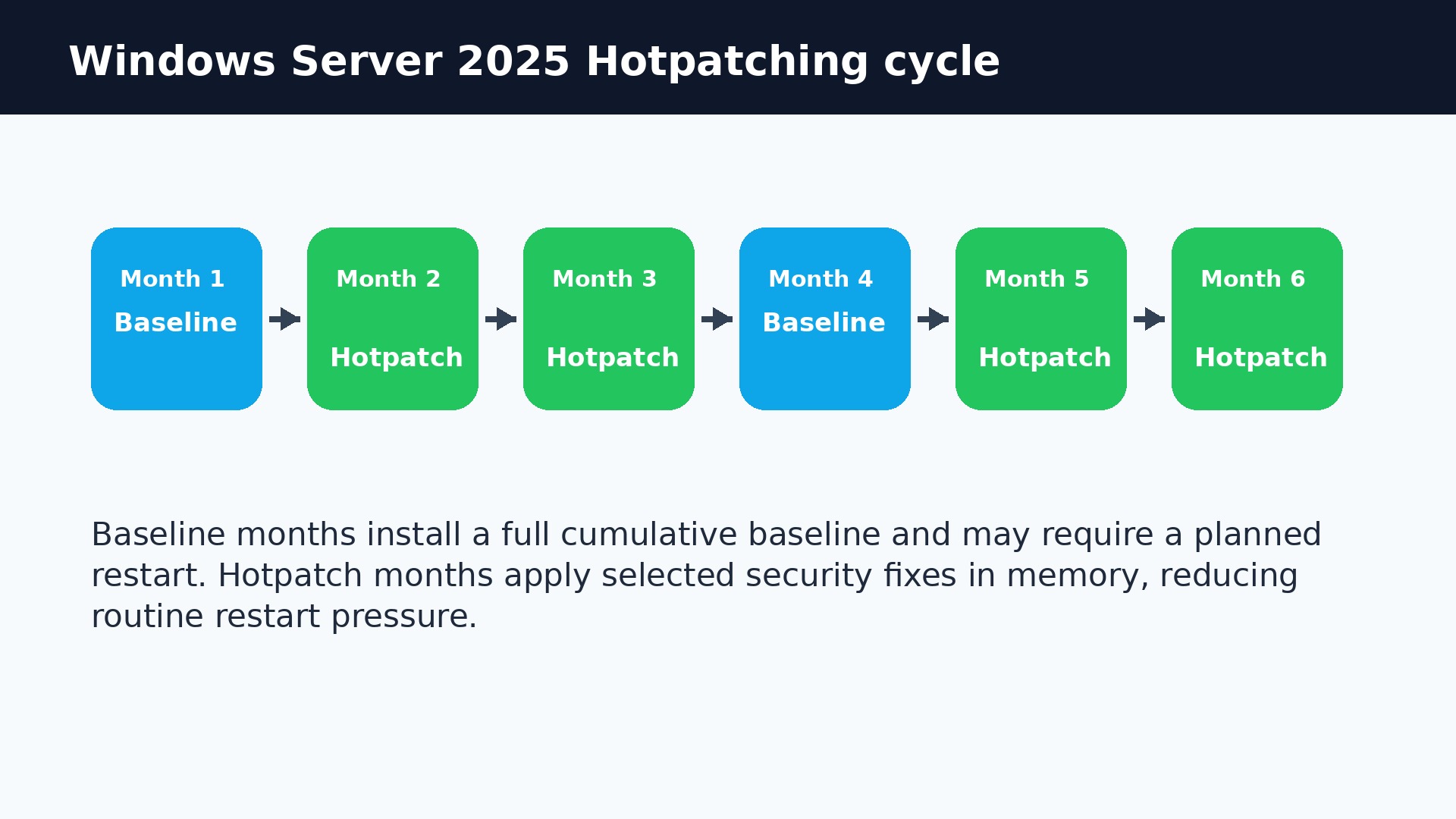
Hotpatching is designed to reduce the number of times your servers need to restart. Here’s when it helps and when it doesn't:
- Reduces Restarts: It primarily reduces restarts for monthly security updates. These "hotpatches" are applied without interrupting server operations.
- Does Not Remove All Restarts: You will still need to restart for "baseline" updates, which occur a few times a year. Some other changes or updates might also require a restart.
This means Hotpatching improves uptime for routine security fixes, but it doesn't eliminate the need for planned downtime entirely. Always factor in both hotpatch and baseline cycles when planning your maintenance.
Cost, Azure Arc and the purchase decision
When considering Hotpatching, the costs related to Windows Server 2025 licenses and Azure Arc are important. This is a business decision that goes beyond just the initial price tag.
- Licensing: The choice between Windows Server 2025 Standard and Datacenter affects your overall cost. Datacenter is typically more expensive but offers more virtualization rights.
- Azure Arc: For on-premises servers, Azure Arc is needed to manage Hotpatching. This adds a management layer and potential costs, but it also offers centralized control.
Your purchase decision should weigh the upfront costs against the benefits of reduced downtime, lower maintenance hours, and improved security. Think about the total cost of ownership, including operational expenses and compliance needs.
Implementation plan for small and mid-sized companies
For small and mid-sized companies, implementing Hotpatching requires a clear plan. It's a business continuity step, not just a simple technical switch.
Key steps for your implementation plan:
- Assess Your Servers: Identify which Windows Server 2025 systems can benefit most from Hotpatching.
- Meet Requirements: Ensure you have Azure Arc set up for on-premises servers.
- Start Small: Begin with a controlled pilot program on non-critical servers.
- Document Everything: Create a policy that outlines who is responsible, how often updates are applied, and what to do if issues arise.
- Train Your Team: Make sure your IT staff understands the hotpatch and baseline update cycles.
This careful approach helps ensure a smooth transition and maximizes the benefits of reduced downtime.
Risks, limits and common mistakes
While Hotpatching offers great benefits, it's important to be aware of its risks, limits, and common mistakes:
- Not Fully Automatic: Hotpatching doesn't remove the need for careful server maintenance, including backups, testing, and rollback plans.
- Baseline Restarts Still Needed: It reduces *monthly* restarts, but full "baseline" updates still require server reboots a few times a year.
- Doesn't Fix Bad Practices: Azure Arc helps manage, but it won't solve issues like undocumented servers or outdated update policies.
- Common Mistake: Activating Hotpatching broadly without a pilot program or clear policy can lead to unexpected issues.
Treat Hotpatching as part of a larger, well-managed server strategy to avoid these pitfalls.
Checklist before enabling Hotpatching
Before you enable Hotpatching, use this checklist to ensure you're ready:
- Windows Server 2025: Is your server running the correct version?
- Azure Arc: Is Azure Arc set up and connected for your on-premises servers?
- Inventory: Do you have a current list of all your servers and their roles?
- Backups: Are your server backups up-to-date and tested?
- Testing Plan: Do you have a plan for testing updates before they go live?
- Application Owners: Are application owners identified for critical workloads?
- Rollback Procedure: Is there a clear plan to undo an update if it causes problems?
- Policy Documented: Have you created a policy for Hotpatching, including owners, review frequency, and exceptions?
- Pilot Program: Are you starting with a small, controlled pilot before a full rollout?
Addressing these points will help ensure a smooth and successful Hotpatching implementation.
How to document the project for internal audit
Proper documentation is crucial for internal audits, especially when implementing a new feature like Hotpatching. This shows that your company is managing its IT systems responsibly.
Your documentation should include:
- Hotpatching Policy: A formal document outlining its use, scope, and responsibilities.
- Server Inventory: Records of which servers are using Hotpatching.
- Configuration Details: How Hotpatching and Azure Arc are set up.
- Update Logs: Records of all hotpatches and baseline updates applied.
- Testing Results: Evidence of successful testing before updates.
- Incident Reports: Any issues encountered and how they were resolved.
- Licensing Information: Proof of correct Windows Server 2025 and Azure Arc licensing.
This clear file will provide a complete picture of your Hotpatching project for any audit or review.
Where Licendi licences fit
Licendi provides genuine Windows Server 2025 licenses that are essential for using Hotpatching. Choosing the right license from Licendi is a key part of your overall Hotpatching strategy.
- Windows Server 2025 Standard: Available through Licendi for environments needing basic virtualization and Hotpatching benefits.
- Windows Server 2025 Datacenter: Also available from Licendi, ideal for highly virtualized setups where Hotpatching can deliver maximum uptime.
By purchasing your licenses from Licendi, you ensure you have the legal and technical foundation to implement Hotpatching effectively, manage your operational costs, and maintain compliance.
Official sources
Microsoft Learn: Hotpatch for Windows Server · Microsoft Learn: Azure Arc-enabled servers
Windows Server 2025 Standard · Windows Server 2025 Datacenter
Frequently asked questions
Does Hotpatching remove every restart?
No. It reduces restarts in hotpatch months, but baseline updates and some changes can still require a restart.
Do I need Azure Arc?
For Windows Server 2025 Standard and Datacenter outside Azure, Microsoft documents management through Azure Arc.
Does it work with Standard?
Yes. Microsoft includes Hotpatching for Windows Server 2025 Standard and Datacenter when the requirements are met.
Which licence should I buy?
It depends on virtualisation, cores, workloads and budget. Standard fits simpler environments; Datacenter fits heavier virtualisation.