EN
 FR
 DE
 IT
 PT
 ES


Office 365 vs Office 2021: Which Should You Choose?
The Microsoft Office productivity suite has been a staple for millions of users around the world. With the launch of Microsoft Office 2021 and its cloud counterpart, Office 365, questions naturally arise about which option best meets your personal and professional needs. In this article, we compare Office 365 and Office 2021, highlighting their key features and differences to help you make an informed decision. For a deeper dive, you may also want to read our detailed comparison of Office 2021 vs Microsoft Office 365.
What Is Microsoft Office 2021?
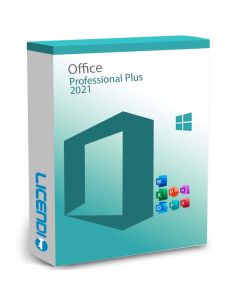
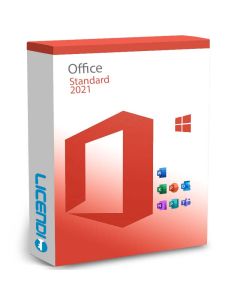
Microsoft Office 2021 is the latest perpetual version of Microsoft's productivity suite that installs on your local device, whether it is a computer or a tablet. This version comes with a perpetual licence, which means that once you buy it, it is yours for ever. Note, however, that updates and new features are not included, and you will need to purchase later versions to keep the software up to date. Browse our range of Microsoft Office licences to find the right edition for you.
What Is Microsoft Office 365?
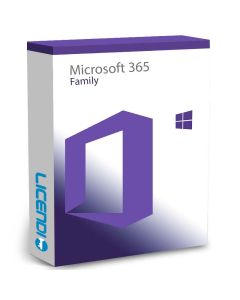
On the other hand, Microsoft Office 365 is a cloud-based subscription solution that offers access to Office applications and additional online services. When you purchase Office 365, you get a licence to use the latest versions of all Office applications, as well as additional benefits such as cloud storage, Skype call minutes, and continuous updates.

Microsoft Office 2021 vs Office 365: Key Features
Microsoft Office 2021:
Perpetual Licence. Once you buy Office 2021, it is yours for an unlimited period. You can use its applications for as long as you wish without renewing a subscription.
Works Offline. Office 2021 is installed on your device, which means you can work offline. This is especially useful in places with limited connectivity or when you prefer to work without online distractions.
One-Time Cost. If you prefer a one-time payment rather than a monthly or annual subscription, Office 2021 might be better suited to your long-term budget.
No Internet Dependency. The ability to work offline is a crucial feature for people who travel frequently or live in areas with limited internet access. With Office 2021, you will not depend on an internet connection to continue working.
Microsoft Office 365:
Regular Updates. Office 365 guarantees access to the latest updates and features. You will not need to buy later versions, as updates are included in your subscription.
Real-Time Collaboration. With Office 365, you can collaborate on documents in real time with colleagues or friends, which improves productivity and facilitates teamwork regardless of each member's physical location.
Cloud Storage. Office 365 offers cloud storage space, allowing you to access your documents from any device with an internet connection and maintain an automatic backup of your files.
Flexibility and Scalability. Office 365 is a highly scalable solution, which means you can easily adjust the number of licences according to your needs. If your company grows or you need to add more users, you can do so without any problems. This flexibility is especially valuable for growing companies or constantly changing teams.
Mobile Apps. With Office 365, you can take your productivity tools with you wherever you go. The Office mobile apps let you edit, create, and share documents from your phone or tablet, giving you greater flexibility to work on the go.
Integration with Other Microsoft Services. Office 365 integrates seamlessly with other Microsoft services such as OneDrive, SharePoint, and Teams. This integration facilitates collaboration and document sharing, as well as project management and team communication.
Microsoft 365 vs Office 2021: What Is the Difference?
It is important to clarify that Microsoft 365 and Office 2021 are two different suites, although they have similar names. Microsoft 365 is a solution that combines Office 365 with additional features, such as advanced enterprise security and device management tools. It is best suited for businesses and users looking for a comprehensive solution that includes all Office applications and additional services. For more guidance, read our article on choosing between Office 2021 and Microsoft 365.
What Is the Best Option for You?
The choice between Microsoft Office 365 and Office 2021 depends on your specific needs:
If you prefer a perpetual licence and do not need access to the latest features, Microsoft Office 2021 may be the right choice. It is a useful one-time investment for those who do not want to commit to a subscription. Take a look at Office 2021 Professional Plus for the full-featured edition.
If you want to stay up to date with the latest features and services, and need to collaborate with others in real time, Microsoft Office 365 is the ideal choice. The cloud storage option and additional benefits make the subscription worthwhile for many people.

The Final Choice
The choice between Microsoft Office 365 and Office 2021 comes down to your specific needs and preferences. If you value flexibility, real-time collaboration, and access to the latest features, Microsoft Office 365 is the best choice. On the other hand, if you prefer a perpetual licence, work primarily offline, and do not need frequent updates, Office 2021 may be the right solution.
Remember to consider the size of your company, your collaboration requirements, and your budget when making a decision. In any case, both Microsoft Office 365 and Office 2021 remain excellent tools that have proven critical to the productivity of millions of people around the world.
Best regards,
The Licendi Team