EN
 FR
 DE
 IT
 PT
 ES


Office 2019 Professional Plus vs Standard: Key Differences
Office 2019 comes in several editions, but the two most popular are Office 2019 Standard and Office 2019 Professional Plus. Both are Microsoft Office systems widely used for creating documents, reports and presentations across desktops, laptops and mobile devices.
Microsoft Office Standard vs. Office Professional Plus
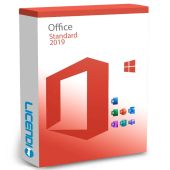
The key difference lies in the included applications. The Standard edition offers Word, Excel, PowerPoint and Outlook -- suitable for schoolwork and small business projects. The Professional Plus edition adds Access, Publisher and Skype for Business, making it better suited to larger organisations and advanced workflows.
Office 2019 Standard provides the core applications for everyday document creation. It is ideal for students, home users and small businesses. It also includes access to the web versions of Word, PowerPoint and Excel.
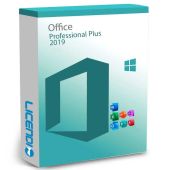
Office 2019 Professional Plus goes beyond the basics, adding specialist tools aimed at larger companies and professional environments.
Comparison between Office 2019 Professional Plus and Office 2019 Standard
Definition:
- Professional Plus: The edition that includes additional applications beyond those in the Standard version.
- Standard: The edition that provides the core applications for everyday document creation.
Use:
- Professional Plus: Designed for larger organisations and advanced professional tasks.
- Standard: Suited to small businesses, students and personal use.
Applications include:
- Professional Plus: Word, PowerPoint, Excel, Outlook, Publisher, Access and Skype for Business.
- Standard: Word, PowerPoint, Excel, Outlook and Publisher.
Tools:
- Professional Plus: Context-sensitive menus appear automatically based on the current task.
- Standard: Tools are accessed via drop-down menus.
Outlook:
- Professional Plus: Includes advanced features such as instant search and a task bar for emails.
- Standard: Includes the core email, calendar and contact functions.
Video conferencing:
- Professional Plus: HD video conferencing via Skype for Business.
- Standard: Not included.
Office 2019 Standard Applications
Office 2019 Standard bundles the core applications most people need for daily work.
Tools in the Standard edition are accessed through conventional drop-down menus.
The centrepiece is Microsoft Word, the most widely used Office application for creating documents, letters, notes and reports. It is straightforward to learn and use.
PowerPoint lets you build presentations with slides containing text, images, videos, animations and diagrams.
The Standard edition also includes Outlook for email, contacts and calendar management, and Excel for spreadsheet-based data storage and analysis.
Together, these applications cover most everyday productivity needs.
Microsoft Office Professional Plus 2019 Applications
Microsoft Office 2019 Professional Plus builds on the Standard edition by adding specialist tools. It is commonly adopted by larger companies across industries such as marketing, engineering and energy.
In addition to all the Standard applications, it offers a few more applications, such as Access, a database tool for searching, sorting and managing structured data.
Outlook in the Professional Plus edition offers enhanced features, including instant email search and a task bar that surfaces new messages and upcoming tasks.
Context-sensitive menus and toolbars appear automatically, streamlining day-to-day work.
Major differences
Standard relies on conventional drop-down menus, while Professional Plus displays context-sensitive toolbars automatically.
Both editions include Outlook, but the Professional Plus version adds advanced features.
Standard ships with Word, PowerPoint, Excel, Outlook and Publisher. On top of these, the Professional Plus version also includes Access and Skype for business.
Professional Plus also supports HD video conferencing, which is not available in the Standard edition.
Conclusion and recommendation

We recommend Office 2019 Professional Plus for the broader feature set and competitive pricing. That said, Office 2019 Standard covers most everyday needs and requires less storage space on your PC.
Purchase and download process
When you purchase a licence from Licendi, you receive a download link by email. Clicking the link starts the download automatically. During installation, you will be prompted to enter your product key to activate your Office 2019 Professional Plus or Standard licence.
If you are interested in finding the best price for Office 2019 Professional Plus, browse the Licendi store. Every Office 2019 licence we sell is perpetual -- yours to keep forever.
If you have any questions, feel free to leave a comment or give us a call.
Best regards,
The Licendi Team
Frequently Asked Questions
Is Office 2019 a one-time purchase or subscription?
Office 2019 is a one-time purchase (perpetual license). You pay once and use it forever. Microsoft 365, on the other hand, requires a monthly or annual subscription.
Which is cheaper in the long run, Office 2019 or Microsoft 365?
Office 2019 is cheaper if you plan to use it for more than 2-3 years. Microsoft 365 costs less upfront but adds up over time. For businesses needing cloud features, 365 may still be worth it.
Can I still buy Office 2019 instead of Microsoft 365?
Yes, Office 2019 perpetual licenses are still available for purchase. Many businesses and individuals prefer the one-time payment model over recurring subscriptions.
 Microsoft Office 2019 Professional PlusRRP: €439.00As low as €31.99