 EN
 FR
 DE
 IT
 PT
 ES


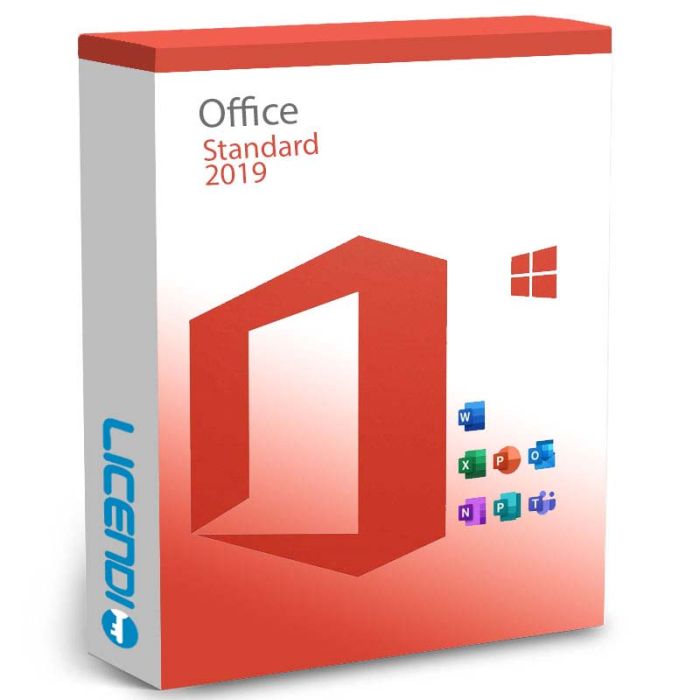
Office 2019 Standard
-
Office 2019 StandardAs low as €37.49
-
Quantity discount
| Quantity | % discount |
|---|---|
| 2+ | 1% |
| 3+ | 3% |
| 5+ | 5% |
Microsoft Office 2019 Standard
Designed for home use and small-to-medium businesses. Compared to the previous version, Office 2019 Standard moved menus into ribbon mode and refreshed the graphics so commands are easier to find, visualise and use — improving your day-to-day productivity.
Features
The Office 2019 Standard licence is perpetual — one payment, no recurring subscription. Each licence activates one PC or one Mac.
Office 2019 Standard packs basic but powerful applications for everything from a PowerPoint presentation to Excel data tables. Performance is improved compared to earlier versions, and every application has been refreshed — like the inbox approach in Outlook or additional formulas in Excel.
Which applications are included?
- Word 2019: faster, more convenient, with new features like dark theme and clearer display of large text documents.
- Excel 2019: new chart types for optimal data display.
- PowerPoint 2019: quickly create professional presentations with images, videos, audio and a wide variety of transitions.
- OneNote: capture information, ideas and thoughts, sync across your devices.
- Outlook: manage your email, calendar and contacts in one place. Supports inline annotations for clearer handoffs.
- Publisher (Windows-only): design greeting cards, labels, newsletters — text, images, borders, calendars and more.
- Teams (free download, separate): for online meetings.
Versions when licensing Office 2019 Standard
- Office 2019 Standard for Mac: for Apple computers.
- Office 2019 Standard for Windows (32-bit or 64-bit): for Windows PCs.
For the official deployment details, see the Microsoft deployment site.
Frequently Asked Questions about Office 2019 Standard
Is this a one-time purchase or a subscription?
Perpetual licence — one payment, no renewal.
Can I install it on more than one computer?
No — each Office 2019 Standard licence activates one PC or one Mac.
Can I transfer the licence to a new computer later?
Retail licences permit limited re-activation, but reformatting or replacing the device may require a new licence. Contact our support team before switching hardware and we'll guide you through the correct steps.
Is Publisher included for Mac?
No — Publisher is Windows-only. Mac installs include Word, Excel, PowerPoint, Outlook and OneNote.
Can I install both 32-bit and 64-bit?
The installer supports either architecture from the same key; 64-bit is recommended unless you have specific 32-bit add-ins.
What if the key doesn't activate?
Contact Licendi support — we're available 24/7 by email and live chat, and we'll work on a solution for you.
Other Office editions: Office 2019 Professional Plus · Office 2021 Professional Plus · Office LTSC Standard 2021 · Microsoft 365 Business Standard
What you receive
- Microsoft Office 2019 Standard product key (by email)
- Download link for the official Microsoft installer
- PDF invoice with licence details
- Step-by-step activation guide
Digital key delivery — instant during office hours, within 24 hours at all other times.
How to activate
- Sign in (or create an account) at account.microsoft.com/services
- Enter the product key shown in your Licendi email
- Download the Office installer and sign in with the Microsoft account that redeemed the key
Support
Support is available 24/7 by email and live chat. If anything goes wrong with your key or activation, contact us and we'll work on a solution for you.
As of 2026-04-15 the requirements are as follows:
| Processor (PC) | 1.6 GHz or faster, 2 cores |
| Processor (Mac) | Apple M1/M2/M3 or Intel |
| Operating system (PC) | Windows 10 (supported versions) or Windows 11; Windows Server 2019 |
| Operating system (Mac) | Three most recent macOS versions |
| Architecture | 32-bit or 64-bit |
| Memory | 4 GB RAM (2 GB for 32-bit) |
| Hard disk | 4.0 GB of available disk space |
| Display | PC: 1280 × 768 · Mac: 1280 × 800 |
| Internet | Required for activation and cloud features |
| Known incompatibilities | Windows Server Core; Linux (unsupported) |
Requirements change over time — the latest official list is on the Microsoft deployment site.
| Delivery | Digital |
|---|