 EN
 FR
 DE
 IT
 PT
 ES


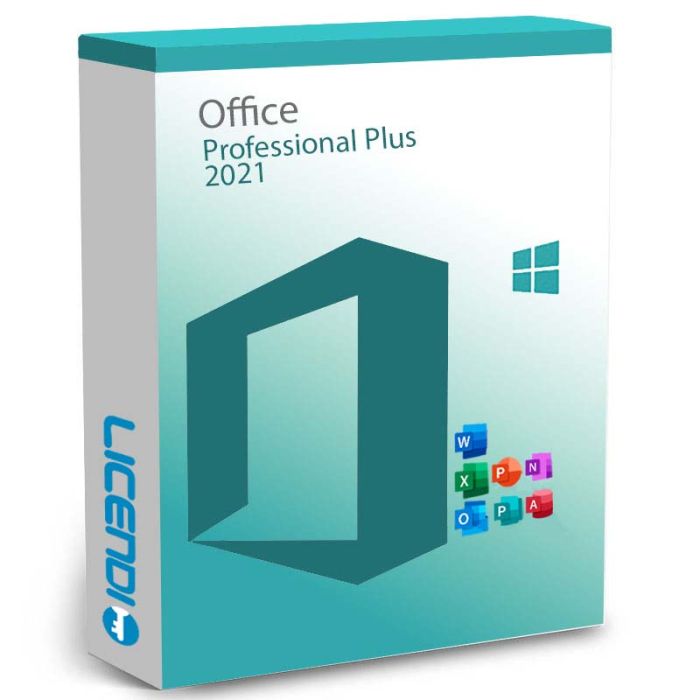
Microsoft Office 2021 Professional Plus
Perpetual license for 1 PC with Word, Excel, PowerPoint, OneNote, Outlook, Publisher, Access, and Teams — the complete Office suite for professionals who need full-featured productivity tools. Choose your license type: Bound (transferable) or OEM (single activation).
-
Microsoft Office 2021 Professional PlusAs low as €62.99
-
Quantity discount
| Quantity | % discount |
|---|---|
| 2+ | 1% |
| 3+ | 3% |
| 5+ | 5% |
Microsoft Office 2021 Professional Plus
Office 2021 Professional Plus is the most recent version of the world's most powerful — and best-known — office suite. Use it at home or professionally: Word, Excel, PowerPoint, OneNote, Outlook, Publisher, Access, and Teams on one Windows PC, forever.
Key Facts
| License type | Perpetual (one-time purchase, no subscription) |
| Platform | Windows only (Windows 10 or 11) |
| Devices | 1 PC per license |
| Delivery | Digital key by email — instant during office hours, within 24 hours at all other times |
| License variants | Bound (transferable to new PC) or OEM (single activation) |
| Included apps | Word, Excel, PowerPoint, OneNote, Outlook, Publisher, Access, Teams (separate download) |
| Language | Multilingual |
Features
The Microsoft Office 2021 Professional Plus license is perpetual. Once installed it stays active on that device — there is no recurring subscription and no activation expiry. You get new co-authoring tools, real-time translation, updated editing features, motion graphics, and performance improvements across the full suite. As a refresh of the traditional office package, Office 2021 Professional Plus keeps the workflow that millions already know, with targeted upgrades where they matter most.
Which apps are included in Office 2021 Professional Plus?
- Word — create documents of all kinds, with an updated Dark Mode for easier reading and editing over long sessions.
- Excel — work with tables and formulas, including the new XLOOKUP function for faster and more flexible data analysis.
- PowerPoint — build engaging slide decks faster, with smoother performance and improved handling of media.
- OneNote — capture notes freely, attach files, and sketch in a notebook-style format that syncs across devices.
- Outlook — manage email from multiple accounts, scheduling, and contacts in a single unified inbox.
- Publisher — design professional publications, flyers, and print layouts directly from your PC.
- Access — build and maintain desktop databases for small-team and business use.
- Teams — included as a separate free download for chat, meetings, and collaboration.
Office 2021 Professional Plus license versions
Office 2021 Professional Plus is sold in two variants — pick the one that matches how you plan to use the software:
- Bound — the license is linked to your Microsoft account. You can deactivate it on one PC and reinstall on a different one. This is the flexible option for users who upgrade hardware or use multiple devices over time.
- OEM — the license activates once on a single PC and stays tied to that machine. If the PC is reinstalled or replaced, the license cannot be moved. This is the cost-effective option for a long-term single-machine setup.
Both variants deliver the same Office 2021 Professional Plus software — only the activation and transfer rules differ.
Delivery and Activation
All Licendi licenses are delivered digitally by email. Here's how it works:
- Purchase — complete your order on Licendi
- Receive your license key — delivered by email, instantly during office hours or within 24 hours at all other times
- Download and activate — follow the included instructions to install and activate Office 2021 Professional Plus
Your purchase includes a license key and step-by-step installation instructions. Internet access is required for activation.
Frequently Asked Questions
Is this a subscription or a one-time purchase?
Office 2021 Professional Plus is a one-time purchase (perpetual license). You pay once and use it indefinitely — no recurring fees.
What do I receive after purchase?
You receive a license key by email along with download and installation instructions. Your key is delivered instantly during office hours, or within 24 hours at all other times.
What is the difference between Bound and OEM?
A Bound license is linked to your Microsoft account and can be transferred to a new PC. An OEM license activates once on a single PC — if you format the computer, the license is lost.
Which apps are included?
Word, Excel, PowerPoint, OneNote, Outlook, Publisher, Access, and Microsoft Teams (downloaded separately for free).
Is it compatible with Mac?
No. Office 2021 Professional Plus is for Windows only (Windows 10 or 11). For Mac, see Office Home and Business 2021.
Can I reinstall it?
With a Bound license, yes — you can reinstall using your Microsoft account. With an OEM license, reinstallation on the same device may work, but a new installation on a different device is not possible.
Buy your Office 2021 Professional Plus license
Order your Office 2021 Professional Plus license from Licendi and receive your key within 24 hours — usually in minutes. If you have any questions about the Bound vs OEM choice or activation, our support team is available 24/7 by email and live chat.
Other Office editions: Office 2019 Standard · Office 2019 Professional Plus · Office LTSC Standard 2021 · Microsoft 365 Business Standard
Office 2021 Professional Plus is sold as a perpetual licence — you pay once and keep the software with no recurring subscription. Each licence activates one Windows PC.
Licence variants: choose Bound (linked to your Microsoft account, transferable to a new PC) or OEM (single activation on one PC, tied to that device). See the FAQ for details.
Languages: Office 2021 Professional Plus supports all Microsoft-supported languages — the interface language is chosen during install.
Platform coverage: Windows 10, Windows 11, and Windows Server 2019/2022 only. Not compatible with macOS — for Mac, see Office Home and Business 2021. See the Requirements section for full specifications.
What you receive
- Office 2021 Professional Plus product key (by email)
- Download link for the official Microsoft installer
- PDF invoice with licence details
- Step-by-step activation guide
Digital key delivery — instant during office hours, within 24 hours at all other times.
How to activate
- Download Office 2021 Professional Plus using the link in your Licendi email
- Install Office on your Windows PC
- Launch any Office app (e.g. Word) and enter the product key from your Licendi email when prompted
Support
Support is available 24/7 by email and live chat. If anything goes wrong with your key or activation, contact us and we'll work on a solution for you.
As of 2026-04-20 the requirements are as follows:
| Processor | 1.6 GHz or faster, 2 cores |
| Operating system | Windows 10, Windows 11, or Windows Server 2019/2022 |
| Memory | 4 GB RAM (64-bit) or 2 GB RAM (32-bit) |
| Hard disk | 4.0 GB of available disk space |
| Display | 1280 × 768 resolution |
| Internet | Required for activation and cloud features |
Requirements change over time — the latest official list is on the Microsoft Office 2021 deployment site.
| Delivery | Digital |
|---|