 EN
 FR
 DE
 IT
 PT
 ES


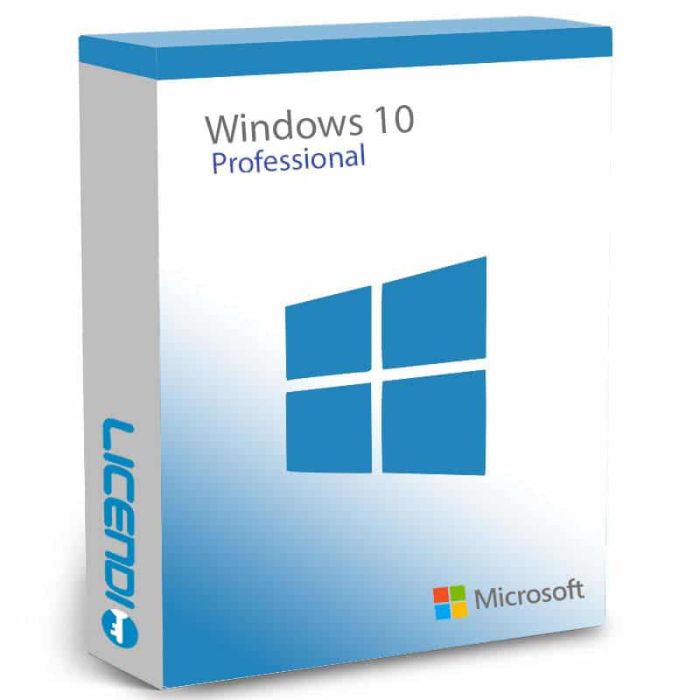
Windows 10 Pro
Perpetual license for 1 PC — Windows 10 Professional with BitLocker encryption, Remote Desktop, Hyper-V, and Group Policy management. Choose your license type: Retail (transferable), OEM (single activation), or Upgrade (Home to Pro). Digital key delivered by email.
-
Windows 10 Pro€14.86
-
-
Quantity discount
| Quantity | % discount |
|---|---|
| 2+ | 1% |
| 3+ | 3% |
| 5+ | 5% |
Windows 10 Pro
The Windows 10 Professional license contains Microsoft's second latest operating system, with all the basics of the Home edition. But, in addition, it also has the security, compatibility and connectivity that businesses need to protect their sensitive data. It is the perfect edition for both home and freelancers, small and medium-sized businesses that need to link all their information and files.
Key Facts
| License type | Perpetual (one-time purchase, no subscription) |
| Platform | Windows (32-bit and 64-bit) |
| Devices | 1 PC per license |
| Delivery | Digital key by email — instant during office hours, within 24 hours at all other times |
| License variants | Retail (transferable), OEM (single activation), or Upgrade (Home → Pro) |
| Key Pro features | BitLocker, Remote Desktop, Hyper-V, Group Policy, Azure AD join |
| Language | Multilingual (100+ languages) |
Windows 10 Pro license key features
When you buy Windows 10 Pro product key, you get a perpetual license, that is, once you have it installed, it will not be deactivated. With the Windows 10 pro key, you can create your individualized start menu and attach the applications, contacts and playlists you want. This way, you can quickly access the essentials. On the other hand, presentation tiles allow you to view content directly, thus eliminating the need to launch or open a full-size window first.
After you get your license, you can also change the language of the operating system, choosing from over 100 languages. You can also dock up to four programs in Windows 10 Professional for easy access, and if you need additional workspace, or want to divide your work by projects, you can set up virtual workstations.
With proper use, programs will always look and work correctly, regardless of the mode or device being used, and the screen content of 2-in-1 devices is flexible to accommodate both touch input and traditional mouse and keyboard input.
Extra features when you purchase a Windows 10 Pro product key
Built-in protection against security threats with BitLocker, Windows Defender Antivirus, and more.
With Remote Desktop when you purchase Windows 10 Professional, you can access your computer's files, directories and applications from almost any location and device.
Azure Active Directory provides a cloud-based means of joining a local area network (LAN) or intranet.
Use Hyper-V to create and manage your own virtual machines.
Group Policy Management for enterprise data protection.
Windows updates for businesses.
Windows 10 Pro licence versions
Windows 10 Professional Retail Digital. allows you to reactivate the licence on the same computer or transfer it to a new one.
Windows 10 Pro OEM License. This type of key allows a single activation. If your computer is damaged or formatted, you will lose the license.
Windows 10 Pro USB key. All previous versions are also available in physical version.
Windows 10 Pro sticker. The Windows Sticker version is the OEM version. The sticker you receive contains the licence key. In addition, you can stick it on your computer to prove that the purchased licence complies with the regulations.
Windows 10 Professional Upgrade (Windows 10 Upgrade). The Upgrade version was created for users who wish to upgrade their computer from Windows 10 Home to Pro.
Which variant should I choose?
| If you... | Best variant |
| Build or upgrade PCs and want long-term flexibility | Retail |
| Buy once for a single build and never move it | OEM |
| Already run Windows 10 Home and want Pro features | Upgrade |
Frequently Asked Questions
Is this a subscription or a one-time purchase?
Windows 10 Pro is a one-time purchase (perpetual license). You pay once and use it indefinitely — no recurring fees or expiry date.
What do I receive after purchase?
You receive a license key by email along with download and installation instructions. Your key is delivered instantly during office hours, or within 24 hours at all other times.
What is the difference between Retail, OEM, and Upgrade?
A Retail license is linked to your Microsoft account and can be transferred to a new PC. An OEM license activates once on a single PC — if you replace the motherboard, the license is lost. The Upgrade version converts an existing Windows 10 Home installation to Pro.
What are the key differences between Windows 10 Home and Pro?
Pro adds BitLocker drive encryption, Remote Desktop hosting, Hyper-V virtualisation, Group Policy management, and Azure AD join. Home lacks these business and security features.
Can I do a clean install or do I need an existing Windows installation?
With a Retail or OEM license, you can do a clean install on a formatted drive. The Upgrade version requires an existing Windows 10 Home installation to convert to Pro.
Can I change the display language?
Yes. Windows 10 Pro supports over 100 display languages. You can switch languages at any time through Settings after installation.
Is Windows 10 still supported?
Mainstream support for Windows 10 ended on October 14, 2025. Microsoft's Extended Security Updates (ESU) program provides security-only patches through October 13, 2026. For long-term use, consider Windows 11 Pro.
Can I upgrade to Windows 11 later?
Yes, if your hardware meets Windows 11's requirements (TPM 2.0, 64-bit CPU, UEFI Secure Boot, 4 GB RAM, 64 GB storage). Check with Microsoft's PC Health Check tool.
Other Windows editions: Windows 11 Pro · Windows 10 Home · Windows 11 Home
Windows 10 Pro is sold as a perpetual licence — you pay once and keep the operating system with no recurring subscription. Each licence activates one PC. Choose between Retail (transferable to a new PC), OEM (single activation, lost if the device is replaced), or Upgrade (converts an existing Windows 10 Home installation to Pro).
Languages: Windows 10 Pro supports 100+ display languages — switch at any time in Settings after installation.
Platform coverage: 32-bit and 64-bit Windows installations. Mainstream support from Microsoft ended 14 October 2025; Extended Security Updates run through 13 October 2026. For long-term use, consider Windows 11 Pro.
What you receive
- Windows 10 Pro product key (by email)
- Download link for the official Microsoft installer
- PDF invoice with licence details
- Step-by-step activation guide
Digital key delivery — instant during office hours, within 24 hours at all other times.
How to activate
- Download the Windows 10 installer from Microsoft using the link in your Licendi email
- Install Windows 10 (or boot into your existing Windows 10 Home installation if you bought the Upgrade variant)
- Open Settings → Update & Security → Activation, then enter the product key shown in your Licendi email
Support
Support is available 24/7 by email and live chat. We back every key with a 100% activation guarantee for the first month — if anything goes wrong, contact us and we'll work on a solution for you.
As of 2026-04-16 the requirements are as follows:
| Processor | 1 GHz or faster with WDDM driver |
| Operating system | Windows 10 (32-bit or 64-bit) |
| Architecture | 32-bit or 64-bit |
| Memory | 1 GB RAM (32-bit) or 2 GB RAM (64-bit) |
| Storage | 20 GB available disk space |
| Display | 800 × 600 resolution |
| Graphics | DirectX 9 capable |
| Internet | Required for activation, updates, and Microsoft account features |
Windows 10 mainstream support from Microsoft ended 14 October 2025. Extended Security Updates (ESU) provide security-only patches through 13 October 2026. For long-term use, consider Windows 11 Pro.