EN
 FR
 DE
 IT
 PT
 ES


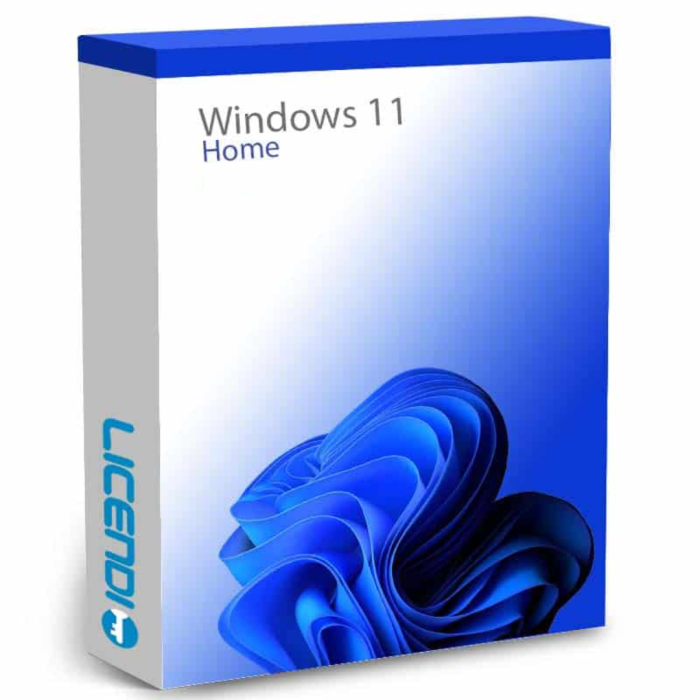
Windows 11 Home
-
Windows 11 HomeAs low as €17.35
-
-
Quantity discount
| Quantity | % discount |
|---|---|
| 2+ | 1% |
| 3+ | 3% |
| 5+ | 5% |
Microsoft Windows 11 Home
Microsoft Windows 11 Home is the new version of Microsoft's operating system for home use. Although many changes have been made to the graphical interface, it is still very intuitive and clear so that any user can use it without difficulty.Features when you buy Windows 11 Home license:
When you buy Windows 11 Home licence, you get a perpetual licence; when you install it, it will not be deactivated again. In addition, the system now has greater protection of personal data through the use of TPM 2.0 technology and also a significant improvement of the system against malicious threats, by purchasing an integrated and redesigned "Microsoft Defender" antivirus.You will also be able to use new applications such as Snap Layouts, Snap Groups or Dock. In terms of visuals and, compared to the previous version, you will notice a quite noticeable difference in terms of icons, windows and menus. And, in addition, you can modify the language of your operating system, being possible to choose from more than 100 languages.New features that you get when you buy Windows 11 Home license:
- Most of the actions in this version are now accompanied by quick animations
- New possibilities for installing applications.
- Enhanced compatibility with multiple monitors.
- Dock: the task bar is now optimised
- Snap Layouts: functionality that allows to change the size and positioning of the windows on the Windows 11 Home screen, so you can work with multiple applications.
- Snap Groups: functionality whereby Windows remembers the applications you have been using and allows you to group them together.
- Game Pass: new application for video games.
Microsoft Windows 11 Home versions
- Microsoft Windows 11 Home Retail Digital: allows you to reactivate the same key on your computer, or transfer it to a new one in the event of a breakdown.
- Windows 11 Home OEM Digital: this licence is one-time activation. If your computer breaks or is formatted, you will lose it.
Buy Microsoft Windows 11 Home with Licendi
If you have any questions about the different licenses such as Windows 11 Home 64 bit, or other versions, do not hesitate to contact us!When you buy Windows 11 Home licence with Licendi, you will always have a 100% activation guarantee.Get Microsoft Windows 11 Home. Buy Windows 11 Home license from Licendi and get the best price and the best support.OEM vs. Retail: Which licence do you need?
| OEM | Retail | |
|---|---|---|
| Tied to one PC? | Yes — permanently bound to the first PC activated | No — transfer to a new PC any time |
| Price | Lower | Higher |
| Technical support | Via Licendi | Via Microsoft + Licendi |
| Best for | Desktop that won’t change hardware | Laptop you plan to replace or resell |
Windows 11 Home vs. Pro: Key differences
| Feature | Home | Pro |
|---|---|---|
| Microsoft Account for setup | Required | Optional (local account allowed) |
| BitLocker drive encryption | No | Yes |
| Remote Desktop (host) | No | Yes |
| Hyper-V virtualisation | No | Yes |
| Group Policy editor | No | Yes |
| Windows Sandbox | No | Yes |
Which version is right for you?
| Your situation | Recommended |
|---|---|
| Home PC, gaming, study or family use | Windows 11 Home |
| Work laptop, needs BitLocker or Remote Desktop | Windows 11 Pro |
| Desktop that won’t change hardware soon | Windows 11 Home OEM |
| Laptop you plan to replace or sell | Windows 11 Home Retail |
| Upgrading from Windows 10 Home | Windows 11 Home (direct upgrade path) |
Frequently asked questions
What is Windows 11 Home?
Windows 11 Home is the standard edition of Microsoft’s latest operating system, designed for personal and family use. It features a redesigned Start menu, Snap Layouts for multitasking, Teams integration, and Android app support via the Amazon Appstore.
What is the difference between OEM and Retail?
OEM licences are permanently tied to the first PC they activate on and cannot be transferred. Retail licences can be deactivated on one PC and reactivated on another. The Windows 11 software itself is identical in both cases.
Does Windows 11 Home require a Microsoft Account?
Yes. During a clean installation, Windows 11 Home requires a Microsoft Account to complete the out-of-box setup (OOBE). If you want a local account only, Windows 11 Pro is the alternative that supports this.
What is TPM 2.0 and does my PC have it?
Trusted Platform Module (TPM) 2.0 is a hardware security chip required by Windows 11. Most PCs made after 2018 have it, but it may need to be enabled in BIOS/UEFI settings. Run the Microsoft PC Health Check app to verify compatibility before purchasing.
Can I upgrade from Windows 10 Home for free?
If your PC meets Windows 11 hardware requirements, you can upgrade for free through Windows Update. If your PC does not qualify, or you want a fresh installation on new hardware, you need a new licence.
How do I receive and install my product key?
After purchase, your product key is sent immediately by email. Download the Windows 11 installation files from Microsoft’s official website using the Media Creation Tool, enter the key during setup, and you’re done.
Is this a one-time purchase or a subscription?
This is a perpetual one-time licence — you pay once and own it indefinitely. It is not a subscription like Microsoft 365.
Related products
Need BitLocker, Remote Desktop, or Hyper-V? See Windows 11 Pro. Still on Windows 10? Browse Windows 10 Pro licences.
Licence model
Perpetual digital licence for 1 PC. Choose OEM (hardware-bound, non-transferable) or Retail (transferable to a new PC).
Language
Windows 11 Home supports multiple display languages. Set your preferred language in Settings after installation.
Delivery
Product key delivered by email immediately after purchase. No physical shipping.
Activation
Download the Windows 11 installation media from Microsoft’s official website. Enter your product key during setup or in Settings → Activation. Internet connection required for activation.
About Windows 11 Home
Windows 11 Home is Microsoft’s latest operating system for home users, featuring a redesigned interface, improved security via TPM 2.0, Snap Layouts, Teams integration, and Android app support.
| Component | Minimum requirement |
|---|---|
| Processor | 1 GHz or faster with 2+ cores on a compatible 64-bit processor or SoC |
| RAM | 4 GB |
| Storage | 64 GB or larger |
| System firmware | UEFI, Secure Boot capable |
| TPM | Trusted Platform Module (TPM) version 2.0 |
| Graphics card | DirectX 12 compatible / WDDM 2.x driver |
| Display | HD (720p), 9" diagonal, 8 bits per colour channel |
| Internet connection | Required for initial setup (Microsoft Account); updates and some features |
| Delivery | Digital |
|---|