EN
 FR
 DE
 IT
 PT
 ES


Microsoft licensing history: a visual timeline from MS-DOS
In August 1981, someone switched on an IBM PC and found MS-DOS as part of the machine. Years later, another buyer walked out of a shop carrying a boxed copy of Windows or Office. Today, an employee signs in with a corporate identity and receives apps, storage, email and security through a subscription. The scenes seem to belong to different industries. They are chapters in one story: the history of Microsoft licensing.
The connecting thread is not a simple march from perpetual software to the cloud. Microsoft kept adding layers to solve new problems: distribute software with hardware, sell it to individuals, standardize thousands of desktops, control copying, license increasingly powerful servers and follow users across devices. Most of those layers still coexist.
That matters because buying software is not the same as buying a string of characters. A license defines a right to use; a key helps install or activate; activation is a technical check. Channel, agreement, metric and activation method answer different questions. This timeline separates them, so modern purchasing decisions become easier to defend.

Contents
- MS-DOS and the OEM model
- Windows and Office reach the mass market
- Open, Select and Enterprise Agreement
- Servers, CALs and cores
- Product Activation in 2001
- MAK, KMS and ADBA
- Software Assurance
- Office 365 and Microsoft 365
- Cloud, hybrid and per-VM licensing
- Used licenses in the EU
- How to buy today
- Frequently asked questions
1981: before Windows, MS-DOS and the OEM model
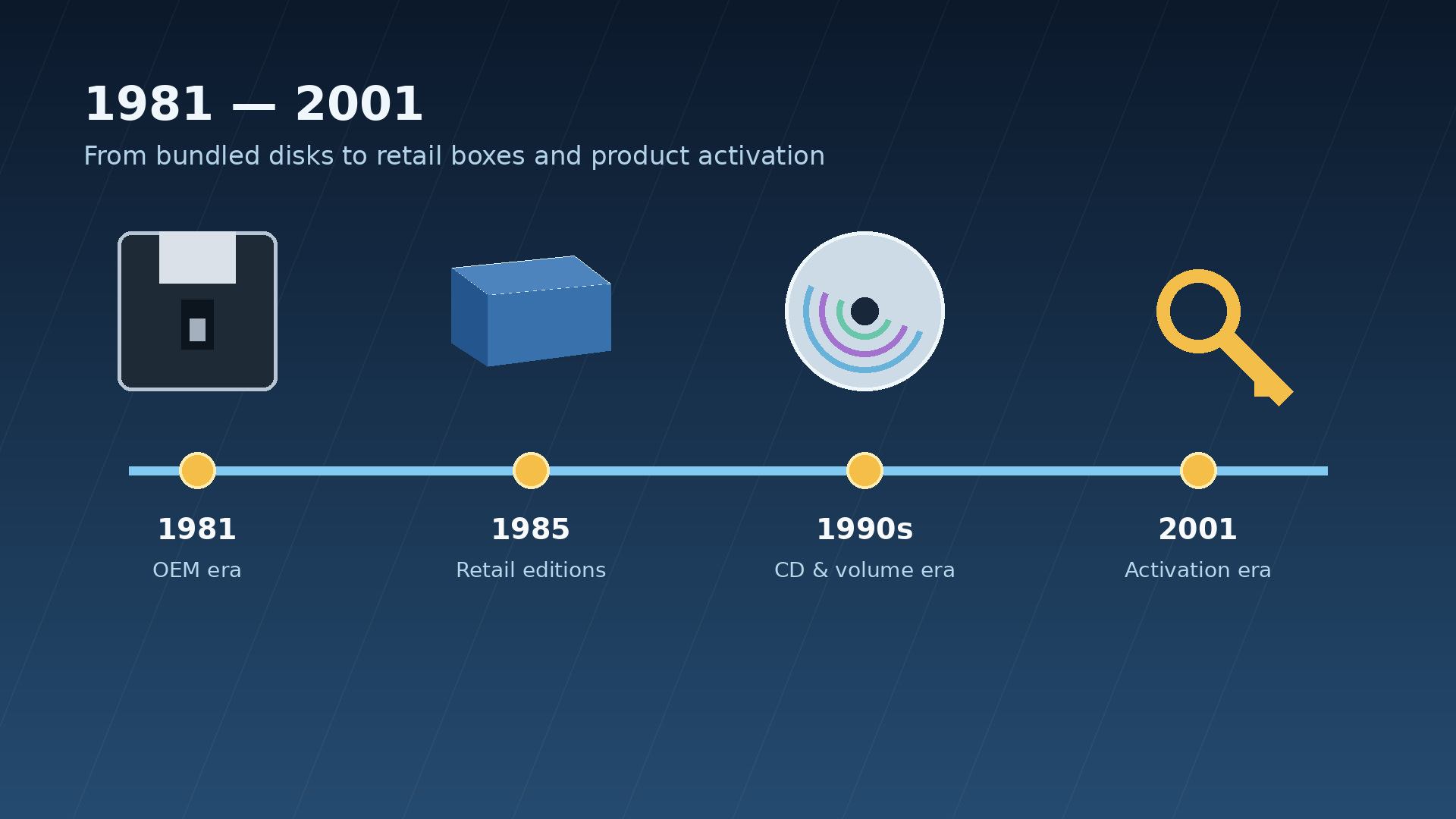
The IBM PC arrived with MS-DOS 1.0 on 12 August 1981. The date matters not only because of the product but because of its route to market. Microsoft did not need to sell a copy directly to every person. It licensed the operating system to original equipment manufacturers, or OEMs, which supplied it with their computers. Software entered the home or office as part of the platform, much like memory or a disk drive, even though it was not legally a physical component.
That division shaped support as well. A manufacturer might deliver its own variant, documentation and utilities, and it remained the buyer’s first point of contact. In 1990, when Microsoft announced extra support for more than 25 million US users of OEM versions, it explained that MS-DOS was licensed to OEMs rather than end users. That record corrects a common myth: OEM licensing was not a late invention associated with cheap Windows. It sat at the beginning of the compatible-PC boom.
The model scaled because incentives aligned. Manufacturers obtained an operating system for their hardware; Microsoft reached many machines without building an equivalent retail network; customers received a working package. Yet it created a tension that remains familiar: does the right follow the person or the device? Under OEM terms, the answer generally leans toward the original computer. That is why an installation that works is not automatically an installation that can move elsewhere.
There is no need to repeat fragile folklore about an exact IBM fee or a single definitive purchase price for QDOS. Secondary accounts vary. The robust licensing point is enough: Microsoft retained the ability to license its system across a market of manufacturers, making software distribution part of hardware growth.
1985–1990: Windows and Office reach the mass market
Microsoft shipped the retail version of Windows on 20 November 1985. Users could encounter Microsoft software outside the computer that had arrived from a factory. The box—later associated with FPP, or Full Packaged Product—combined media, documentation and a right granted to the purchaser under its terms. OEM and Retail became distinct purchasing experiences, not universal grades of software quality.
In practical terms, OEM offered the convenience of a preinstalled system tied to its machine. Retail was acquired individually and could carry transfer rights depending on the version, terms and applicable law. No label should be read in isolation. An upgrade, a full edition and an academic license could travel through different channels while granting different rights. Windows 95 made the box a cultural icon, but it did not invent Retail, OEM, the certificate of authenticity or the product key.
Office for Windows followed in 1990 with Word, Excel and PowerPoint. The suite accomplished something equally important: it bundled complementary applications under one edition and release cycle. Buyers stopped evaluating three tools separately and acquired a productivity platform. For decades, that pattern defined perpetual Office.
It means the right to use that version does not expire because the customer stops paying a recurring fee, always within the applicable terms. It does not promise endless new features, indefinite compatibility, future-version upgrades or support without an end date.
The distinction remains live. Someone browsing Windows license options or perpetual Microsoft Office editions should first ask whether they need a base license, an upgrade, a particular edition and transferability. “Windows” and “Office” name product families. They do not describe the complete right being acquired.
1993–2001: business needs a different way to buy
The box worked for one person. It worked poorly for an organization with dozens, hundreds or thousands of desktops. Repeated media, scattered keys and one-off purchasing added administrative cost. Businesses needed to acquire rights together, predict growth and demonstrate assignments. Volume licensing grew around that need.
Microsoft first offered Open License in 1993. In 1996 it reduced the initial minimum from 50 to 20 units and the reorder point from 20 to 10. In April 2000 it simplified the program through Open Business, available from five products. Those figures are historical rather than current rules. They show Microsoft bringing volume purchasing within reach of smaller organizations.
By the late 1990s, Microsoft described a recognizable ladder. Open addressed relatively small purchases. Select targeted large organizations able to forecast demand. Enterprise Agreement served entities that wanted broad platform standardization. These were not merely quantity discounts. They changed the language of acquisition: affiliates, levels, agreement periods, orders, inventory, payments and, under some agreements, true-up.
The change created a lasting misunderstanding. “Volume” is a channel and agreement family, not a technical property that makes any key reusable. For desktop Windows, commercial licensing rights are commonly upgrades: they begin with a qualifying base operating system, typically OEM or Retail. An organization may hold a functioning volume key and still have an incomplete record if it cannot establish that base.
On 10 May 2001 Microsoft announced changes due to take effect on 1 October through Licensing 6.0. Software Assurance was among them. Software no longer had to be only a snapshot purchased on one date: an agreement could cover new releases issued during a defined period and add variable benefits. The concept prepared the ground for a more continuous relationship, although it was not yet a modern cloud subscription.
Open License retired on 1 January 2022. That does not erase its importance or instantly extinguish inherited agreements. Programs, portals and sales routes change; records of a historical purchase must remain. During 2026 Microsoft has continued moving agreement administration toward the Microsoft 365 admin center and Volume Licensing Central. The practical lesson is simple: never confuse today’s portal with the legal origin of yesterday’s entitlement.
Servers, CALs and metrics that follow capacity
Desktop licensing asks who may run a copy. A server introduces another question: who or what may access the service? Microsoft answered with server licensing plus Client Access Licenses, or CALs. A CAL is not software to install. It is a right assigned to a user or device to access a server product when that product’s rules require one.
User CAL versus Device CAL follows working patterns. Imagine 40 employees sharing 20 terminals across shifts. If everyone accesses the server, 20 Device CALs may reflect the use more closely. If 20 employees each use a laptop, desktop and phone, User CALs may be more natural. This example illustrates the metric only; version, product, edition, external access and current terms still need review.
Layers can accumulate. A base Windows Server CAL does not by itself grant Remote Desktop Services rights; an RDS CAL is additive for relevant remote sessions. An External Connector can address defined access by external users, but it is not a universal shortcut. Multiplexing—placing a portal or application between people and the server—does not automatically reduce CAL requirements. Middleware does not erase the humans receiving the service.
SQL Server shows why no universal formula exists. Some editions offer Server + CAL or Per Core. The first licenses the server and access; the second licenses relevant compute capacity. Windows Server Standard and Datacenter currently use core licensing plus CALs where required. A serious choice among Windows Server and access licenses or SQL Server licensing options therefore starts with architecture and users, not a key.
The move from processor to core followed a material shift. SQL Server 2012 introduced Per Core while processor licensing was phased out. Windows Server 2016 moved Standard and Datacenter to core, with documented transition minimums of eight cores per processor and sixteen per server. Multicore processors and virtualization had made “one processor” an increasingly uneven unit. Core licensing tracked capacity more closely, while making accurate hardware inventory essential.
2001: licensing becomes visible through activation
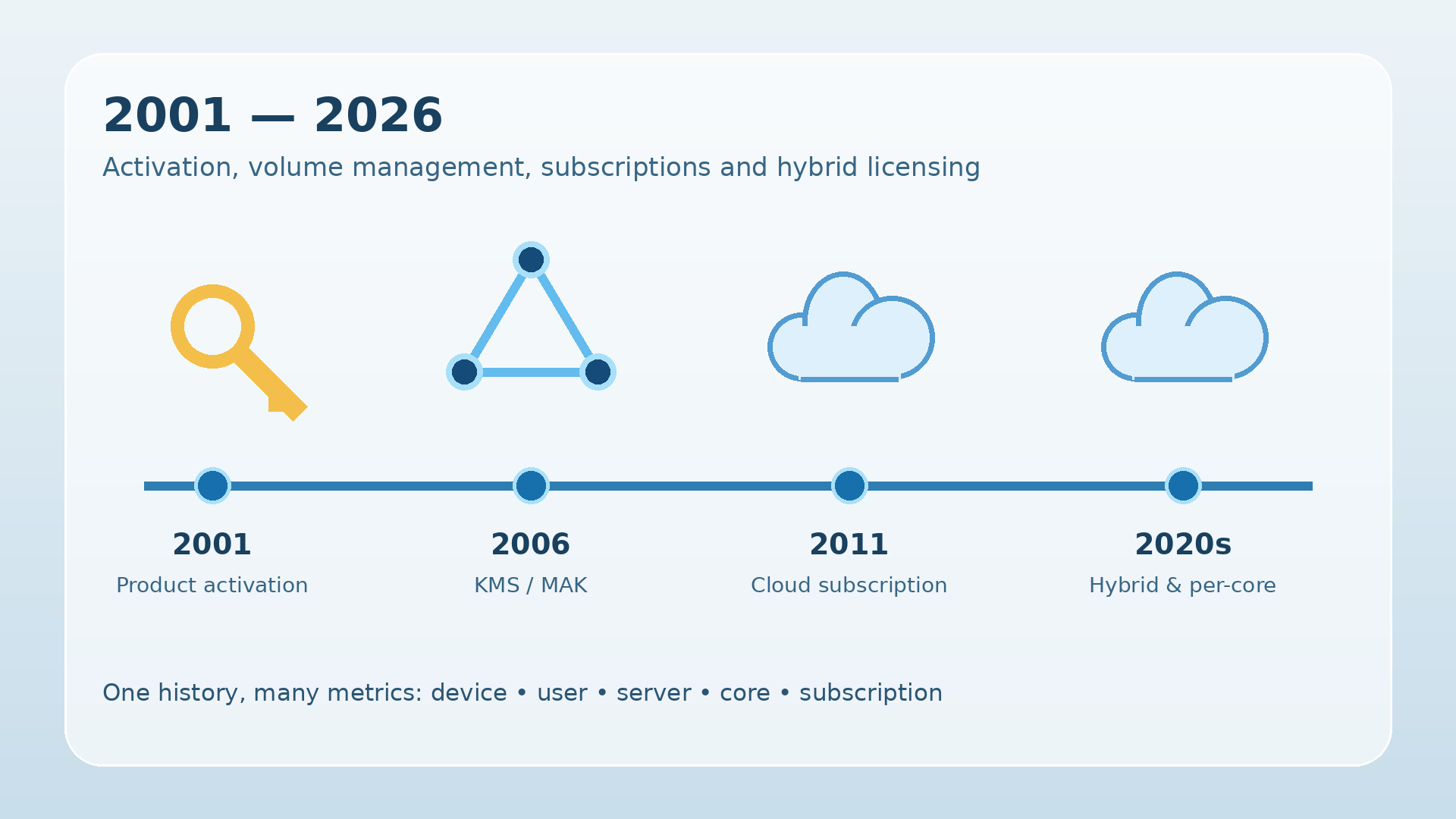
For many users, a license had previously been unread text and a key had been a code typed during setup. Office XP, available on 31 May 2001, and Windows XP, generally available on 25 October, carried Product Activation into Microsoft’s flagship client products. It is inaccurate to attribute the whole shift to Windows XP alone: Office XP arrived first that year and supported both perpetual and subscription licensing.
Activation connected the key and installation with information derived from the device, then required a technical confirmation. Its purpose was to make unlimited reuse of a retail or OEM copy harder. Licensing became visible: a major hardware change, reinstall or excessive key use might lead to reactivation.
The concepts did not merge. The license remained the contractual right; the key was a technical identifier; activation was an enforcement and validation mechanism. A machine could activate without a sufficient chain of title. A customer could also own a valid right and need help reactivating after a permitted change. A success screen was not a legal audit.
Privacy discussion focused on what activation transmitted and how it represented hardware. The useful account need not sensationalize it: Microsoft created a technical profile to recognize the installation without turning every component into a personal identity. Implementation changed by version. The durable change was psychological as much as technical—software could ask for confirmation after leaving the box.
Older Volume License Keys should not be retroactively described as MAK or KMS. VLKs could bypass the consumer activation experience in certain generations. MAK and KMS belong to a later architecture built to administer organizational activation in a more controlled way.
2006–2012: MAK, KMS and Active Directory
The Windows Vista and Windows Server 2008 generation brought Volume Activation 2.0. Organizations no longer had to choose between activating every machine like a retail customer and relying on a key that could circulate with little control. Microsoft provided two main routes.
- MAK, Multiple Activation Key: each installation activates once against Microsoft services, either directly or through a proxy tool. The key has a predetermined activation allowance and can suit isolated devices or machines that seldom reach the corporate network.
- KMS, Key Management Service: clients discover a host inside the organization, activate locally and renew periodically. For supported versions, current planning guidance specifies thresholds of at least 25 Windows client computers or 5 Windows Server computers. These are present operational rules, not figures to project unchanged across every historical release.
Office 2010 consolidated this architecture by making KMS the default method for volume editions. Windows 8 and Windows Server 2012 then introduced Active Directory-based activation, or ADBA. An activation object stored in AD DS activates compatible domain-joined machines without requiring the same dedicated KMS-host design.
The distinction is not about which “license” is best, because MAK, KMS and ADBA are not licenses. They are technical ways to activate rights acquired through volume channels. A seller offering an individual “KMS license” for a home laptop is mixing categories. Likewise, an organization moving to ADBA does not gain extra users, cores or authorized instances.
The right design follows connectivity, fleet size, segmentation, versions and disaster recovery. MAK can fit a disconnected branch; KMS a large network; ADBA a well-managed domain. In every case, contractual inventory must live beside technical inventory rather than being replaced by it.
Software Assurance: from upgrades to mobility
Software Assurance took effect with Licensing 6.0 on 1 October 2001. Its historical core was New Version Rights: if Microsoft released a new version during coverage, the customer could install it under the program’s conditions. It replaced unpredictable upgrade purchases with planning over a defined period.
SA is not a bare license authorizing arbitrary software. It attaches to eligible licenses, and benefits have varied by product, agreement, region and era. They have included changing combinations of support, training, deployment resources, virtualization, mobility or recovery rights. Quoting a 2005 benefit list as if it remained current in 2026 would be as misleading as ignoring the original coverage.
Its significance increased when workloads no longer lived forever on one physical server. New Version Rights could ease a migration; mobility benefits could enable defined data-center or provider scenarios; active subscription or SA could unlock more flexible options. The final authority must be current contractual documentation, not a remembered brand name.
2011–2017: Office 365 and Microsoft 365 follow the user
Microsoft launched Office 365 globally in 40 markets on 28 June 2011. The offer combined Office, Exchange Online, SharePoint Online and Lync Online under a predictable monthly subscription. Microsoft had experimented with subscription licensing before; the important shift was a cloud suite at commercial scale, turning productivity, communications and collaboration into an ongoing service.
The economic unit moved. A perpetual license asked, “Which device may run this version?” A user subscription asked, “Which identity may use these apps and services during the term?” A licensed user could work across authorized devices while administrators assigned or removed licenses through a directory. Onboarding and departure became identity-management events.
Microsoft introduced Microsoft 365 on 10 July 2017, with Enterprise E3 and E5 available on 1 August. Microsoft 365 Enterprise combined Office 365 Enterprise, Windows 10 Enterprise and Enterprise Mobility + Security. Per-user licensing now wrapped productivity, enterprise operating-system rights, identity, management and security into one offer.
This did not mean Microsoft 365 instantly replaced Office 365 in every market, or that perpetual software vanished. Names and plans continued to evolve. The structural contrast remains: an active subscription supplies services and an ongoing cadence; a perpetual edition grants the right to use a defined release under its terms.
Office 2024, released for consumers and small businesses on 1 October 2024, remains a one-time purchase for one PC or Mac according to edition and does not include subscription services. Office LTSC 2024, available through volume licensing from September 2024, addresses organizations that value stability and receives no new features after release. Support ends on 9 October 2029. Microsoft has confirmed at least one further on-premises release, so calling it “the last perpetual Office” would be premature.
This is not an ideological choice. An isolated production line, lab instrument or regulated environment may favor a stable release. A distributed team may need co-authoring, email, identity and frequent updates. When browsing Microsoft software and licensing options, the useful question is not “cloud or box?” but which rights and services each user needs across the full lifecycle.
2012–2026: cloud, hybrid and per-VM licensing
Azure added another logic: consume infrastructure and services as they are used. Yet cloud did not erase on-premises rights. It connected to them. Programs such as Azure Hybrid Benefit or License Mobility may let customers apply eligible investments in cloud scenarios, but only for defined products, coverage and destinations. The word “hybrid” does not authorize moving every license anywhere.
In October 2022 Microsoft added a per-virtual-machine licensing option for Windows Server customers with active subscription licenses or Software Assurance. Instead of always licensing every physical core in the host, organizations can assign licenses to VMs under specified minimums and conditions. It responds to workloads that appear, move between hosts and disappear.
By 2026 the layers coexist. Base Windows commonly arrives through OEM or Retail; Commercial Licensing adds upgrade, Enterprise and organizational rights; Windows Server 2025 uses cores and CALs where applicable; SQL Server 2025 retains Per Core and Server + CAL for Standard while Enterprise is Per Core; Microsoft 365 licenses identities and services. The destination is not “all cloud.” It is a hybrid portfolio requiring device, user, capacity and location to be modeled together.
Used licenses in the EU: what UsedSoft allows and what buyers must prove
On 3 July 2012 the Court of Justice of the European Union decided C-128/11, UsedSoft v Oracle. It held that exhaustion of the distribution right can extend to a downloaded software copy where the right holder supplies the copy, receives a fee intended to reflect its economic value and grants a right of use for an unlimited period. The judgment became a landmark for the EU secondary software market.
It was not a blank cheque for every code. The dispute concerned Oracle products and facts; applying its principles to a Microsoft transaction requires analysis of product, agreement, territory and evidence. A time-limited subscription does not simply become a resalable perpetual license. The first acquirer must make its own copy unusable on resale. The Court also rejected splitting a multi-user license and reselling only an unused portion in the circumstances before it.
The license-versus-key distinction becomes decisive again. A key that activates might have leaked, been reused, come from a channel not intended for resale or been detached from its underlying entitlement. Microsoft warns that, apart from defined formats such as certain Product Key Cards with a certificate, it does not distribute product keys as standalone products. “Key only” is not a legal category. It is a description of missing context.
For a corporate purchase, the file should reconstruct:
- the exact product, edition, version, relevant language and quantity;
- license type and metric—device, user, server, core or another unit;
- supplier invoice and transaction documents;
- the acquisition chain from the first licensee to the buyer;
- a statement or evidence that the seller ceased using the transferred copies;
- the original agreement conditions and territory;
- consistency among documents, media, keys and upgrade rights.
Microsoft recognizes that certain Office licenses associated with an account may be transferred in the European Economic Area under applicable law, with a verification process in some cases. That reinforces the need to examine the particular entitlement instead of repeating a universal slogan.
A responsible supplier should not promise “guaranteed legality” merely because activation succeeds. It should explain what is being transferred, which documents accompany it and where limitations remain. That caution does not weaken the used-software market. It makes the transaction defensible.
The current picture: seven lessons for better buying
- Define product, edition, version and channel. “We need Office” is not enough. Specify applications, system, devices, users and intended lifetime.
- Choose the correct metric. One user with three devices, twenty shift workers and a 32-core host produce very different calculations.
- Separate entitlement from activation. Retain agreements and invoices even when the portal is green. Technical status can change; evidence must survive.
- Check the Windows base. Volume upgrade rights commonly require a qualifying operating system. Inventory OEM and Retail before adding the enterprise layer.
- Model the lifecycle. Include support, compatibility, features, administration, user departures and the next migration—not only initial outlay.
- Demand provenance for used software. The invoice and title chain matter as much as the key. Reject vague descriptions or inconsistent quantities.
- Review current terms. Product Terms, product guidance and agreements outrank historical summaries. Archive the version applicable on the purchase date.
Licendi can help turn this map into a concrete selection: determine whether the requirement points to OEM, Retail, perpetual Office, a server solution or documented pre-owned licensing. The useful service is asking the right questions before a key is issued, not promising one answer for every customer.
Frequently asked questions about Microsoft licensing
What was Microsoft’s first licensing model for MS-DOS?
MS-DOS was distributed primarily through OEM computer manufacturers. Microsoft licensed the system to manufacturers that adapted or installed it on their machines and supported customers. It is therefore misleading to picture this era as Microsoft selling the same boxed product directly to every end user.
What is the difference between OEM, Retail and volume licensing?
OEM software normally comes with a device and remains tied to it under the applicable terms. Retail is acquired individually and may carry transfer rights subject to those terms. Volume licensing is a contractual channel for organizations; for Windows desktop it usually provides upgrade and enterprise rights rather than a complete base license.
Does a product key prove that Windows or Office is licensed?
No. A key may enable installation or activation, but it does not by itself prove the right to use the software. Channel, terms, invoice, assignment, edition, quantity and provenance also matter. A key-only offer without adequate supporting documents deserves caution.
What are MAK, KMS and Active Directory-based activation?
They are technical volume activation methods. MAK activates against Microsoft services; KMS uses a service inside the organization and has activation thresholds; ADBA activates compatible domain-joined devices through Active Directory. They are not standalone licenses or consumer products that should be sold as loose keys.
What is a Microsoft CAL and when is one required?
A CAL gives a user or device the right to access certain server products. It does not install software or replace server or core licenses. Requirements vary by product, edition, access pattern and additional functionality such as Remote Desktop Services.
Is Office 2024 perpetual, and how is it different from Microsoft 365?
Office 2024 is a one-time purchase for the device allowed by its edition. It can remain in use without a recurring renewal, but that does not mean endless feature upgrades or support. Microsoft 365 is a per-user subscription combining continually updated apps and cloud services while the subscription is active.
Is it legal to buy a used Microsoft license in the EU?
It can be legal in defined circumstances. The UsedSoft judgment addresses exhaustion for certain software copies supplied for an unlimited period, but it does not make every key or subscription resalable. Buyers should verify the product, territory, agreement, chain of title, the seller’s cessation of use and transfer records.
Which Microsoft license should I buy today?
It depends on the scenario. A new PC commonly arrives with OEM Windows; an individual purchase may point to Retail under its terms; Office 2024 or LTSC suits environments prioritizing a stable release; Microsoft 365 favors collaboration and multiple devices; and servers require specialist calculation of cores, CALs, virtualization and hybrid rights.
A history of layers, not replacements
From MS-DOS supplied by a manufacturer to a Microsoft 365 identity, licensing has followed the places where value and complexity accumulated: the machine, the copy, the organization, access, capacity and the user. No stage disappeared completely. Buying well therefore means recognizing the layer in front of you and the evidence supporting it.