EN
 FR
 DE
 IT
 PT
 ES


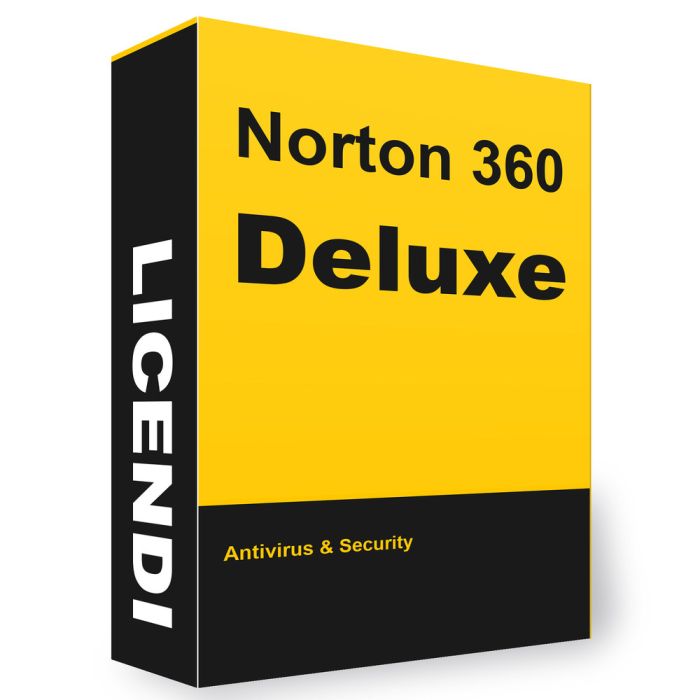
Norton 360 Deluxe
- 1-year subscription; choose 3 or 5 devices
- Windows, macOS, Android and iOS
- 25 GB or 50 GB cloud backup for Windows
- New key and official download link by email
- 1-month activation guarantee from Licendi
1-year subscription; choose 3 or 5 devices. Windows, macOS, Android and iOS. 25 GB or 50 GB cloud backup for Windows. New key and official download link by email. 1-month activation guarantee from Licendi.
Purchase process
Get your software licence(s) in just 4 simple steps
- Step 1
1. Add your product to the cart
Find the licence you need and add it to your cart with one click.
- Step 2
2. Select your payment method
Choose the payment method that suits you and complete your order.
- Step 3
3. Receive your licence immediately
Your key, download link and installation guide arrive by e-mail and in your account.
- Step 4
4. We are here to help you
Support by chat, e-mail or phone, plus a lifetime warranty with Licendi.
Licendi customer reviews
Showing selected 4 and 5 star reviews from Trustpilot and Google.
Quantity discount
| Quantity | % discount |
|---|---|
| 2+ | 1% |
| 3+ | 3% |
| 5+ | 5% |
Norton 360 Deluxe is a security subscription for households using 3 or 5 Windows, Mac, Android or iOS devices for 1 year. You receive a licence key and official download link by email; redeem the key in your Norton account, then install the apps on your devices.
- 1-year subscription; choose 3 or 5 devices
- Windows, macOS, Android and iOS
- 25 GB or 50 GB cloud backup for Windows
- New key and official download link by email
- 1-month activation guarantee from Licendi
Is this the right choice for you?
Count the computers, phones and tablets you want to protect before selecting 3 or 5 devices. Choose Norton 360 Premium for a larger household. If you only need antivirus on one computer, compare the Norton range before paying for a bundle with VPN and backup.
What your licence includes
| Option | Devices | Term | Platform / scope |
|---|---|---|---|
| Norton 360 Deluxe | 3 | 1 year | Windows, macOS, Android, iOS; 25 GB |
| Norton 360 Deluxe | 5 | 1 year | Windows, macOS, Android, iOS; 50 GB |
| Norton 360 Premium | 10 | 1 year | Windows, macOS, Android, iOS; 75 GB |
Email delivery of the key and official download link: instantly during office hours, within 24 hours at the latest outside them. A PDF invoice showing VAT is included.
Features and practical limits
Device security, Secure VPN, a password manager, parental controls and Dark Web Monitoring are included. Monitoring can alert you to exposed information; it does not remove that information from the internet.
Cloud backup is for Windows files, with one storage allowance for the subscription. It is not Mac or phone backup. Parental controls are unavailable on Mac and on Windows ARM devices; features also differ between desktop and mobile apps.
Activation and first steps
- Sign in to your own Norton account and choose the option to enter a product key.
- Redeem the emailed key, review any payment or renewal prompts, then download the software from the account.
- Install on each eligible device. Check the expiry date, run the first scan and configure backup separately on Windows.
If Norton says the key is already linked, check whether you are signed in to the account used for redemption. If the key is rejected, copy it again without surrounding spaces and send the exact error to Licendi.
Licendi provides a 1-month activation guarantee: if the key will not activate within that period, support helps or replaces it. Contact us by email or chat with the error message and order reference.
Subscription and updates
The retail subscription starts when registered in your Norton account and runs for 1 year. Adding devices later does not create a fresh year for each one. Keep the apps updated and arrange continued protection before expiry. Norton may request billing details and renewal enrolment during activation; review the settings in your account.
Questions before buying
Does the 3-device option include 50 GB?
No. This offer provides 25 GB with 3 devices or 50 GB with 5 devices. Both are Windows cloud-backup allowances.
Can I combine a PC, Mac and phone?
Yes, within the selected device limit. Check each operating system’s requirements; the same features are not available everywhere.
Is backup automatic as soon as I buy?
No. Activate Norton, select the Windows files to back up and complete the backup setup.
Checked by Licendi on 30 October 2026. Sources: Norton 360 Deluxe / Premium; Norton Subscription Support; Norton Spain 2026 (25/50/75 GB); Licendi.
Windows: Windows 11 and 10 (all editions except S mode), including Windows 11 on ARM; Windows 8/8.1; Windows 7 SP1 with SHA-2 support
macOS: current and two previous macOS versions, Intel or Apple silicon (M1–M4)
Android: Android 10 or later with Google Play; ChromeOS 72 or later
iOS: iPhone or iPad with the current or two previous iOS versions
Processor: 1 GHz
Memory: 2 GB RAM (Windows 11/10), 2 GB on Mac
Disk space: 300 MB free (Windows and Mac), 50 MB on Android
Internet: Internet connection required for activation and updates
Note: Cloud backup and parental control run on Windows