EN
 FR
 DE
 IT
 PT
 ES


- Devices
- 1 PC
- Users
- 1 Device
- Platform
- Windows
- Delivery
- Digital key by e-mail
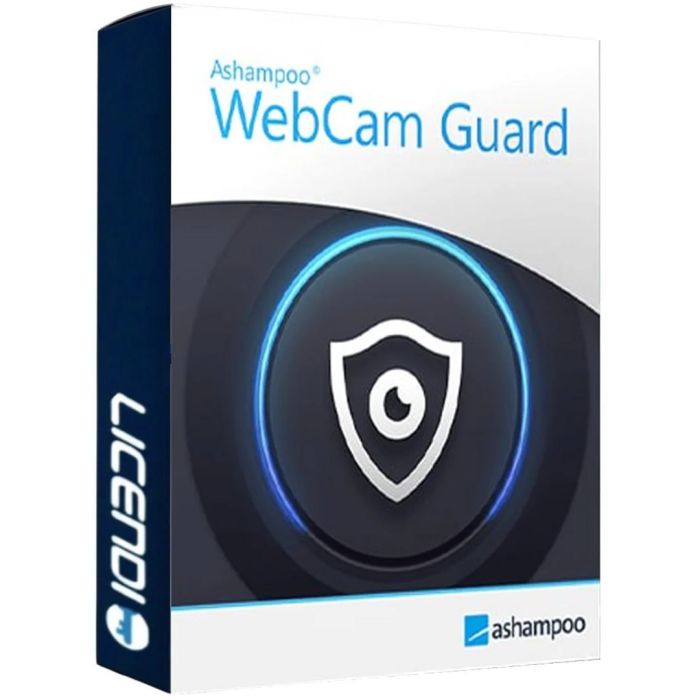
Ashampoo WebCam Guard
- Enable or disable your webcam and microphone with one click on Windows 11 or Windows 10.
- License for 1 PC.
- The guarantee covers only one activation on one PC.
- Non-transferable license.
- Digital delivery.
Enable or disable your webcam and microphone with one click on Windows 11 or Windows 10. License for 1 PC. The guarantee covers only one activation on one PC. Non-transferable license. Digital delivery.
Purchase process
Get your software licence(s) in just 4 simple steps
- Step 1
1. Add your product to the cart
Find the licence you need and add it to your cart with one click.
- Step 2
2. Select your payment method
Choose the payment method that suits you and complete your order.
- Step 3
3. Receive your licence immediately
Your key, download link and installation guide arrive by e-mail and in your account.
- Step 4
4. We are here to help you
Support by chat, e-mail or phone, plus a lifetime warranty with Licendi.
Licendi customer reviews
Showing selected 4 and 5 star reviews from Trustpilot and Google.

Quantity discount
| Quantity | % discount |
|---|---|
| 2+ | 1% |
| 3+ | 3% |
| 5+ | 5% |
Ashampoo WebCam Guard: manage your camera and microphone
A video call ends, a study session pauses, or you move from a family conversation to another task. These are useful moments to check whether your camera and microphone are enabled. Ashampoo WebCam Guard brings those controls into a compact interface for Windows 11 and Windows 10, letting you enable or disable the devices with one click rather than relying solely on the controls inside a calling app.
See device status and adjust your setup
Red and green indicators show device status, so you can check availability at a glance. The software detects connected hardware and provides shortcuts to the Windows privacy settings when you want to review the operating system's own options. You can also configure automatic launch and notifications to suit the way you use your computer.
Its resource-efficient design keeps the focus on a small set of practical controls rather than a complex workflow. You might check your webcam before an online lesson, disable your microphone when a conversation finishes, or review both devices during a break. It offers a straightforward way to make checking your camera and microphone part of your routine, with Windows settings close at hand when you need them.
Your Licendi offer
This €35 offer is a Windows-only license for 1 PC. The guarantee covers only one activation on one PC, and the license is non-transferable. Delivery is digital. Full administrator rights are needed to use the software, while activation and recurring license checks require an Internet connection. Review the system requirements before selecting the PC on which to activate it.
System requirements
| Operating system | Windows 11 or Windows 10. This offer is for Windows only. |
|---|---|
| Processor | A processor that supports your chosen operating system. Ashampoo does not specify a separate minimum CPU model or clock speed for this program. |
| RAM | Memory sufficient for the supported operating system. Ashampoo does not publish a separate minimum RAM amount for this program. |
| Storage | Storage hardware that supports the operating system in use. Ashampoo does not specify a free disk space figure for this program. |
| Administrator rights | Full administrator rights are needed to use the program, not just to install it. |
| Internet | A connection is needed for activation and for license checks repeated at regular intervals. |
| Recommended configuration | Ashampoo does not publish a separate recommended configuration for this product. |
See the official Ashampoo WebCam Guard requirements.
| Delivery | Digital |
|---|