EN
 FR
 DE
 IT
 PT
 ES


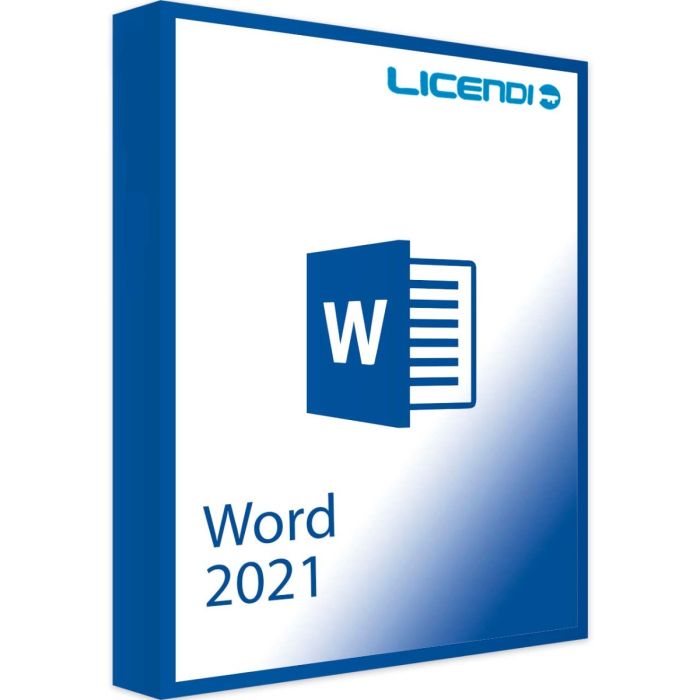
Microsoft Word 2021
- Perpetual licence (one-time purchase).
- For 1 PC only (single activation).
- Compatible with Windows 10 and Windows 11.
- Available in multiple languages.
- Instant digital delivery.
Quantity discount
| Quantity | % discount |
|---|---|
| 2+ | 1% |
| 3+ | 3% |
| 5+ | 5% |
Microsoft Word 2021
Create polished documents with Microsoft Word 2021, the perpetual-licence release of Microsoft's flagship word processor. Word 2021 brings improved focus mode, modern comments, immersive reader integration, and updated visuals — all in a one-time-purchase licence with no Microsoft 365 subscription required.What's new vs Word 2019
Word 2021 builds on the Word 2019 foundation with refinements that benefit everyday writing and review workflows.- Modern comments — Streamlined commenting with @mentions, comment threads, and a side pane that keeps documents readable while you collaborate.
- Improved co-authoring — Work on the same document with colleagues when files are saved to OneDrive — see changes, leave comments, and track revisions in real time.
- Visual refresh — Updated icons, colours, and layouts across the ribbon and dialogue boxes; new themes including dark mode for focused writing.
- Enhanced focus mode — A cleaner distraction-free writing surface with refined typography and pagination for long documents.
Key features of Word 2021
- Modern interface — Refreshed ribbon and navigation optimised for Windows 10 and Windows 11. The new design adapts to your workflow and makes finding features more intuitive.
- Immersive reader — Built-in accessibility tools that read text aloud, adjust spacing, and isolate lines — useful for proofreading and for anyone who learns better by listening.
- Improved accessibility — Updated screen-reader support and an improved Accessibility Checker help everyone create and consume content more easily.
- Refined formatting tools — Updated design elements, professional templates, and typography options keep your documents looking polished.
Performance and compatibility
- OneDrive integration — Save and access your documents from OneDrive when you choose; nothing forces cloud storage if you prefer to work locally.
- Broad format support — Open and edit DOCX, DOC, PDF, RTF, ODT, and more.
- Document protection — Protect sensitive files with encryption and information rights management.
Perfect for every user
Whether you're a student writing essays, a professional drafting reports, or a creative working on manuscripts, Microsoft Word 2021 has the tools you need. The intuitive interface keeps things easy for newcomers while powerful formatting and reference tools satisfy demanding users.Note on AI features
Microsoft Word 2021 is a perpetual licence for the desktop app. Copilot and Microsoft 365 AI features are not included — they require an active Microsoft 365 subscription. If you want a one-time purchase that works without subscription, Word 2021 is the right choice; if you want Copilot, choose Microsoft 365 instead.Lifecycle
Word 2021 (part of Office 2021) was released in October 2021. Microsoft mainstream support ended October 2023; extended support ends 13 October 2026. Your licence continues to work indefinitely after that date — only security updates from Microsoft stop. If you need ongoing security updates beyond October 2026, consider Word 2024 instead.Buy Microsoft Word 2021 with Licendi
Get your genuine Microsoft Word 2021 licence at the best price. All our licences are 100% original and come with instant digital delivery. If you have any questions about Word 2021, don't hesitate to contact us!Licence model
Microsoft Word 2021 — standalone licence for Windows. Not registered to a Microsoft account, not transferable to another device, and not compatible with Microsoft 365. Designed for buyers who want Word 2021 as an independent desktop application without subscription or cloud-ecosystem ties.
Pay once, use indefinitely. Multilingual installer (32-bit and 64-bit).
What you receive
- Genuine Microsoft product key
- Official download link for Word 2021 (32-bit and 64-bit installers)
- PDF invoice
- Step-by-step activation guide
How to activate
- Download Word 2021 using the link in your Licendi email
- Install Word on your Windows PC
- Open Word and enter the product key when prompted — activation is immediate
Support
24/7 email support and live chat. 1-month activation warranty — if the key doesn't activate on first install, write to us and we'll resolve it promptly.
About Microsoft Word 2021
Word 2021 (part of Office 2021) was released in October 2021. Microsoft mainstream support ended October 2023; extended support ends 13 October 2026. Your licence continues to work indefinitely after extended support ends — only security and feature updates stop. If you need ongoing security updates beyond October 2026, consider Word 2024 (mainstream support through October 2029).
System requirements — Word 2021
| Component | Requirement |
|---|---|
| Operating system | Windows 10 or Windows 11 |
| Processor | 1.6 GHz dual-core, x86 or x64; 2.0 GHz recommended |
| Memory | 4 GB RAM (64-bit) or 2 GB RAM (32-bit) |
| Storage | 4 GB available disk space |
| Display | 1280 × 768 resolution, DirectX 9+ GPU with WDDM 2.0+ |
| .NET | .NET 4.6.2 or later required for some features |
| Internet | Required for activation and updates |
| Architecture | 32-bit and 64-bit installers, multilingual |
As of 2026-06-16. Microsoft Word 2021 is Windows-only on this licence; the Mac edition of Word 2021 is sold separately. Mainstream support ended October 2023; extended support ends 13 October 2026.
| Delivery | Digital |
|---|