 EN
EN FR
FR  DE
DE  IT
IT  PT
PT  ES
ES 

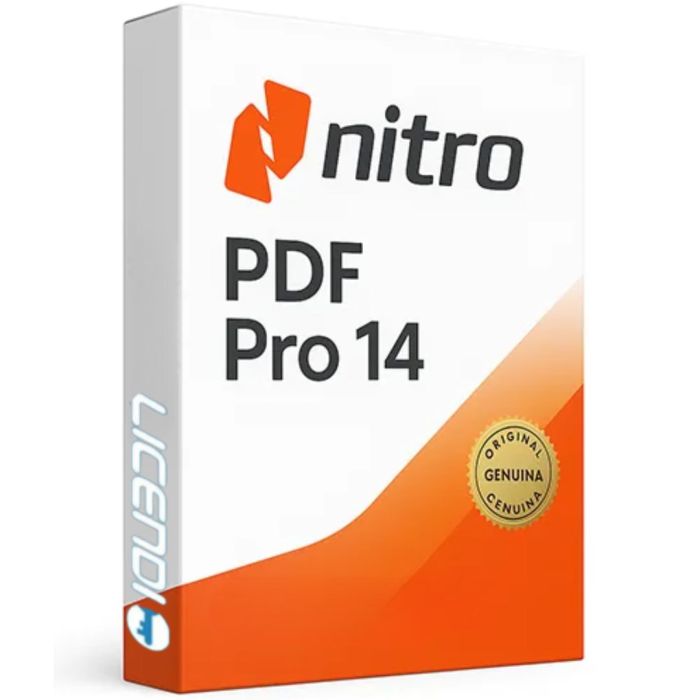
Nitro Pro 14
- Perpetual licence - one-time purchase, no subscription
- Create, edit, convert and sign PDF documents
- Official licence key with digital delivery
- Compatible with Windows 10 and Windows 11 (64-bit)
- OCR technology for scanned documents
- Activation is unique for each device
| Delivery | Digital |
|---|
Quantity discount
| Quantity | % discount |
|---|---|
| 2+ | 1% |
| 3+ | 3% |
| 5+ | 5% |
Nitro Pro 14 - Professional PDF Solution
Nitro Pro 14 is a comprehensive PDF solution that enables you to create, edit, convert, sign, and share PDF documents with ease. As a robust alternative to Adobe Acrobat, Nitro Pro 14 provides professional-grade PDF capabilities at a fraction of the price.
Key Features
Create and Edit PDFs
Create PDF files from over 300 different file formats including Microsoft Office documents, images, and web pages. Edit text, images, and pages directly in your PDF documents with intuitive tools that function like your preferred word processor.
Convert PDFs
Convert PDFs to and from Microsoft Word, Excel, PowerPoint, and other popular formats while maintaining formatting and layout. Batch convert multiple files simultaneously to save time on repetitive tasks.
Electronic Signatures
Sign documents electronically with legally binding eSignatures. Request signatures from others and monitor the signing process in real-time. Nitro Pro 14 complies with eIDAS, ESIGN, and other international electronic signature regulations.
Collaborate and Review
Add comments, markup, and annotations to PDF documents. Track changes and collaborate with team members effectively. Share documents securely with password protection, permissions, and redaction tools.
OCR Technology
Convert scanned documents and images into searchable and editable PDFs using advanced Optical Character Recognition (OCR) technology. Extract text from any image-based PDF with high accuracy.
Forms and Data Collection
Create fillable PDF forms with text fields, checkboxes, radio buttons, and dropdown menus. Collect, organise, and export form data efficiently for streamlined workflows.
Bates Numbering
Add Bates numbering to legal documents for easy identification and retrieval. Essential for law firms and legal departments managing large document collections.
Why Choose Nitro Pro 14?
- Cost-Effective: One-time purchase with no monthly subscription fees
- User-Friendly: Intuitive interface similar to Microsoft Office applications
- Powerful: Professional-grade features for business users and enterprises
- Fast: Optimised performance for handling large documents quickly
- Secure: Enterprise-grade security features including encryption and redaction
- Microsoft Integration: Seamless integration with Microsoft 365 applications
System Requirements
- Operating System: Windows 10 or Windows 11 (64-bit only)
- Processor: 1.5 GHz or faster processor
- RAM: 4 GB minimum (8 GB recommended)
- Disk Space: 4.5 GB of available hard-disk space
- Display: 1024 x 768 resolution or higher
What You Receive
- Official Nitro Pro 14 licence key
- Download link to the latest version
- Perpetual licence - use forever with no recurring fees
- Free technical support
- Digital delivery via email
About Nitro Software
Nitro is a global document productivity company trusted by over 10,000 business customers worldwide, including 68% of the Fortune 500. Nitro Pro has won numerous awards for its comprehensive PDF capabilities and user-friendly design.
Installation Guide
- Download the installer: Download Nitro Pro 14
- Install the program by running the downloaded file and following the setup wizard (Next, Accept, Finish).
- Open Nitro Pro 14. In the "Nitro Pro Activation Wizard" window, click "Advanced".
- Click "Manual..." and select "Offline activation".
- Copy the ID code from the window and send it to us at info@licendi.com.
- We will send you the activation code to complete the activation.
Guía de instalación
- Descargue el instalador: Descargar Nitro Pro 14
- Instale el programa ejecutando el archivo descargado y siguiendo el asistente (Siguiente, Aceptar, Finalizar).
- Abra Nitro Pro 14. En la ventana "Asistente de activación de Nitro Pro", haga clic en "Avanzada".
- Haga clic en "Manual..." y seleccione "Activación sin conexión".
- Copie el código ID de la ventana y envíenoslo a info@licendi.com.
- Le enviaremos el código de activación para completar la activación.
Guide d'installation
- Téléchargez l'installateur : Télécharger Nitro Pro 14
- Installez le programme en exécutant le fichier téléchargé et en suivant l'assistant (Suivant, Accepter, Terminer).
- Ouvrez Nitro Pro 14. Dans la fenêtre "Assistant d'activation Nitro Pro", cliquez sur "Avancé".
- Cliquez sur "Manuel..." et sélectionnez "Activation hors ligne".
- Copiez le code ID de la fenêtre et envoyez-le nous à info@licendi.com.
- Nous vous enverrons le code d'activation pour finaliser l'activation.
Guida all'installazione
- Scaricate il programma di installazione: Scarica Nitro Pro 14
- Installate il programma eseguendo il file scaricato e seguendo la procedura guidata (Avanti, Accetta, Fine).
- Aprite Nitro Pro 14. Nella finestra "Attivazione guidata di Nitro Pro", fate clic su "Avanzate".
- Fate clic su "Manuale..." e selezionate "Attivazione offline".
- Copiate il codice ID dalla finestra e inviatecelo a info@licendi.com.
- Vi invieremo il codice di attivazione per completare l'attivazione.
Installationsanleitung
- Laden Sie das Installationsprogramm herunter: Nitro Pro 14 herunterladen
- Installieren Sie das Programm, indem Sie die heruntergeladene Datei ausführen und dem Assistenten folgen (Weiter, Akzeptieren, Fertigstellen).
- Öffnen Sie Nitro Pro 14. Klicken Sie im Fenster "Nitro Pro Aktivierungsassistent" auf "Erweitert".
- Klicken Sie auf "Manuell..." und wählen Sie "Offline-Aktivierung".
- Kopieren Sie den ID-Code aus dem Fenster und senden Sie ihn an info@licendi.com.
- Wir senden Ihnen den Aktivierungscode zur Fertigstellung der Aktivierung.
Guia de instalação
- Descarregue o instalador: Descarregar Nitro Pro 14
- Instale o programa executando o ficheiro descarregado e seguindo o assistente (Seguinte, Aceitar, Concluir).
- Abra o Nitro Pro 14. Na janela "Assistente de ativação do Nitro Pro", clique em "Avançado".
- Clique em "Manual..." e selecione "Ativação offline".
- Copie o código ID da janela e envie-nos para info@licendi.com.
- Enviaremos o código de ativação para concluir a ativação.
| Delivery | Digital |
|---|