 EN
EN FR
FR  DE
DE  IT
IT  PT
PT  ES
ES 

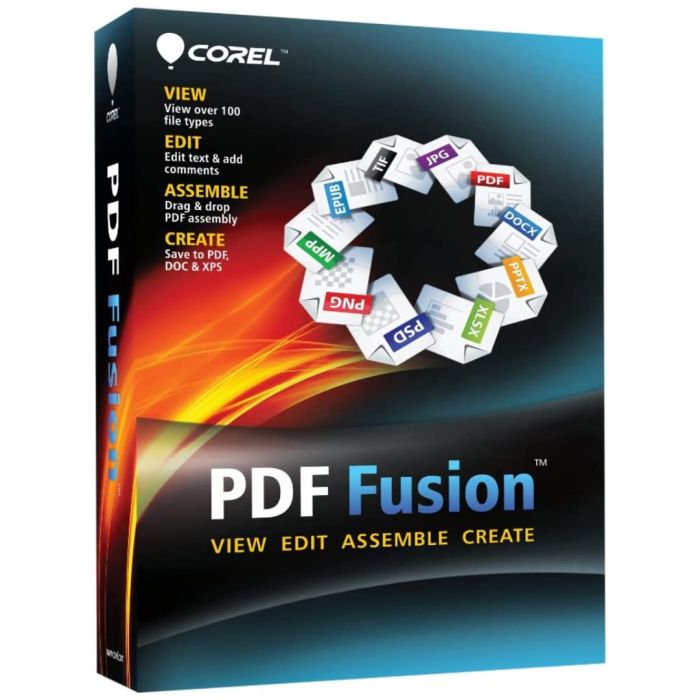
Corel PDF Fusion
- Perpetual licence - one-time purchase, no subscription
- View over 100 different file types
- Edit text and add comments to PDFs
- Drag and drop PDF assembly
- Create PDF, DOC and XPS files
- Official licence key with digital delivery
- Activation is unique for each device
| Delivery | Digital |
|---|
Quantity discount
| Quantity | % discount |
|---|---|
| 2+ | 1% |
| 3+ | 3% |
| 5+ | 5% |
Corel PDF Fusion - All-in-One Document Solution
Corel PDF Fusion is a versatile document management tool that lets you view, edit, assemble, and create PDF documents with ease. With support for over 100 file formats, it's the ultimate solution for handling all your document needs in one powerful application. Whether you're a business professional, student, or home user, Corel PDF Fusion provides the tools you need to work efficiently with documents of any type.
Key Features
View Over 100 File Types
Open and view documents in virtually any format without needing the original application installed on your computer. Corel PDF Fusion supports an extensive range of file types including PDF, DOC, DOCX, XLS, XLSX, PPT, PPTX, JPG, PNG, TIF, EPUB, RTF, WPD, ODT, and many more. This universal viewing capability eliminates the need to purchase multiple software applications just to open different file types. Simply drag any document into PDF Fusion and view it instantly, regardless of what software was used to create it.
Edit PDFs with Ease
Make quick and precise edits to PDF documents including adding, modifying, or deleting text. Insert images, shapes, and other objects to enhance your documents. Add comments, annotations, sticky notes, and markup to collaborate with colleagues effectively. Highlight important passages, strikethrough text, and use drawing tools to emphasize key information. The intuitive editing interface makes it easy for anyone to modify PDF documents without extensive training.
Assemble Documents from Multiple Sources
Combine multiple documents into a single PDF with simple drag-and-drop functionality. Merge files from different formats - Word documents, Excel spreadsheets, PowerPoint presentations, images, and more - into one cohesive professional document. Reorder pages by dragging them to new positions, rotate pages that were scanned incorrectly, and delete unnecessary pages. Extract specific pages from large documents to create smaller, focused files. The assembly feature is perfect for creating reports, proposals, portfolios, and compilations from various source materials.
Create Professional Documents
Create new PDF, DOC, and XPS files from scratch or convert existing documents to these formats. Use the built-in virtual PDF printer to convert any printable document to PDF format directly from any Windows application. Generate standardized PDF files that can be opened on any device, ensuring your documents look the same everywhere. Create XPS documents for secure sharing within Windows environments.
Collaboration and Security Tools
Add bookmarks to help readers navigate long documents quickly. Insert watermarks to protect your intellectual property or mark documents as drafts, confidential, or approved. Add headers and footers with page numbers, dates, or custom text. Apply password protection to restrict who can open or modify your documents. Set permissions to control printing, copying, and editing capabilities. These security features ensure your sensitive documents remain protected when shared.
Batch Processing
Save time by processing multiple files at once. Convert batches of documents to PDF format simultaneously. Apply consistent settings across multiple files for standardized output. This is especially useful for businesses that need to archive large quantities of documents or convert entire folders of files.
Why Choose Corel PDF Fusion?
- All-in-One Solution: View, edit, assemble, and create documents in one application - no need for multiple programs
- Universal Viewer: Open 100+ file formats without purchasing additional software
- Easy to Use: Intuitive drag-and-drop interface requires minimal learning curve
- Cost-Effective: One-time purchase with no subscription fees or recurring costs
- Trusted Brand: From Corel, makers of professional graphics and productivity software for over 30 years
- Lightweight: Small installation footprint that won't slow down your computer
- Quick Performance: Fast loading and processing even with large documents
Ideal Use Cases
- Business Professionals: Compile reports, create proposals, and manage document workflows
- Students: Combine research materials, annotate readings, and organize study materials
- Legal Professionals: Assemble case files, redact sensitive information, and organize discovery documents
- Real Estate Agents: Create property packages combining listings, photos, and contracts
- Healthcare: Compile patient records and organize medical documentation
- Home Users: Organize personal documents, create family archives, and manage household paperwork
System Requirements
- Windows 7, 8, 8.1, 10 or 11 (32-bit and 64-bit)
- 1 GB RAM minimum (2 GB recommended)
- 250 MB available disk space
- 1024 x 768 display resolution or higher
- Internet connection for product activation
What You Receive
- Official Corel PDF Fusion license key
- Download link to the latest version
- Perpetual license - use forever without recurring fees
- Digital delivery via email
- Access to Corel support resources
About Corel
Corel Corporation is a leading software company with over 30 years of experience creating innovative graphics, productivity, and digital media software. Known for industry-standard applications like CorelDRAW, WordPerfect, and Painter, Corel products are trusted by millions of users worldwide. Corel PDF Fusion reflects this heritage of quality and reliability in a focused document management solution.
| Delivery | Digital |
|---|