EN
EN FR
FR  DE
DE  IT
IT  PT
PT  ES
ES 

Windows 11 vs Windows 10: Should You Upgrade in 2026?
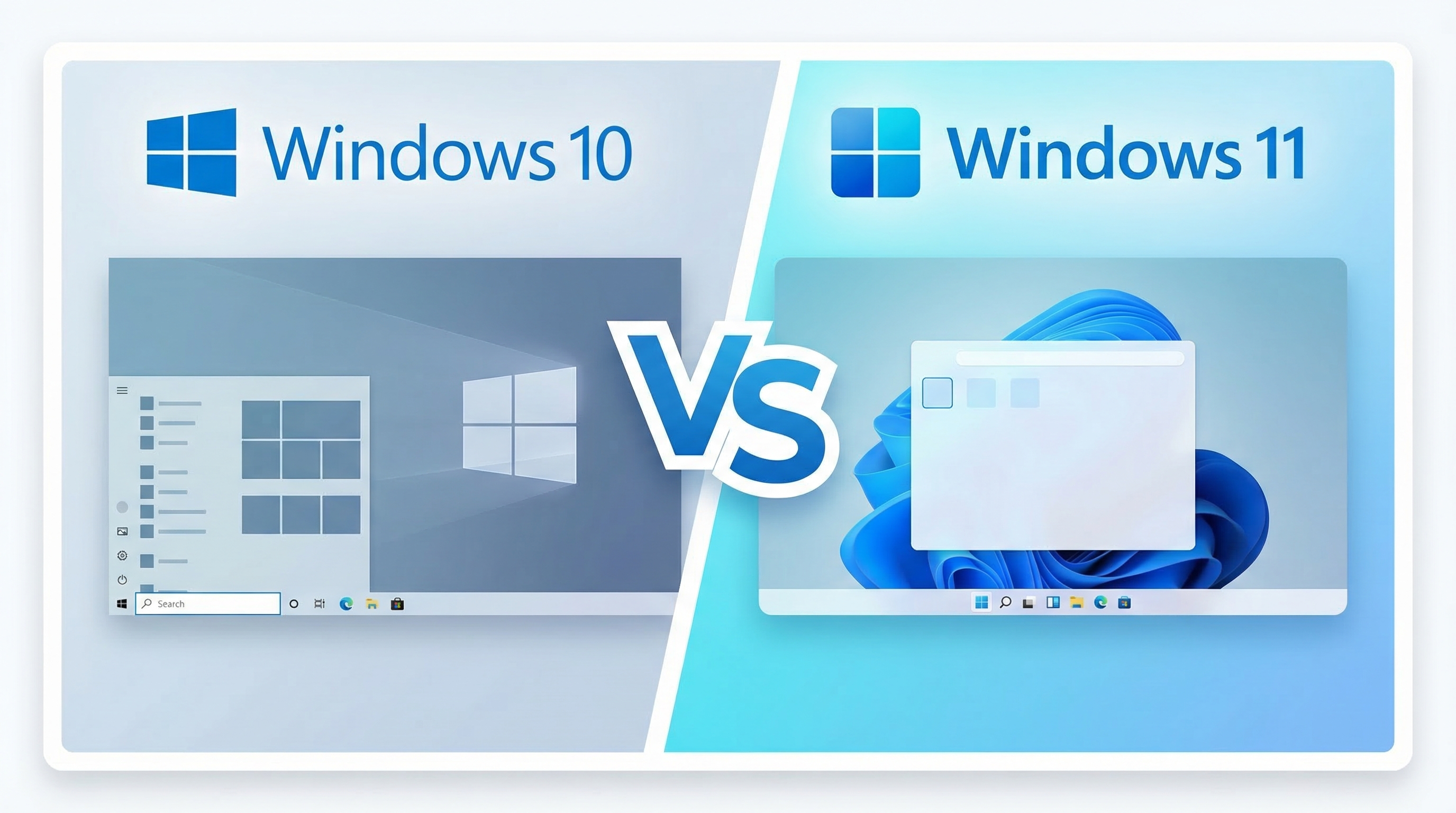
Windows 10 support ends on 14 October 2026. After that date, your PC will stop receiving security updates, leaving it exposed to new threats. If you are still running Windows 10, now is the time to decide: upgrade to Windows 11 or stay put?
In this guide we compare Windows 11 vs Windows 10 across performance, security, features, hardware requirements and price — so you can make the right call for your setup. And if you do decide to upgrade, we will show you how to get a genuine Windows 11 Pro licence for just €20.65 instead of the €259 Microsoft charges.
Quick Verdict: Windows 11 vs Windows 10 in 2026
For most users, Windows 11 is the clear choice in 2026. It is faster on modern hardware, significantly more secure, and will continue to receive updates for years to come. Windows 10, by contrast, reaches end of life on 14 October 2026 — after which no more security patches will be released.
The only reason to stay on Windows 10 is if your hardware does not meet the Windows 11 requirements (pre-2018 PCs) or you rely on legacy software that has not been updated.
Windows 11 vs Windows 10: Side-by-Side Comparison
| Feature | Windows 10 | Windows 11 |
|---|---|---|
| Security updates until | 14 Oct 2026 | 2031+ |
| TPM 2.0 required | No | Yes |
| Minimum CPU | 1 GHz (any) | Intel 8th Gen+ / AMD Zen 2+ |
| Minimum RAM | 1 GB (32-bit) / 2 GB (64-bit) | 4 GB |
| Snap Layouts | Basic Snap Assist | Advanced (6+ layouts) |
| DirectX 12 Ultimate | Partial | Full support |
| Android apps | No | Yes (via Amazon Appstore) |
| Copilot AI assistant | Limited | Fully integrated |
| Price at Licendi | Pro from €14.86 | Pro from €20.65 |
Performance: Is Windows 11 Faster Than Windows 10?
On modern hardware (Intel 8th Gen or newer, AMD Zen 2 or newer), Windows 11 is noticeably faster. Microsoft redesigned the task scheduler to prioritise foreground applications, which means the program you are actively using gets more CPU time. The result: snappier app launches, smoother multitasking and better battery life on laptops.
Windows 11 also handles memory more efficiently. Background processes consume fewer resources, freeing up RAM for the applications that matter. If you work with multiple browser tabs, Office documents and communication tools open at the same time, you will feel the difference.
On older hardware, the story is different. Windows 10 was designed to run on a broader range of machines and may actually perform better on pre-2018 systems. If your PC has an older CPU or less than 4 GB of RAM, Windows 10 remains the lighter option.
Security: Why Windows 11 Is Significantly Safer
Security is the biggest reason to upgrade to Windows 11. While Windows 10 offers security features as optional add-ons, Windows 11 enforces them by default:
- TPM 2.0 (Trusted Platform Module) — hardware-level encryption for credentials, BitLocker keys and secure boot verification. Blocks firmware-level attacks.
- Secure Boot — prevents unsigned or tampered software from loading during startup. Mandatory on Windows 11.
- Virtualisation-Based Security (VBS) — isolates critical processes in a secure memory region that even kernel-level malware cannot access.
- Smart App Control — blocks untrusted and unsigned applications automatically. Only available on Windows 11.
- Enhanced phishing protection — warns you when you type your password into a suspicious website or document.
And crucially: Windows 10 stops receiving security patches after 14 October 2026. Every newly discovered vulnerability after that date will remain unpatched. For business users, this also creates compliance risks — many industry regulations require supported operating systems.
User Interface and Productivity
Windows 11 introduced a cleaner, more modern interface with a centred Start menu, rounded corners and a simplified taskbar. While this is largely a matter of taste, the productivity features behind the new design are genuinely useful:
- Snap Layouts — hover over the maximise button to choose from six pre-set window arrangements. Far faster than dragging windows manually.
- Snap Groups — Windows remembers which apps you snapped together and lets you switch between groups from the taskbar.
- Virtual Desktops — available in Windows 10 as well, but Windows 11 lets you customise wallpapers per desktop and switch more smoothly.
- Widgets panel — quick access to weather, news, calendar and to-do items without opening a browser.
- Copilot integration — Microsoft's AI assistant is built directly into Windows 11, offering quick answers, system settings changes and content generation.
What Windows 11 removed: Timeline, the ability to move the taskbar to the top or sides of the screen, and some right-click context menu items (now behind a "Show more options" click). If these matter to you, be aware.
Gaming on Windows 11 vs Windows 10
If you use your PC for gaming, Windows 11 has clear advantages:
- DirectStorage — loads game assets directly from SSD to GPU, dramatically reducing loading times in supported games.
- Auto HDR — automatically adds HDR lighting to SDR games. Over 1,000 titles benefit with no developer action needed.
- DirectX 12 Ultimate — full support for ray tracing, variable rate shading and mesh shaders. Some titles now require Windows 11 for the best visual fidelity.
Windows 10 still runs modern games perfectly well, but as developers optimise specifically for Windows 11 features, the gap will widen. Some upcoming AAA titles already list Windows 11 as a minimum requirement.
Hardware Requirements: Can Your PC Run Windows 11?
This is the main barrier to upgrading. Windows 11 has stricter hardware requirements than any previous Windows version:
| Requirement | Minimum |
|---|---|
| CPU | Intel 8th Gen (Coffee Lake) / AMD Ryzen 2000 (Zen+) or newer |
| RAM | 4 GB |
| Storage | 64 GB |
| TPM | TPM 2.0 |
| Secure Boot | UEFI with Secure Boot capability |
| Display | 720p, 9" or larger |
How to check: Download the free PC Health Check tool from Microsoft. It scans your hardware and tells you instantly whether your PC qualifies.
Most PCs purchased from 2019 onwards will meet these requirements. If yours does not, you have two options: stay on Windows 10 and accept the security risks after October 2026, or upgrade your hardware.
When to Stay on Windows 10
There are a few legitimate reasons to stay on Windows 10 for now:
- Your hardware does not support Windows 11 and you are not ready to replace it.
- You depend on legacy software (industrial control systems, specialised business applications) that has not been tested on Windows 11.
- You manage a fleet of PCs and need more time to plan a phased rollout.
Even in these cases, have an upgrade plan. After October 2026, running an unpatched operating system is a security and compliance risk that grows with every passing month.
If you need to stay on Windows 10 a while longer, you can still buy a genuine Windows 10 Pro licence from €14.86 for new machines or reinstallations.
How to Upgrade to Windows 11 Affordably
The biggest obstacle after hardware compatibility? Price. Microsoft charges €145 for Windows 11 Home and €259 for Windows 11 Pro at retail. But you do not need to pay that.
At Licendi, you can buy genuine, EU-legal Windows 11 licences at a fraction of the retail price:
| Edition | Microsoft Price | Licendi Price | You Save |
|---|---|---|---|
| Windows 11 Home | €145 | €17.35 | 88% |
| Windows 11 Pro | €259 | €20.65 | 92% |
These are legitimate licences, fully legal in the EU under the UsedSoft ruling by the European Court of Justice. Every licence includes:
- Instant digital delivery
- Lifetime warranty
- Personal support (chat, email, WhatsApp, phone)
- Trustpilot 4.8/5 rating from 220+ verified reviews
- Microsoft Partner certified
Frequently Asked Questions
Is upgrading from Windows 10 to Windows 11 free?
If you already have a genuine Windows 10 licence and your hardware meets the requirements, you can upgrade for free through Windows Update. If your PC does not offer the upgrade, or you need a fresh installation, you will need a new Windows 11 licence — available at Licendi from €20.65.
What happens after Windows 10 end of support in October 2026?
Your PC will continue to work, but Microsoft will stop releasing security updates. This means newly discovered vulnerabilities will remain unpatched, making your system increasingly vulnerable to malware and cyberattacks. Microsoft offers an Extended Security Updates (ESU) programme for businesses, but it costs $61 per device per year.
Can I run Windows 11 on an unsupported PC?
There are workarounds to install Windows 11 on unsupported hardware, but Microsoft warns that such installations may not receive future updates and are not guaranteed to be stable. We recommend only installing Windows 11 on officially supported hardware.
Is Windows 11 Pro worth it over Windows 11 Home?
Windows 11 Pro includes BitLocker full-disk encryption, Remote Desktop, Hyper-V virtualisation and group policy management. If you work from home, handle sensitive data or manage multiple PCs, Pro is worth the small extra cost. At Licendi, the difference is just €3.30 (€17.35 vs €20.65).
Are discounted Windows licences from Licendi legal?
Yes. Licendi sells genuine EU software licences under the UsedSoft ruling (European Court of Justice, 2012). The resale of software licences is explicitly legal in the European Union. Licendi is also a certified Microsoft Partner.