EN
EN FR
FR  DE
DE  IT
IT  PT
PT  ES
ES 

How to install Bitdefender?
Having good digital protection is essential for keeping your devices and data safe from viruses, malware, and online threats. BitDefender is one of the most recognised cybersecurity solutions on the market, offering powerful performance, constant updates, and an easy-to-use interface.
If you have just purchased a BitDefender licence, the next step is to activate it correctly to enjoy all its security features. Below, we explain clearly and step by step how to activate your BitDefender Antivirus code in your account through Bitdefender Central.
Installation steps
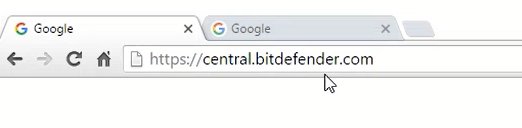
1. Access Bitdefender Central and log in with your account.
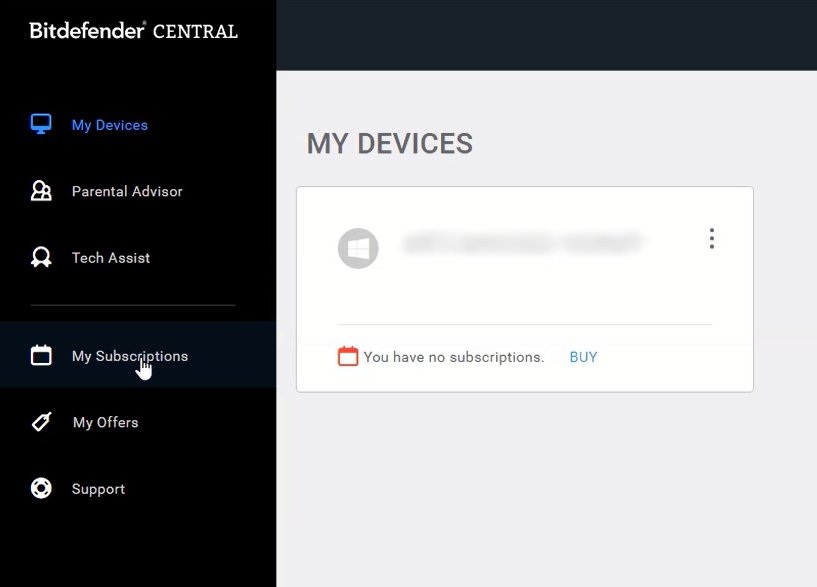
2. In the left side panel, select ‘My Subscriptions’.
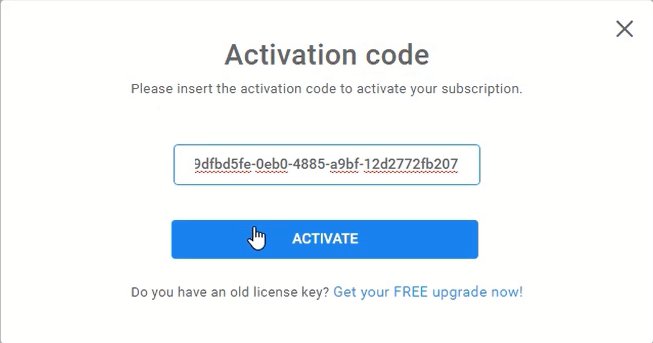
3. Click on the ‘Activation Code’ button.

4. Enter the activation code you received and press ‘Activate’.
5. Once the process is complete, the code will be linked to your account.
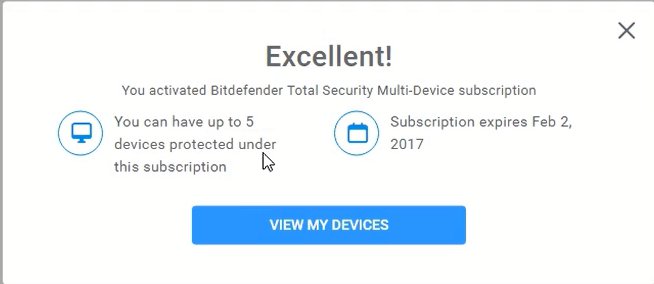
6. To confirm that the activation was successful, return to the ‘My subscriptions’ section, where you can check the current status of your licence and its duration.


Conclusion
Activating your BitDefender licence is a simple process that ensures your device is fully protected from the outset. By following these steps, you can link your code to your account and access all the security features offered by one of the most powerful antivirus programmes on the market.
Remember that keeping your software up to date and with an active licence is essential to protect your personal data, financial information and the stability of your systems against today's digital threats.
At Licendi, we offer original licences for BitDefender and other security programmes at competitive prices and with guaranteed support. Protect your devices today and browse with complete peace of mind.