EN
EN FR
FR  DE
DE  IT
IT  PT
PT  ES
ES 

How Virtual Machine Licensing Works
Introduction
Virtualization has become a key component of IT infrastructure in modern companies. Thanks to virtual machines, it is possible to run multiple logical “computers” or servers on the same physical hardware, improving efficiency and resource utilization.
However, alongside these advantages comes an important challenge: understanding how licensing works in virtualized environments. Each virtual machine typically requires its own software license (whether for the operating system or applications), which can make management more complex if the rules are not clearly understood.
Proper licensing in virtualization is critical to avoiding legal issues and optimizing costs. Companies must ensure that each virtual instance complies with the software usage conditions, just as they would with physical servers.
In this blog, we will explain in a straightforward way everything you need to know about licensing for virtual machines: from basic concepts to the differences between editions like Windows Server Standard 2025 and Datacenter 2025, as well as best practices to reduce costs. By the end, you will have a clear understanding of how to properly manage your licenses in virtual environments.

The Importance of Correct Licensing in Virtual Environments
Licensing virtual machines correctly is not just a formality; it is a critical aspect for any company that uses virtualization. Legally speaking, running software without the proper license can expose the organization to fines, penalties and even reputational damage. Software vendors carry out periodic audits, and discovering improper use (for example, more instances than allowed) can lead to unexpected costs. In addition, unlicensed software may lose access to updates or official support, compromising the security and stability of virtualized systems.
On the other hand, understanding how licensing works in virtual environments allows you to optimize IT investments. Proper licensing helps control costs: you avoid both overpaying for unnecessary licenses and falling short and risking non-compliance.
For example, knowing when a Datacenter edition license is more worthwhile than several Standard licenses can mean significant savings in a data center with many VMs. In addition, a clear licensing strategy makes it easier to plan the growth of the virtual infrastructure, as the company knows how many additional virtual machines it can deploy without exceeding its licenses. In short, good license management is synonymous with peace of mind and operational efficiency.
Basic Concepts: Host, Guest and Licensing in Virtualization
To understand licensing in virtual machines, we first need to clarify a few concepts. We call the host server the physical server that provides resources (CPU, memory, storage) and runs the virtualization software (hypervisor). On that host, one or several guest virtual machines run, each acting as an independent computer with its own operating system and applications.
From the software’s perspective, each virtual machine is like a separate server. This means that if an operating system or program requires a license to be used on a physical machine, it will also require one when run inside a VM. In other words, the fact that multiple VMs share the same hardware does not remove the need to license each software instance separately. For example, if you have three virtual machines running Windows Server, in general you will need three Windows Server licenses (unless a special license covers multiple instances, as we will see later).
The hypervisor itself (the virtualization platform) can also have its own licensing scheme. Some virtualization solutions are open source or free, while others (such as certain editions of VMware vSphere) require paid licenses per physical server. Understanding this distinction between licenses for the host and licenses for the guest VMs is essential for proper management.
Common Licensing Models in Virtualization
There are different ways in which software vendors structure their licenses for virtualized environments. The most common models include:
Per Virtual Machine License
A license is required for each VM instance where the software runs. This is a straightforward approach: each virtual machine counts as an independent “computer” for licensing purposes. For example, some enterprise applications or operating systems are licensed in this way, requiring an individual license per deployed VM.
Per Physical Processor or Core License
In this model, the capacity of the host server is licensed. Microsoft, for example, uses physical core licensing for Windows Server: you must cover all physical CPU cores on the host with licenses to enable certain numbers of VMs. Other vendors have used per physical processor (CPU) licensing. This approach focuses on the host hardware rather than on the number of VMs.
Per User or Device License (CAL)
Although it is not a VM-specific model, it is relevant in virtual environments that use servers such as Windows Server. In addition to the server license, client access licenses (CALs) are required for each user or device that accesses the server’s services (regardless of whether the server is physical or virtual).
Subscription or Cloud Service Licenses
Many modern solutions offer subscription-based licensing (monthly or yearly). In cloud environments, the cost of the software license is often already included in the price of the virtual machine (as with Windows Server instances in Azure/AWS), or you are allowed to bring your own license (BYOL, bring your own license). This model offers flexibility, allowing you to adjust costs according to usage.
Operating System Licenses for Virtual Machines
The operating system is the main piece of software that usually requires a license in each virtual machine. In Windows environments, each instance of Windows Server or Windows 10/11 running in a VM needs to be properly licensed, just as it would be on a physical computer. Microsoft offers different types of licenses (retail, OEM, volume licenses), but the basic principle is the same: each installation of the Windows operating system requires a valid license. For example, if you deploy five VMs with Windows Server Standard (and you do not have a license that covers multiple VMs), you will need five Windows Server Standard licenses.
In the case of open-source operating systems such as Linux, there is usually no license cost for the software itself. Distributions like Ubuntu, Debian or CentOS can be run on as many virtual machines as you wish without paying licenses to the vendor. However, enterprise Linux versions (Red Hat Enterprise Linux, SUSE Linux Enterprise, etc.) work on a subscription basis: the company pays for support and updates, and typically each instance (VM) requires its own active subscription to receive those benefits.
It is important to plan which operating systems will be used in the VMs and to consider their licensing costs. Many companies combine Windows environments (when they need certain Microsoft applications) with Linux in other VMs to optimize expenses, taking advantage of the fact that Linux has no direct licensing costs.
Windows Server Licensing in Virtual Machines
Microsoft Windows Server is one of the most widely used operating systems in virtualized environments, and its licensing scheme has important particularities. Windows Server is licensed per physical core of the host server: you must acquire enough licenses to cover all cores on the host (a minimum of 16 licensed cores per server, even if it physically has fewer). Windows Server licenses (Standard or Datacenter) are sold in 2-core and 16-core packs to make this coverage easier.
Once the physical server is fully licensed, the virtualization rights come into play: Windows Server instances that the license allows you to run in VMs at no additional cost. The Standard edition, for example, grants the right to run up to two Windows Server virtual machines on that host (in addition to allowing the physical host to be used as a hypervisor, for example with Hyper-V). If you need more than two Windows VMs on the same server, you must purchase additional Standard licenses for that host (that is, license the cores again to enable another two VMs).
The Datacenter edition, on the other hand, offers unlimited virtualization on the licensed host: with a single Datacenter license (covering all cores), you can run an unlimited number of Windows Server VMs on that server, without needing to purchase additional licenses for each VM. This difference from Standard is crucial when planning environments with many VMs.
It is worth noting that, regardless of the edition, Windows Server also requires CALs (Client Access Licenses) for the users or devices that access the server’s services, even if it runs in a VM. In other words, the server license covers the Windows instances themselves, but the clients that use them must have their corresponding access license.

Windows Server 2025 Standard vs Datacenter: differences in virtualization
Windows Server 2025 is offered in two main editions: Standard and Datacenter. Both provide the same core operating system features, but they differ in their virtualization rights and cost, which affects which one is more suitable depending on the scenario:
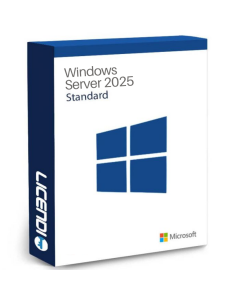
Windows Server 2025 Standard
It allows the execution of up to 2 Windows Server virtual machines for each license assigned to a physical server (after all its cores have been licensed). It is ideal for companies with lower virtualization density, such as one or two virtual servers on a host. If more VMs are required on the same server, additional Standard licenses can be added (stacked), increasing the cost for each extra pair of VMs. Standard has a lower initial price, making it a cost-effective option as long as the VM count per host remains small.
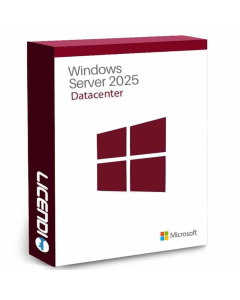
Windows Server 2025 Datacenter
It offers unlimited virtualization on the host server. With a single Datacenter license (covering all physical cores), you can run as many Windows Server VMs as needed on that machine, with no limits or additional VM licenses required. This edition is designed for high-density virtualization scenarios: private data centers, private clouds, or companies with dozens of virtual servers. Although its cost is higher, it is usually more economical than multiple Standard licenses when more than about 10 VMs per physical server are required. In addition, Datacenter includes some advanced, data-center-oriented features that are not available in Standard (for example, certain security and software-defined storage capabilities).
In short, Standard is suitable when only a few VMs will run on each server, while Datacenter performs better in environments with high virtualization density.
Licensing for Other Platforms and Virtualization Software
So far, we have mainly discussed operating system licenses inside virtual machines (especially Windows). However, it is also important to consider the virtualization software or hypervisors that allow you to create and manage those VMs, as some require their own licenses:
- VMware vSphere/ESXi: VMware is one of the leaders in enterprise virtualization. Its ESXi hypervisor has a free version with limited capabilities, but professional environments usually require paid vSphere editions. VMware typically licenses its software per physical processor on the host, offering different levels (Standard, Enterprise Plus, etc.) with varying features. Each physical server where ESXi is installed requires the appropriate license, regardless of how many VMs run on it (vSphere does not limit the number of VMs per license — hardware is the limiting factor).
- Microsoft Hyper-V: Microsoft’s hypervisor is included at no additional cost in Windows Server (it is a server role). This means that if you already have a Windows Server license for the host, you do not need to pay extra to use Hyper-V on that server. Microsoft previously offered a free edition called Hyper-V Server (a standalone hypervisor), although in recent versions the trend is to use Windows Server Core with Hyper-V enabled. In any case, the main licensing cost in Hyper-V environments lies in the Windows Server licenses for the VMs, as discussed earlier.
- Other hypervisors: There are open-source or free virtualization alternatives such as KVM (built into Linux), Xen, or Oracle VirtualBox. These usually do not require paid virtualization software licenses, but their support and advanced features may vary. Companies that choose these solutions save on hypervisor costs, although they still need to properly manage licenses for operating systems and applications running inside the VMs.
Licensing in Cloud Environments
Virtualization in the public cloud (such as Microsoft Azure, Amazon Web Services or Google Cloud) also involves licensing considerations, although the model works differently from on-premises environments. In many cases, when you create a virtual machine in the cloud with a commercial operating system (like Windows Server), the cost of the software license is already included in the hourly or monthly rate charged by the provider. This simplifies things for the user: essentially, the license is “rented” while the VM is running. That’s why launching a Windows instance in Azure/AWS is usually more expensive per hour than a Linux instance — the Windows price includes the Microsoft license cost.
Some clouds also offer a bring your own license (BYOL) option. This means that if a company already owns Windows Server licenses (or other software) under the correct terms, it can assign them to cloud instances and avoid paying the license surcharge on the provider’s bill. For example, Azure offers the Azure Hybrid Benefit, which allows companies to use on-premises Windows Server or SQL Server licenses in the cloud to reduce costs.
It is important to review each provider’s specific policies, as there are rules regarding how existing licenses can be assigned to cloud environments (sometimes requiring dedicated hosts or certain subscriptions). In any case, the cloud can offer flexibility: paying only for licenses while they are in use, or reusing investments in licenses the company already owns.
Best Practices for Managing VM Licenses in Companies
Properly managing licenses in a virtualized environment requires clear policies and controls. Some best practices that companies should consider include:
Up-to-date Inventory
Maintain a centralized record of all virtual machines, indicating which operating system and software runs on each one, and which licenses are assigned. An up-to-date inventory helps quickly identify the need for additional licenses or detect unauthorized instances.
VM Deployment Control
Establish procedures for creating new VMs where license compliance is verified before activating them. For example, the IT team should check that there are free licenses available (or budget to purchase them) each time a new virtual server is put into operation.
Regular Review and Audit
Conduct internal license audits on a regular basis. This involves comparing the number of running software instances with the licenses purchased. Internal audits allow you to correct deviations before facing an official audit from a software vendor.
Training and Awareness
Ensure that IT staff and system administrators understand the licensing rules. Many infringements occur due to lack of knowledge. Training the team in concepts such as “virtualization rights,” limits of Standard vs Datacenter editions, or license relocation rules (for example, Microsoft’s 90-day rule for moving licenses between physical servers) helps prevent costly mistakes.
Use of Management Tools
Consider using Software Asset Management (SAM) or monitoring solutions that track software usage across the infrastructure. These tools can alert you when usage exceeds the permitted level or when a license is close to expiring, making proactive management easier.
With these measures, the company remains compliant with licensing requirements and makes the most of its software investments, avoiding surprises.
Tips for Optimizing Licensing Costs
A good licensing plan not only avoids penalties, but can also generate significant savings. Below are some tips to reduce costs in virtual environments:
- Choose the right edition (Standard vs Datacenter): Analyze how many VMs you plan to run per server. If there are only a few, Windows Server Standard (cheaper) is usually enough. For many virtual servers on a single host, Datacenter is preferable (more expensive, but with unlimited VMs). Calculate from how many VMs onwards it becomes more cost-effective to purchase Datacenter instead of multiple Standard licenses, so you don’t overspend.
- Consolidate workloads to make better use of licenses: Get the most out of each license by grouping more services on fewer physical servers. If you have a Datacenter license on a powerful server, use that host to run as many VMs as possible efficiently and thus amortize the license. Consolidating VMs on already licensed hosts reduces the need for new licenses on other machines.
- Use open-source software where possible: Not all workloads require commercial software. If an application can run on Linux instead of Windows, that VM will have no operating system license cost. Likewise, evaluate whether a free hypervisor (such as KVM or the Hyper-V included with Windows Server) can meet your needs instead of paid virtualization solutions.
- Avoid “zombie” VMs: Because it’s so easy to create VMs, it’s common to accumulate virtual servers that are hardly used. Each additional VM may imply another operating system or application license. Regularly review your virtual inventory and shut down or delete unnecessary VMs. This saves hardware resources and prevents spending licenses on machines with no real use.
In short, a proactive licensing approach allows you to leverage virtualization with the best cost-benefit ratio, avoiding unnecessary expenses while remaining compliant.
Where to Buy Server Licenses
When it comes to purchasing software licenses for virtualized environments, it is essential to do so through official channels or trusted partners. Buying legitimate licenses guarantees that the product can be activated correctly, will receive support, and will comply with the terms of use. It also helps avoid scams or invalid keys often found on questionable websites.
Nowadays there are specialized software licensing stores where you can obtain official keys at good prices and with advice. For example, in our store Licendi you can legally purchase licenses for Windows Server Standard, Datacenter and other server products. By choosing a reliable provider like Licendi, companies ensure that they are compliant with regulations and can rely on professional help to choose the right license for their needs.
In summary, it is always advisable to purchase licenses for virtual machines and servers from authorized vendors. This provides the peace of mind that the keys are genuine and that the investment is protected (with no unpleasant surprises in future audits). An official license, purchased through a legitimate channel, is the foundation for building a stable, secure and legally compliant virtual environment.
Conclusion
Ultimately, understanding how licenses work for virtual machines is essential to get the most out of virtualization without taking risks. Each company must assess its situation — the number of VMs it uses, the chosen virtualization platforms, and the type of software deployed — in order to design a tailored licensing plan.
We have seen that with the right editions (for example, Windows Server Standard 2025 vs Datacenter 2025), it is possible to control costs while maintaining flexibility in virtualized environments. We have also emphasized the importance of following good license management practices and always purchasing official products through trusted channels such as Licendi.
By following these recommendations, organizations can enjoy all the benefits of virtualization — flexibility, hardware savings, scalability — with the peace of mind of meeting licensing requirements. A proactive and well-informed approach helps avoid unpleasant surprises and ensures that the virtual infrastructure is both efficient and compliant.