EN
 FR
 DE
 IT
 PT
 ES


Windows Server 2019 Pricing, Editions and Licensing Explained
In enterprise IT, keeping your server software current is essential for security, stability and efficiency. Windows Server 2019 remains a popular choice for organisations that want a dependable on-premises platform with strong hybrid cloud support. In this guide we explain what drives the price of Windows Server 2019, how the editions differ, and which licensing model is likely to suit your business. If you are still weighing up versions, our Windows Server vs Windows 10 comparison is a good starting point.
What is Windows Server 2019?
Windows Server 2019 is one of the long-term servicing releases of Microsoft's server operating system. It is designed to improve the security, performance and scalability of enterprise applications and infrastructure. Key capabilities include advanced security features such as Windows Defender ATP and shielded virtual machines, native container support, deep Azure integration, Storage Spaces Direct, and improved management of hybrid environments through Windows Admin Center.
For a broader view of the family, see our overview of the full Windows Server and CAL licence range.
Factors that affect the price
The cost of a Windows Server 2019 licence can vary significantly depending on several factors:
Edition. Windows Server 2019 is available in Standard, Datacenter and Essentials editions, each with a different price point and feature set.
Licensing model. Microsoft uses core-based licensing, plus Client Access Licences (CALs) for users or devices connecting to the server. Both elements influence the final cost.
Reseller. Prices can differ considerably between authorised resellers and partners.
Support and upgrades. Extended support, Software Assurance or additional upgrade paths increase the total investment.
Windows Server 2019 editions at a glance
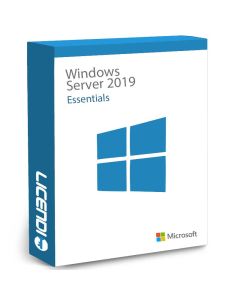
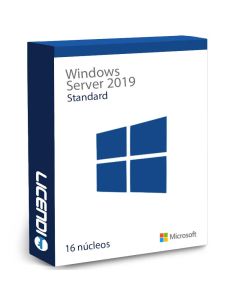
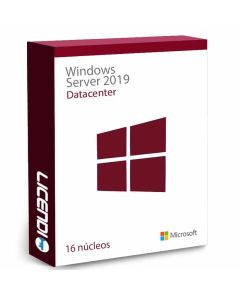
Standard suits physical or lightly virtualised environments and allows up to two virtual machines per licensed host. Datacenter is built for highly virtualised and software-defined data centres, with unlimited VMs, Storage Spaces Direct and Shielded VMs. Essentials targets small businesses with up to 25 users and 50 devices, and is sold as a single server licence without the need for CALs.
If your workload is newer, it is worth comparing with the next generation in our article on Windows Server 2022 key features and the Datacenter vs Standard comparison.
How much does Windows Server 2019 cost?
It pays to compare prices across suppliers and to look at bundled offers. Resellers often provide volume discounts or packages that include additional support and services. At Licendi, for example, we apply an additional discount when you buy two or more server licences, and our catalogue is consistently one of the most competitively priced on the market:
Use cases and business benefits
Windows Server 2019 is a strong fit for organisations that need a robust, secure platform to run business-critical applications, host virtual machines, manage file and print services, or connect on-premises workloads to Azure. Its security hardening and hybrid features make it suitable for companies of all sizes, from a single branch office to multi-site deployments.
If you are planning to modernise the desktop estate at the same time, you may also want to review the Windows client licence options available for your users.

Conclusion
Choosing the right Windows Server 2019 licence is an important decision for any business. When you evaluate the price of Windows Server 2019, look beyond the headline figure and consider the edition, the number of cores and CALs required, the reseller, and the level of support you need. Properly sized, Windows Server 2019 offers a reliable, secure foundation for operations today and a smooth path towards Windows Server 2022 and Azure tomorrow. If you have any questions about sizing or licensing, our team is happy to help you choose the right option.
Best regards,
The Licendi Team