EN
EN FR
FR  DE
DE  IT
IT  PT
PT  ES
ES 

Microsoft End of Support in 2026
The year 2026 is a big moment for millions of people and businesses using Microsoft products. Technical support will end for many popular products. This means organizations must make important choices. These choices will affect their online security, how much work they get done, and their tech budget. This article will explain what Microsoft's End of Support (EOS) means. We'll cover which products are affected, the real dangers of using old software, and ways to keep your tech safe and current.
The deadline is coming fast. Planning ahead can help you switch smoothly. It can also prevent a major security problem. Microsoft has clear rules for how long its products are supported. Understanding these rules will help you make smart choices for your organization and your budget.
What Does Microsoft End of Support Exactly Mean?
When Microsoft announces the end of technical support for a product, it means the company will stop providing:
- Security updates
- Fixes for weaknesses (vulnerability patches)
- Free or paid technical help
- Updates to online content
The product will still work. However, it will face more security risks as hackers find new ways to attack it.
Microsoft uses two key terms:
- End of mainstream support: This means new features and warranty requests are no longer available. Security updates still continue.
- End of extended support: This means all updates stop, including important security ones. This second scenario is the most dangerous for organizations.
Key Differences Between Mainstream and Extended Support
Microsoft's mainstream support usually lasts five years after a product launches. During this time, users get:
- Full security updates
- Performance improvements
- New features
- Complete technical support
Organizations can ask for design changes and new functions. Microsoft actively fixes reported technical problems.
Extended support starts when mainstream support ends. It typically lasts another five years. In this phase, Microsoft still provides critical security updates. However, it no longer offers:
- New features
- Free help for problems
- Design changes
Organizations can buy paid support for specific issues, but options are fewer and more expensive.
After extended support ends, the product is "out of support." This means no more updates of any kind. Any new security flaw found will never be fixed. This is the situation that will affect several important products in 2026.
Microsoft Products Losing Technical Support in 2026
The year 2026 will be very important. Many key products will reach their end of support. Many organizations still rely heavily on these versions. So, planning the change is extremely important. Here are the most important products that will be affected.
Windows 10: The End of an Era
Windows 10 is the most important product losing support in 2026. Microsoft has confirmed that October 14, 2025, is the end of support for Windows 10 Home and Pro. But the effects will be felt throughout 2026. Millions of users and businesses will need to switch during that year. Windows 10 is used on hundreds of millions of devices worldwide. This change is one of the biggest tech shifts of the decade.
Windows 10 came out in July 2015. It quickly became the most used operating system. It has been stable and long-lasting. This has caused many organizations to delay upgrading to Windows 11. This is especially true for those with older computers that don't meet Windows 11's requirements. Many working computers won't be able to run Windows 11. This is due to needs like TPM 2.0, Secure Boot, and specific processors.
Microsoft offers the Extended Security Updates (ESU) program for Windows 10. This lets organizations keep getting critical security updates for an extra period, but they must pay for it. The cost goes up each year. So, it's a short-term fix, not a long-term plan.
Microsoft Office 2016 and Office 2019: Productivity at Risk
Microsoft Office 2016's extended support ended on October 14, 2025. Its effects will also be felt throughout 2026. Office 2019 will follow a similar path. These versions of the world's most used office software will become unsafe. This is because hackers will find and use new weaknesses in Word, Excel, PowerPoint, Outlook, and Access.
The danger with unsupported Office versions is very high. This is because of the types of documents these programs handle. Word and Excel files often contain macros and active content. These can be ways for attacks to happen. Without regular security fixes, every document from outside sources could bring malware or ransomware.
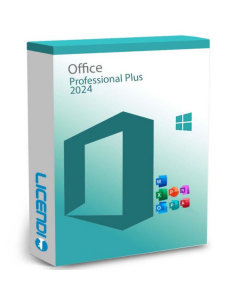
Organizations using Office 2016 or 2019 should consider moving to Microsoft 365. This offers constant security and feature updates. Another option is to buy permanent licenses for newer versions, like Office 2021 or the upcoming Office 2024.
Exchange Server 2016 and Other Business Products
Exchange Server 2016's extended support will end in October 2025. Its impact will last through 2026. For organizations that use Exchange for email, this is a big risk. Email servers are often targets for cyberattacks. Unsupported versions are especially vulnerable.
Other business products also affected include certain versions of SQL Server, SharePoint Server, and Skype for Business. Each of these products is vital for business operations. If they have unpatched weaknesses, it can severely disrupt business.
Companies using these on-site products should think about moving to Microsoft 365 or Azure cloud versions. Or, they should upgrade to the newest versions that still have active support.

Security Risks of Using Unsupported Microsoft Software
Using Microsoft software without technical support puts organizations at risk. These security risks grow much larger over time. It's important to understand these risks to make good choices about your update plan.
Unpatched Vulnerabilities: An Open Door for Attackers
Security weaknesses are always being found in software. When Microsoft offers active support, these weaknesses are regularly fixed through updates. But once a product loses support, these weaknesses stay open forever.
Hackers know when Microsoft products lose support. They often save newly found weaknesses to use after support ends. This means the risk of attack goes up sharply right after the end-of-support date.
"Zero-day attacks" use unknown weaknesses. These are especially dangerous on unsupported systems. Systems with active support will eventually get fixes. But unsupported systems will always be vulnerable.
Ransomware and Malware: Growing Threats
Ransomware has become one of the most costly and damaging threats for all businesses. Attackers look for weak systems to get in. They encrypt important data and demand large payments, sometimes millions of euros. Unsupported Microsoft systems are easy targets for these attacks.
The WannaCry attack in 2017 shows this danger clearly. This harmful ransomware mainly hit Windows XP and Windows 7 systems that hadn't been updated. It caused billions of dollars in damage worldwide. Microsoft had fixed the weakness months earlier, but many organizations hadn't installed the update.
Windows 10 is losing support. Millions of devices might not get updates. Security experts expect a big rise in ransomware attacks aimed at these vulnerable systems.
Regulatory and Legal Compliance Implications
Using unsupported software brings more than just technical security risks. It can also lead to serious legal and regulatory problems. Rules like GDPR in Europe, HIPAA in the U.S. (for healthcare), and PCI DSS (for payments) require businesses to protect sensitive data. They must use reasonable security measures.
Using unsupported software can show a lack of care in protecting data. If a security breach happens, organizations using old software might face much higher fines and more legal responsibility.
Many business contracts and cyber insurance policies also require using actively supported software. Not following these rules can cancel your insurance or harm important business relationships.
Migration and Upgrade Strategies for 2026
Many Microsoft products will lose technical support in 2026. Organizations must create and use good plans to switch. Planning early is key to avoid problems and control costs.
Current Technology Inventory Assessment
The first step for any successful switch is to list all systems and applications using Microsoft products that will lose support. This means finding all installations of:
- Windows 10
- Office 2016 and 2019
- Exchange Server 2016
- Other affected products
This list should also include details about the computer hardware. For Windows 10, many older computers won't meet Windows 11's needs. Finding these computers early helps you plan to replace them or consider other options, like extended security updates.
It's also important to know which software depends on others. Many business applications might need specific operating system or Office versions. You must consider this when planning your move.
Available Upgrade Options
For operating systems, the easiest choice is to upgrade to Windows 11 if your computer meets the hardware needs. If not, you have options:
- Replace the hardware.
- Join the paid extended security updates program.
- Consider other operating systems like Linux for specific uses.
For office software, the main choices are:
- A Microsoft 365 subscription: This offers constant updates and access to the newest app versions.
- Buying permanent licenses for Office 2021 or later versions.
Each choice has its own benefits for cost, features, and flexibility.
For business products like Exchange Server, moving to Exchange Online (part of Microsoft 365) is often the safest and most efficient long-term choice. However, some organizations might prefer to upgrade to newer on-site Exchange Server versions for specific reasons.
Budget Planning and Cost Control
Switching from unsupported Microsoft products can be a big expense, especially for large organizations. But this cost should be weighed against the potential costs of a security breach. These can include:
- Ransomware payments
- Lost work time
- Damage to reputation
- Regulatory fines
- Recovery costs
These costs can be much higher than the investment needed for a timely upgrade.
There are ways to control migration costs. You can spread the investment over time by doing it in phases. Start with the most important or vulnerable systems first. Microsoft's volume licensing programs offer big discounts for larger organizations.
Another popular option is buying used software licenses from approved sellers. This is completely legal. It lets you get original Microsoft licenses at much lower prices than new ones. It's a budget-friendly way to upgrade without breaking laws or rules.
Licendi: Your Partner for Microsoft Licenses at Great Prices
You need to switch to newer Microsoft software versions. Finding ways to upgrade your tech without spending too much is a top priority. This is where Licendi comes in. It's a smart choice for businesses and professionals looking for original Microsoft licenses at truly competitive prices.
Licendi sells used software licenses. It operates fully within European law for selling used software. The European Union's Court of Justice has often confirmed that reselling software licenses is legal if certain rules are met. Licendi makes sure all these rules are followed in every sale.
Advantages of Buying Your Licenses at Licendi
The main benefit of Licendi is the big savings compared to buying new licenses directly from Microsoft. Customers can save up to 70% on products like:
- Windows 10
- Windows 11
- Office 2019
- Office 2021
- Other Microsoft business solutions
These savings can make a huge difference in any organization's tech budget.
All licenses from Licendi are 100% original and legal. Each license comes with documents proving its origin and legality. This gives buyers full peace of mind about following rules and software audits.
Buying from Licendi is easy, fast, and secure. After you buy, you immediately get your product key and clear activation steps. Their support team is ready to help you at every stage, making sure your shopping experience is smooth.
Microsoft Products Available at Licendi
Licendi offers many Microsoft products. These help organizations upgrade their systems affordably. Available products include:
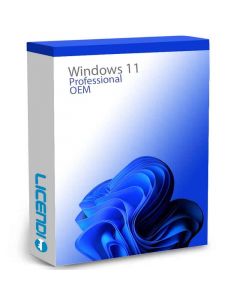
- Different versions of Windows 10 and Windows 11 (including Professional and Enterprise for businesses).
- Microsoft Office licenses in versions 2019, 2021, and other editions. These are available as single licenses or in bulk for businesses.
This allows organizations to move from unsupported versions like Office 2016 to current, fully supported versions.
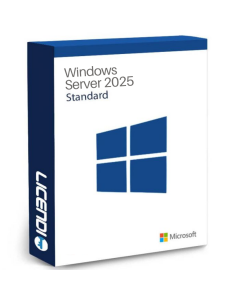
Besides products for individual users, Licendi also sells server licenses and other Microsoft business solutions. This provides a full solution for any organization's upgrade needs. The sales team can advise on the best choices for each customer's specific situation.
Why Choose Licendi for Your Software Upgrade
Choosing Licendi means picking a solution that offers legal compliance, cost savings, and good service. The company has years of experience selling software licenses. It has helped thousands of customers and businesses improve their tech investments. They do this without risking security or breaking rules.
Licendi cares about customer happiness. This is clear in their warranty and personal customer service. If you have questions about which licenses you need or how to switch from your current products, the Licendi team is ready to help. They will find the best solution for you.
Microsoft's technical support ends in 2026. Licendi is the perfect partner to make this change affordable, legal, and efficient. Don't wait for your software to become unsafe. Act now and use the benefits Licendi offers.
Recommended Action Plan for the Transition
To switch successfully before technical support ends, you need a realistic plan. This plan should allow enough time to finish all tasks without rushing. Here is a suggested timeline that you can adjust for your organization's needs.
Phase 1: Evaluate and Plan
Start the evaluation phase as soon as possible. In this phase, you should:
- List all affected systems.
- Check if your hardware works with Windows 11.
- Find any software that depends on other software.
- Set a first budget for the switch.
This is also the time to:
- Look at different upgrade options.
- Compare costs from various license providers, like Licendi.
- Create a detailed plan for the move, including timelines, who is responsible, and how to measure success.
This phase usually takes four to eight weeks, depending on your organization's size and complexity. Good planning is very important. Mistakes here can lead to extra costs and big delays later.
Phase 2: Gradual Implementation
Implement the changes step-by-step. Start with a small test group. This helps find and fix problems before moving everyone. This test group should include people from different departments and user types. This ensures all common uses are covered.
Once the test group confirms the switch works, you can move forward by department or location. Prioritize the most important or vulnerable systems. Keep communication open with users to get feedback and solve issues quickly.
The implementation phase can take several months, depending on how many systems need to be moved. A slow, well-managed switch is better than a rushed one that disrupts daily business.
Phase 3: Consolidate and Verify
After all systems are moved, it's vital to check everything thoroughly. Make sure no systems are left unupdated. This includes:
- Checking your network to find any forgotten devices.
- Verifying license activations.
- Confirming all systems are getting security updates correctly.
This is also the time to:
- Write down what you learned during the move.
- Update your standard procedures.
- Plan for future updates to avoid similar situations. Managing software updates proactively should become a regular practice.
Finally, set up ongoing monitoring. This will alert you to new Microsoft end-of-support announcements. This way, you can start planning for future upgrades well in advance.
Conclusion: Act Now to Protect Your Infrastructure
Microsoft's end of technical support for key products in 2026 is both a challenge and a chance for organizations. The challenge is clear: millions of systems will become unsafe if nothing is done. The chance is to update your tech, boost security, and possibly cut long-term costs with smart planning.
The dangers of ignoring these deadlines are too big to overlook. Unfixed weaknesses, ransomware attacks, fines for not following rules, and lost work time can cost businesses far more than a timely upgrade.
The good news is there are options for every budget. From Microsoft 365 subscriptions to permanent licenses, and affordable solutions like those from Licendi, every organization can find a way to upgrade. The important thing is to start planning now, while there's still time for a smooth change.
Don't let your organization become another victim of preventable cyberattacks. Check your current situation, look at your options, consider affordable licenses from Licendi, and act before it's too late. Your online security and business operations depend on the choices you make today.
2026 is almost here. The question isn't if you should upgrade, but when you will start. The sooner you begin, the more choices you'll have and the better prepared you'll be for this important change in Microsoft software history.