EN
EN FR
FR  DE
DE  IT
IT  PT
PT  ES
ES 

Comparison: Acrobat Pro DC 2020 vs 2022
Introduction
Adobe Acrobat Pro DC is the gold standard for PDF document management, used by professionals, businesses, and individuals to create, edit, and share PDF files securely. When purchasing this software, Adobe mainly offers a subscription-based model (Acrobat DC with monthly or annual payment). However, many users prefer permanent licenses that are purchased once and used for life, with no recurring fees. In this context, Adobe Acrobat Pro DC 2020 and Adobe Acrobat Pro DC 2022 are two available perpetual license versions that have gained popularity.
In this blog, we’ll analyze the differences between Acrobat Pro DC 2020 and Acrobat Pro DC 2022, focusing on their features, technical improvements, compatibility, and pricing. Both versions allow you to enjoy the powerful functions of Acrobat Pro without a subscription, but there are key distinctions in terms of performance, added features, and system requirements that are worth knowing before deciding. If you’re wondering which of these licenses best suits your needs, keep reading — by the end, you’ll have a clear understanding of what Acrobat 2020 vs Acrobat 2022 offers and which one may be the most convenient option for you.
Acrobat Pro DC 2020 and 2022 as Perpetual Licenses
Adobe Acrobat Pro DC 2020 was released as a one-time purchase version (perpetual license) aimed at users who needed Acrobat’s advanced features without committing to a subscription. This 2020 edition includes all the essential tools to create, edit, and manage PDFs, and its purchase grants lifetime usage rights for one PC. On the other hand, Adobe Acrobat Pro DC 2022 is the most recent evolution available as a perpetual license. It’s an updated version that incorporates the improvements and new features introduced after 2020 while maintaining the one-time payment model that allows lifetime use.
In other words, both are perpetual licenses: you pay once and don’t need renewals or monthly fees. The main difference lies in the release date and included improvements: Acrobat Pro DC 2020 represents the state of Acrobat up to that year, while Acrobat Pro DC 2022 offers the most up-to-date experience, aligned with the innovations Adobe implemented over the following two years. Below, we’ll break down in detail how these two versions compare in terms of performance, specific features, system compatibility, and other key aspects.
Performance and Stability
In terms of performance, Acrobat Pro DC 2020 already delivered a solid experience: it could reliably open and handle large PDF documents with multiple tabs. However, some users might have noticed slight delays when starting the application or working with many comments and interactive forms at once. With Acrobat Pro DC 2022, Adobe further refined the software’s performance and stability. The 2022 version tends to launch faster and use system resources more efficiently thanks to internal optimizations introduced after 2020.
For example, tasks such as text searches across large PDF collections run more quickly in Acrobat 2022, reducing wait times when looking for information. Likewise, loading files stored in the cloud or on network drives is faster in the 2022 version, eliminating bottlenecks when opening remote documents. Another improved area is memory management: Acrobat 2022 is better optimized for modern 64-bit operating systems, allowing it to take advantage of multicore processors and large amounts of RAM more effectively than its 2020 predecessor.
Regarding stability, Acrobat Pro DC 2022 fixed minor bugs and issues found in the 2020 edition, resulting in fewer unexpected crashes when working with complex files. In summary, although both versions are robust for daily use, Acrobat 2022 provides a smoother and more stable experience, especially noticeable in intensive PDF workflows.
PDF Editing and Creation Features
Both Acrobat Pro DC 2020 and the 2022 version offer a full set of tools for professional PDF editing and creation. With either edition, you can edit text and images directly in a PDF using the “Edit PDF” tool while maintaining the original document’s layout. You can also rearrange, insert, or delete pages with the “Organize Pages” feature. Both versions allow easy conversion of Office documents (Word, Excel, PowerPoint) or other formats (images, HTML, etc.) into PDFs, as well as exporting PDF files back to editable Office formats while preserving layout and design as much as possible.
That said, Acrobat Pro DC 2022 includes subtle improvements in these functions compared to 2020. For instance, editing long documents with headers and footers is more intuitive in the 2022 version thanks to automatic layout adjustments: when modifying a header or footer, the rest of the document adapts without disrupting the format, reducing the need for manual page-by-page corrections. Similarly, Acrobat 2022 improved accuracy when exporting PDFs to Word or Excel, achieving better preservation of tables, fonts, and styles than in the 2020 version.
As for PDF creation, both versions allow users to generate high-quality PDF files from any printable application or via Office add-ins. Acrobat 2022 simply refines the process, ensuring smooth integration with the latest versions of Office 365 and delivering a more polished experience when creating or editing PDFs. In short, you won’t find missing editing tools in the 2020 version, but Acrobat 2022 enhances the overall experience, making document editing and conversion slightly more efficient and accurate.
OCR and Scanned Document Digitization
One of the standout features of Acrobat Pro DC is its OCR (Optical Character Recognition) capability, which allows you to transform scanned documents or text images into searchable and editable PDFs. Both the 2020 and 2022 versions include this essential feature for anyone who needs to digitize contracts, invoices, or other paper documents. With OCR, text that originally exists in an image (for example, a PDF generated from a scanner) becomes real text that can be selected, copied, or even edited.
Between Acrobat Pro DC 2020 and 2022, neither lacks the OCR tool, but there are noticeable improvements in the newer version. Acrobat Pro DC 2020 was a major step forward, allowing OCR to be applied even to mixed files (documents containing both digital text and scanned pages). In earlier releases, if a PDF contained any text layer, OCR might not run on the scanned pages; 2020 solved that issue, making the process more versatile. Acrobat Pro DC 2022 retains and enhances this functionality: the OCR engine in the 2022 edition is slightly faster and more accurate, benefiting from general performance optimizations. Additionally, Adobe has continued to expand language support and improve recognition of difficult fonts, meaning Acrobat 2022 can deliver more reliable OCR results in documents with diverse typefaces or languages.
In practice, this means that when using Acrobat 2022 to digitize a batch of documents, you’ll get editable text with less effort and fewer recognition errors compared to Acrobat 2020 (which was already quite robust). Both programs greatly simplify the transition from paper to digital format, but the 2022 version leads in refinement and OCR process efficiency.
Document Security and Digital Signatures
Both versions of Acrobat Pro DC offer comprehensive security tools to protect PDF documents and electronic signature features for validation. You can add passwords to open or modify files, set restrictions for copying and printing, apply advanced encryption, and redact (permanently hide) sensitive text before sharing the PDF.
In terms of digital signatures, both versions include the Fill & Sign tool, which lets you sign documents electronically or add signature fields for others to complete. Acrobat Pro DC 2022 takes this a step further: the “Request Signatures” option appears integrated into the tools panel (as part of Acrobat Sign). This means Acrobat 2022 can detect empty signature fields in a PDF form and suggest sending the document for others to sign digitally instead of printing it, streamlining the electronic signature collection process.
In summary, both programs provide robust functionality to protect your documents and manage legally valid digital signatures. Acrobat 2022 stands out for making the collaborative e-signature experience simpler and more modern, while Acrobat 2020 perfectly covers the traditional security needs (passwords, encryption, etc.) that most users require.
Cloud Integration and Collaboration
In today’s cloud-based world, easy access and document sharing are essential. In this regard, both Acrobat Pro DC 2020 and 2022 offer cloud service integration and collaboration features, although the 2022 version is more refined. Acrobat Pro DC 2020 already allowed users to open, save, and sync PDF files directly with popular platforms like Dropbox, OneDrive, or SharePoint from within the application. This made it easy, for example, to edit a PDF stored in your OneDrive without manually downloading it. Acrobat 2020 also featured the Share for Review function, which enabled you to send a link to your PDF so colleagues or clients could leave comments and annotations, centralizing feedback in one document.
Acrobat Pro DC 2022 expands and refines these collaborative capabilities. It adds compatibility with additional storage services such as Google Drive, Box, and others, ensuring that virtually any cloud repository you use can integrate with Acrobat. Furthermore, generating a shareable link for others to review or sign your PDF is faster and more direct in 2022 than in 2020, as Adobe simplified this workflow. Acrobat 2022 also allows you to view the latest activity on your shared files, making it easier to identify recent collaborator comments at a glance on a document under review.
In summary, both versions let you leverage the cloud for greater productivity—collaborating on a PDF without exchanging multiple copies via email—but Acrobat Pro DC 2022 offers more complete integration and smoother collaboration. This translates to shorter loading times for cloud-stored files, better organization of shared documents, and an overall experience aligned with modern connected workflows.
System Compatibility and Requirements
Regarding operating systems, Acrobat Pro DC 2020 is compatible with Windows 8/8.1 and Windows 10. Although it wasn’t originally designed for Windows 11 (which didn’t exist in 2020), it generally works correctly on that system as well. Acrobat Pro DC 2022, in contrast, requires Windows 10 or 11 and is not compatible with Windows 7 or 8. In other words, if your PC still runs Windows 7/8, only Acrobat 2020 will work; to use Acrobat 2022, you need to upgrade to Windows 10/11.
In the case of macOS, Adobe did release Acrobat Pro 2020 as a perpetual license for Mac, but there is no perpetual 2022 edition for Mac. On macOS, the most recent perpetual version is 2020; to get a later version, you must choose the Acrobat DC subscription model.
There are also integration differences with other applications. Acrobat Pro DC 2020 included add-ins for creating PDFs within Microsoft Office 2016/2019. Acrobat Pro DC 2022 updates this compatibility to Office 2021 and Microsoft 365, ensuring you can convert documents to PDF directly from the latest versions of Word, Excel, etc., without issues.
Finally, in terms of hardware requirements, there are no significant differences. Any computer capable of running Acrobat 2020 smoothly will handle Acrobat 2022 without problems, as long as it meets the updated operating system requirements.
Lifecycle and Updates
A key differentiating factor to consider is the support lifecycle for each version. Adobe provides security updates and technical support for its perpetual versions of Acrobat for about five years after release. Since Acrobat Pro DC 2020 was launched earlier, it’s closer to the end of its official support period. In fact, Adobe has announced that security updates for Acrobat 2020 will continue until approximately November 2025. After that date, the product will still work but will no longer receive official patches for new issues or vulnerabilities.
In contrast, Acrobat Pro DC 2022, being more recent, will have several additional years of support. If Adobe maintains its current policy, we can estimate that Acrobat 2022 will receive security updates until around 2027. In the long run, this means the 2022 version is better positioned in terms of bug fixes and future compatibility, while the 2020 version may become outdated sooner.
It’s worth clarifying, however, that none of these perpetual licenses receive new features after release. Acrobat 2020 hasn’t gained any extra functionality since 2020 (only patches), and the same will happen with Acrobat 2022 going forward. Adobe reserves innovations for the subscription-based Acrobat DC. In other words, Acrobat 2022 comes with all the improvements added up to its release year, while Acrobat 2020 retains the features of its era. Therefore, the 2022 edition enjoys greater longevity in terms of built-in updates and support than the 2020 version, although both will continue to allow efficient PDF work for many years to come.
Price: Acrobat Pro DC 2020 vs 2022
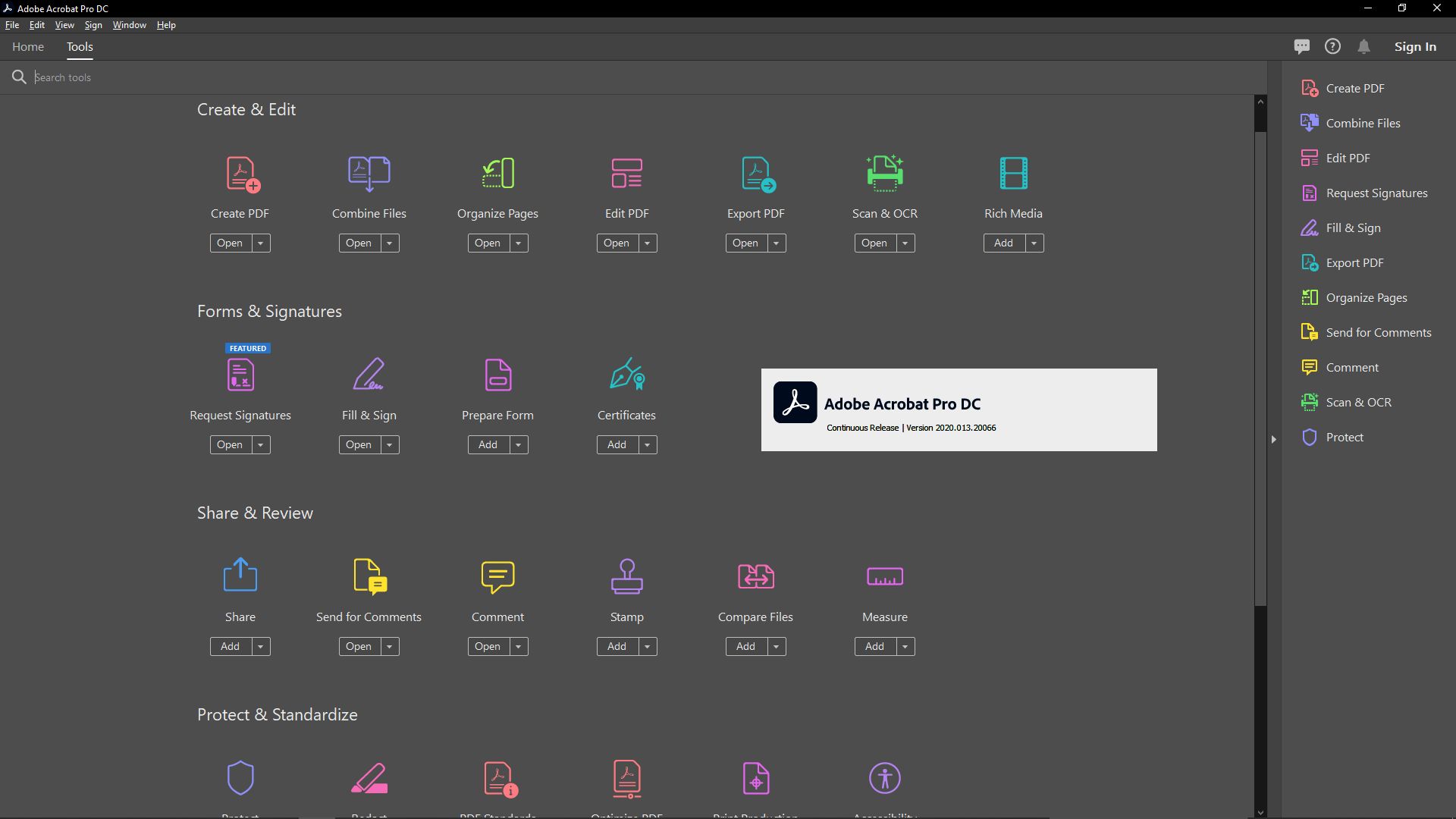
Finally, price is a key factor for many users when deciding. In our Licendi store, you can get Acrobat Pro DC 2020 for €77.95 (perpetual license), while Acrobat Pro DC 2022 is available for €105.25. The 2022 edition has a higher initial cost (around €27 difference). In exchange for that increase, you get the technical and longevity benefits we’ve described—better performance, more refined features, and longer support. The 2020 edition, on the other hand, offers virtually all the essential Acrobat capabilities at a more affordable price, making it very appealing if you’re on a tighter budget.
Both options are far more economical than the official subscription model. To put it into perspective, the annual subscription for Acrobat Pro DC costs around €180–€200; even the 2022 version (the more expensive of the two) costs roughly half the price of one year’s subscription, and that license will last you a lifetime. In fact, after just a few months of use, the one-time purchase pays for itself compared to continuing to pay the recurring Acrobat DC fee.
When it comes to value for money, Acrobat 2020 delivers a full professional solution for under €80—ideal for individual users, students, or small businesses needing advanced PDF features at minimal cost. Acrobat 2022, at just over €100, remains an excellent purchase for anyone wanting the latest PDF technology without ongoing fees. That small price difference is rewarded with a more up-to-date program that will serve you for several years before becoming outdated. In any case, both perpetual licenses let you save significantly compared to recurring subscription costs, giving you a legitimate Acrobat Pro DC to use indefinitely.
Conclusion: Which Acrobat Version Should You Choose?
Both Acrobat Pro DC 2020 and Acrobat Pro DC 2022 are high-end solutions for professional PDF work without a subscription. The choice between the two mainly depends on your specific needs and situation:
- Acrobat 2020 offers everything essential: it’s a mature, stable version with virtually all the advanced tools a professional might need (editing, conversion, signatures, security, OCR, etc.). Its main advantage is the lower cost compared to newer alternatives, making it ideal if you have a limited budget or still use an older operating system where the 2022 version isn’t compatible. Although it dates from 2020, it remains perfectly capable in 2023 of handling common PDF tasks efficiently.
- Acrobat 2022, on the other hand, is the recommended choice if you value having the most up-to-date and optimized version. You’ll gain performance improvements, smoother integration with modern tools, and the peace of mind of having support and updates for more years. It’s especially suitable for demanding professional environments, businesses, or heavy PDF users who want to ensure maximum compatibility with new formats and systems in the coming years. The extra investment translates into longer product life and a smoother everyday experience.
In conclusion, there’s no single answer: Acrobat Pro DC 2020 remains an excellent value-for-money option for those who need a professional PDF editor at the lowest cost, while Acrobat Pro DC 2022 represents the cutting edge of functionality and longevity among Acrobat’s perpetual licenses. In both cases, you get a genuine Adobe Acrobat Pro DC for life, with the reliability that makes it the leading tool for PDF professionals.